Hello, we apologize for the issue you are facing. The notification you are seeing indicates that Rank Math has detected a new post type called e-floating-buttons on your website. This could have been created by a plugin or theme you recently installed.
The notice is a reminder for you to configure the SEO settings for this new post type to ensure that it is indexed correctly and has appropriate SEO titles and meta descriptions. If you do not configure these settings, it may affect your search rankings.
Here’s what you can do:
-
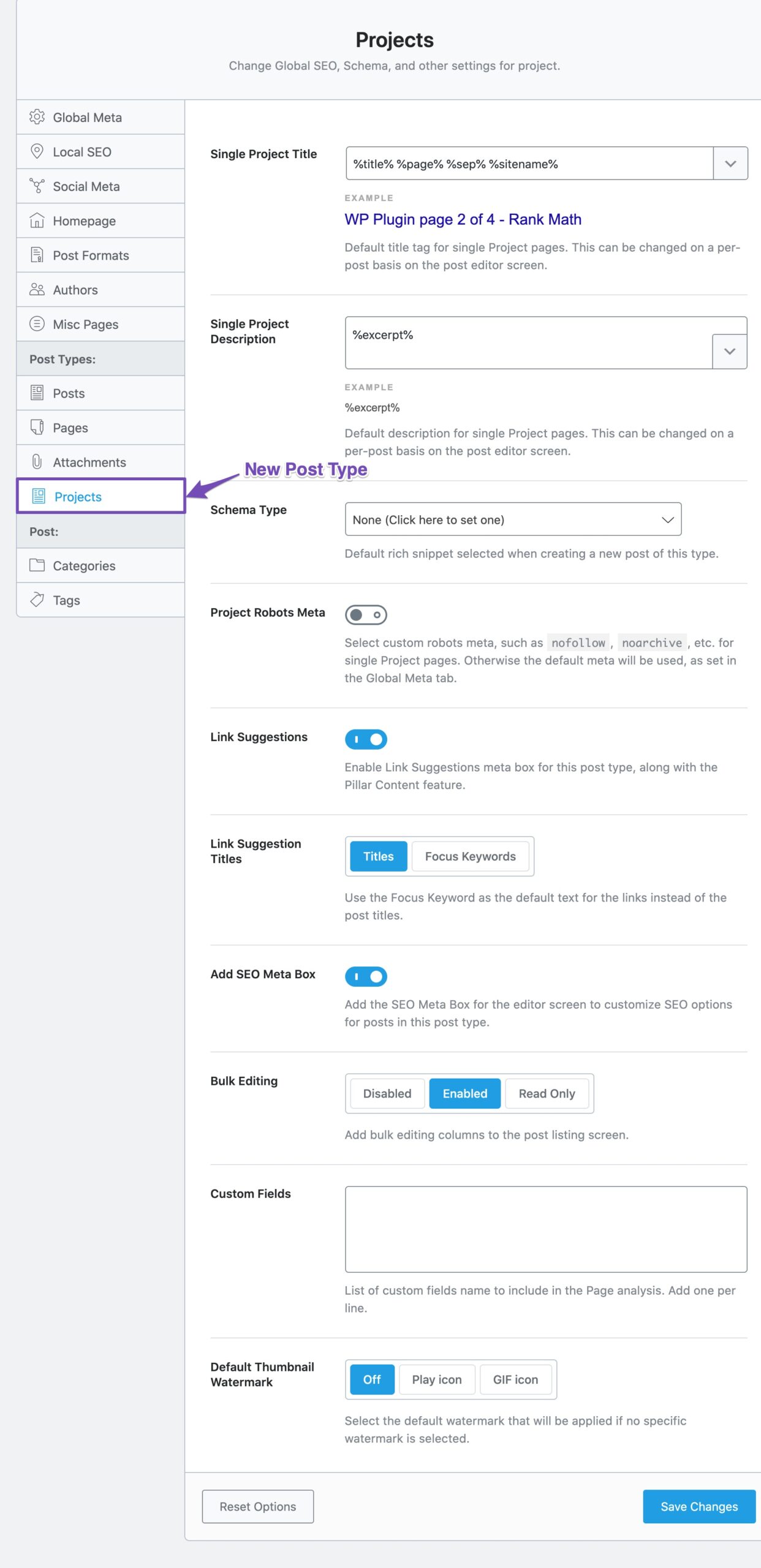
Check Titles & Meta Settings: Click on the Titles & Meta page option in the notification. This will take you to the settings for the new post type where you can configure the SEO settings.
-
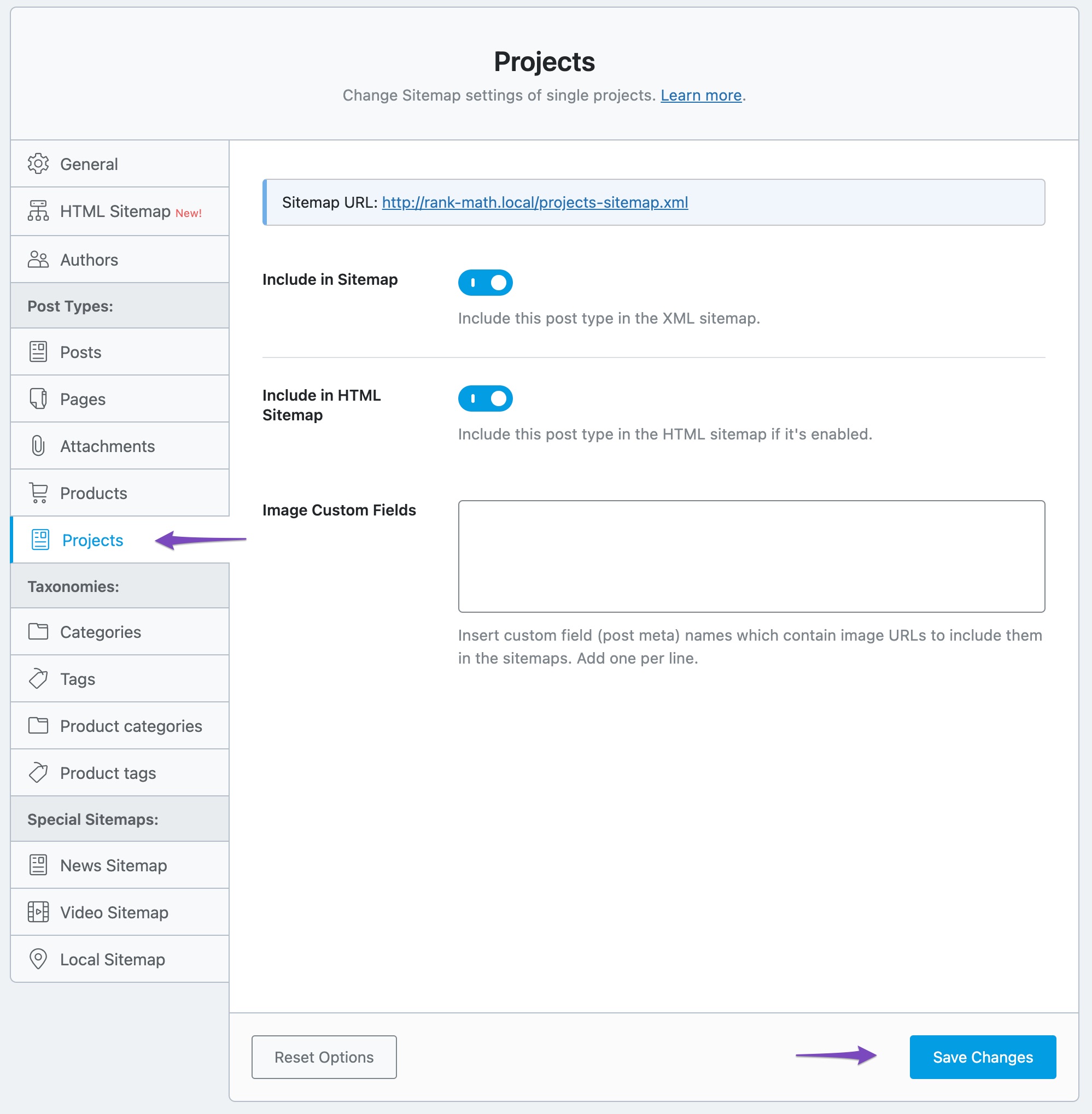
Configure Sitemap Settings: You should also check the Sitemap settings for this new post type. Click on the Sitemap link in the notification, which will redirect you to the Sitemap settings under Rank Math SEO → Sitemap Settings. Ensure that the new post type is included in your Sitemap if it should be indexed.
-
Robots Meta: Decide whether this post type should be indexed or not. If it’s user-facing, set it to Index; if it’s for internal use, set it to No Index.
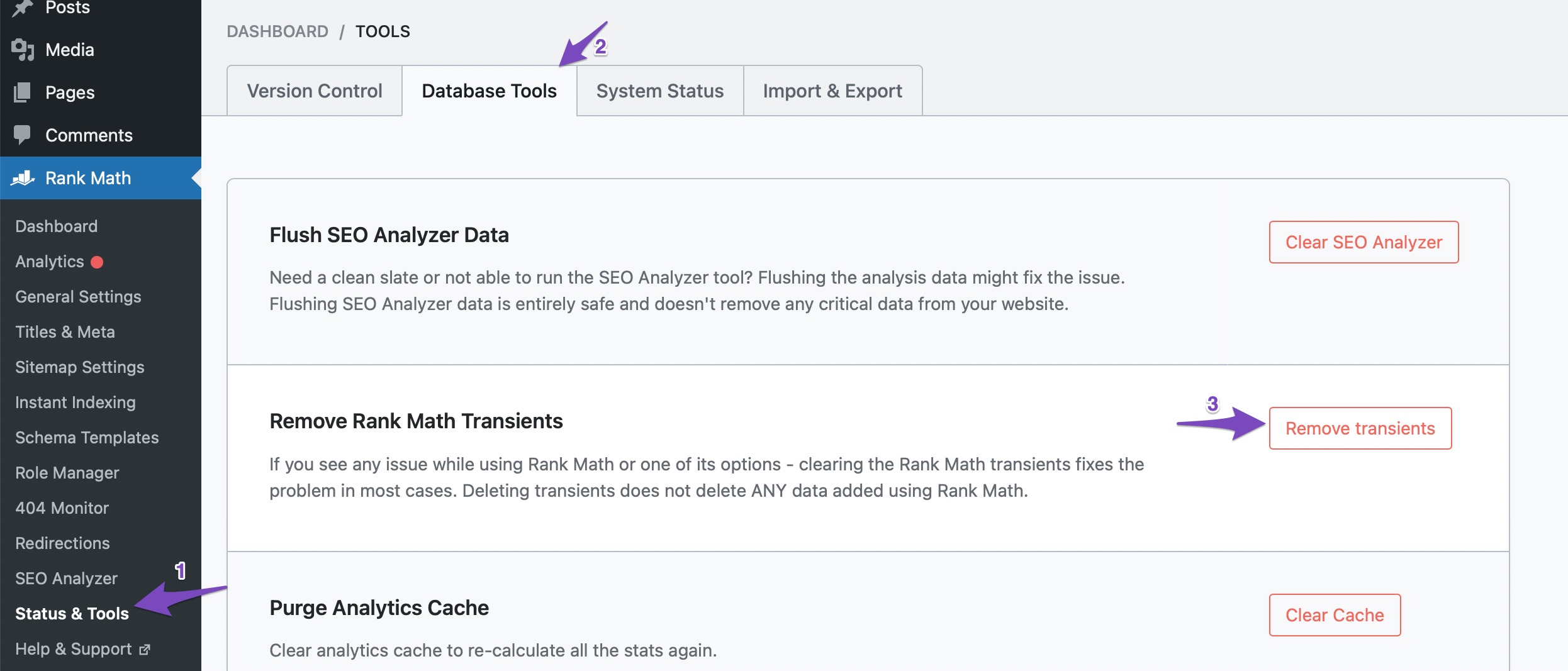
If you have already configured these settings and still see the notification, you can dismiss it by clicking the close button on the right side of the notification. If it doesn’t dismiss, try clearing your browser cache and removing transients from Rank Math SEO → Status & Tools → Database Tools.
If you have any further questions or need assistance, please feel free to reply to this ticket, and a human agent from our support team will assist you.
Sources:
We Detected New Post Type(s) » Rank Math
Should I include it in the Sitemap or not? Because when I click on the sitemap link the page is not found.
Sitemap URL:
Hello,
Thank you for contacting us and sorry for any inconvenience that might have been caused due to that.
Rank Math shows that notification whenever it detects a new post type on your website. You can check the post type settings in the Titles & Meta settings or if you feel it is not very important then you can click on the X button to clear the notification.
For more details, you can check this URL:
https://rankmath.com/kb/new-post-type-detected/
However, if the notification doesn’t go away by clicking the X button, then please try clearing Rank Math’s transients from WordPress Dashboard > Rank Math > Status & Tools > Database Tools > Remove Rank Math Transients: https://rankmath.com/kb/rank-math-status-and-tools/#rank-math-transients
Hope that helps and please don’t hesitate to let us know if you have any other questions.
Thank you.
Hi there,
This message was triggered for me also after updating Elementor’s latest version. Rank Math is now detecting two new post types on my site ‘Floating Elements’ and ‘Builder Templates’. This may be an issue that needs further investigation.
Thanks.
Hello @craigfockens,
Thank you for contacting us and sorry for any inconvenience that might have been caused due to that.
This is a new post type added by Elementor on their latest 3.24.0 update. Since Rank Math has detected this post type, it is showing this notification.
To learn more about this notification, you can check this URL: https://rankmath.com/kb/new-post-type-detected/
However, if it is not important for you, you can simply dismiss this notification by clicking the X button.
Hope that helps and please don’t hesitate to let us know if you have any other questions.
Thank you.
Hello,
Since we did not hear back from you for 15 days, we are assuming that you found the solution. We are closing this support ticket.
If you still need assistance or any other help, please feel free to open a new support ticket, and we will be more than happy to assist.
Thank you.




