
-
Hey, I have tried to index my site using the instant indexing plugin, but after hitting “Send to API” I receive no response, neither a Success message nor an error message, please consult me on the issue ASAP
Thanks!

-
Hello,
We apologize for the issue you are facing with the Instant Indexing feature. If you are not receiving any response after hitting "Send to API," it could be due to several reasons, including potential connectivity issues or configuration problems with the Instant Indexing plugin.
Here are a few steps you can take to troubleshoot the issue:
- Check Plugin Configuration: Ensure that the Instant Indexing plugin is properly installed and configured. You can refer to the Instant Indexing documentation for guidance.
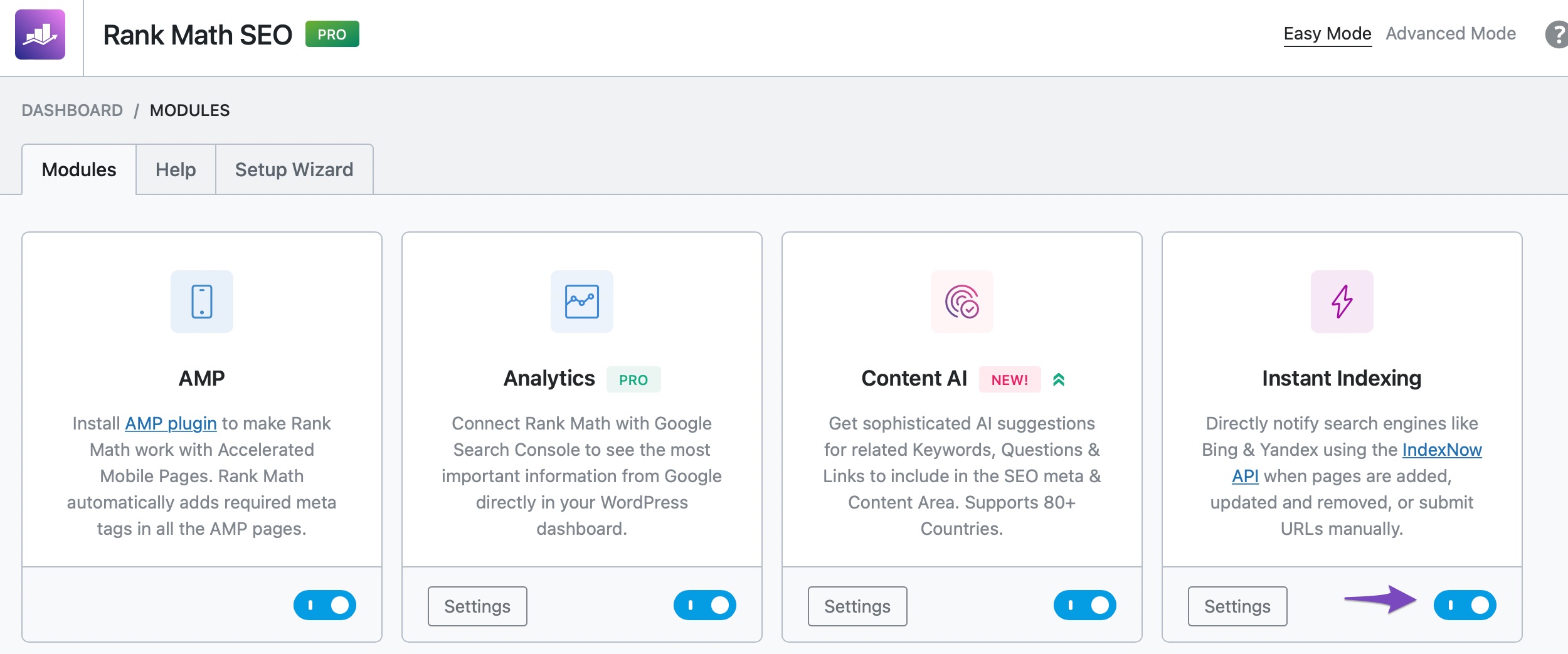
- Enable Instant Indexing Module: Make sure that the Instant Indexing module is enabled in Rank Math by navigating to WordPress Dashboard → Rank Math SEO.
- Check API Key: Verify that your API key is correctly set up and that there are no restrictions on your server that might prevent communication with the API.
- Review Server Logs: Check your server logs for any errors that might indicate why the request is not being processed.
- Test with Different URLs: Try submitting different URLs to see if the issue persists across all pages or just specific ones.
If you continue to experience issues, please reply to this ticket, and a human agent from the Rank Math Support team will assist you further. Thank you for raising this concern, and we’re here to help!
Sources:
Making the Most of the Analytics in Rank Math
How to Fix "Crawled – Currently Not Indexed" Error in Google Search Console » Rank MathHello, thank you for elaborating all these points but i have already tried those and my issue is not fixed. Please connect me with support agent so he can look further into my issue. Thank you.
Hi Louis,
I got exactly same issue with your’s since 7-8 hours ago.
I remebered I did Instant Indexing pluging update yesterday.
Before the pluging update, Instant Indexing was working as usual.
Tom
Hello,
Thank you for contacting us and sorry for any inconvenience that this issue might have caused.
In this case, we might need to take a closer look at the settings. Please edit the first post on this ticket and include your WordPress logins in the designated Sensitive Data section.
Please do take a complete backup of your website before sharing the information with us.
It is completely secure and only our support staff has access to that section. If you want, you can use the below plugin to generate a temporary login URL to your website and share that with us instead:
https://wordpress.org/plugins/temporary-login-without-password/
You can use the above plugin in conjunction with the WP Security Audit Log to monitor what changes our staff might make on your website (if any):
https://wordpress.org/plugins/wp-security-audit-log/
We really look forward to helping you.
Hello,
I have updated the sensitive data as requested. Can you please check further?
Thank you.
Hello,
Please try to reconfigure the Google Instant Indexing plugin by following this guide and see if that works for you: https://rankmath.com/blog/google-indexing-api/
Let us know how it goes. Looking forward to helping you.
Thank you.
Hi, I have gone through the guide, and I have already gone through the process multiple times, everything from my side is perfect, there is some issue with the plugin after the new update, other users have complained about this as well.
Please let your technical team know about this issue, so they can fix the plugin.
Thanks!
Hi Louis,
Have you fixed your issue?
Tom
Hi Rakibuzzaman,
I deleted Instant Indexing plugin and re-installed Instant Indexing and reconfigured it.
But it is still not working.
Tom
Hi Tom, nope the issue is still not fixed
Hi Louis,
Not good.
I have checked my 4 other websites, which have been updated for a long time, were also having the same issue with Instant Indexing and showed the same no response issue.
Those 4 websites were not updated Instant Indexing plugin updates, so the plugin update may not be related to the issue.
As far as I knew three users in this forum have been facing the same issue.
Hopefully the management team fix the issue asap.
Tom
Hello,
We logged in to your site using the credentials shared in the sensitive data section.
We clicked on “Saved Changes” on the Google Instant Indexing API Settings page.
After this, the submission was successful as shown in the image we shared in the sensitive data section.
@melbourneotousan, please follow the same process as above and let us know the outcome. If the issue persists, you can open a new ticket here: https://support.rankmath.com/new-ticket/ and share your website login details so we can check this for you.Thank you.
Hello,
Since we did not hear back from you for 15 days, we are assuming that you found the solution. We are closing this support ticket.
If you still need assistance or any other help, please feel free to open a new support ticket, and we will be more than happy to assist.
Thank you.



The ticket ‘Instant Indexing gives no response’ is closed to new replies.