Hello,
We apologize for the issue you are facing with the Analytics page showing no data. Since you have successfully connected your Google Search Console and it shows a green dot, let’s go through a few steps to troubleshoot this issue:
-
Check if Organic Data Exists: Ensure that there is organic data in your Google Search Console or Google Analytics profile. If there are no visitors coming from search engines, the metrics will show zero.
-
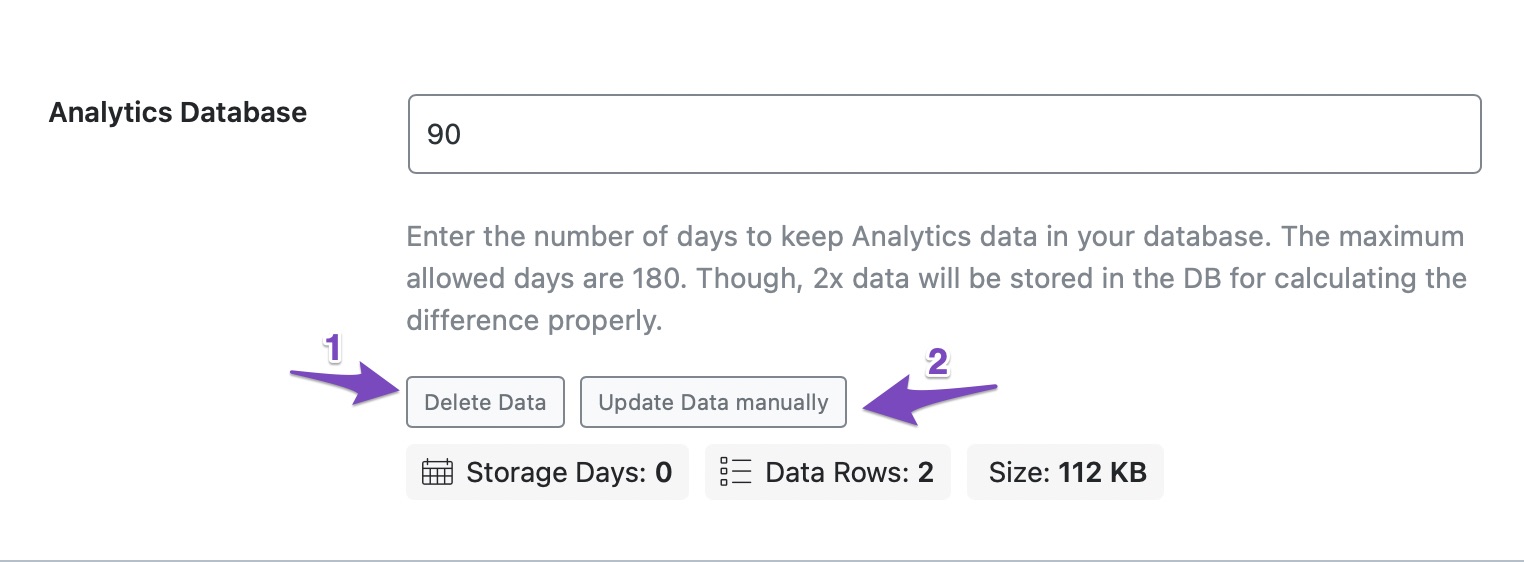
Import New Data Manually: You can try importing new data manually. To do this, navigate to the Analytics section under Rank Math SEO → General Settings. Scroll down to the Analytics Database section, click on Delete Data, and then click on Update Data manually. This should fetch your data within a few minutes.
-
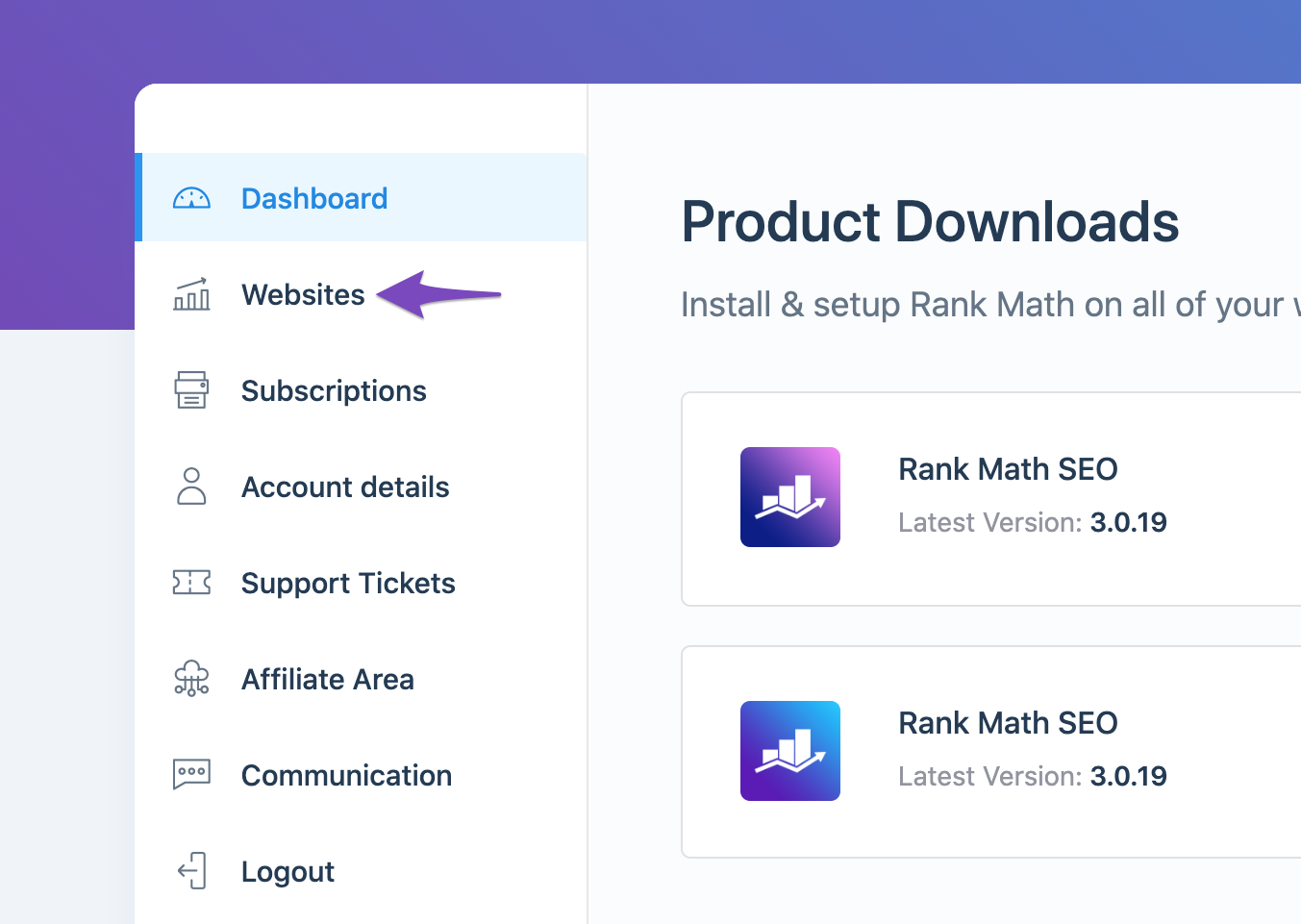
Check Rank Math Account Connection: Ensure that your website is connected with the Rank Math account that has a PRO license. You can check this by logging into your Rank Math account and navigating to the My Account area, then clicking on the Websites tab.
-
Refresh Tokens: If the above steps do not resolve the issue, it might be due to expired authorization tokens. You can refresh these tokens by deleting the Rank Math app from your Google Account permissions here and then reconnecting it through Rank Math.

-
Check for Plugin Conflicts: If you still see no data, consider checking for any plugin conflicts that might be affecting the Analytics module. You can refer to our guide on running a plugin conflict for assistance.
If you have followed these steps and are still experiencing issues, please reply to this ticket with the debug log you mentioned, and a human agent from our support team will assist you further.
Thank you for raising this concern, and we hope to resolve it quickly for you!
Sources:
Resolving Rank Math Analytics Related Issues » Rank Math
What to Do When Rank Math Analytics Shows Zero Search Traffic » Rank Math
Hello,
Thank you for contacting us and sorry for any inconvenience that might have been caused due to that.
For initial troubleshooting, you can try to follow this guideline and see if that works for you: https://rankmath.com/kb/delete-old-analytics-data/
If the issue persists, please follow the steps below to create a troubleshooting log so that we can check the issue further for you.
1. At first add the following filter to your website:
add_filter( 'rank_math/analytics/log_response', '__return_true' );
Here is a guide you can follow to add the filter:
https://rankmath.com/kb/wordpress-hooks-actions-filters/
2. After adding the filter, please run the pending Scheduled Action from your WordPress Dashboard > Tools > Scheduled Actions > Pending or you can try visiting the following URL:
https://yourdomain.com/wp-admin/tools.php?page=action-scheduler&status=pending
This is how it should look like:

When some actions have completed running, please check the Analytics log under wp-content/uploads/rank-math and share that with us. You can upload the log file using this tool.
Let us know how it goes. Looking forward to helping you.
Thank you.
I have tried to update manually as suggested but I am still getting overall optimization is zero. I am on the pro version. It says no data 2052
Hello,
The “No Data” in overall optimization means that these posts have not been analyzed by Rank Math yet. You’ll need to edit these posts and add a focus keyword for the SEO analysis.
However, if you have already set the focus keywords, we might need to take a closer look at your website and settings. Please follow these steps:
- Edit the first post on this ticket and include your WordPress and FTP logins in the Sensitive Data section. This is a secure section that only our support staff can access.

- Make sure you take a complete backup of your website before sharing the information with us.
- If you prefer, you can use this plugin to generate a temporary login URL to your website and share that with us instead: https://wordpress.org/plugins/temporary-login-without-password/
- You can also use this plugin to monitor what changes our staff might make on your website (if any): https://wordpress.org/plugins/wp-security-audit-log/
We appreciate your cooperation and patience.
Thank you for choosing Rank Math.
Hello,
Since we did not hear back from you for 15 days, we are assuming that you found the solution. We are closing this support ticket.
If you still need assistance or any other help, please feel free to open a new support ticket, and we will be more than happy to assist.
Thank you.




