Hello,
We apologize for the issue you are facing with your favicon not displaying on your website. It can be frustrating when these elements don’t show up as expected.
Here are a few steps you can take to troubleshoot the issue:
-
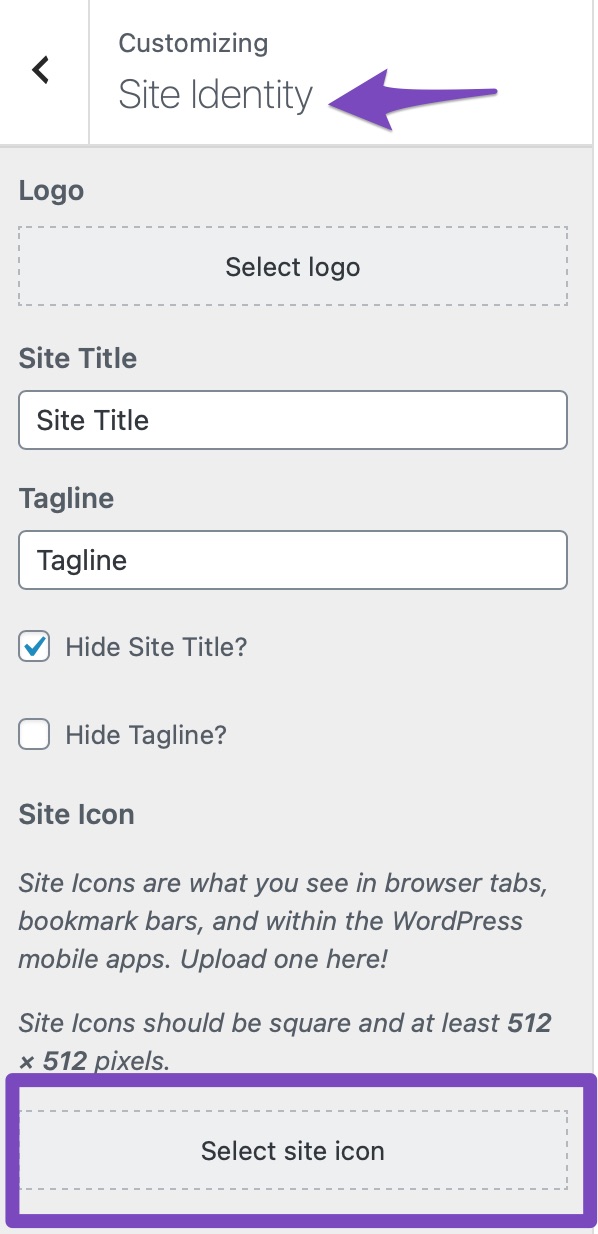
Check Favicon Settings: Ensure that you have set the favicon correctly in your WordPress Dashboard. You can do this by navigating to Appearance → Customize → Site Identity and confirming that the favicon is uploaded there.
-
Clear Cache: Since you’ve already cleared your cache, make sure to clear any server-level cache as well, if applicable. This can sometimes prevent changes from appearing.
-
Google Favicon Crawler: Keep in mind that Google’s favicon crawler may take some time to update your favicon in search results. You can refer to Google’s guidelines for more information on this.
-
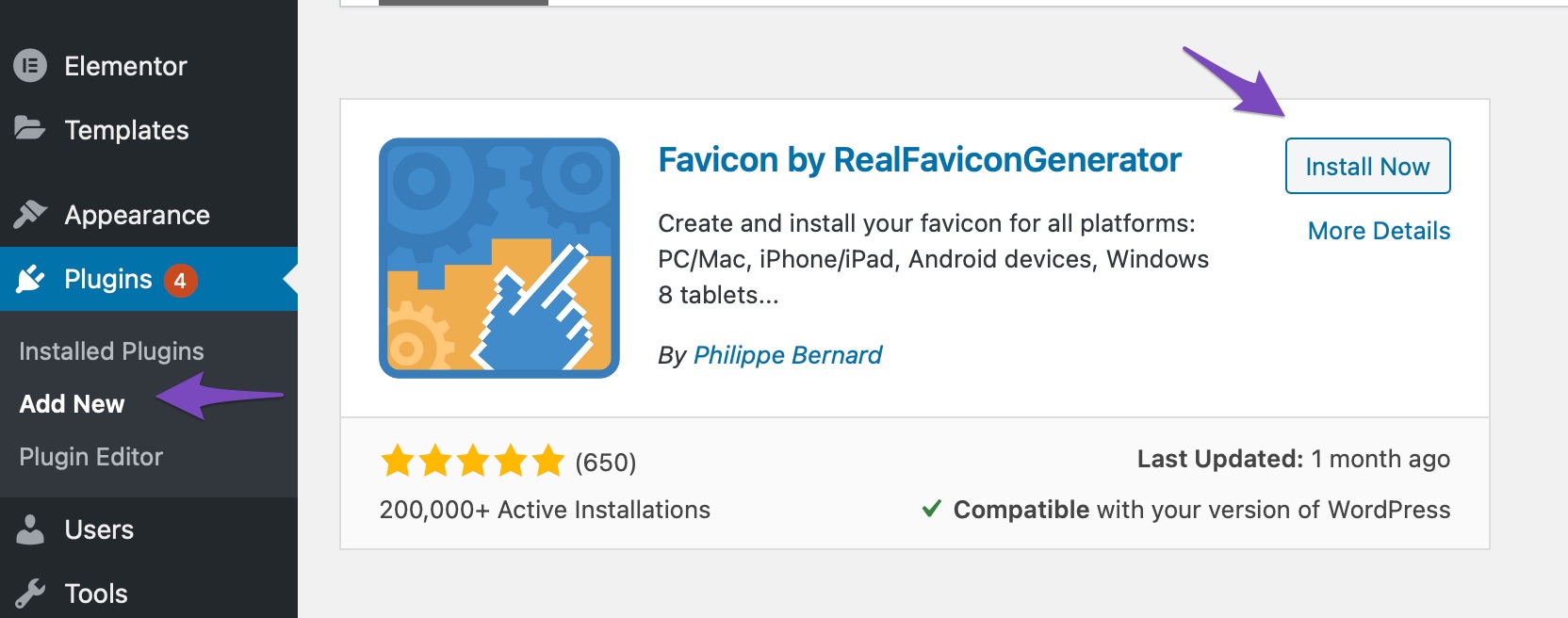
Use a Favicon Plugin: If the issue persists, consider using a plugin like RealFaviconGenerator to generate and manage your favicon. This plugin can help ensure that your favicon is compatible across different devices and browsers.
-
Theme Compatibility: If you are still having trouble, it might be related to your theme. In this case, we recommend reaching out to your theme provider for further assistance.
If none of these steps resolve the issue, please reply to this ticket, and a human agent from the Rank Math Support team will take over and provide more specific guidance based on your website’s configuration.
Thank you for raising this concern, and we hope to help you get your favicon displaying correctly soon!
Sources:
How to Change Your Website’s Favicon in WordPress » Rank Math
This is an automated reply from Rank Math Support Bot. If you need further assistance, please reply to this topic and a human support agent will reply to you shortly.
Hello,
Since we did not hear back from you for 15 days, we are assuming that you found the solution. We are closing this support ticket.
If you still need assistance or any other help, please feel free to open a new support ticket, and we will be more than happy to assist.
Thank you.


