Hello,
We apologize for the issue you are facing with your SEO description truncating. To help you pinpoint where things might have gone wrong, here are a few things to check:
-
Character Limit: Ensure that your SEO description is between 120 to 160 characters. If it exceeds this limit, search engines may truncate it.
-
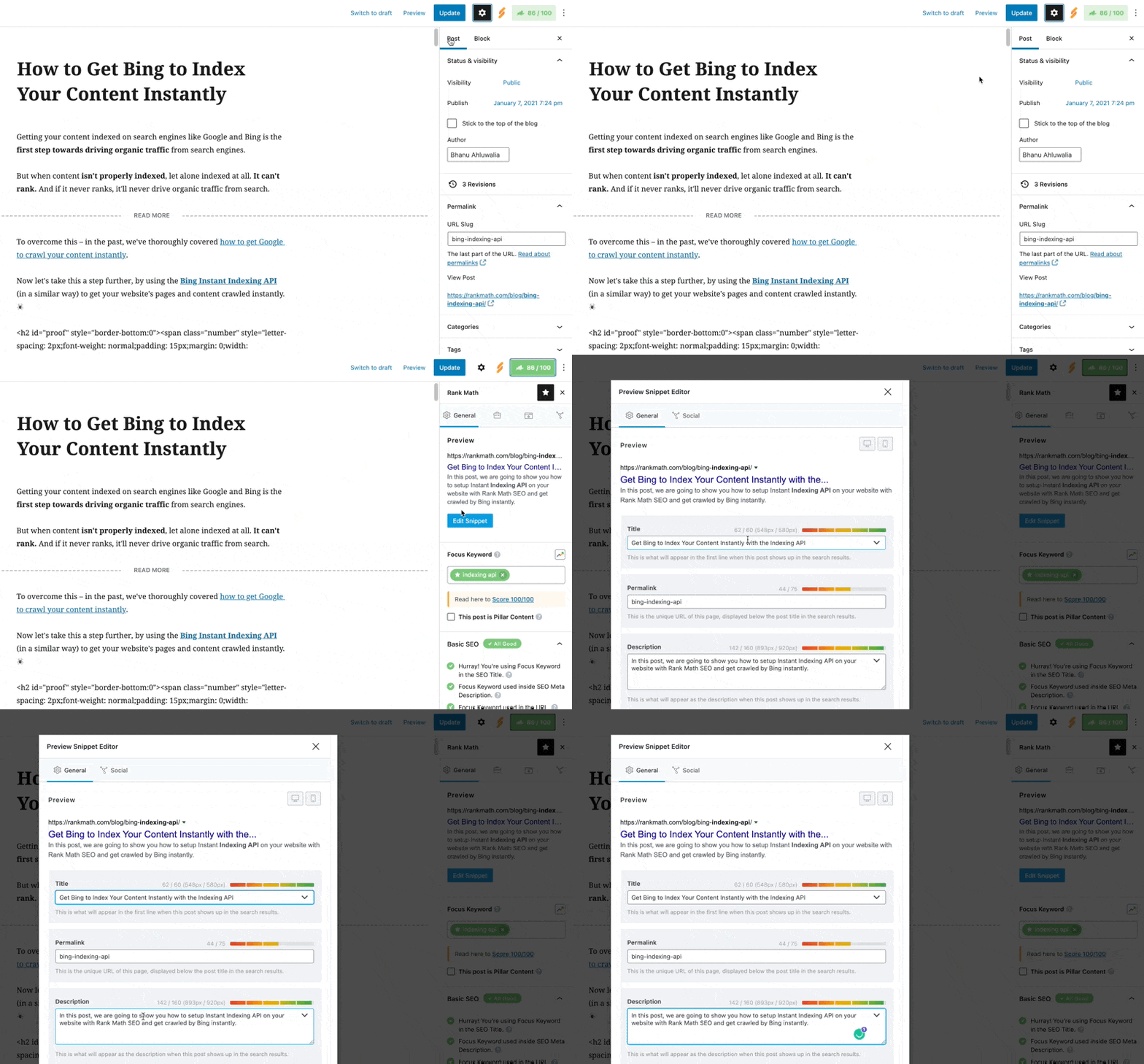
Editing the SEO Description: You can edit your SEO description in the Rank Math meta box. In the post editing screen, click the Rank Math icon, then in the General tab, click on Edit Snippet. Here, you can enter your custom meta description in the Description field.
-
Check for Auto-Generated Descriptions: If you haven’t set a custom meta description, Rank Math may be generating one based on your content. Make sure to set a custom description to have more control over what appears.
-
Schema Settings: Ensure that your Schema settings are valid and that the Headline and Description in the Schema Builder show %seo_title% and %seo_description% respectively.
-
Preview Changes: Use the search preview section in the Rank Math meta box to visualize how your changes will appear in search results.
If you follow these steps and still encounter issues, please reply to this ticket, and a human agent from the Rank Math Support team will assist you further. Thank you for raising this concern!
Sources:
General Tab in Meta Box of Rank Math SEO Plugin
Google Shows A Different Meta Title/Description For My Site » Rank Math
Still facing same issue not resolved.
What if it’s a random review on the bottom of my home page, nothing related to my meta description?
Hello,
Please note that Google sometimes ignores the custom meta info altogether and shows something from the page’s content that matches the search intent better.
Here’s a link for more information:
https://rankmath.com/kb/different-meta-title-and-description/
You can also verify the title and description by using these tools:
https://heymeta.com
https://rankmath.com/tools/meta-tag-analyzer/
Looking forward to helping you.
Hello,
Since we did not hear back from you for 15 days, we are assuming that you found the solution. We are closing this support ticket.
If you still need assistance or any other help, please feel free to open a new support ticket, and we will be more than happy to assist.
Thank you.



