Hello,
We apologize for the issue you are facing while setting up Google Analytics in Rank Math Pro. Thank you for providing the details and the screenshot link.
It seems like you might be encountering an expired Google OAuth token issue. To resolve this, please follow these steps:
-
Navigate to your Google Account permissions and remove the Rank Math app under Third-party apps with Account access by clicking the Remove Access button.

-
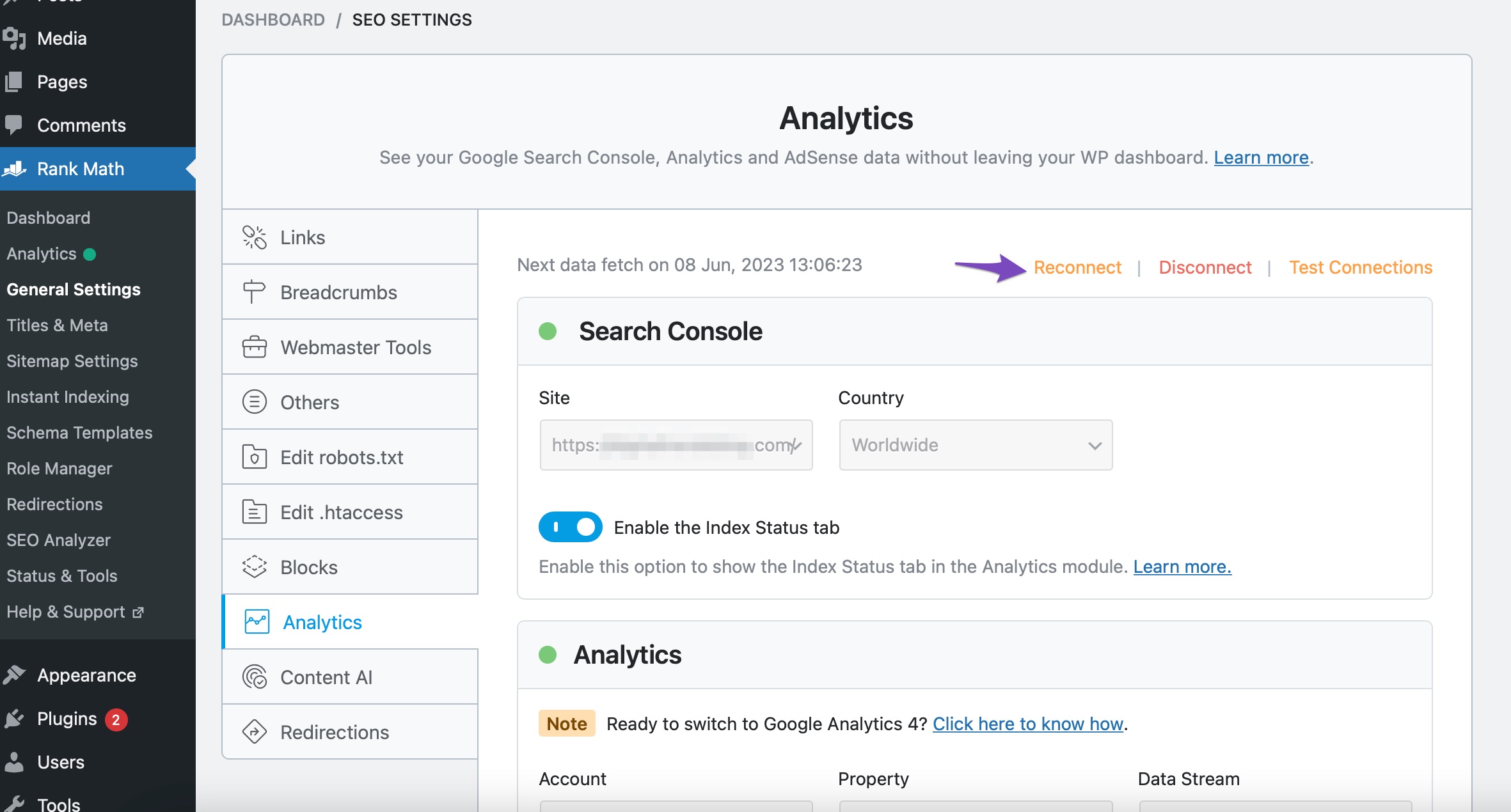
After removing access, go back to your WordPress dashboard and head to Rank Math SEO → General Settings → Analytics, then click on the Reconnect button at the top.
-
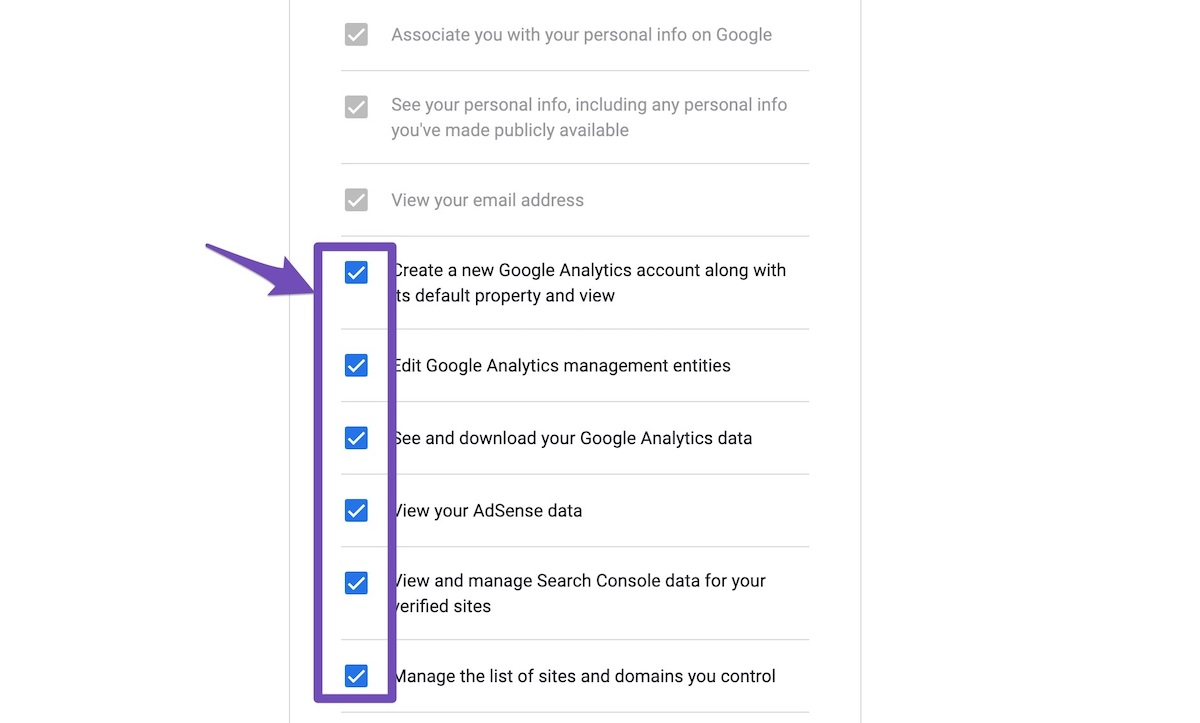
On the next screen, allow all permissions again.
-
Finally, in the Analytics settings of Rank Math, select all the values in the drop-down list to configure Analytics properties and then click on Save Changes.
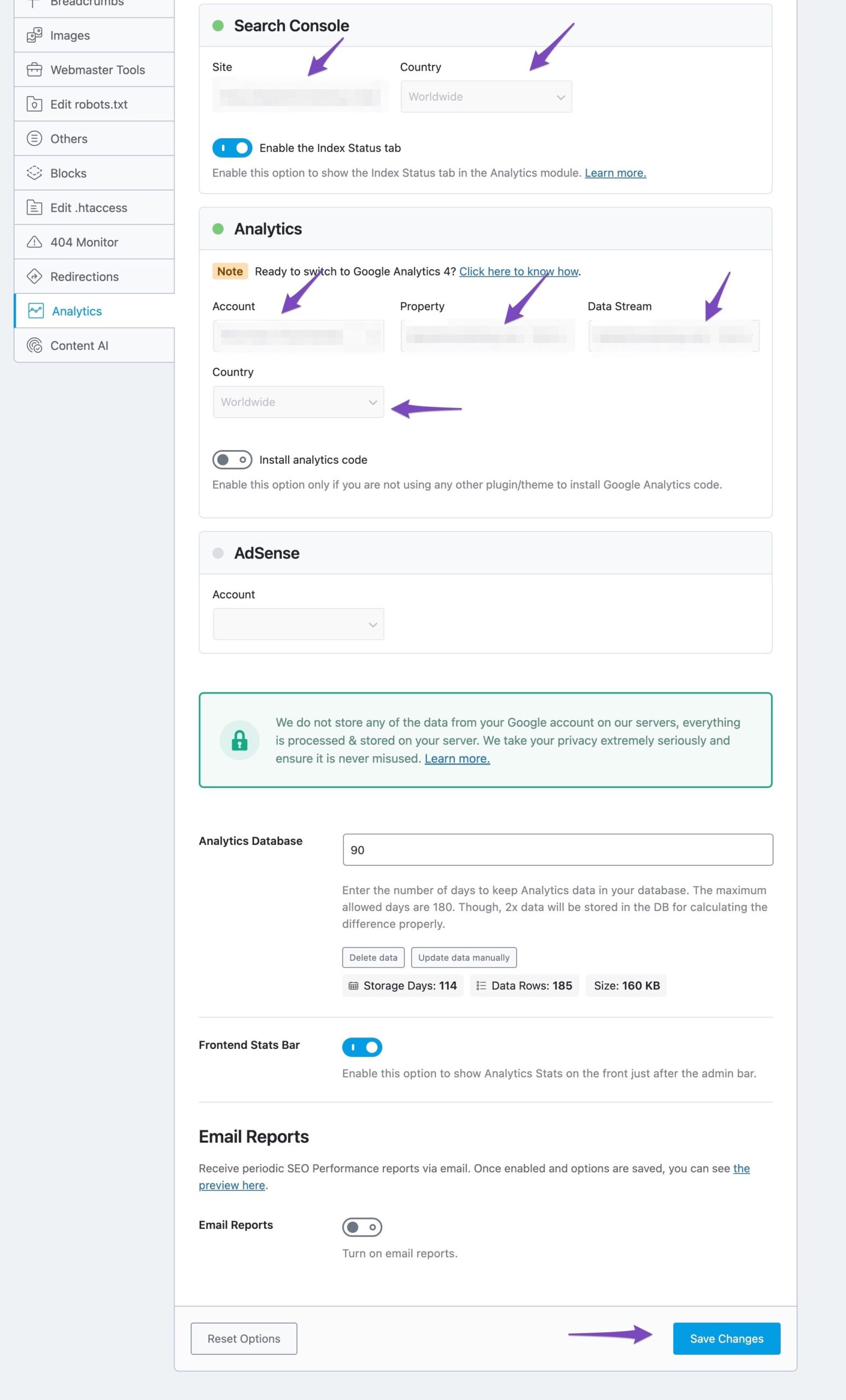
After following these steps, you should see a notice indicating that Rank Math is importing the data after a few moments.
If you continue to experience issues, please reply to this ticket, and a human agent from the Rank Math Support team will assist you further.
Warm regards!
Sources:
Resolving Rank Math Analytics Related Issues » Rank Math
Thank you! I followed the directions but it still did not work. It will not allow me to select a country, I wonder if that is causing the issue?
By the way, I do have a pro account but when I clicked log in with google it is showing free for some reason.
Hello,
Please verify using the URL prefix and ensure that you have verified the correct version of your website on the Google Search Console (HTTP or HTTPS, www or non-www).
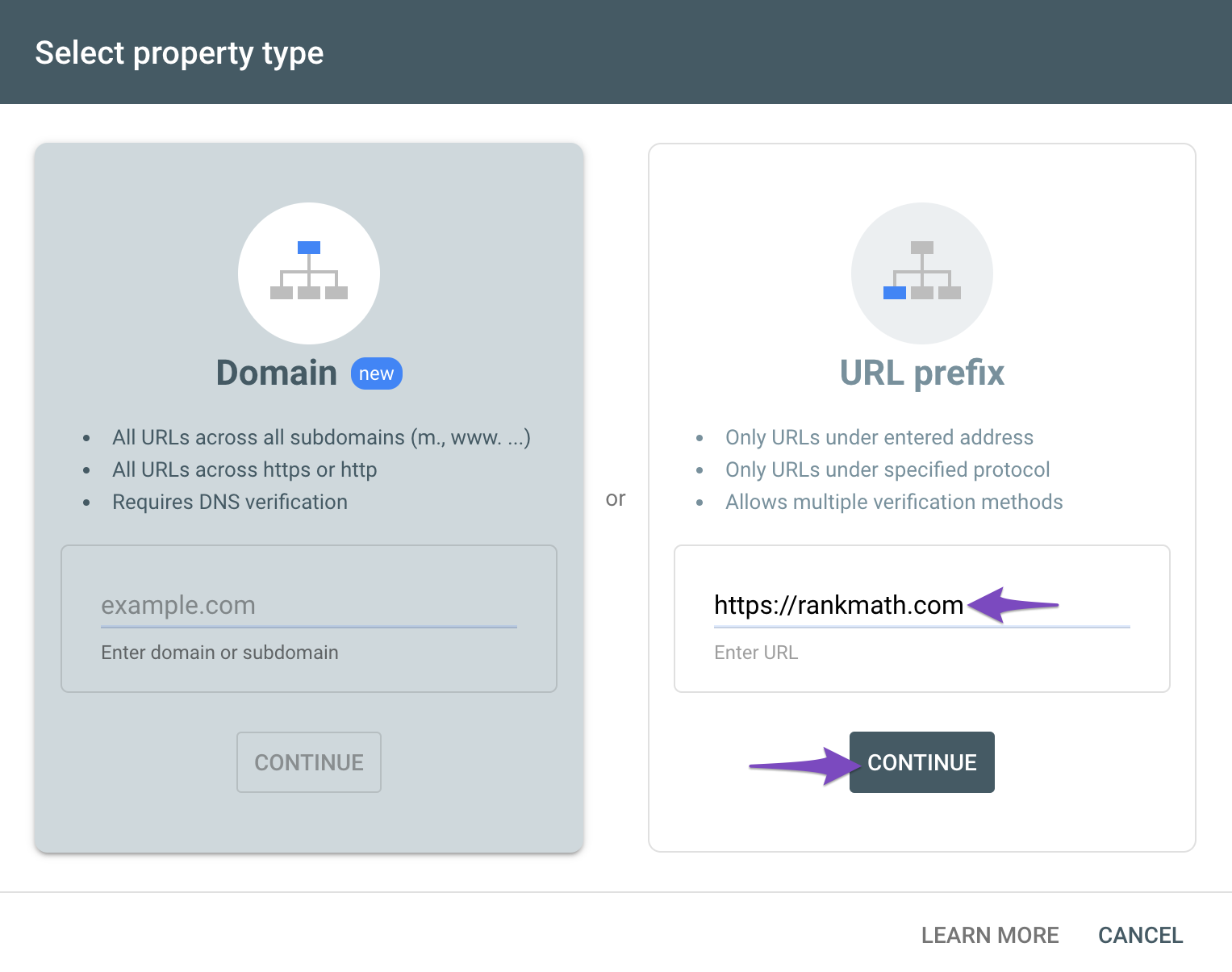
You can follow our guide here to create the URL Prefix property:
https://rankmath.com/kb/google-site-verification/#num-1-1-open-google-search-console
The URL-prefix property also helps keep your sitemap in sync with Google Search Console as we submit it automatically for you. In addition, the domain property won’t work correctly on some sections of the Analytics module such as the IndexStatus.
Regarding the Analytics drop-down, could you please confirm if you have already created a GA4 property for your website?
If not yet, please visit this page (https://analytics.google.com/analytics/web/) and sign up for a Google Analytics account and property, then reconnect your Google Account so the new Analytics account will reflect in that section.
Regarding your Rank Math PRO account, can you please search and forward a receipt from FastSpring.com or the email address you used to purchase so we can locate your account and verify it?
Looking forward to helping you.
Hello,
Since we did not hear back from you for 15 days, we are assuming that you found the solution. We are closing this support ticket.
If you still need assistance or any other help, please feel free to open a new support ticket, and we will be more than happy to assist.
Thank you.



