
-
I’m encountering an issue where the Open Graph image for my posts is not updating on Socials.

-
Hello,
We apologize for the issue you are facing with the Open Graph image not updating for your posts on Facebook. There are a few reasons why this might be happening:
-
Check Added Facebook/Twitter Sharing Images: Ensure that you have added the Facebook/Twitter sharing images through the Rank Math Meta Box. You can refer to the following image for guidance:
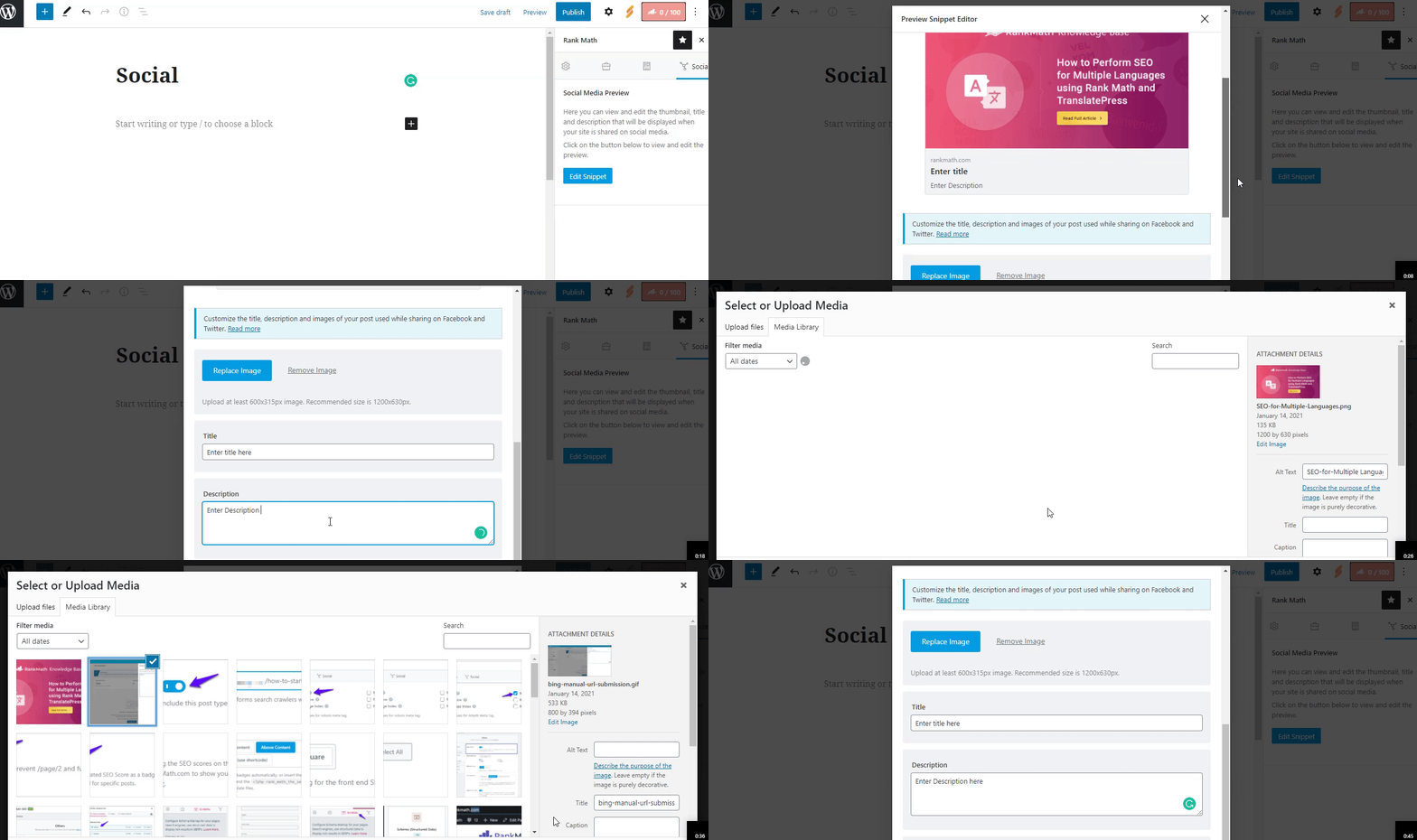
-
Image Dimensions & Format: Verify the dimensions and format of the uploaded image. Facebook supports jpeg, png, gif, WebP, and AVIF formats. The recommended image size is 1200px X 630px. If your image is too small or too large, Facebook may not display it correctly and might pick another image instead.
-
Set Default Open Graph Image: You can set a default Open Graph thumbnail in your WordPress Dashboard under Rank Math → Titles & Meta → Global → OpenGraph Thumbnail. Make sure to save changes after uploading your image.
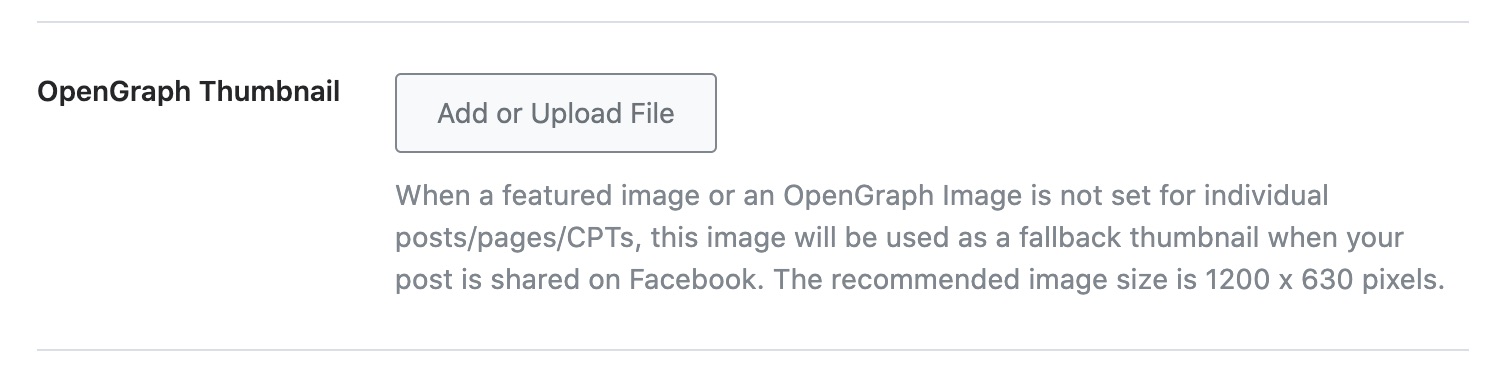
-
Use Facebook Debugger: Sometimes, Facebook caches the Open Graph data. You can use the Facebook Sharing Debugger to scrape your URL again, which may help in updating the image.
If you have checked all these points and the issue persists, please reply to this ticket, and a human agent from the Rank Math Support team will assist you further.
Sources:
Open Graph/Social Preview Image Is Not Displayed » Rank MathHello,
Thank you for contacting us. We apologize for any inconvenience this issue may have caused.
We tested your homepage using the Facebook share debugger and the correct image on your site’s source code was pulled. [see image in the sensitive data section].
You can share any particular URL where this issue occurs.
The
og:imageuses primarily the image you set in the social tab within the Rank Math meta box while editing the page(OpenGraph image). If you set none, it then tries to use the featured image. If this is not available it uses the first image in the post. Where the post/page doesn’t have any image it then uses the default OpenGraph image set at WordPress dashboard > Rank Math > Titles & Meta > Global Meta > Opengraph Thumbnail.Hope that helps, and please do not hesitate to let us know if you need our assistance with anything else.
Hello,
I have updated the sensitive data as requested. Can you please check further?
It still happening on all the pages, even if we try to change the image on the social button of rank math to edit the snippet, it will only show the original featured image instead of the image we want to set for socials. We of course tried facebook debugger and clearing the cache.Thank you.
Hello,
It appears you are using another plugin to add the opengraph meta tags on your site in addition to Rank Math. Are you by any means using any social sharing plugin that may be adding the metadata to your site?
See image 2 in the sensitive data section.
It could be caused by a conflict with one of your plugins/theme.
To determine that, please follow this troubleshooting guide:
https://rankmath.com/kb/check-plugin-conflicts/Here is a video you can follow as well: https://www.youtube.com/watch?v=FcIWRhcUP2c
Only the site admin would know and your users won’t be affected by this troubleshooting.
Let us know how this goes.
Thank you.
-


You must be logged in to reply to this ticket.