Hello,
We apologize for the issue you are facing with your website not appearing in Google Search Console and Analytics.
To troubleshoot this, we recommend checking the following:
-
Verify Your Site in Google Search Console: Ensure that your website is properly verified in Google Search Console. If it’s not verified, you won’t be able to see any data related to it.
-
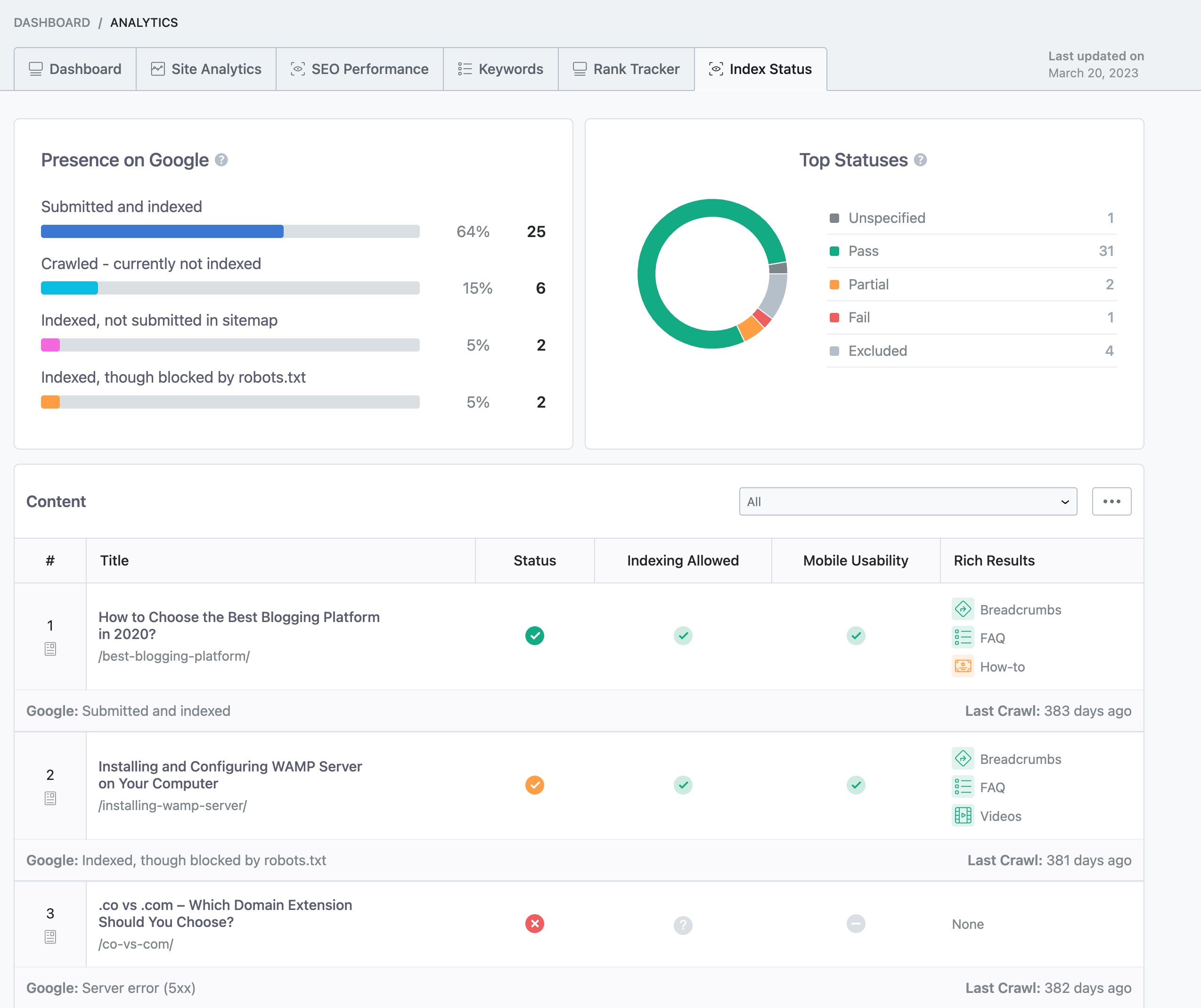
Check Indexation Status: Use the Index Status report in Rank Math’s Analytics to identify any issues with your pages. You can navigate to Rank Math SEO → Analytics in your WordPress dashboard and click on the Index Status tab to see the real data/status of your pages.
-
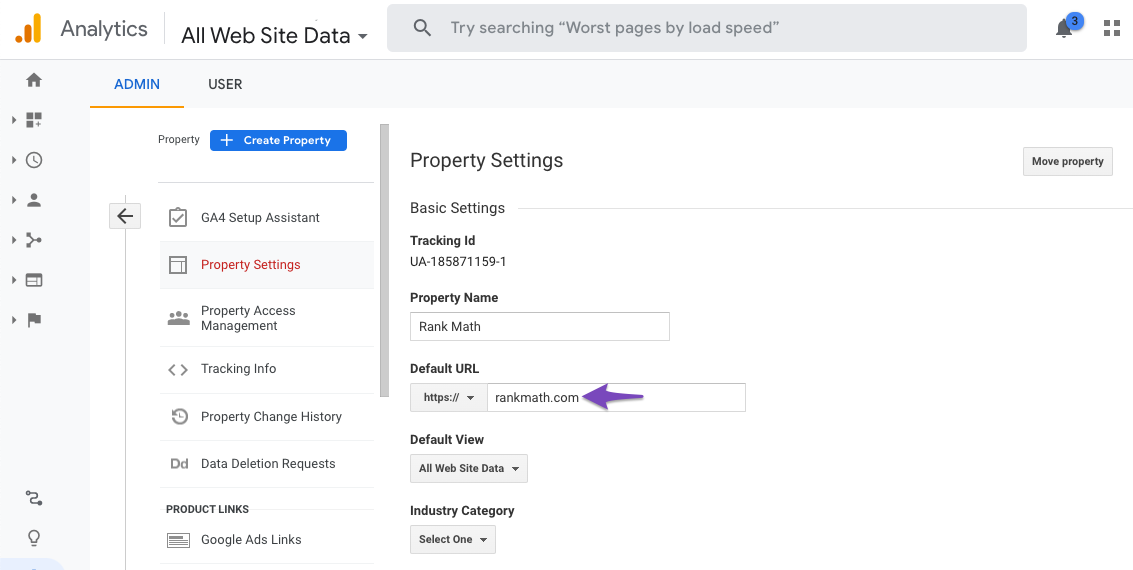
Google Analytics Configuration: Make sure that the domain name configured in your Google Analytics matches the actual domain of your website. You can check this by going to Admin → Property → Property Settings in your Google Analytics account and ensuring the Default URL is correct.
If you continue to experience issues, please reply to this ticket, and a human agent from the Rank Math Support team will assist you further.
Thank you for raising this concern!
Sources:
Why Did My Website Disappear From Google Search? » Rank Math
Hello,
Thank you for contacting us and sorry for any inconvenience that might have been caused due to that.
Please try to follow the steps below and see if that works for you:
1. Make sure that you have verified your website on Google Search Console, if not, follow this guide: https://rankmath.com/kb/google-site-verification/
2. Please make sure that you are not connecting to Google Search Console via a domain property but rather a URL prefix and that you have verified the correct version of your website on the Google Search Console (HTTP or HTTPS, www or non-www).
3. Please remove RankMath’s app from your Google apps permissions: https://myaccount.google.com/permissions
4. Once done, reconnect the Google account again from WordPress Dashboard > Rank Math > General Settings > Analytics and configure the Search Console and Analytics settings again.
Kindly check all necessary checkboxes to allow Rank Math to access some of the Google Services.
Let us know how it goes. Looking forward to helping you.
Thank you.
Hello,
Since we did not hear back from you for 15 days, we are assuming that you found the solution. We are closing this support ticket.
If you still need assistance or any other help, please feel free to open a new support ticket, and we will be more than happy to assist.
Thank you.



