Hello,
Thank you for contacting us and sorry for any inconvenience that might have been caused due to that.
We can see that you have connected to the search console via the domain property and the analytics module is not fully connected with the Google services as shown in the image below.

Please make sure that you are not connecting to Google Search Console via a domain property (sc-domain:yourdomain.com) but rather a URL prefix. Because our plugin is only compatible with the URL prefix properties and doesn’t fully support fetching data from domain properties. Also, the IndexStatus feature doesn’t work with it.
To resolve this, you can skip the Google connection process in the Setup Wizard, try reconnecting your Google account from WordPress Dashboard > Rank Math > General Settings > Analytics

And ensure to connect the URL-prefix property with all the required permissions.
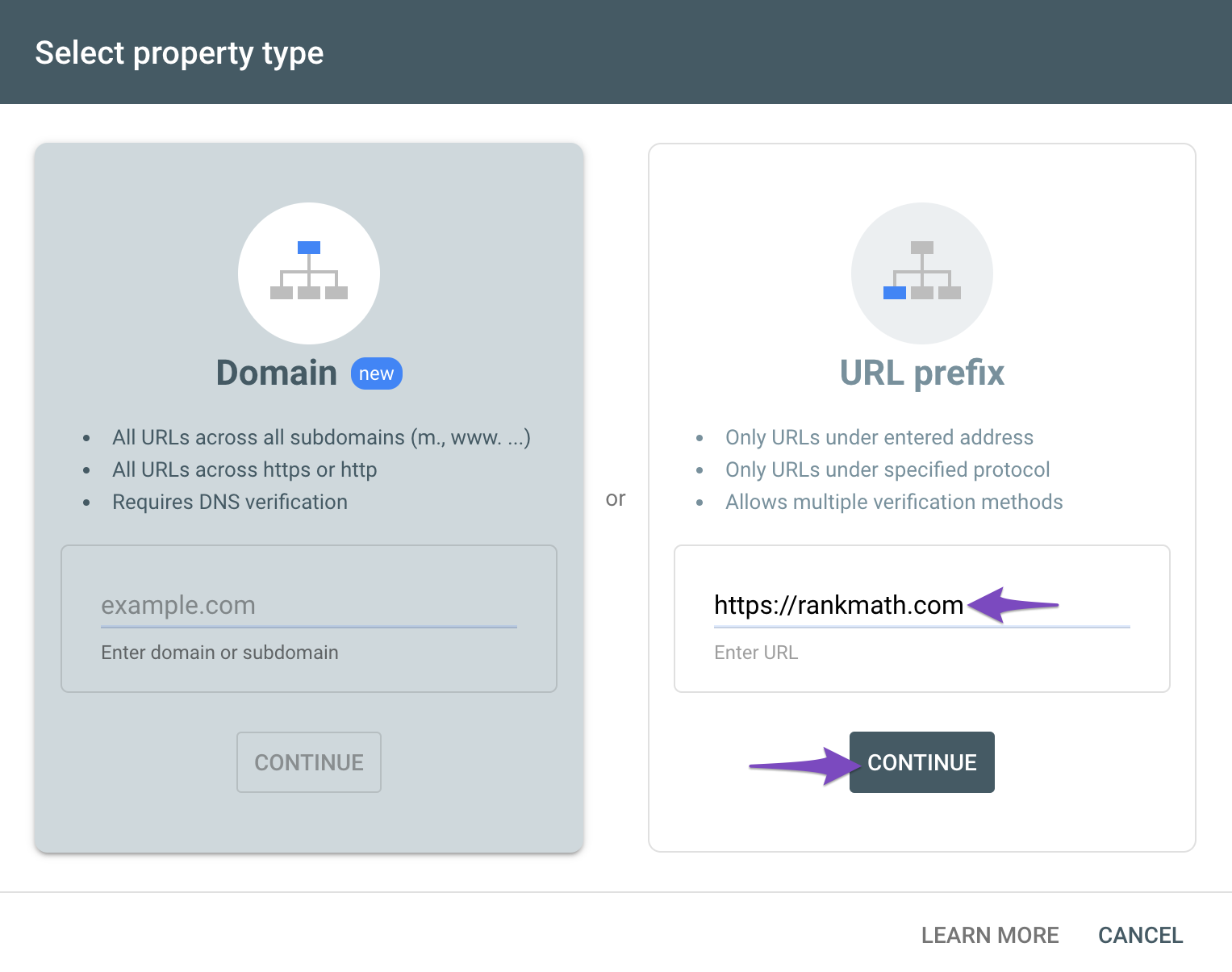
You would need to have a verified Google Analytics and Google Search Console property, if you do not have, please follow the attached link to create one.
To make sure that everything works correctly please go through this article to connect your Google Account with Rank Math properly: https://rankmath.com/kb/connect-your-google-account/
Also, please verify using the URL prefix and ensure that you have verified the correct version of your website on the Google Search Console (HTTP or HTTPS, www or non-www).
You can follow our guide here to create the URL Prefix property:
https://rankmath.com/kb/google-site-verification/#num-1-1-open-google-search-console
The URL-prefix property also helps keep your sitemap in sync with Google Search Console as we submit it automatically for you. In addition, the domain property won’t work correctly on some sections of the Analytics module such as the IndexStatus.
Let us know how this goes.
Thank you.



