Author page schema

#867384
  • Resolved Sahana Kulur
    Rank Math free

    Hi.

    These are my Author URLs which appears when some one clicks on “author name ” in meta description of the post and also it is connected to kadence author block.

    Strangely when I set the theme, the author page was getting directed to random page. Kadnece doesnt’ have a template assigned to “author”. The auto generated author template was getting directed to random page.

    My host provider tweaked and the overwrote the code the author URL that WordPress shows on your posts (and in the author sitemap). Our code originally inserted the URL as a relative URL (which means that it just includes the part after the domain name – such as /author-sahana-kulur/). A regular web browser will automatically insert the domain name of the site the relative URL is found on in front of the leading / (so for example, your browser would treat the relative URL /author-sahana-kulur/ as ….). When this was submitted in site map to GSC, google couldn’t read the sitemap while crawling

    They amended the URLs again in the code so that they are absolute URLs (i.e. they include https://vacaywork.com) and flushed the site’s cache. Now Google crawls my sitemap it is be able to pick up the full absolute versions of the URLs.

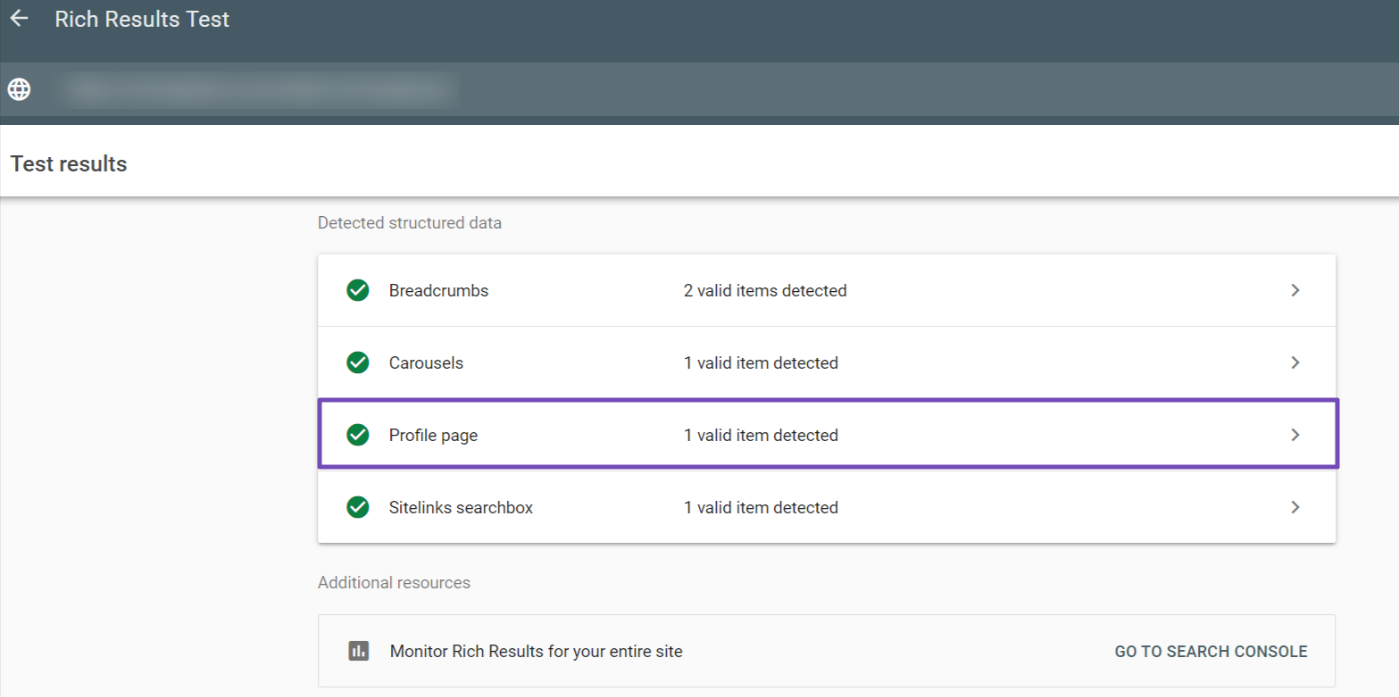
    But it doesn’t have author schema ,so it doesn’t get recognised as profile page in GSC. I am ataching few screenshots for reference. I am attaching a few screenshots for reference.

    [moved to sensitive data section]

    https://imgur.com/a/zymFkzS

Viewing 1 replies (of 1 total)
  • Hello,

    We apologize for the issue you are facing with your author pages and the schema not being recognized in Google Search Console (GSC). Thank you for providing detailed information about the situation.

    To ensure that your author pages have the correct Author Schema markup, you can follow these steps:

    1. Check Author Schema Implementation: Rank Math automatically adds Author Schema to your blog posts. Ensure that your author pages are set up correctly by visiting your WordPress dashboard and navigating to Users → All Users. From there, edit the author profiles to ensure all necessary information is filled out.

    2. Verify with Google’s Rich Results Test Tool: After making sure that the Author Schema is implemented correctly, use Google’s Rich Results Test tool to check if the schema is being detected on your author pages. Simply copy and paste your author page URLs into the tool to see if the Author Schema is present.

      Google's Rich Results Test tool

    3. Update Your Sitemap: Once you confirm that the Author Schema is correctly implemented, ensure that your sitemap is updated and submitted to GSC. This will help Google recognize the changes.

    4. Caching Issues: Since you mentioned that your host provider flushed the cache, make sure that any caching plugins you might be using are also cleared to reflect the latest changes.

    If after following these steps you still encounter issues with the Author Schema not being recognized, please reply to this ticket, and a human agent from the Rank Math Support team will assist you further.

    Thank you for raising this concern, and we hope to help you resolve it soon!

    Sources:
    How Does the Author Schema Entity Work? » Rank Math
    How to Implement Author SEO to Boost E-E-A-T » Rank Math

    This is an automated reply from Rank Math Support Bot. If you need further assistance, please reply to this topic and a human support agent will reply to you shortly.

    Hello,

    Since we did not hear back from you for 15 days, we are assuming that you found the solution. We are closing this support ticket.

    If you still need assistance or any other help, please feel free to open a new support ticket, and we will be more than happy to assist.

    Thank you.

Viewing 1 replies (of 1 total)

The ticket ‘Author page schema’ is closed to new replies.