Hello,
We apologize for the issue you are facing with deleting Rank Math from your blog. To completely uninstall Rank Math and remove all its data, you need to add a specific filter to your theme’s rank-math.php file. Here’s how you can do it:
- Activate Rank Math if it is not already enabled.
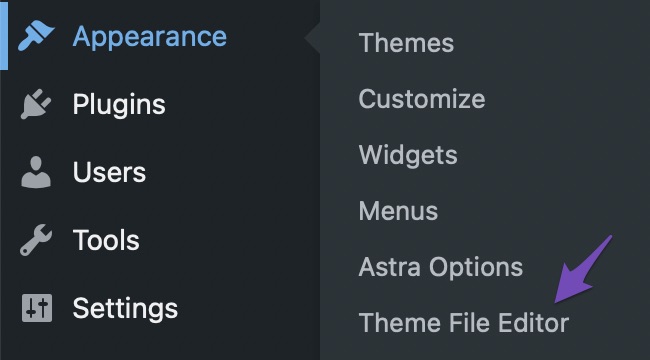
- Navigate to Appearance > Theme File Editor (for Classic Theme) or Tools > Theme File Editor (for Block Theme) inside your WordPress admin area.
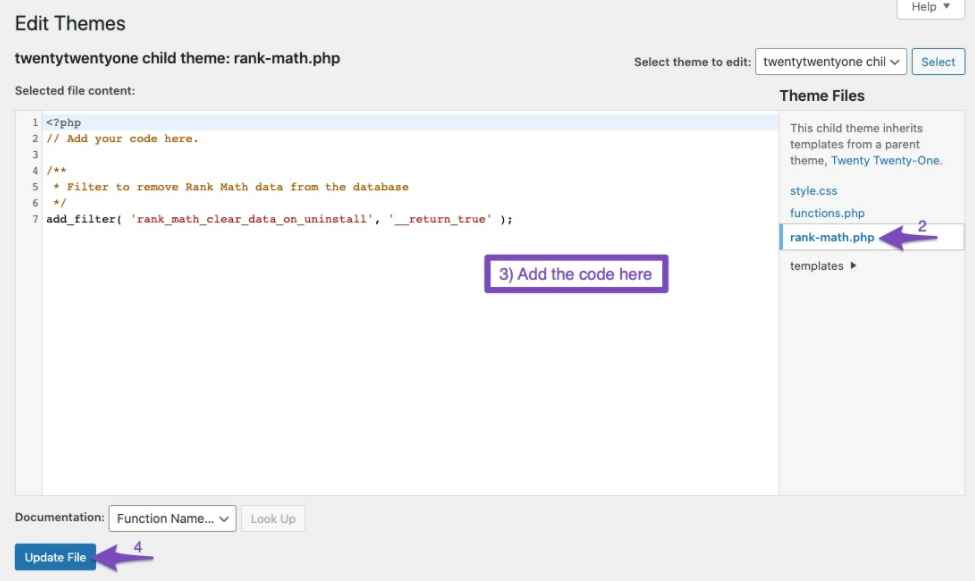
- Look for the rank-math.php file in the right sidebar and click on it.
- Add the following code to the file:
/**
* Filter to remove Rank Math data from the database
*/
add_filter( 'rank_math_clear_data_on_uninstall', '__return_true' );
- Click the Update File button after adding the code.
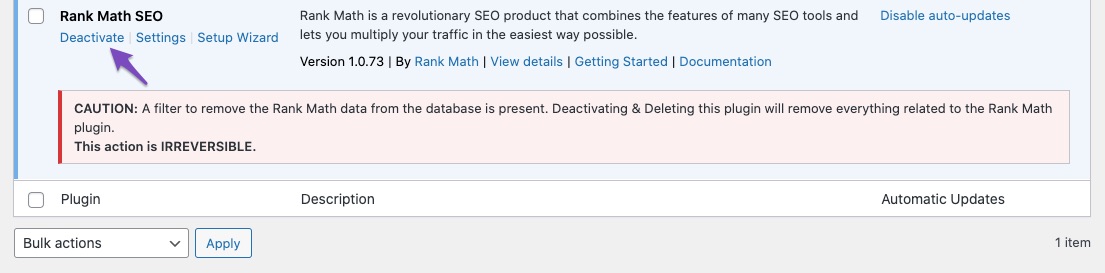
- Now, go to the Plugins page, find Rank Math, and you will see an irreversible action notice. Click Deactivate and then Delete.
- After deleting Rank Math, you can check your database to ensure all Rank Math files are completely removed.
If you still have any questions or need further assistance, please reply to this ticket, and a human agent from the Rank Math Support team will assist you. Thank you for raising this concern!
Sources:
How to Completely Uninstall Rank Math From Your Website » Rank Math
Hello,
You’ll have to create this rank-math.php file on your website. Here’s how you can do that: https://rankmath.com/kb/wordpress-hooks-actions-filters/#rank-math-php-file
Hope that helps and please don’t hesitate to let us know if you have any other questions.
Thank you.
Hello,
Since we did not hear back from you for 15 days, we are assuming that you found the solution. We are closing this support ticket.
If you still need assistance or any other help, please feel free to open a new support ticket, and we will be more than happy to assist.
Thank you.



