Hello,
We apologize for the issue you are facing with installing Google Analytics on your website. Unfortunately, we cannot perform installations from our end. However, we can guide you through the process of installing Google Analytics with Rank Math. Here’s how to get started:
-
Install Rank Math: If you haven’t already, install the free version of Rank Math from the WordPress plugin repository.
-
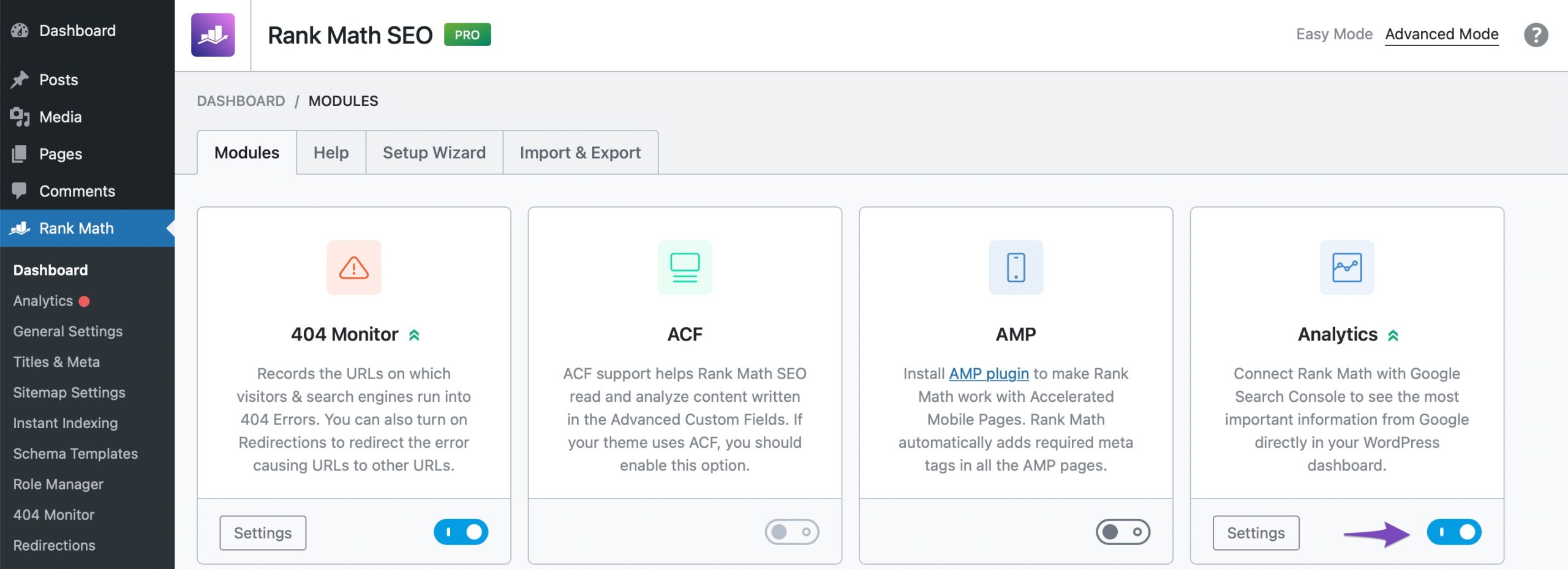
Enable the Analytics Module: In your WordPress admin area, navigate to Rank Math SEO → Dashboard and enable the Analytics module.
-
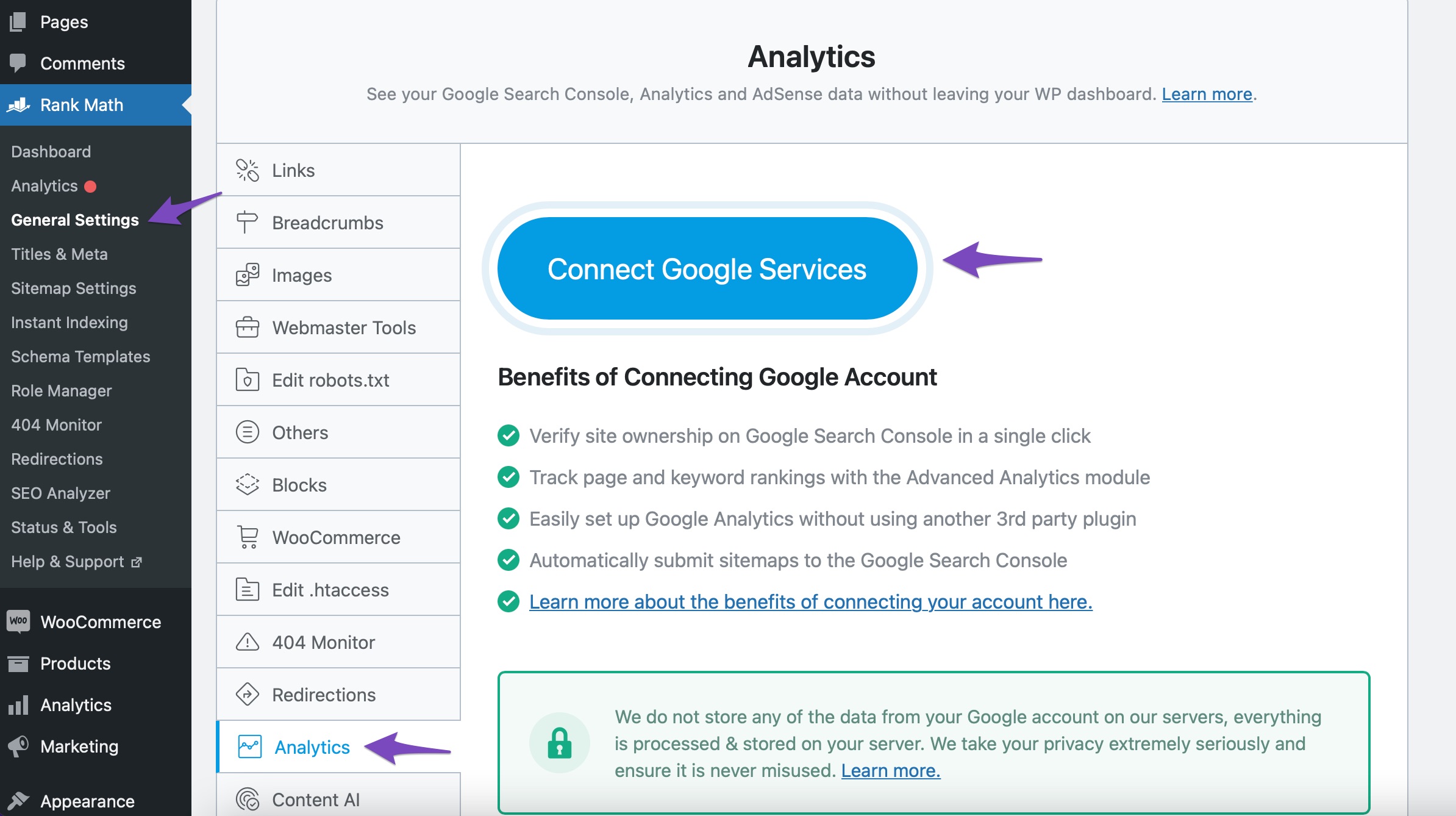
Connect Your Google Account: Go to Rank Math SEO → General Settings → Analytics and click on Connect Google Services. Follow the prompts to connect your Google account and grant the necessary permissions.
-
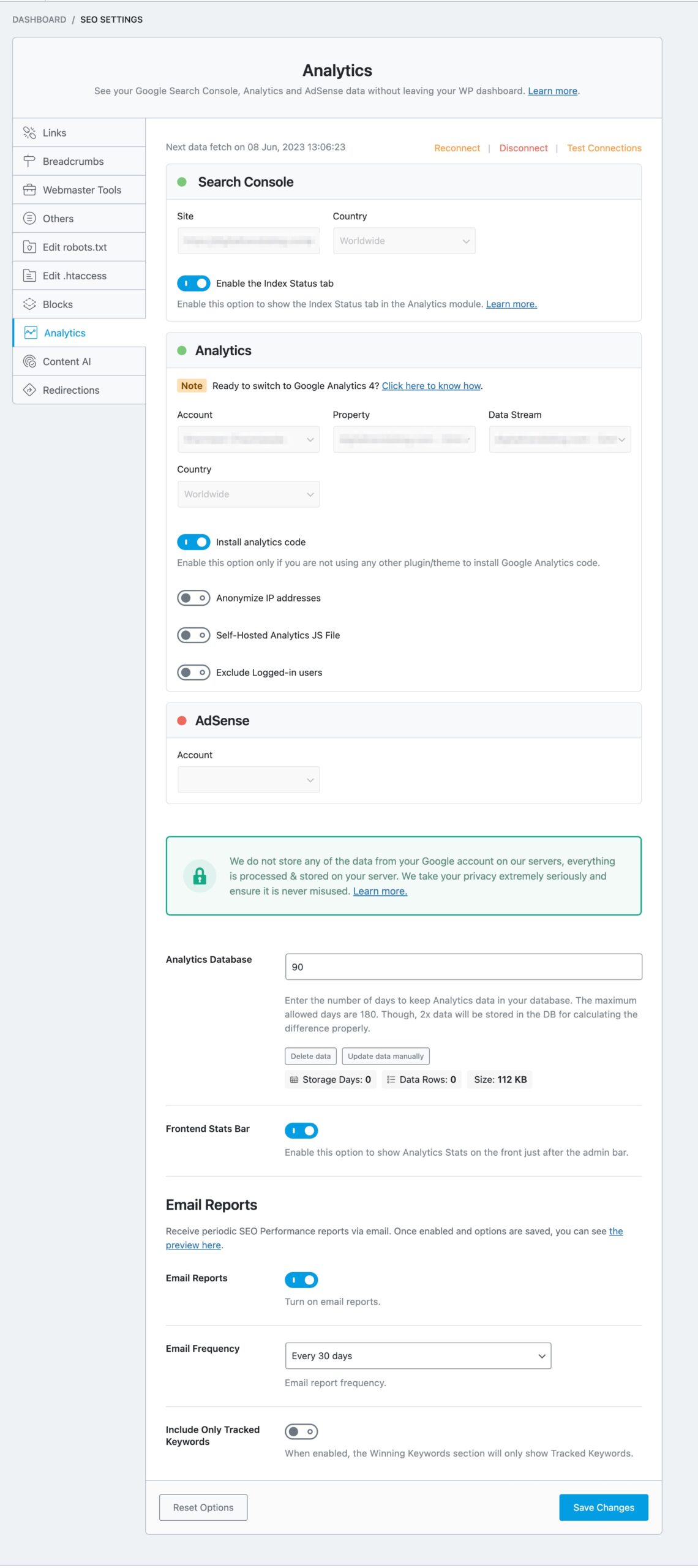
Choose Your Analytics Account & Property: After connecting your account, select your Analytics account and property from the dropdown menus in the Rank Math Analytics settings.
-
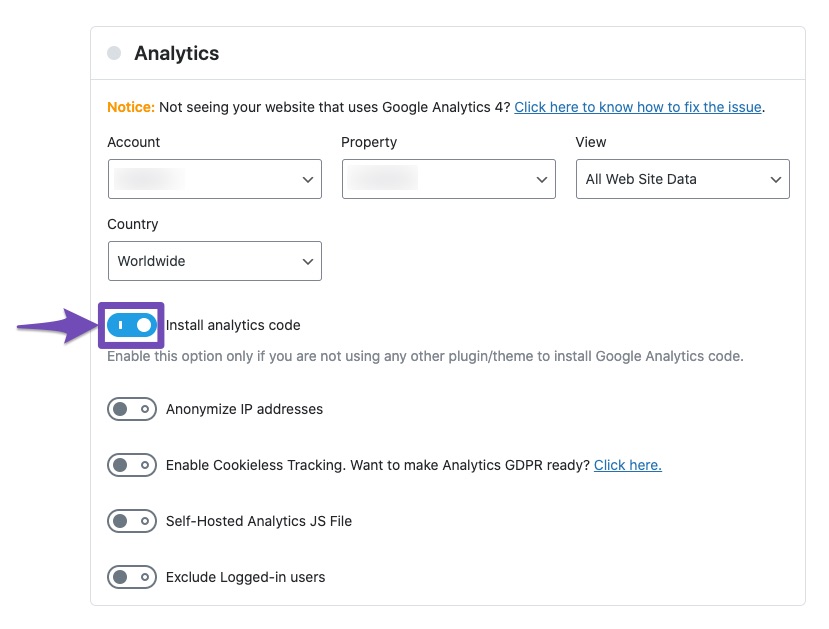
Enable the “Install Analytics Code” Setting: Make sure to enable the Install Analytics Code option in the same settings area.
-
Save Changes: Finally, click on the Save Changes button to apply your settings.

Once you complete these steps, your Google Analytics tracking code will be added to all pages of your website without needing an additional plugin or manual code insertion.
If you have any further questions or need assistance during the process, please feel free to reply to this ticket, and a human agent from our support team will be happy to help you further!
Sources:
How to Install Google Analytics With Rank Math SEO » Rank Math
I have done all you guys suggested, but it didn’t work. Please, I need support. I am in difficulty here
Hello,
Thank you for contacting us and bringing your concern to our attention.
Unfortunately, due to time constraints, we cannot offer personalized services like this as it falls outside the scope of our support.
Having said that, you can follow our in-depth tutorial on how to install Google Analytics on Rank Math: https://rankmath.com/kb/install-google-analytics/
If you still face any issues, please let us know here so that we can assist you further.
Let us know how it goes. Looking forward to helping you.
Thank you.
Hello,
I have updated the sensitive data as requested. Can you please check further?
Thank you.
Hello,
Can you please share a screenshot of the issue you’re facing while connecting your Google account? You can use any image-sharing tool like https://imgur.com/upload to share the screenshot so that we can check the issue further for you.
Looking forward to helping you.
Thank you.
Hello,
Since we did not hear back from you for 15 days, we are assuming that you found the solution. We are closing this support ticket.
If you still need assistance or any other help, please feel free to open a new support ticket, and we will be more than happy to assist.
Thank you.



