
-
Hi
we have connected the google analytics and search console successfully
Both statuses are green
no google data populating after 24 hours
Re-fetched data with no success
Checked permissions in google and rank math has the necessary permissions set.
How do we troubleshoot this? thanks

-
Hello,
We apologize for the issue you are facing with Google Analytics and Search Console data not populating in Rank Math. Thank you for providing detailed information about your setup.
Here are some troubleshooting steps you can follow:
-
Check if Rank Math SEO Account is Connected: Ensure that your website is connected with the Rank Math account that has a PRO license. You can verify this by logging into your Rank Math account and navigating to the My Account area, then clicking on the Websites tab.
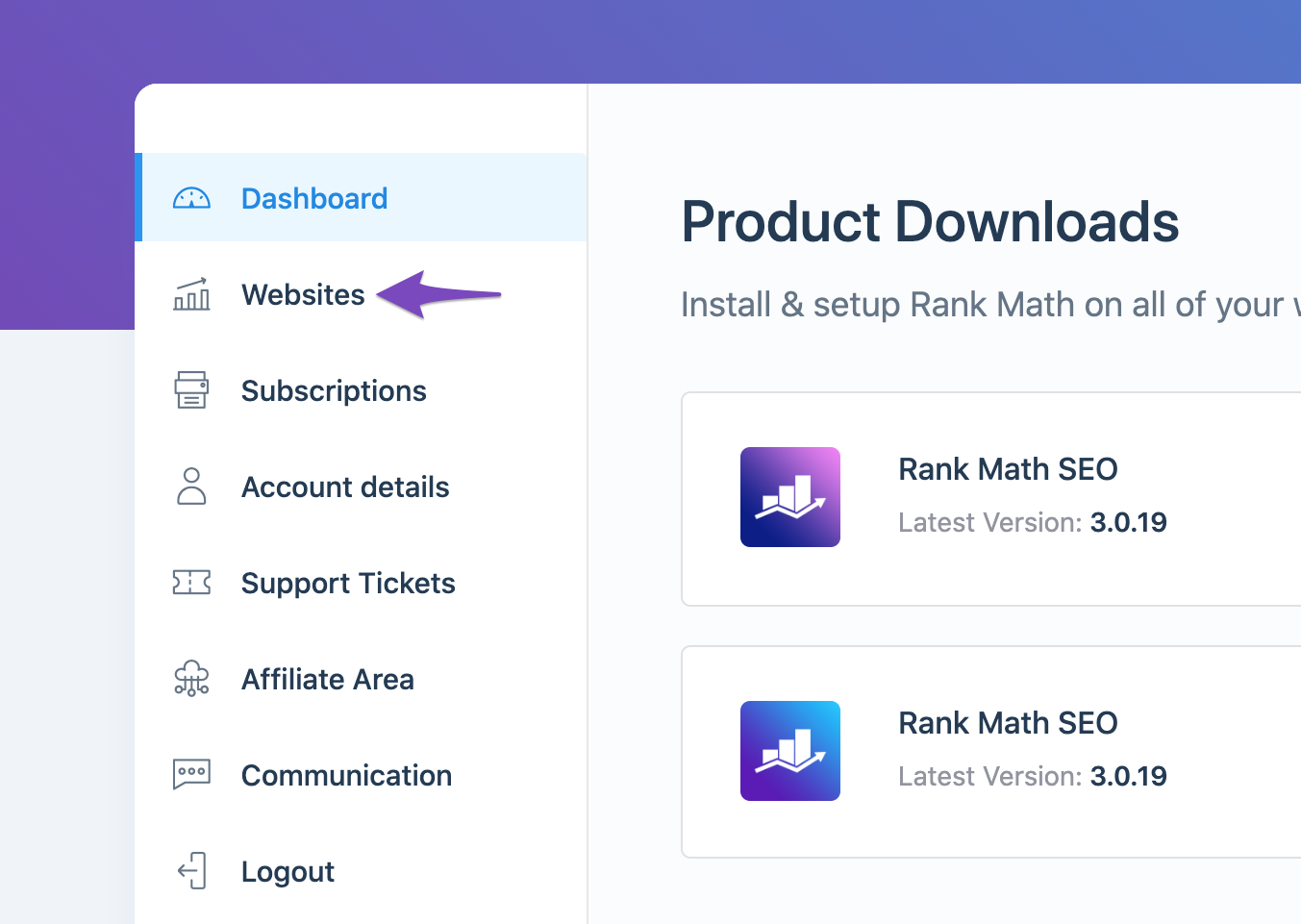
-
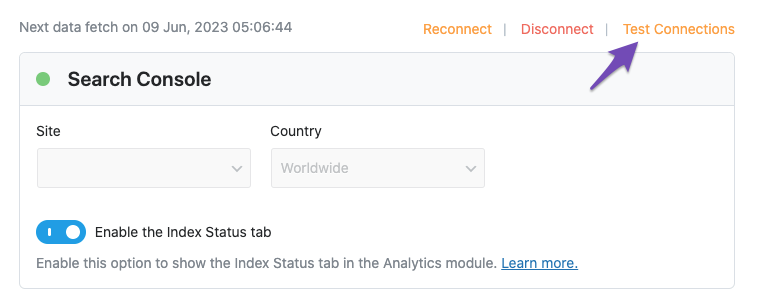
Test Connections: Go to Rank Math SEO → General Settings → Analytics and click on the Test Connections option. A green signal indicates a valid connection, while a red signal indicates an issue.
-
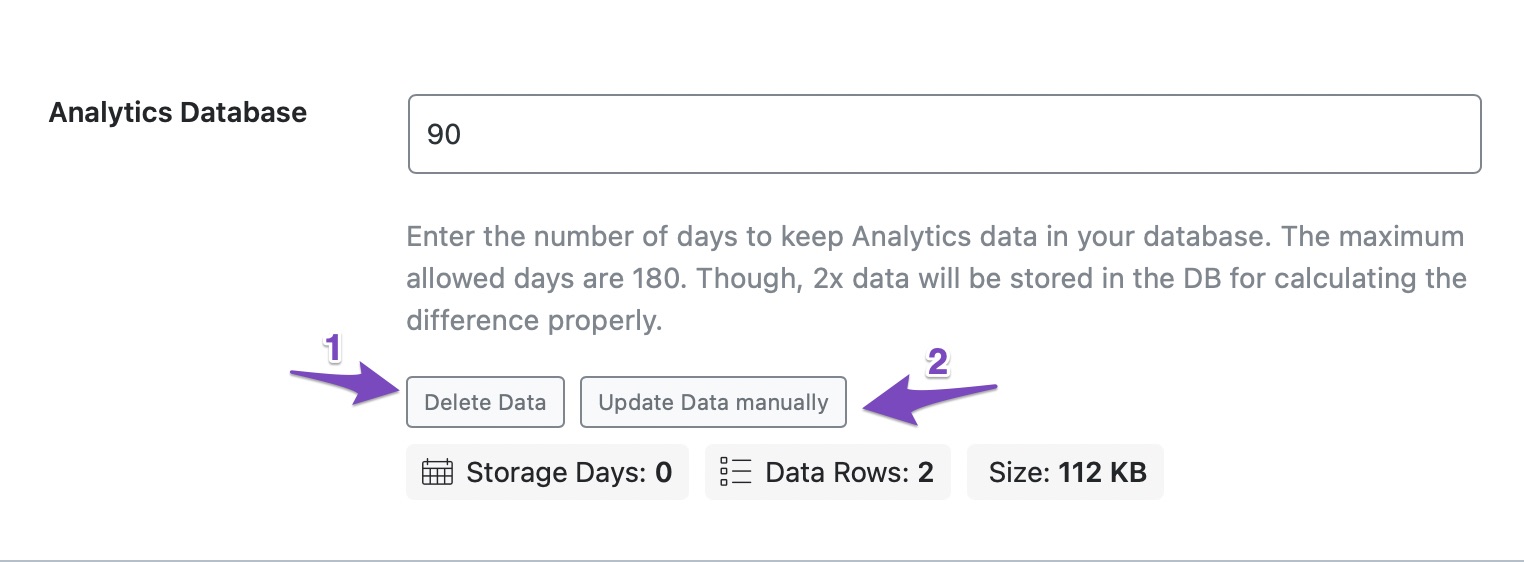
Import New Data Manually: If there are no errors and the connections are valid, try importing new data manually. Navigate to the Analytics section under Rank Math SEO → General Settings, delete existing data, and then click on Update Data manually.
-
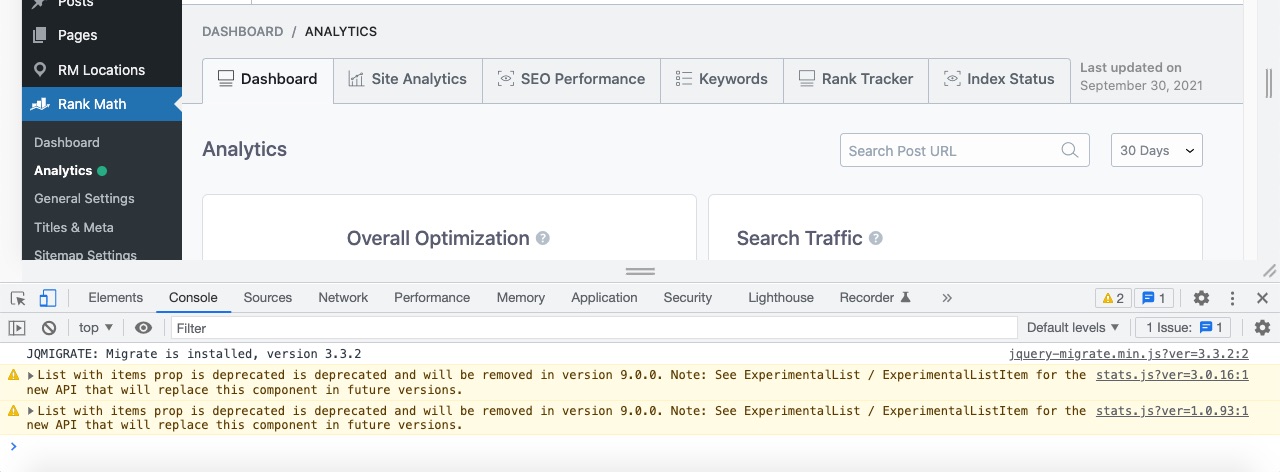
Check for Plugin Conflicts: Sometimes, other plugins may conflict with Rank Math. You can check for errors in the developer console by right-clicking on the page and selecting Inspect Element.
-
Refresh Tokens: If the above steps do not resolve the issue, you may need to refresh the authorization tokens. Delete the Rank Math app from your Google Account permissions here and then reconnect your Google services through Rank Math.

If you have followed these steps and are still experiencing issues, please reply to this ticket, and a human agent from the Rank Math Support team will assist you further.
We hope this helps resolve your issue!
Sources:
What to Do When Rank Math Analytics Shows Zero Search Traffic » Rank Math
Resolving Rank Math Analytics Related Issues » Rank MathHi
we have connected the google analytics and search console successfully
Both statuses are green
no google data populating after 24 hours
Re-fetched data with no success
Checked permissions in google and rank math has the necessary permissions set.
How do we troubleshoot this? thanksHello,
Could you please share an image from your Analytics dashboard and your organic traffic data from Google Search Console for the last 30 or 15 days so we can compare it with the data coming through in the Analytics module?
You can upload screenshots using this tool and add the link here.
Meanwhile, please note that the statistics shown in Rank Math’s Analytics section would not fully match the Google Search Console and Analytics because of the situation mentioned here:
https://rankmath.com/kb/anaytics-data-differs-from-ga-gsc/Looking forward to helping you.
Hi, thanks for the reply. Currently, we are seeing no data being populated, with 0 clicks/impressions being shown on the dashboard.
GA4: https://drive.google.com/file/d/1W1XMNyixpxoKWA2WsC6YVRVMgLgh4a_M/view?usp=sharing
331787904GSC: https://drive.google.com/file/d/1W5U4gQRD-4pzM-kJusZbcpjEmR4Y88qT/view?usp=sharing
Hello,
Apologies for the inconvenience.
In this case, please follow the steps below to create a troubleshooting log so that we can check the issue further:
Step #1.
First, add the following filter to your website:add_filter( 'rank_math/analytics/log_response', '__return_true' );Here is a guide you can follow to add the filter:
https://rankmath.com/kb/wordpress-hooks-actions-filters/Step #2.
After adding the filter, please run the pending Scheduled Action from your WordPress Dashboard > Tools > Scheduled Actions > Pending:If in your case, you do not see the Scheduled Actions menu, then you can try visiting the following URL:
https://yourdomain.com/wp-admin/tools.php?page=action-scheduler&status=pendingEnsure that you replace
yourdomain.comwith your own domain in the above link.Step #3.
When some actions have completed running, please check the Analytics log under /wp-content/uploads/rank-math and share that with us.You can use a tool like Dropbox/Pastebin for debug log files and share the generated links here.
Looking forward to helping you.
Hi, thanks for the speedy response.
please see log file: https://pastebin.com/avXX92wt
Hello,
We might need to take a closer look at the settings. Please edit the first post on this ticket and include your WordPress & FTP logins in the designated Sensitive Data section.
Please do take a complete backup of your website before sharing the information with us.
It is completely secure and only our support staff has access to that section. If you want, you can use the below plugin to generate a temporary login URL to your website and share that with us instead:
https://wordpress.org/plugins/temporary-login-without-password/
You can use the above plugin in conjunction with the WP Security Audit Log to monitor what changes our staff might make on your website (if any):
https://wordpress.org/plugins/wp-security-audit-log/
We really look forward to helping you.
Hello,
Since we did not hear back from you for 15 days, we are assuming that you found the solution. We are closing this support ticket.
If you still need assistance or any other help, please feel free to open a new support ticket, and we will be more than happy to assist.
Thank you.
-



The ticket ‘Connecting Google Analytics and Search console not populating any data’ is closed to new replies.