Hello,
We apologize for the issue you are facing with your website not being indexed. Since your website is only one month old, it’s not unusual for some pages to be marked as “discovered – currently not indexed.” It can take Google a little while to find and index all the pages on your site.
Here are a few steps you can take to help resolve the indexing issue:
-
Check for No-Index Tags: Ensure that the pages you want indexed do not have a no-index tag. You can remove this tag if it’s not needed.
-
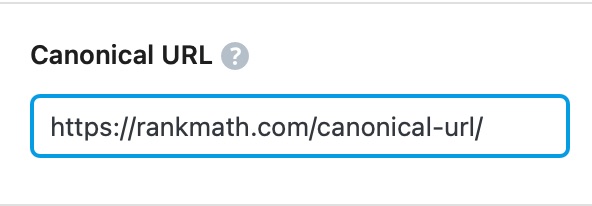
Content Duplication: Check if there are any duplicate contents on your site. If you find any, consider adding a canonical URL pointing to the original content you want to index.
-
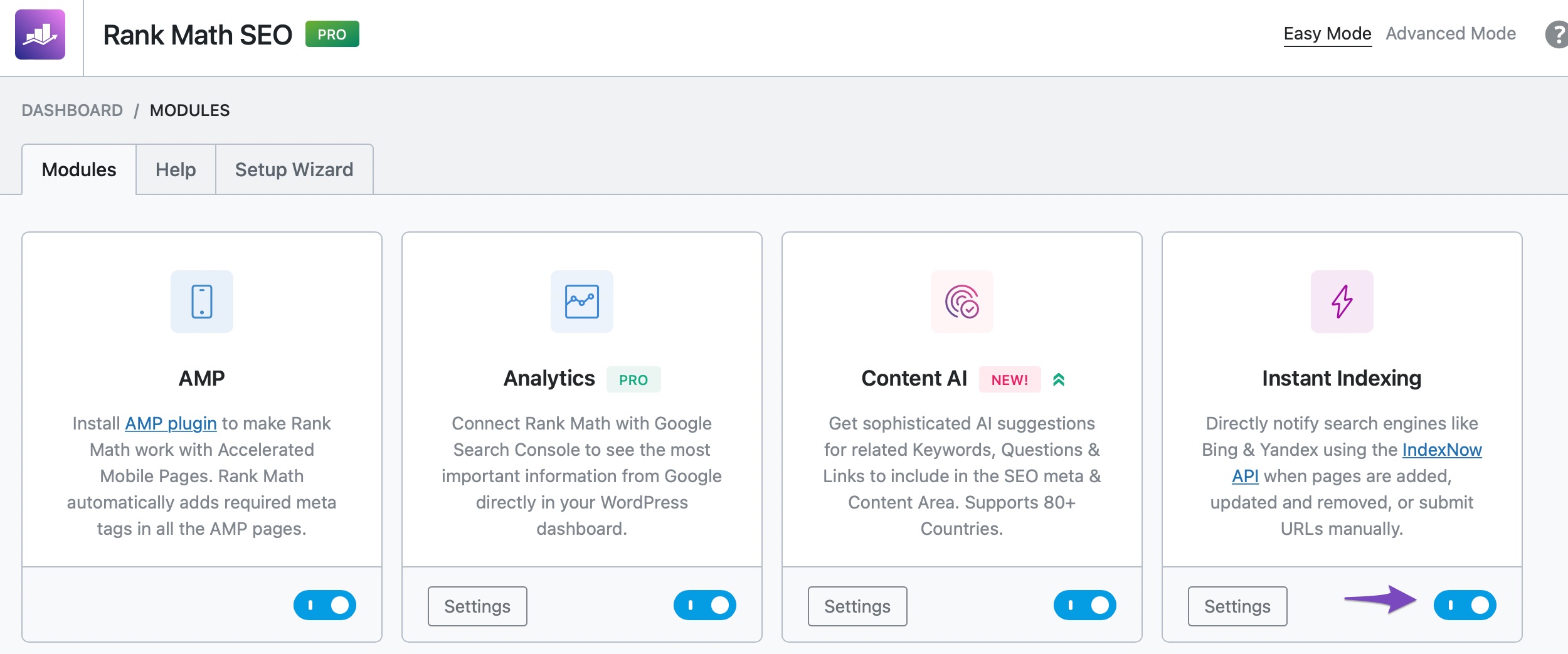
Use Instant Indexing: Since you have installed Rank Math, make sure you are using the Instant Indexing feature correctly. You can submit your URLs directly through this feature to help speed up the indexing process.
-
Be Patient: If your website is fairly new (less than a few months old), it’s important to be patient as Google will eventually index all the pages on your site.
-
Check for Penalties: Lastly, ensure that your website is not penalized by Google. You can do this by searching for your website on Google; if you don’t see it in the search results, it may be penalized.
If you have followed these steps and are still experiencing issues, please reply to this ticket, and a human agent from the Rank Math Support team will assist you further.
Thank you for raising this concern, and we hope to help you get your website indexed soon!
Sources:
Discovered – Currently Not Indexed in Google Search Console » Rank Math
I have used Instant Indexing but I haven’t checked for No-Index Tags on the pages I want to doindex. SInce I have used INstant indexing and already selected the pages I want to index, do I need to check for no-index tags?
Hello,
Please share the affected URLs so we can verify them.
Also, please note that Instant Indexing helps your website’s pages and content to be crawled instantly. But, using Instant Indexing does not always result in the indexation of the content as it may take anywhere from minutes to days or even weeks before a URL is indexed.
It doesn’t guarantee that your pages will show up in the search results, but you can still use it on your website.
Moreover, Google assigns a crawl budget to your website depending on these factors (especially these two) and that has a direct effect on how soon or how late your content can get indexed.
It depends on a lot of factors. Your posting frequency + the domain authority are just two of the many factors Google considers when indexing some new URLs.
Looking forward to helping you.
Try to edit robots.txt file and check wether whole site is de indexed or what. Also Check Robot Meta files.
Hello,
Please note that crawling and indexing can take anywhere from a few hours to a few days/weeks. Be patient and monitor progress using the URL Inspection tool.
However, you also request the indexing of your pages by passing it through the URL Inspection Tool and request it there: https://developers.google.com/search/docs/crawling-indexing/ask-google-to-recrawl. The tool will also let you know if there are any issues on the URL that prevent them from getting indexed.
You can read more about that here: https://support.google.com/webmasters/answer/9012289?hl=en
Meanwhile, we have provided some guides you can follow to ensure your website keeps showing up on Google search results: https://rankmath.com/kb/google-index/
https://www.youtube.com/watch?v=_YYecHEIwMs
Hope this helps and please don’t hesitate to let us know if you have any other questions.
Thank you.
Hi, my website recive 5xx error in search console before 5 days, and the problem is when i use instant indexing so no index in searcb console but before that issue all are index proper so my question is how much days more take this issue fix, because i already fix this issue in cansole but indexing is not working
Hello @neeteshkumar3,
Thank you for contacting us and sorry for any inconvenience that might have been caused due to that.
Could you please confirm if you see the “Server Error (5xx)” error on Google Search Console? If so, it is not something that we have control over and it’s usually caused by an overload on the server when the Googlebot tries to access the pages.
You can learn more about these errors here: https://www.searchenginejournal.com/gsc-reports-sever-500-errors/375791/
In case, you face any error on the Instant Indexing plugin, we suggest you open a new forum ticket and share a screenshot there so that we can check the issue further for you.
Looking forward to helping you.
Thank you.
Hello,
Since we did not hear back from you for 15 days, we are assuming that you found the solution. We are closing this support ticket.
If you still need assistance or any other help, please feel free to open a new support ticket, and we will be more than happy to assist.
Thank you.





