Hello,
We apologize for the issue you are facing with the SEO data being empty in Rank Math. It can be frustrating when the analytics and performance metrics do not display as expected.
Here are a few steps you can take to troubleshoot this issue:
-
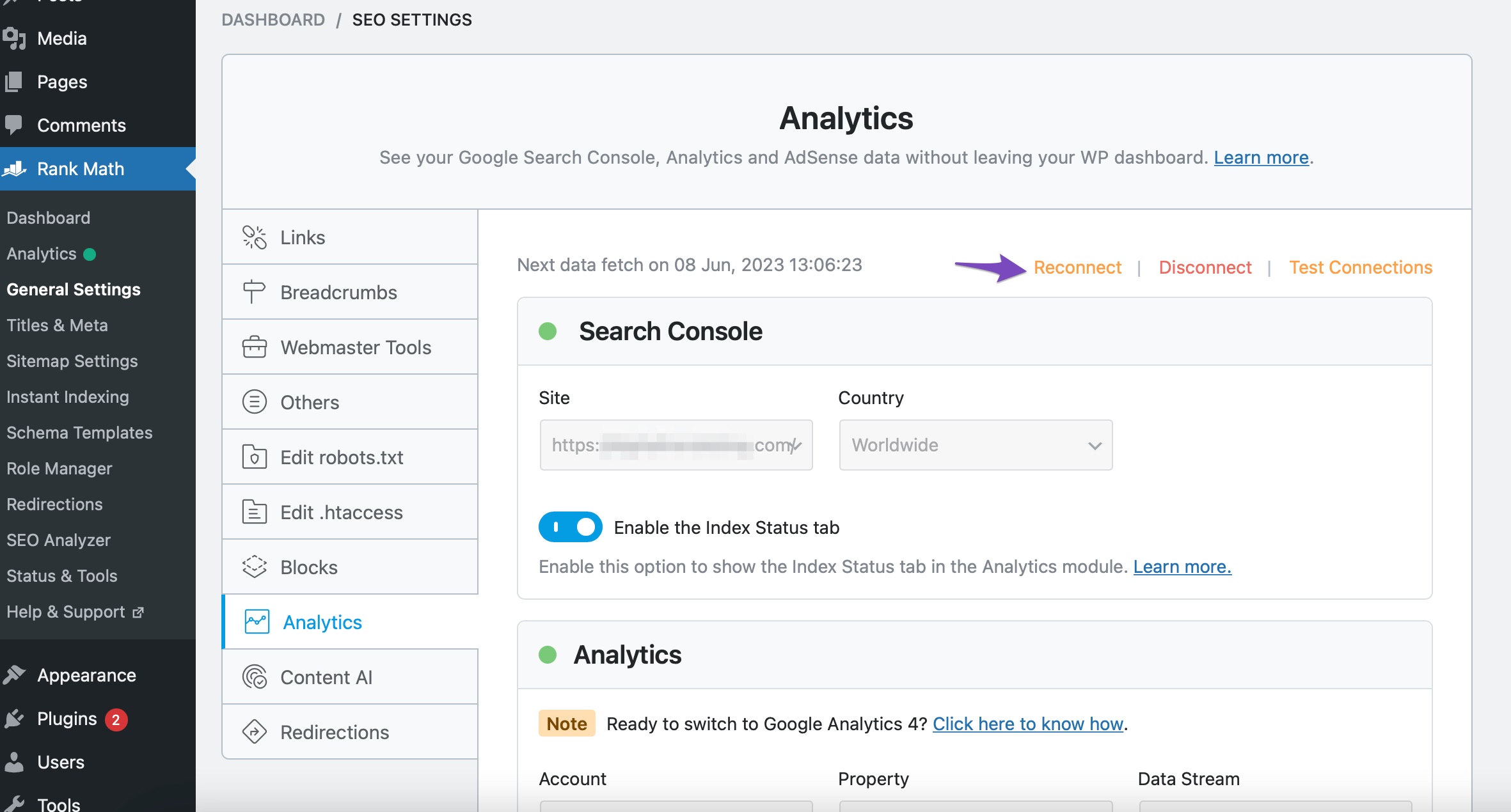
Reconnect Your Google Account: Navigate to Rank Math SEO → General Settings → Analytics and click the Reconnect link to disconnect and reconnect your Google Account with Rank Math. This can help refresh the connection and retrieve the data correctly.
-
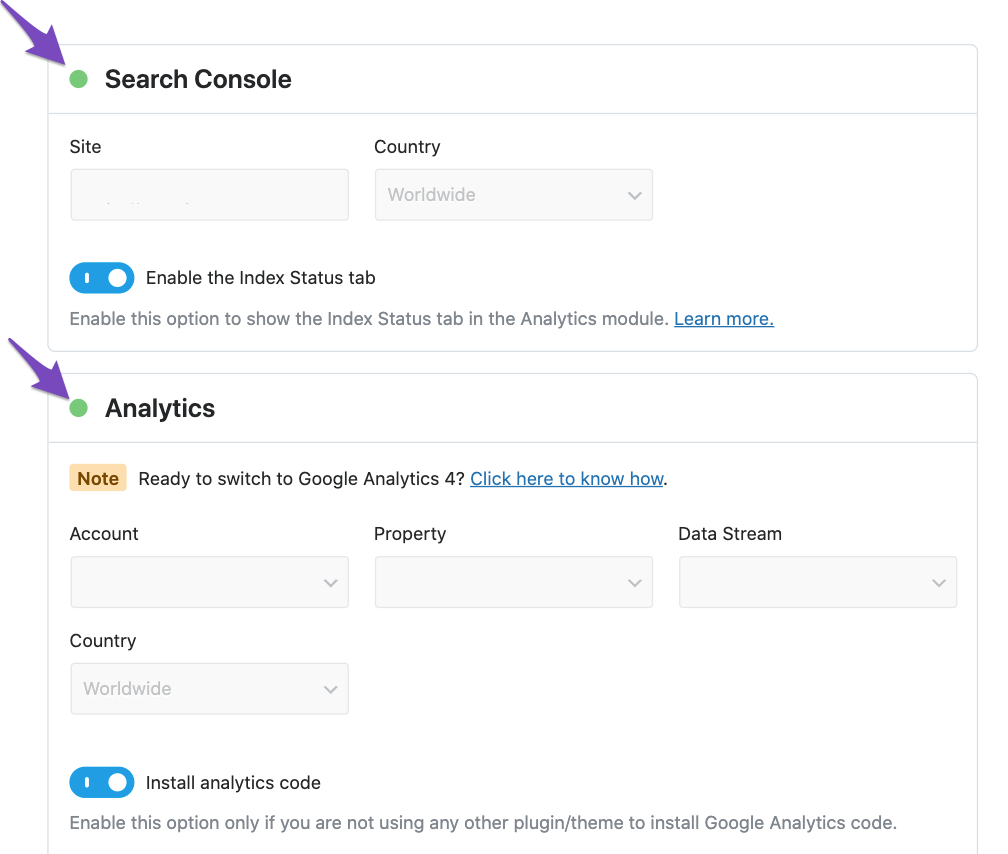
Import New Data Manually: If you do not see any errors, you can manually import new data by going to the Analytics section under Rank Math SEO → General Settings. Ensure that the Search Console and Analytics modules are connected properly, and there is organic data in your Google Search Console or Google Analytics profile.
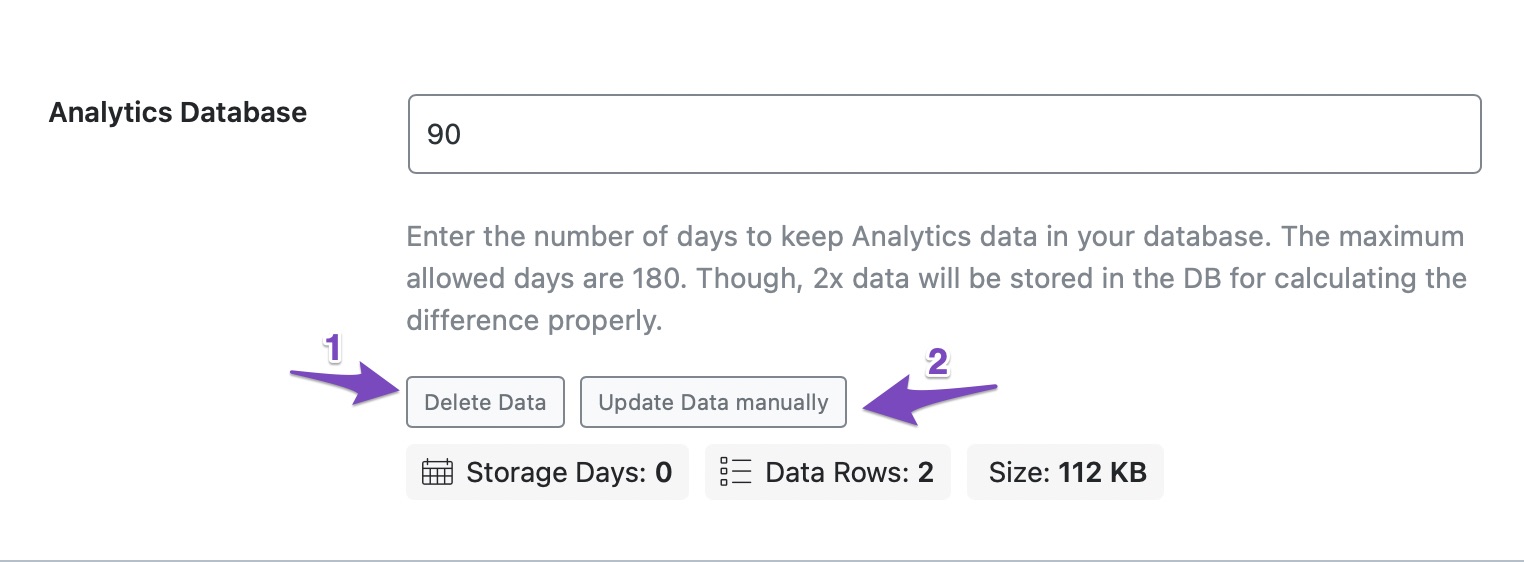
After that, scroll down to click on Delete Data in the Analytics Database section, then click on Update Data manually.
-
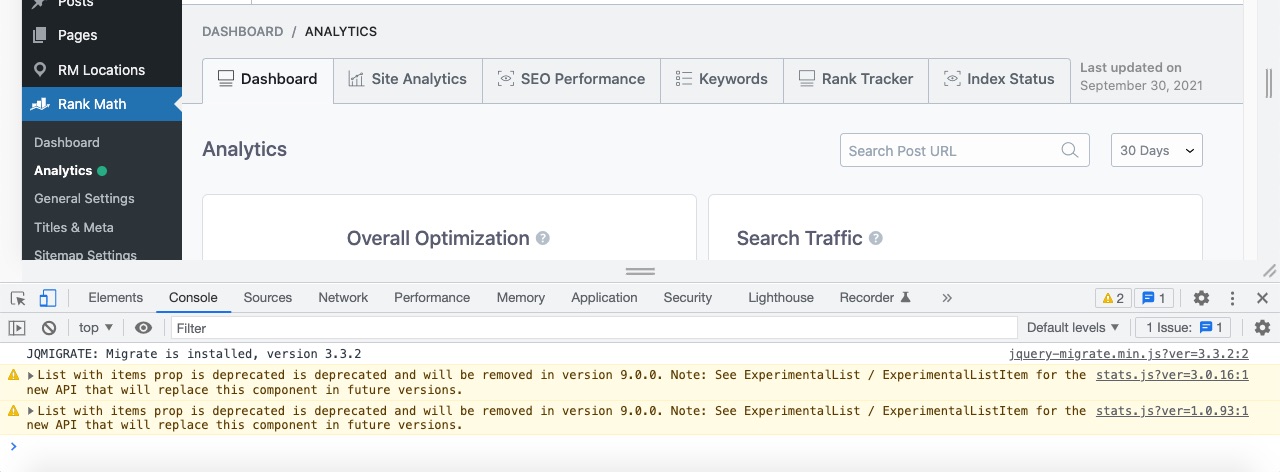
Check for Plugin Conflicts: Sometimes, plugin conflicts can cause issues with data display. You can check for errors in the developer console by right-clicking on the page and selecting Inspect Element. If you suspect a conflict, consider running a plugin conflict test.
-
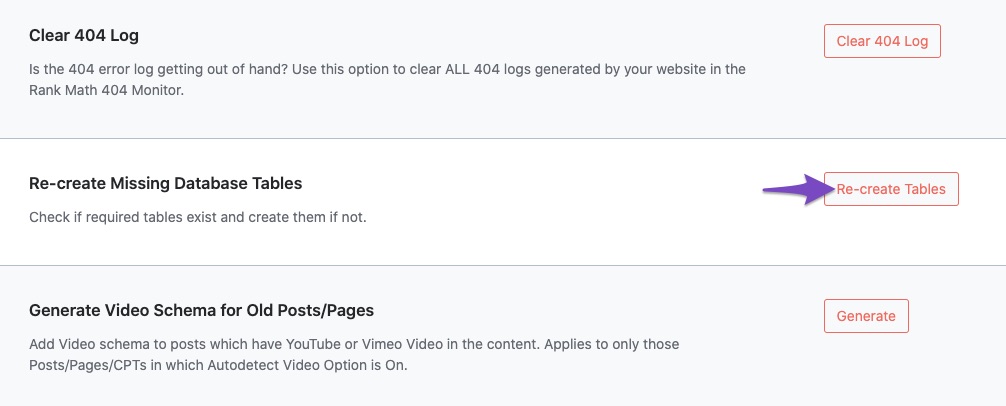
Recreate Database Tables: If the above steps do not resolve the issue, navigate to WordPress Dashboard → Rank Math SEO → Status & Tools → Database Tools and use the Re-create Missing Database Tables option.
-
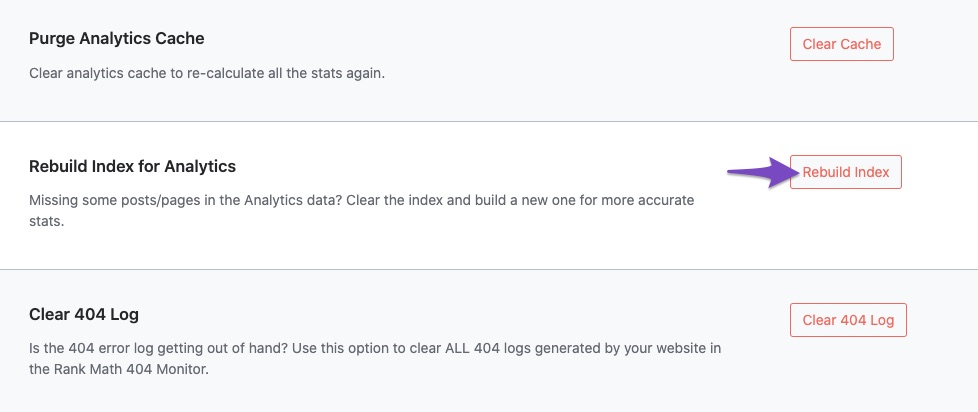
Rebuild Index for Analytics: Go back to Database Tools and click on Rebuild Index for Analytics.
After performing these steps, check if the data appears in the respective tabs. If the issue persists, please reply to this ticket, and a human agent from the Rank Math Support team will assist you further.
Thank you for raising this concern!
Sources:
Resolving Rank Math Analytics Related Issues » Rank Math
What to Do When Rank Math Analytics Shows Zero Search Traffic » Rank Math
Hello,
Thank you for contacting us and sorry for any inconvenience that might have been caused due to that.
For initial troubleshooting, you can try to follow this guideline and see if that works for you: https://rankmath.com/kb/delete-old-analytics-data/
If the issue persists, please follow the steps below to create a troubleshooting log so that we can check the issue further for you.
1. At first add the following filter to your website:
add_filter( 'rank_math/analytics/log_response', '__return_true' );
Here is a guide you can follow to add the filter:
https://rankmath.com/kb/wordpress-hooks-actions-filters/
2. After adding the filter, please run the pending Scheduled Action from your WordPress Dashboard > Tools > Scheduled Actions > Pending or you can try visiting the following URL:
https://yourdomain.com/wp-admin/tools.php?page=action-scheduler&status=pending
This is how it should look like:

When some actions have completed running, please check the Analytics log under wp-content/uploads/rank-math and share that with us. You can upload the log file using this tool.
Let us know how it goes. Looking forward to helping you.
Thank you.
Hello,
Since we did not hear back from you for 15 days, we are assuming that you found the solution. We are closing this support ticket.
If you still need assistance or any other help, please feel free to open a new support ticket, and we will be more than happy to assist.
Thank you.



