Hello,
We apologize for the issue you are facing with the Rank Math widget not displaying traffic data on your client’s website. Thank you for raising this concern.
Here are a few steps you can take to troubleshoot this issue:
-
Check Country-Wise Data: Ensure that you have not set the widget to show data only from a specific country without having traffic from that country. If, for example, you have set it to Italy and there are no visitors from Italy, the traffic will show as zero.
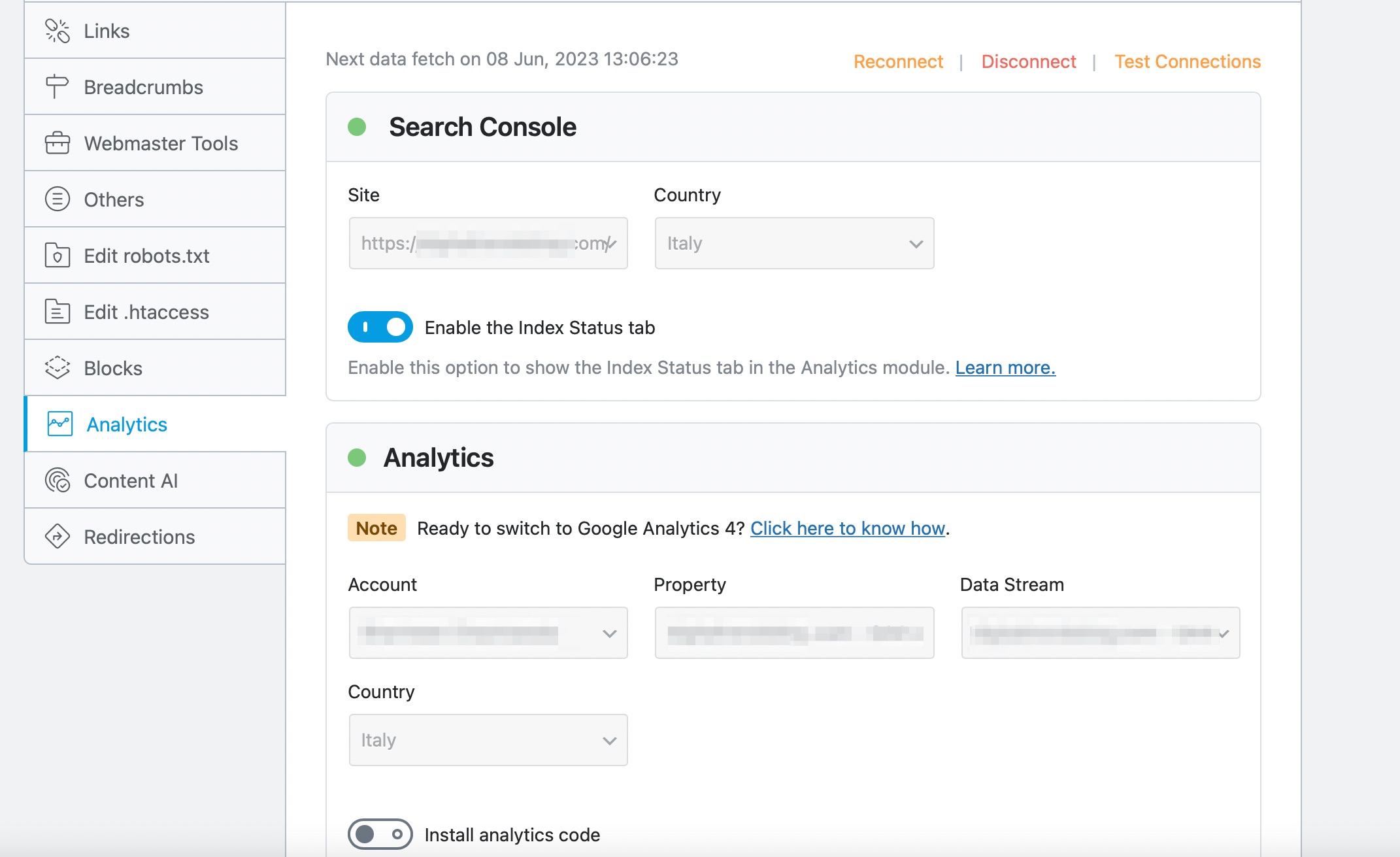
-
Update to the Latest Version: Make sure that you are using the latest version of Rank Math. You can check for updates in the Plugins → Installed Plugins section of your WordPress dashboard.
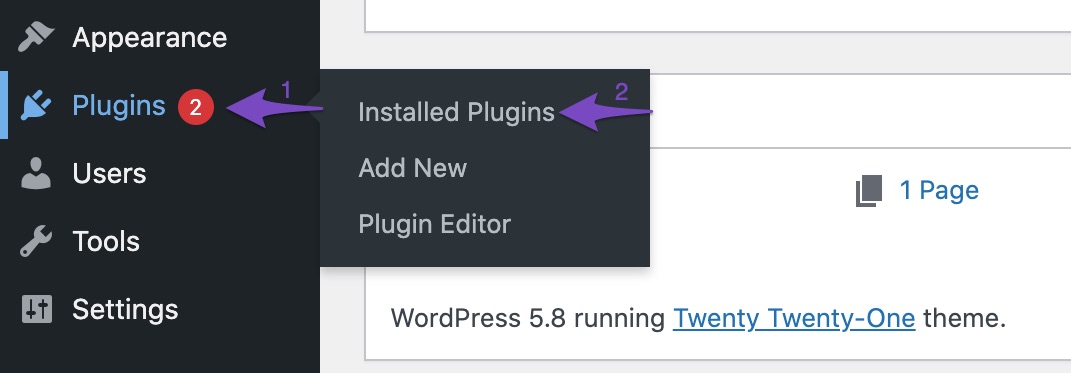
-
Rebuild Index for Analytics: If the SEO score shown in the Analytics module is incorrect or if there are multiple entries, you may need to rebuild the index for Analytics. Navigate to Rank Math → Status & Tools → Database Tools → Rebuild Index for Analytics. Ensure you are using Rank Math in Advanced mode.

-
Create an Analytics Debug Log: If the above steps do not resolve the issue, consider creating an Analytics debug log file. You can do this by adding the following filter to your WordPress theme’s rank-math.php file:
add_filter( 'rank_math/analytics/log_response', '__return_true' );
After adding this filter, go to WordPress Dashboard → Tools → Scheduled Actions → Pending and run the pending Scheduled Action named rank_math/analytics/data_fetch. Once done, share the debug log file found under /wp-content/uploads/rank-math with us.
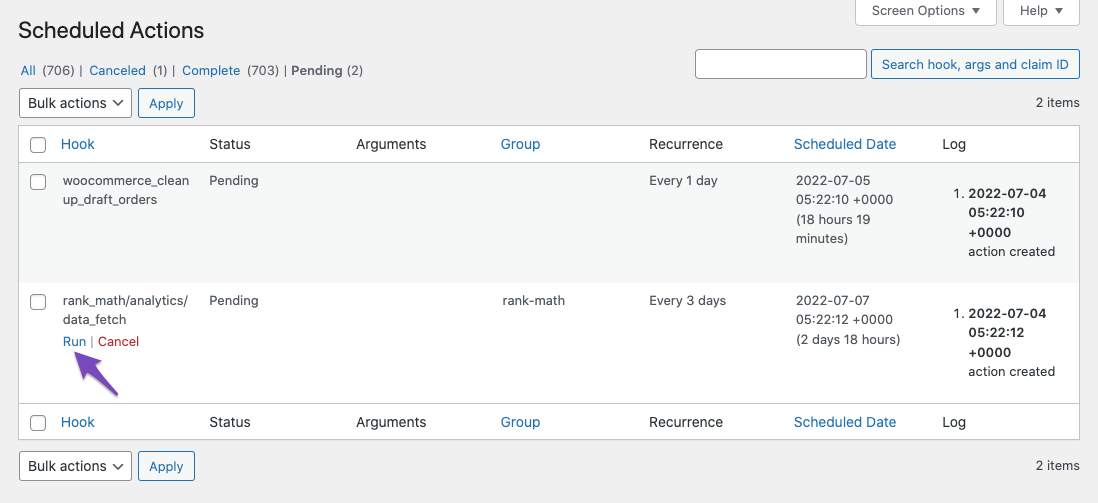
If these steps do not resolve the issue, please reply to this ticket, and a human agent from the Rank Math Support team will assist you further.
Sources:
Resolving Rank Math Analytics Related Issues » Rank Math
What to Do When Rank Math Analytics Shows Zero Search Traffic » Rank Math
Hello,
Thank you for contacting us and sorry for any inconvenience that might have been caused due to that.
For initial troubleshooting, you can try to follow this guideline and see if that works for you: https://rankmath.com/kb/delete-old-analytics-data/
If the issue persists, please follow the steps below to create a troubleshooting log so that we can check the issue further for you.
1. At first add the following filter to your website:
add_filter( 'rank_math/analytics/log_response', '__return_true' );
Here is a guide you can follow to add the filter:
https://rankmath.com/kb/wordpress-hooks-actions-filters/
2. After adding the filter, please run the pending Scheduled Action from your WordPress Dashboard > Tools > Scheduled Actions > Pending or you can try visiting the following URL:
https://yourdomain.com/wp-admin/tools.php?page=action-scheduler&status=pending
This is how it should look like:

When some actions have completed running, please check the Analytics log under wp-content/uploads/rank-math and share that with us. You can upload the log file using this tool.
Let us know how it goes. Looking forward to helping you.
Thank you.
Hello,
Since we did not hear back from you for 15 days, we are assuming that you found the solution. We are closing this support ticket.
If you still need assistance or any other help, please feel free to open a new support ticket, and we will be more than happy to assist.
Thank you.



