Hello,
We apologize for the issue you are facing with the Rank Math database error. It sounds like the missing wp_rank_math_redirections_cache table is causing significant performance problems for your site.
Since you’ve already attempted to recreate the missing database tables, we recommend ensuring that you have updated Rank Math to its latest version. This can sometimes resolve issues related to missing tables.
To recreate the database tables, please follow these steps:
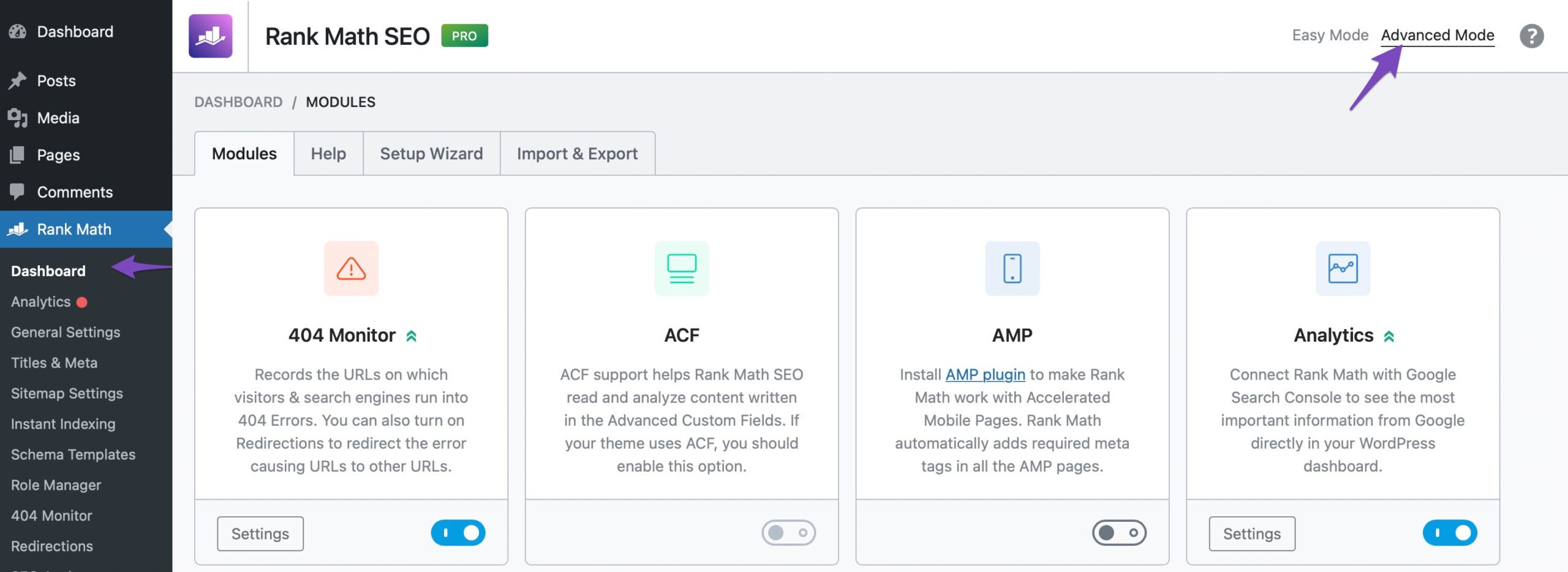
- Ensure you are in Advanced Mode by navigating to Rank Math SEO → Dashboard.
- Go to WordPress Dashboard → Rank Math SEO → Status & Tools → Database Tools and click the ‘Re-create Tables’ option.
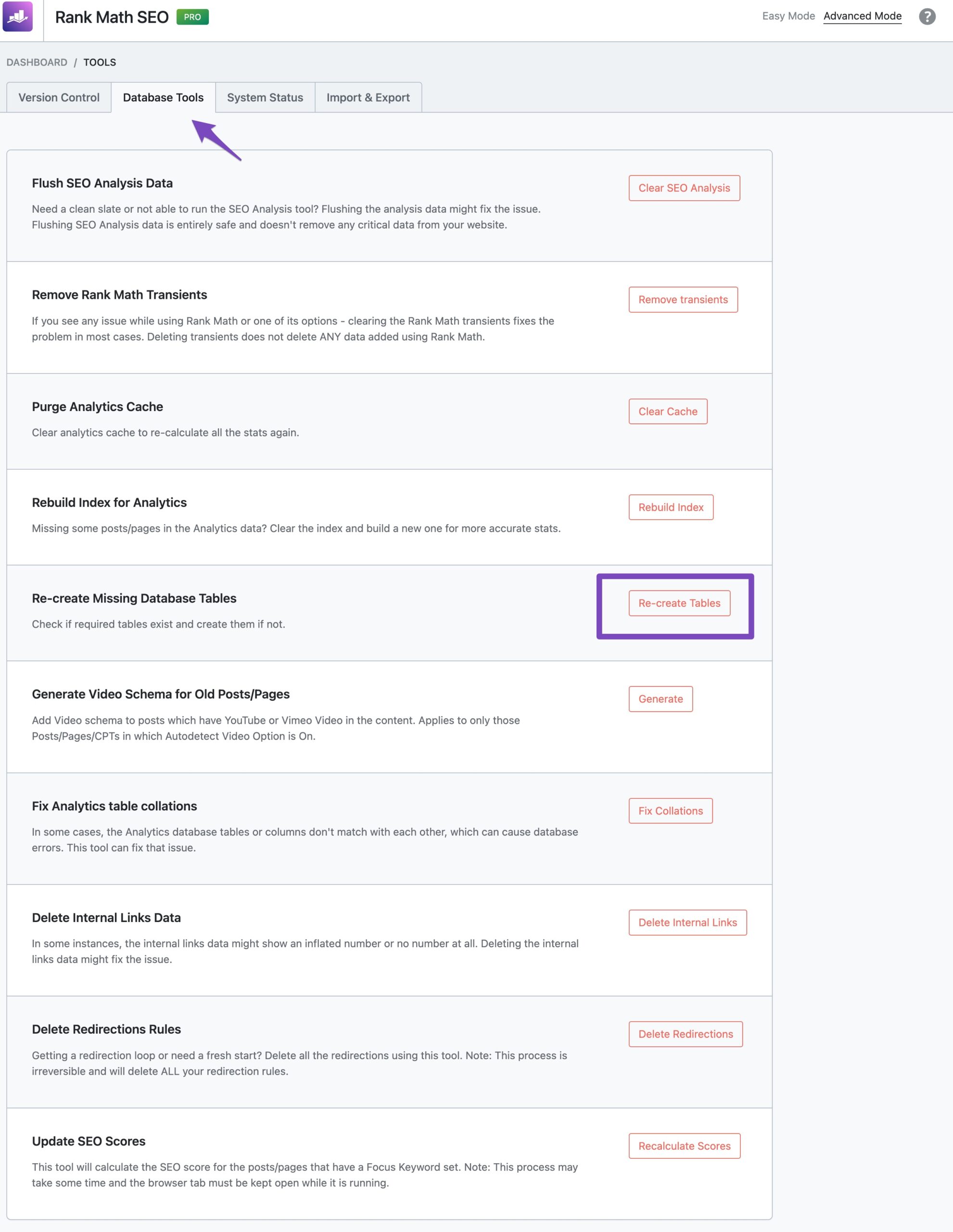
This process will attempt to recreate all missing database tables, including the one you mentioned. If the issue persists after following these steps, it may be beneficial to check for any conflicts with other plugins or themes by creating a staging site with only Rank Math activated.
If you continue to experience difficulties, please reply to this ticket, and a human agent from our support team will assist you further.
Thank you for bringing this concern to our attention. We hope to help you resolve it soon!
Sources:
How to Recreate Database Tables in Rank Math » Rank Math
Hello,
Thank you for contacting us and sorry for any inconvenience that might have been caused due to that.
Since the recreate missing database table option is not working on your website, you can run/use this SQL code in your database to manually create the redirection tables on your website: https://pastebin.com/syCMVwvv
Please note that your website’s encoding, engine, and table prefix might differ. Also, make sure to take a backup of the database before running the queries.
Let us know how that goes. Looking forward to helping you.
Thank you.
Hello,
Since we did not hear back from you for 15 days, we are assuming that you found the solution. We are closing this support ticket.
If you still need assistance or any other help, please feel free to open a new support ticket, and we will be more than happy to assist.
Thank you.



