Hello,
We apologize for the issue you are facing with duplicate meta descriptions. To resolve this, you can disable or edit the meta descriptions for your pages in Elementor Pro by following these steps:
-
Open the Page in Elementor: Navigate to the page where you want to disable or change the meta description and click on "Edit with Elementor."
-
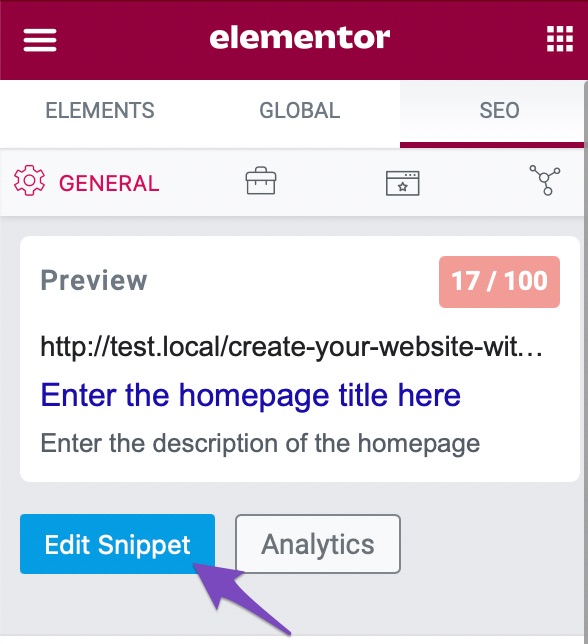
Access Rank Math Settings: Once in the Elementor editor, look for the Rank Math SEO icon in the sidebar.
-
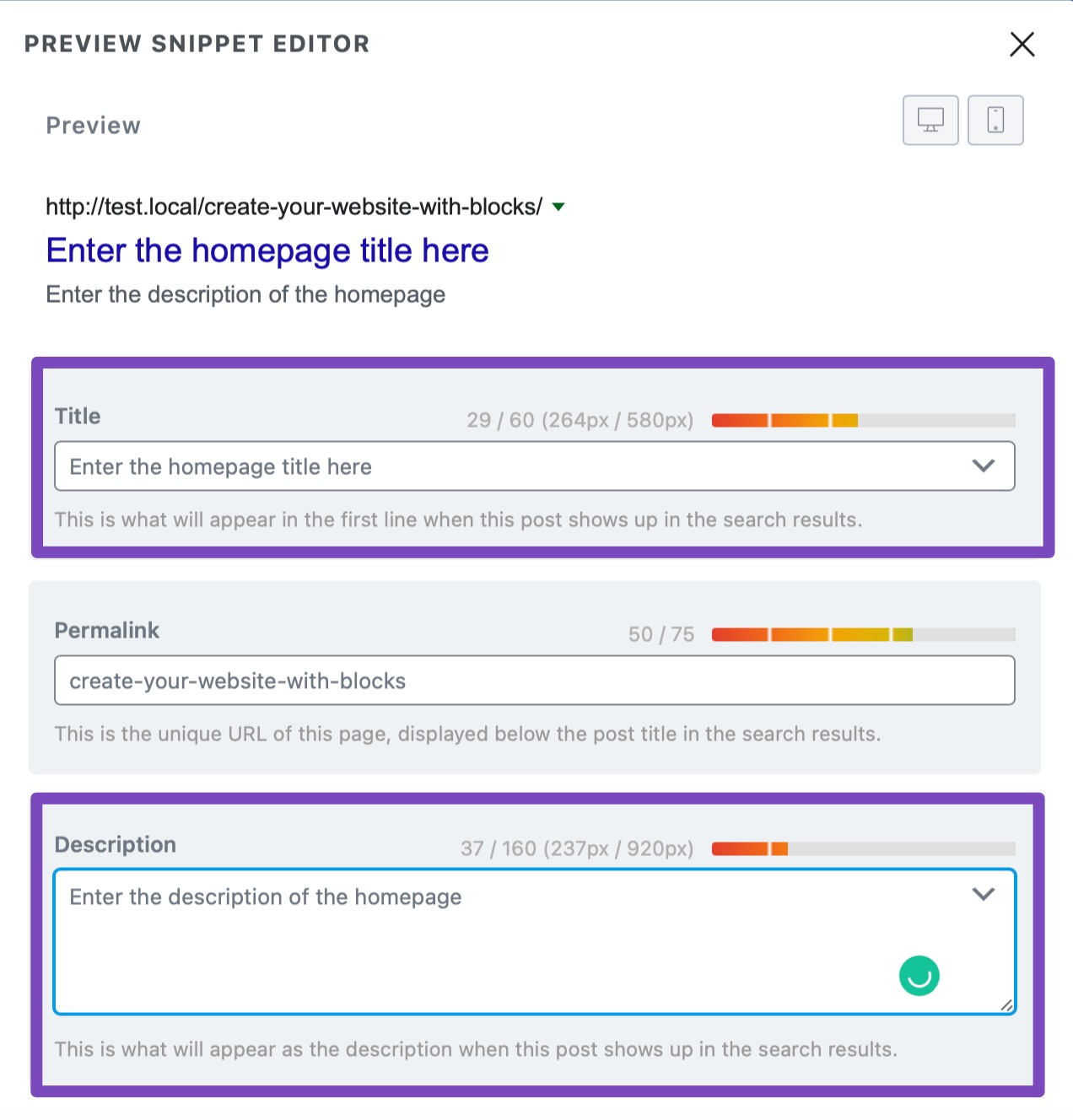
Edit Snippet: Click on the Edit Snippet button located in the SEO tab. This will open the snippet editor where you can manage your meta title and description.
-
Remove or Change Meta Description: You can either remove the existing meta description or change it to something unique that reflects the content of the page.
-
Update the Page: After making your changes, make sure to click the Update button to save your changes.
By following these steps, you should be able to manage your meta descriptions effectively and eliminate any duplicates. If you have further questions or need assistance, feel free to reply to this ticket, and a human agent from our support team will assist you further.
Sources:
Homepage SEO Settings via Meta Title and Description
Hello,
Thank you for contacting us and sorry for any inconvenience that might have been caused due to that.
We checked your pages and we can confirm duplicate meta tags are appearing there.
It seems like the duplicate meta tags are added by your theme or any other plugin you’re using on your website. To determine that, please follow this troubleshooting guide: https://rankmath.com/kb/fix-duplicate-meta-tags/
Let us know how it goes. Looking forward to helping you.
Thank you.
Hello,
Since we did not hear back from you for 15 days, we are assuming that you found the solution. We are closing this support ticket.
If you still need assistance or any other help, please feel free to open a new support ticket, and we will be more than happy to assist.
Thank you.



