Hello,
We apologize for the issue you are facing. You can indeed add keywords to your site using a CSV upload with Rank Math. Here’s how you can do it:
-
Export Existing Metadata: First, you should export your existing post metadata to a CSV file. You can do this by navigating to Rank Math SEO → Status & Tools → Import & Export in your WordPress admin area. Make sure you are in Advanced Mode to access the Import & Export tab.
-
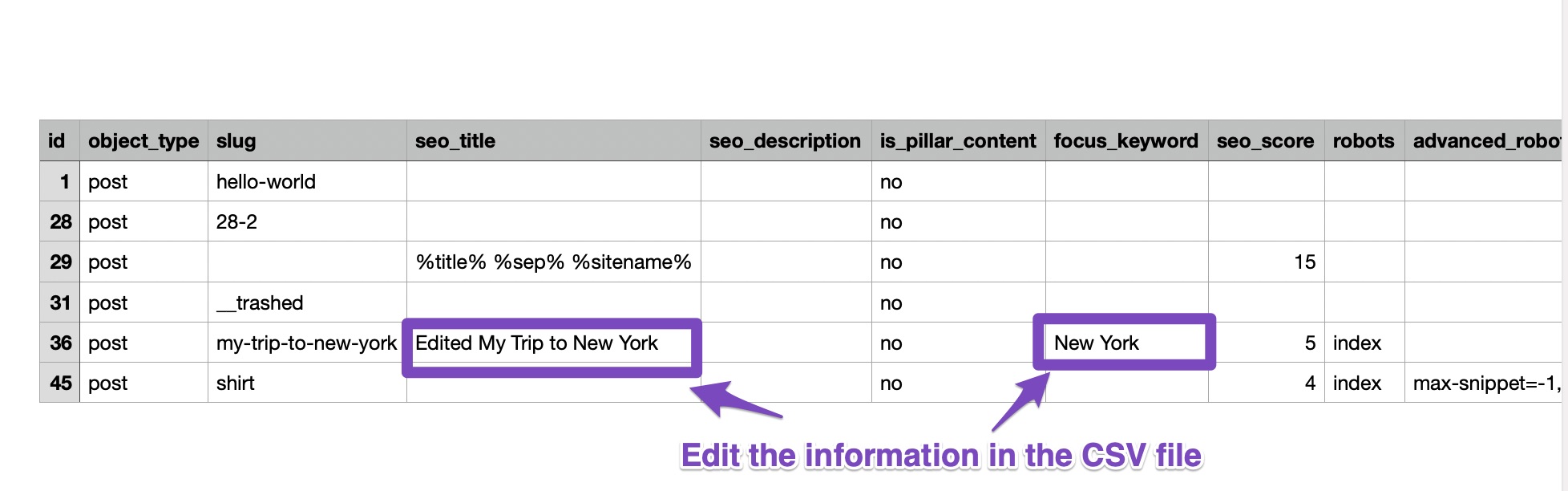
Edit the CSV File: Open the exported CSV file in a spreadsheet editor like Google Sheets. You will find several columns related to your posts. You can add your new keywords in the focus_keyword column for each corresponding post.
-
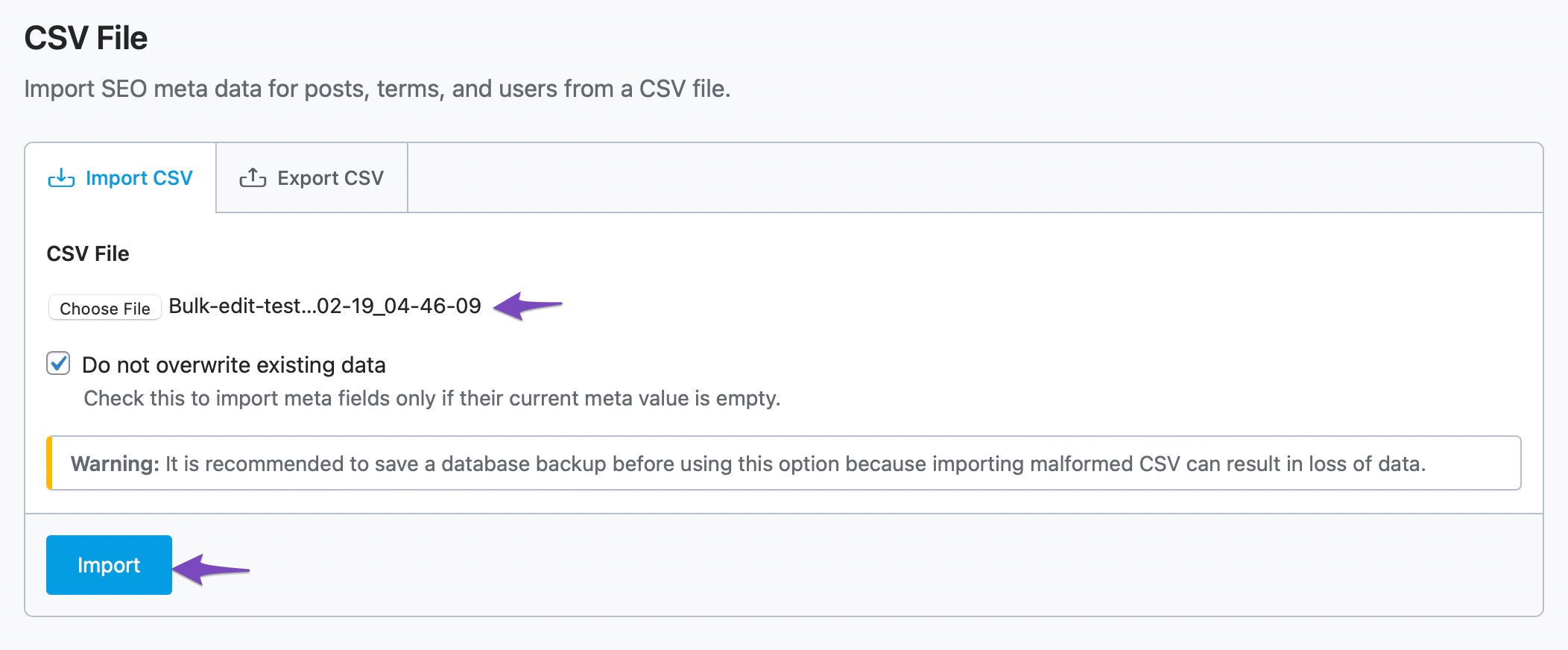
Import the Edited CSV File: After adding your keywords, save the file as a CSV and go back to Rank Math SEO → Status & Tools → Import & Export. Under the Import CSV tab, choose your edited file and select the option to Do not overwrite existing data if you want to keep any existing keywords intact.
-
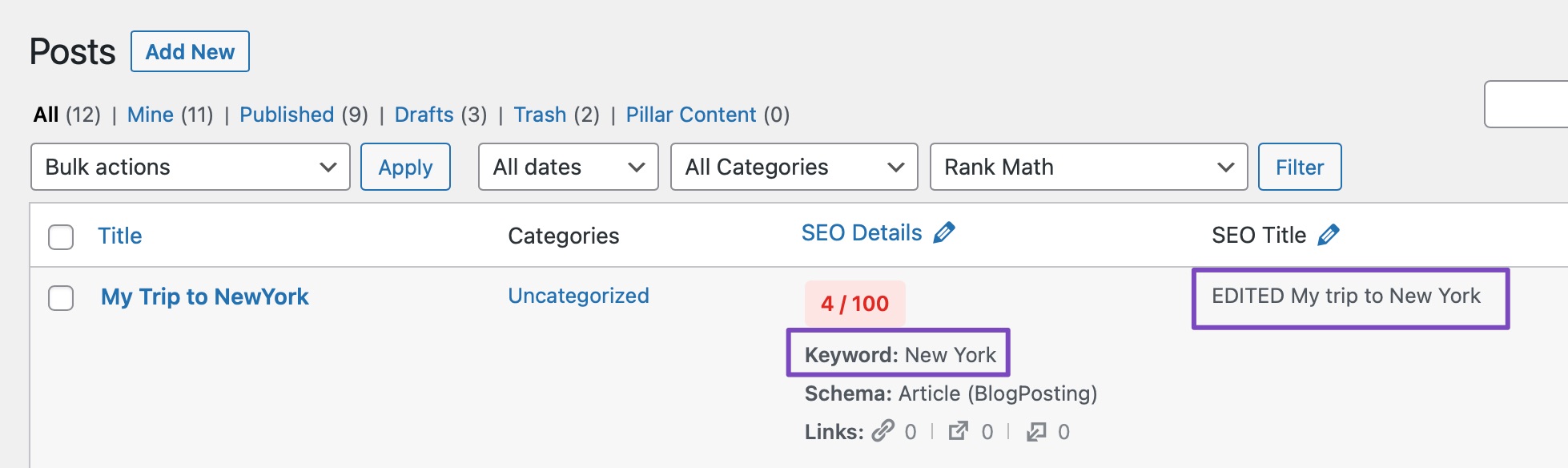
Check Your Changes: Once imported, check your posts to ensure that the new keywords have been added correctly.
This method allows you to efficiently add a large number of keywords to your posts at once. If you have any further questions or need assistance, feel free to reply to this ticket, and a human agent from the Rank Math Support team will assist you further.
Sources:
Editing Meta Title & Descriptions At Scale with Rank Math » Rank Math
How to Add Keywords to WordPress » Rank Math
Is it possible i the free version?
Hello,
This CSV method is only available in the PRO version of the plugin. Unfortunately, in the free version, you’ll have to manually add the keywords on your website.
Please don’t hesitate to let us know if you have any other questions.
Thank you.
Is there a limit for each post? When it is the pro version?
And is there a way to upload a full list of only keywords? Where i don’t have to add to specific post?
Hello,
Rank Math by default lets you add up to 5 focus keywords per post in the Free version.
However, Rank Math PRO users can add an unlimited number of keywords. With that said, we don’t recommend overusing or stuffing the focus keyword within your post/page.
Regarding the keywords list, there’s no option to upload them in Rank Math. The CSV file to do bulk editing is per post where you can set the keywords for each of them:
https://rankmath.com/kb/editing-seo-meta-at-scale/#num-2-2-edit-metadata-in-the-csv-file
Looking forward to helping you.
How many do yo recommend?
Hello,
You should use your main keyword as the primary focus keyword and some of its variations as the secondary focus keywords. So, you should use 3 to 10 focus keywords on each post.
Please do not hesitate to let us know if you need our assistance with anything else.
Hello,
Since we did not hear back from you for 15 days, we are assuming that you found the solution. We are closing this support ticket.
If you still need assistance or any other help, please feel free to open a new support ticket, and we will be more than happy to assist.
Thank you.





