Hello,
We apologize for the issue you are facing with your sitemap not being fetched by Google. It seems like you are encountering the "Incorrect HTTP header content-type" error, which indicates that the server is returning an HTML response instead of the expected XML format for your sitemap.
Here are some steps you can take to resolve this issue:
1. Flush Permalinks
To start, try flushing your permalinks. You can do this by navigating to WordPress Dashboard → Settings → Permalinks and clicking the Save Changes button without making any changes. This can help reset the permalink structure.

2. Flush Sitemap Settings
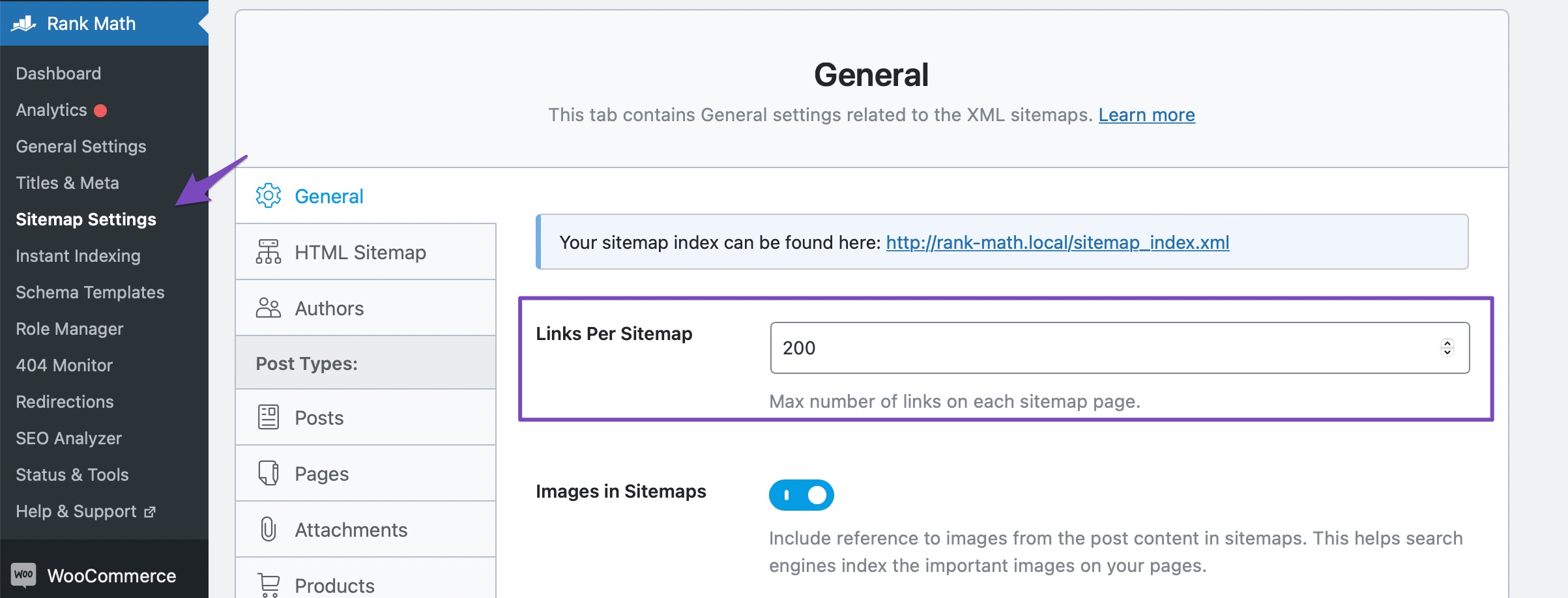
Next, flush the sitemap settings in Rank Math. Go to Rank Math SEO → Sitemap Settings and change the value in the Links Per Sitemap option (e.g., if it is 200, change it to 201). Then click Save Changes.
3. Exclude Sitemap from Caching
Ensure that your sitemap is not being cached by any caching plugins. We have a tutorial on how to exclude sitemaps from caching.
4. Check Restrictions from Web Host
If you can access the sitemap directly but external tools cannot, check if there are any restrictions from your web host or security plugins that might be blocking access to crawlers. You may need to exclude the sitemap from your firewall settings.
5. Add Filter to Theme’s rank-math.php File
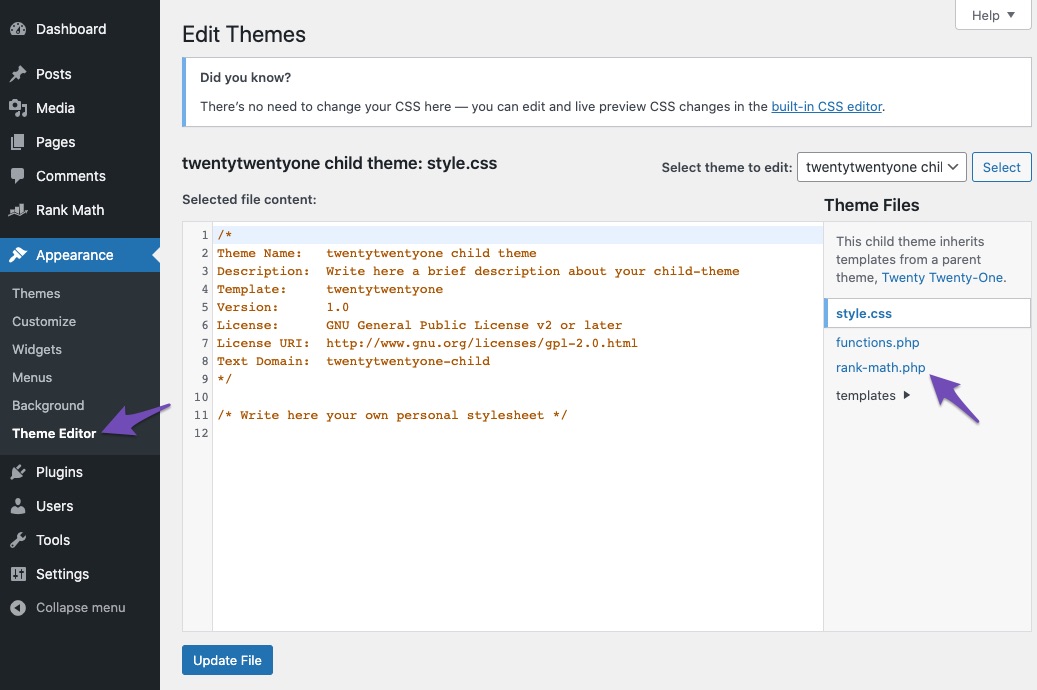
If the above solutions do not work, consider adding a filter to your theme’s rank-math.php file. You can do this by navigating to WordPress Dashboard → Tools → Theme File Editor and adding the following filter:
add_filter( 'rank_math/sitemap/enable_caching', '__return_false');
After adding this filter, clear your website cache and check the sitemap again.
Once you have made these changes, please test your sitemap again using an XML Sitemap validator. If you continue to experience issues, please reply to this ticket, and a human agent from the Rank Math Support team will assist you further.
Sources:
How to Fix "Incorrect HTTP Header Content-Type" Error in Sitemaps » Rank Math
Rank Math Sitemap Issues and Their Fixes » Rank Math



