HOW TO CONNECT MY WEBSITE TO RANKMATH

#861968
  • Resolved cache media
    Rank Math free

    How can i solve the problem of trying to connect my website so that i can view most of its feature such as analytic data.Because when i follow the steps from the help button it shows connected but i cannot see my domain or analytics data.

Viewing 2 replies - 1 through 2 (of 2 total)
  • Hello,

    We apologize for the issue you are facing with connecting your website to Rank Math and accessing the analytics data. Thank you for raising this concern.

    To connect your website properly and ensure you can view the analytics data, please follow these steps:

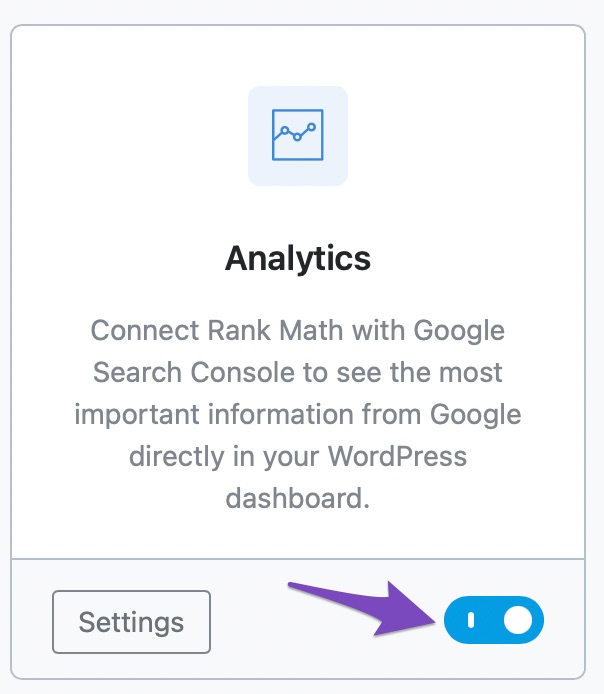
    1. Enable Rank Math’s Analytics Module: Go to Rank Math SEO → Dashboard → Analytics in your WordPress dashboard and ensure that the Analytics module is enabled.
      Analytics Module

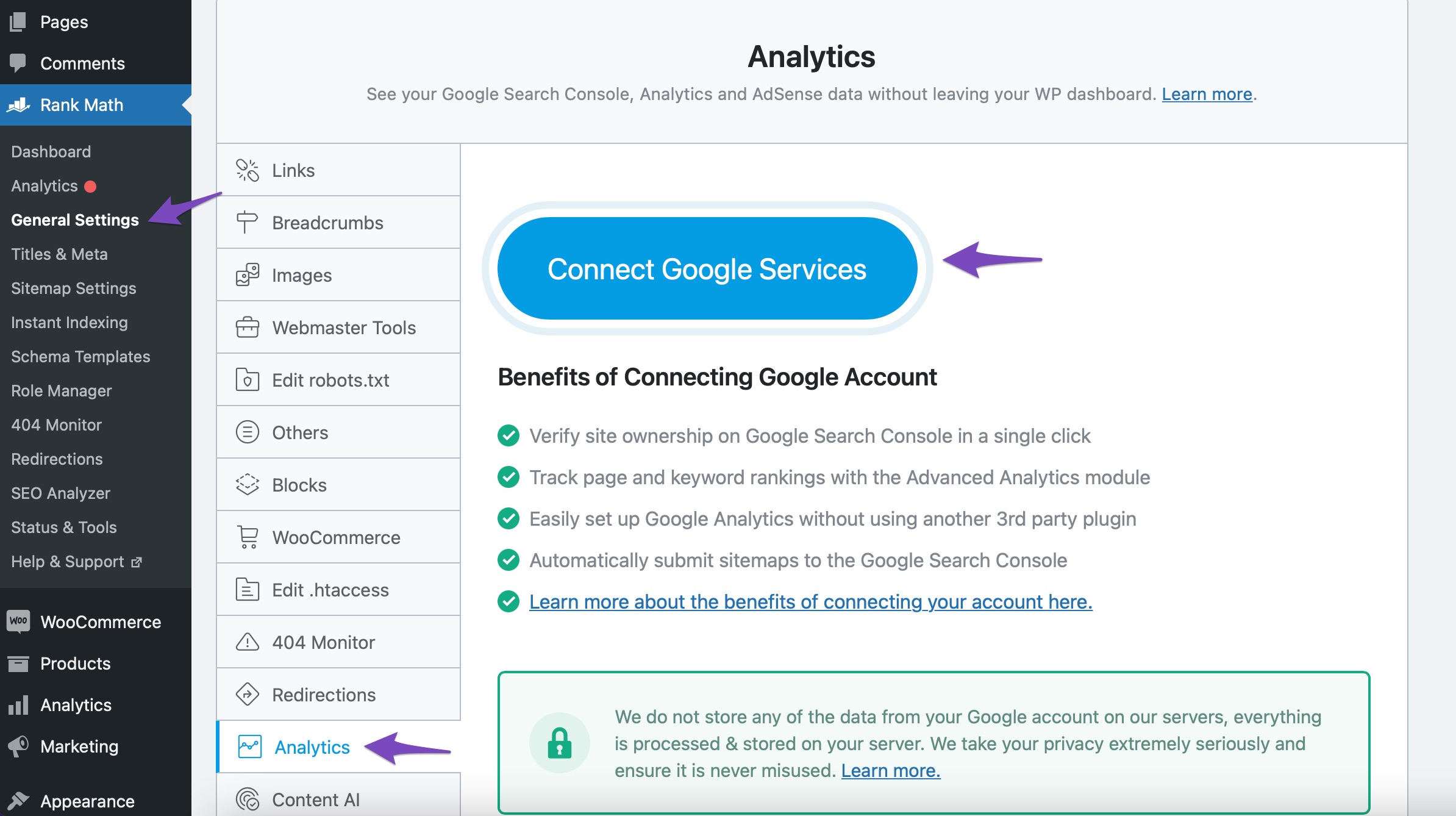
    2. Connect Your Rank Math Account: Navigate to Rank Math SEO → Analytics → Connect Your Rank Math Account. Choose the email account you want to connect and grant all necessary permissions.
      Connect with Rank Math

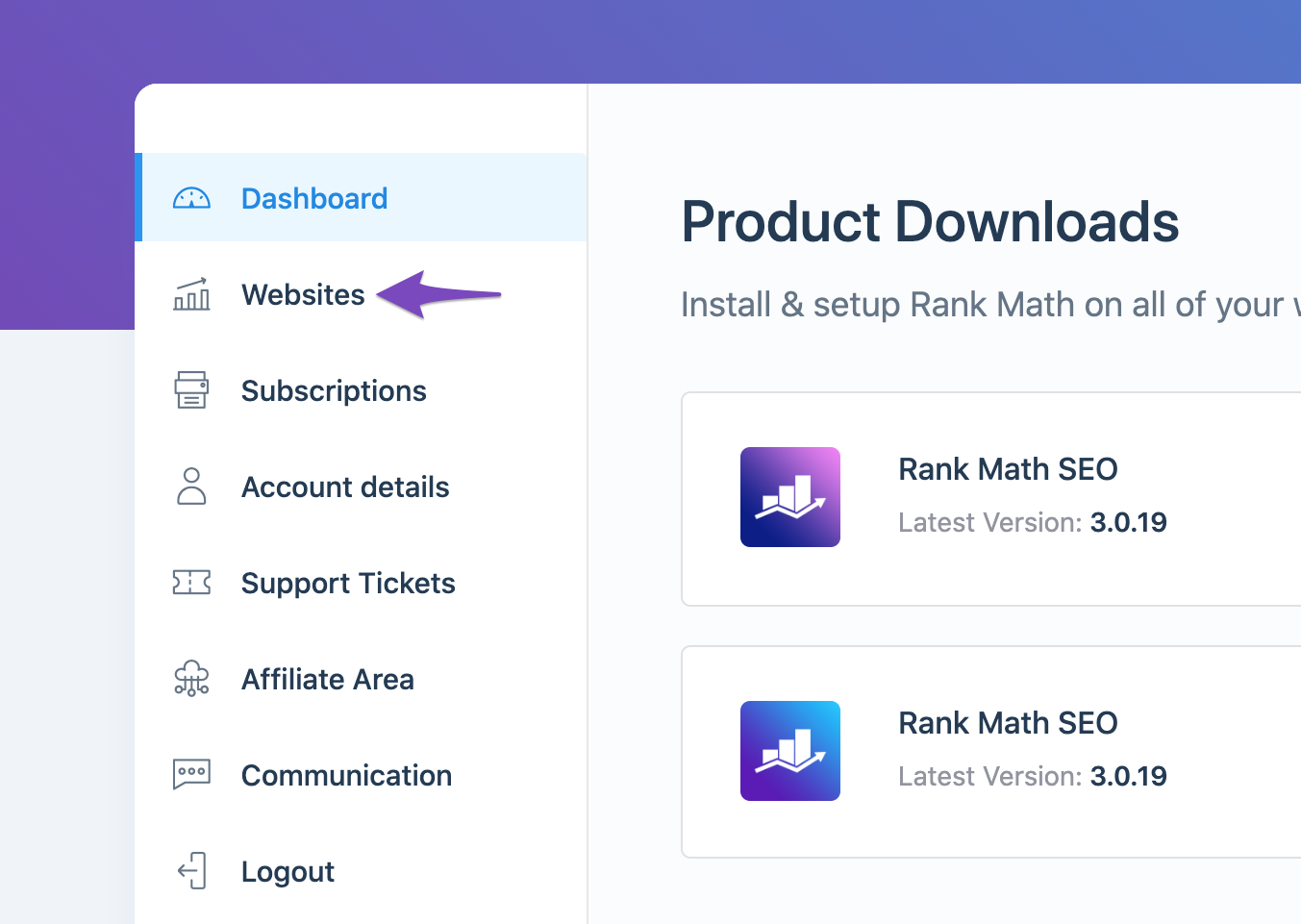
    3. Check if Your Website is Connected: Log in to your Rank Math account and go to the My Account area, then click on the Websites tab. Ensure that your website is listed there. If it’s not, you may need to disconnect and reconnect your account.
      Open the Websites tab

    4. Refresh Tokens: If you still cannot see your analytics data, it might be due to expired authorization tokens. You can refresh them by deleting the Rank Math app from your Google Account permissions and then reconnecting it. Here’s how:

      • Open the Google Account permissions from here.
      • Remove access to Rank Math SEO.
        Remove Access to Rank Math SEO

    After following these steps, check again to see if your domain and analytics data are visible. If you continue to experience issues, please reply to this ticket, and a human agent from the Rank Math Support team will assist you further.

    Thank you for your patience, and we hope this helps resolve your issue!

    Sources:
    How to Connect Your Google Account With Rank Math SEO » Rank Math
    What to Do When Rank Math Analytics Shows Zero Search Traffic » Rank Math

    Hello,

    Thank you for contacting us and sorry for any inconvenience that might have been caused due to that.

    Please make sure you have the latest version of the Rank Math plugin installed on your site. You can check the latest version here: https://rankmath.com/changelog/free/

    Once you have updated the plugin, please follow these steps to reconnect Rank Math with your Google account and grant all the necessary permissions:

    First of all, check to make sure that you have a verified Google Search Console and Google Analytics properties, if not follow the attached link to create one.

    If you already have verified properties and you’re still unable to connect them – then follow these steps

    1) Remove Rank Math’s access from Google Please remove RankMath’s app from your Google apps permissions: https://myaccount.google.com/permissions

    permissions

    2) Re-connect to regenerate the auth token from Google

    After that, reconnect the Google account again to regenerate the auth token from Google, by going to WordPress Dashboard > Rank Math > General Settings > Analytics and configure the Search Console and Analytics settings again:

    reconnect

    3) Grant all necessary permissions

    Kindly check all necessary checkboxes to allow Rank Math to access some of the Google Services. Please check my screenshot below for reference:

    permissions

    4) Follow the instructions to sign in with your Google account and allow Rank Math to access your data. https://rankmath.com/kb/connect-your-google-account/

    You can also refer to this guide for more details: https://rankmath.com/kb/analytics-issues/#expired-google-oauth-token

    We hope this resolves the issue for you.

    If you still face any problems or have any questions, please let us know.

    We’re always here to help.

    Hello,

    Since we did not hear back from you for 15 days, we are assuming that you found the solution. We are closing this support ticket.

    If you still need assistance or any other help, please feel free to open a new support ticket, and we will be more than happy to assist.

    Thank you.

Viewing 2 replies - 1 through 2 (of 2 total)

The ticket ‘HOW TO CONNECT MY WEBSITE TO RANKMATH’ is closed to new replies.