Hello,
We apologize for the issue you are facing with the Google Search Console integration in Rank Math. Thank you for raising this concern.
To ensure that Rank Math displays the latest data from Google Search Console correctly, please follow these steps:
-
Check Connection: Make sure that your Google Account is properly connected to Rank Math. You can do this by going to Rank Math SEO → General Settings → Analytics. If you see a warning indicating that the connection is not established, you may need to reconnect.
-
Select the Correct Site: Under the same settings, ensure that you have selected the correct site from the drop-down list in the Search Console section. This should match your verified property in Google Search Console.
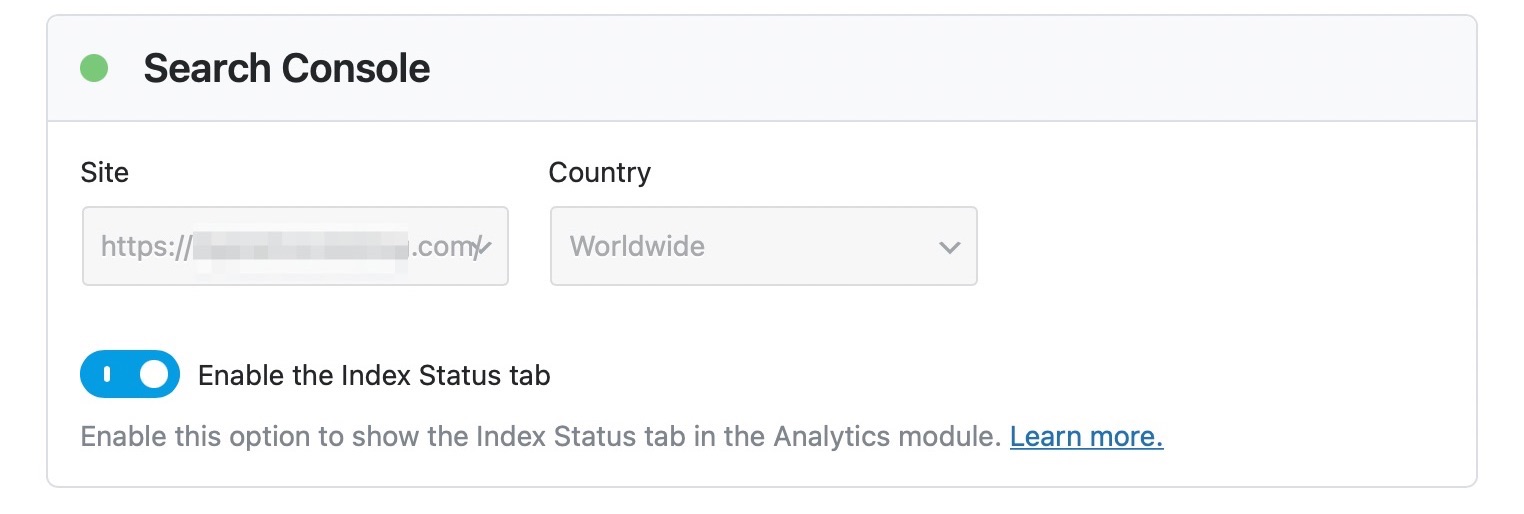
-
Save Changes: After selecting your site and making any changes, don’t forget to click on the Save Changes button.
-
Wait for Data to Update: Sometimes, it may take a little while for the data to refresh and display correctly in Rank Math after making changes or connecting.
-
Check Permissions: Ensure that Rank Math has the necessary permissions to access your Google Search Console data. If permissions were not granted during the connection process, you may need to disconnect and reconnect to grant them.
If you have followed these steps and are still experiencing issues, please reply to this ticket, and a human agent from the Rank Math Support team will assist you further.
We hope this helps you resolve the issue!
Sources:
How to Connect Your Google Account With Rank Math SEO » Rank Math
Analyzing Your Site’s SEO with Rank Math’s SEO Analysis Tool
Hello,
Thank you for contacting us and sorry for any inconvenience that might have been caused due to that.
For initial troubleshooting, you can try to follow this guideline and see if that works for you: https://rankmath.com/kb/delete-old-analytics-data/
If the issue still persists, please follow the steps below to create a troubleshooting log so that we can check the issue further for you.
1. At first add the following filter to your website:
add_filter( 'rank_math/analytics/log_response', '__return_true' );
Here is a guide you can follow to add the filter:
https://rankmath.com/kb/wordpress-hooks-actions-filters/
2. After adding the filter, please run the pending Scheduled Action from your WordPress Dashboard > Tools > Scheduled Actions > Pending or you can try visiting the following URL:
https://yourdomain.com/wp-admin/tools.php?page=action-scheduler&status=pending
This is how it should look like:

When some actions have completed running, please check the Analytics log under wp-content/uploads/rank-math and share that with us. You can upload the log file using this tool.
Let us know how it goes. Looking forward to helping you.
Thank you.
Hello,
Since we did not hear back from you for 15 days, we are assuming that you found the solution. We are closing this support ticket.
If you still need assistance or any other help, please feel free to open a new support ticket, and we will be more than happy to assist.
Thank you.



