Hello,
We apologize for the issue you are facing with the import of your Rank Math data. It sounds like there may be a couple of things to check here.
-
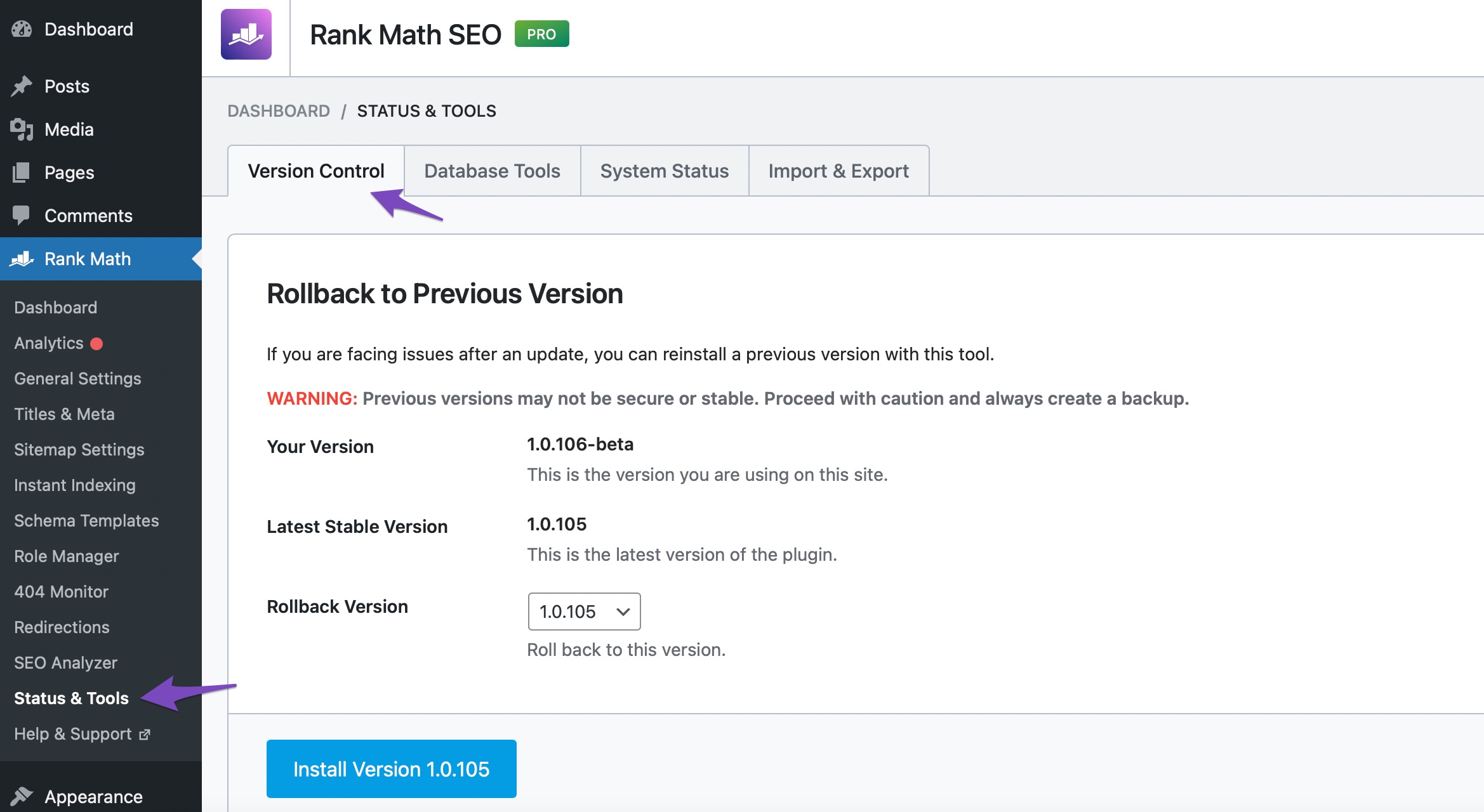
Check for Updates: First, ensure that you have the latest version of Rank Math. You can do this by navigating to your WordPress Dashboard → Rank Math SEO → Status & Tools → Version Control. If an update is available, you should see an option to update the plugin.
-
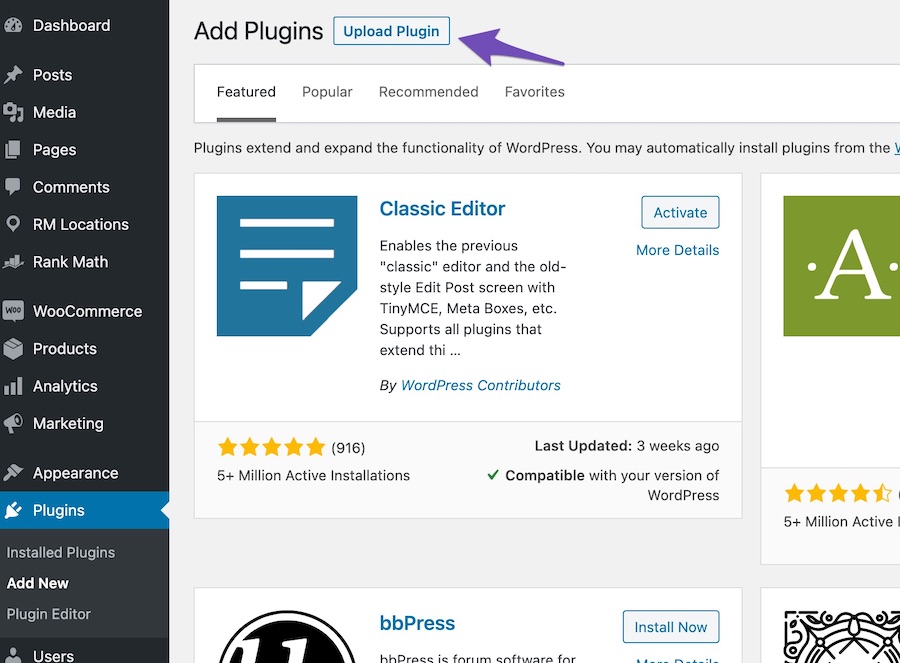
Manual Update: If the plugin indicates that it is the latest version but you suspect otherwise, you might want to manually update Rank Math. You can download the latest version from your Rank Math account area and then upload it via Plugins → Add New → Upload Plugin.
-
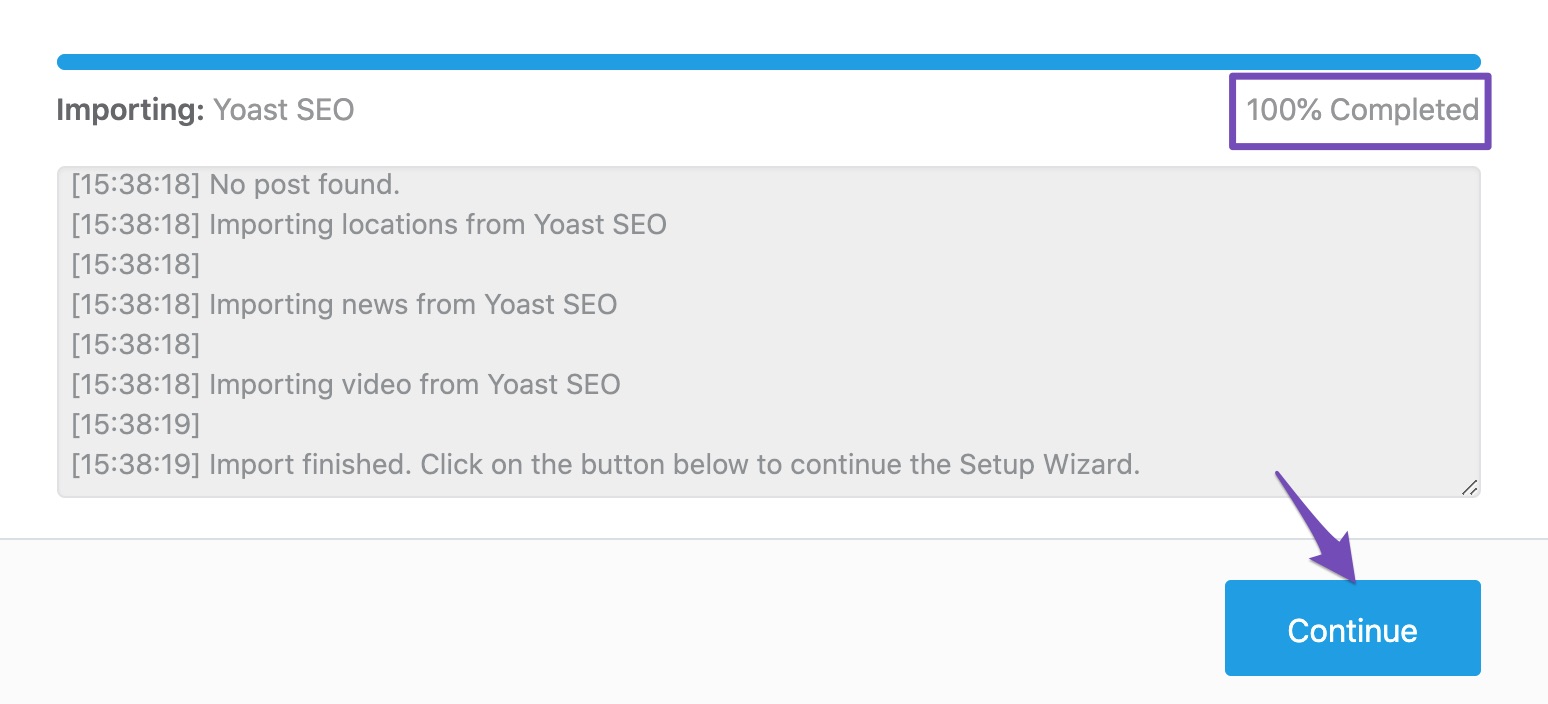
Importing Data: If you missed or skipped importing data during the Setup Wizard, you can always import the data from other plugins by navigating to WordPress Dashboard → Rank Math SEO → Status & Tools → Import & Export → Other Plugins. Click the Start Import button and wait until the importing process is completed.
If these steps do not resolve the issue, please reply to this ticket, and a human agent from the Rank Math Support team will overtake the ticket and assist you further.
Thank you for raising this concern, and we hope to help you resolve it soon!
Sources:
Why Rank Math Settings Are Not Getting Saved? » Rank Math
How to Update Rank Math Manually » Rank Math
This is an automated reply from Rank Math Support Bot. If you need further assistance, please reply to this topic and a human support agent will reply to you shortly.
Hello,
Since we did not hear back from you for 15 days, we are assuming that you found the solution. We are closing this support ticket.
If you still need assistance or any other help, please feel free to open a new support ticket, and we will be more than happy to assist.
Thank you.


