Hello,
We apologize for the issue you are facing with the featured image not showing correctly on social media. Here are a few steps you can take to troubleshoot and fix this problem:
-
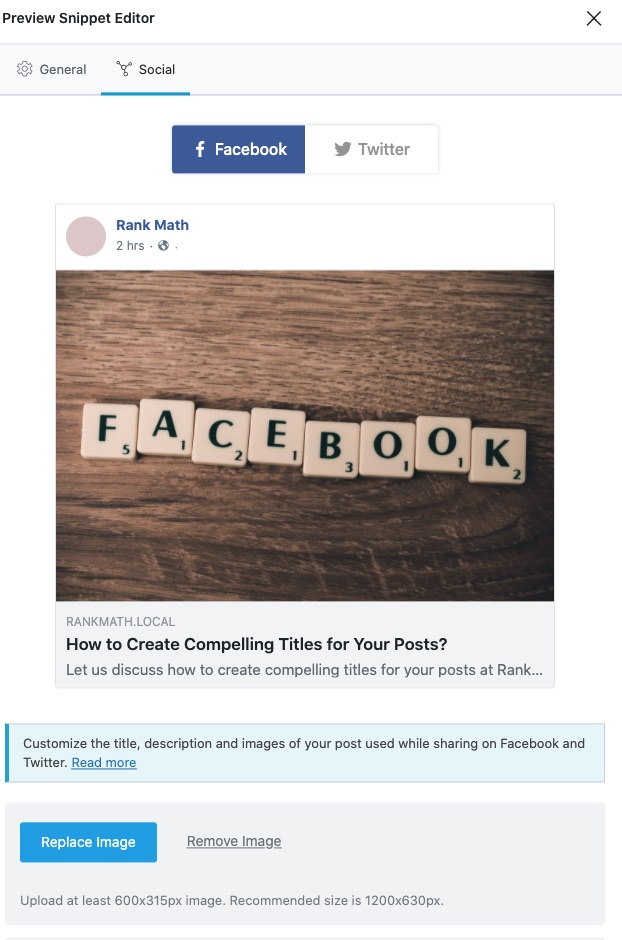
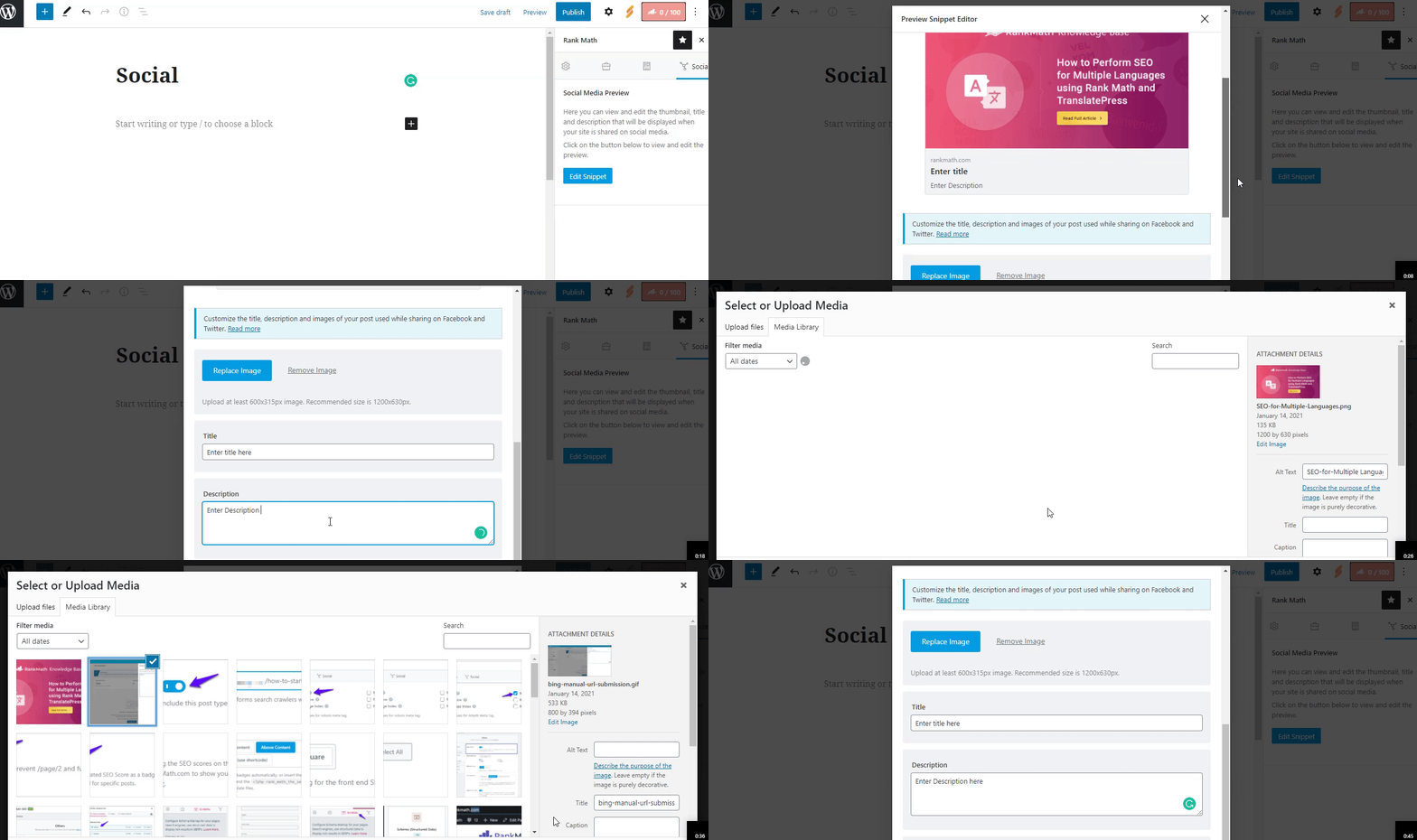
Check if the Facebook/Twitter Sharing Images are Set: Ensure that you have added the Facebook/Twitter sharing images through the Rank Math Meta Box in your post settings. This is crucial for social media platforms to pick the correct image.
-
Verify Image Dimensions and Format: Make sure that the image you are using meets the recommended dimensions of 1200px X 630px. Additionally, check that the image format is supported by Facebook (JPEG, PNG, GIF, or WebP). If the image dimensions are too small or too large, or if the format is unsupported, Facebook may choose a different image instead.
-
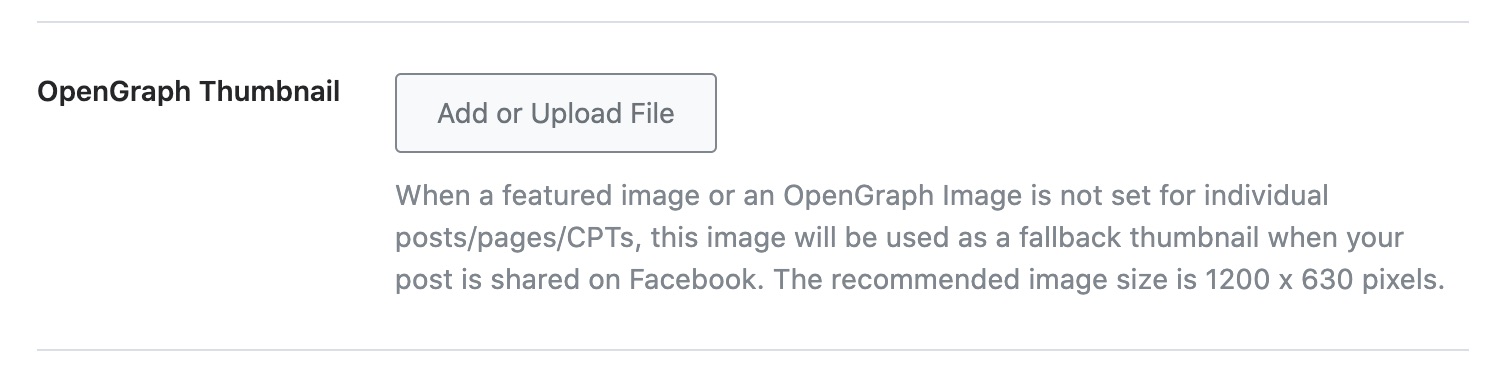
Set a Default Open Graph Image: You can set a fallback Open Graph thumbnail at WordPress Dashboard → Rank Math → Titles & Meta → Global → OpenGraph Thumbnail. Click on Add or Upload File to set your image and then save changes.
-
Clear Cache: If you are using any caching plugins, clear the cache after making these changes to ensure that the new settings take effect.
-
Use Facebook Debugger Tool: You can use the Facebook Sharing Debugger to scrape your URL again. This tool will show you what Facebook sees when it tries to share your post and can help identify any issues.
If you have followed these steps and are still experiencing issues, please reply to this ticket, and a human agent from the Rank Math Support team will assist you further.
Sources:
Open Graph/Social Preview Image Is Not Displayed » Rank Math
Hello,
Thank you for contacting Rank Math support.
We can see that you are using image URLs with non-English slugs.
Some other users are also facing issues with images that have non-English slugs. So, it seems like an issue on Facebook’s end. You should check with them or use an image that has an English slug to fix the issue.
Please do not hesitate to let us know if you need our assistance with anything else.
Hello,
When we used the Facebook sharing debugger, the tool was able to pull the og:image successfully this time:

As regarding the missing: fb:app_id error, you can refer to this article: https://rankmath.com/kb/fb-app-id-warnings/
We hope this helps. Please let us know if you have further questions or concerns.
Thank you.
Great, thanks!
Will I need to go through the debugger every time I share a post from my site to FB?
Guy
Hello,
You only need to go through the debugger if you cannot see the image so that Facebook clears the cache from the URL and updates the image properly.
That is also a good way to debug issues like this to make sure that it’s not related to caching from the Facebook platform.
Thank you.
Thanks, Great customer service you have here!
Guy
Hello,
We are glad to know that this issue has been resolved. Thank you for letting us know.
This ticket will be closed now, but you can always open a new one if you have any other questions or concerns. We are here to help you with anything related to Rank Math.
We appreciate your patience and cooperation throughout this process.
Thank you for choosing Rank Math.