Issue with Sitemap and Latest Post Indexing

#858313
  • Dear Rank Math Support Team,

    I hope this email finds you well. I am writing to bring to your attention an issue I have encountered after updating the Rank Math Instant Indexing plugin on my website.

    Since the update, I have noticed that my sitemap and the latest posts are not being indexed in Google Search Console as they were before. This has raised concerns about the visibility and performance of my website in search results.

    I have ensured that the necessary settings are configured correctly, and the sitemap is accessible. However, the indexing issue persists, which leads me to believe that it may be related to the recent plugin update.

    Could you please assist me in resolving this issue? Any guidance or steps to troubleshoot this problem would be greatly appreciated.

    Thank you for your prompt attention to this matter. I look forward to your response.

    Best regards,
    Harshad Paradava
    1******************@g********

Viewing 2 replies - 1 through 2 (of 2 total)
  • Hello,

    We apologize for the issue you are facing with your sitemap and the indexing of your latest posts. Thank you for bringing this concern to our attention.

    To troubleshoot the indexing issue, please follow these steps:

    1. Check Sitemap URL: Ensure that you are submitting the correct XML sitemap to Google. The correct URL should be in the format: https://yourdomainname.com/sitemap_index.xml.

    2. Validate Your Sitemap: Use the Validate XML Sitemap tool to confirm that your sitemap is correctly configured. If there are any issues, they will be highlighted.
      An example displaying how to validate a sitemap

    3. Ensure Posts Are Set to Index: Check that your posts are set to index. Navigate to Rank Math SEO → Titles & Meta and ensure the Index checkbox is enabled in the Robots Meta settings.
      Index Titles and Meta settings

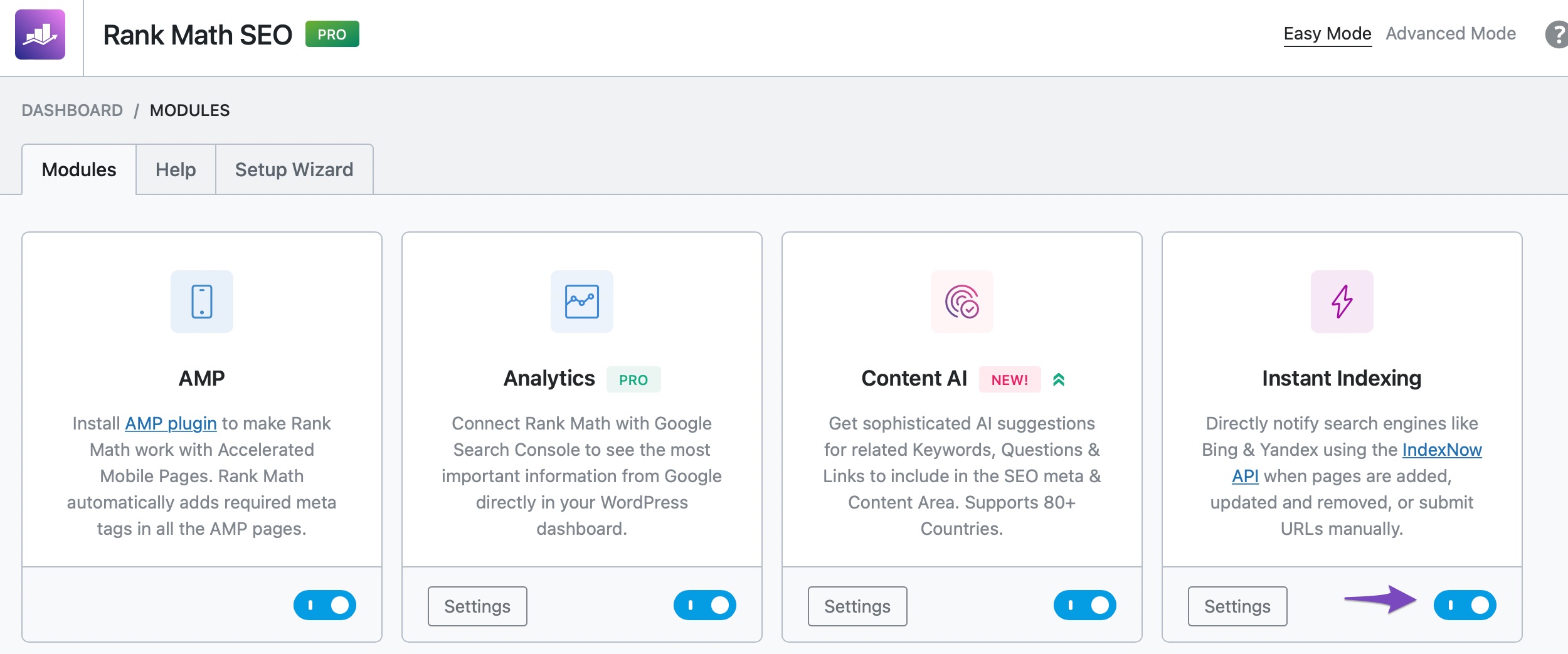
    4. Enable Instant Indexing: Make sure the Instant Indexing module is enabled in Rank Math. You can do this by going to WordPress Dashboard → Rank Math SEO and enabling the module.
      instant indexing module

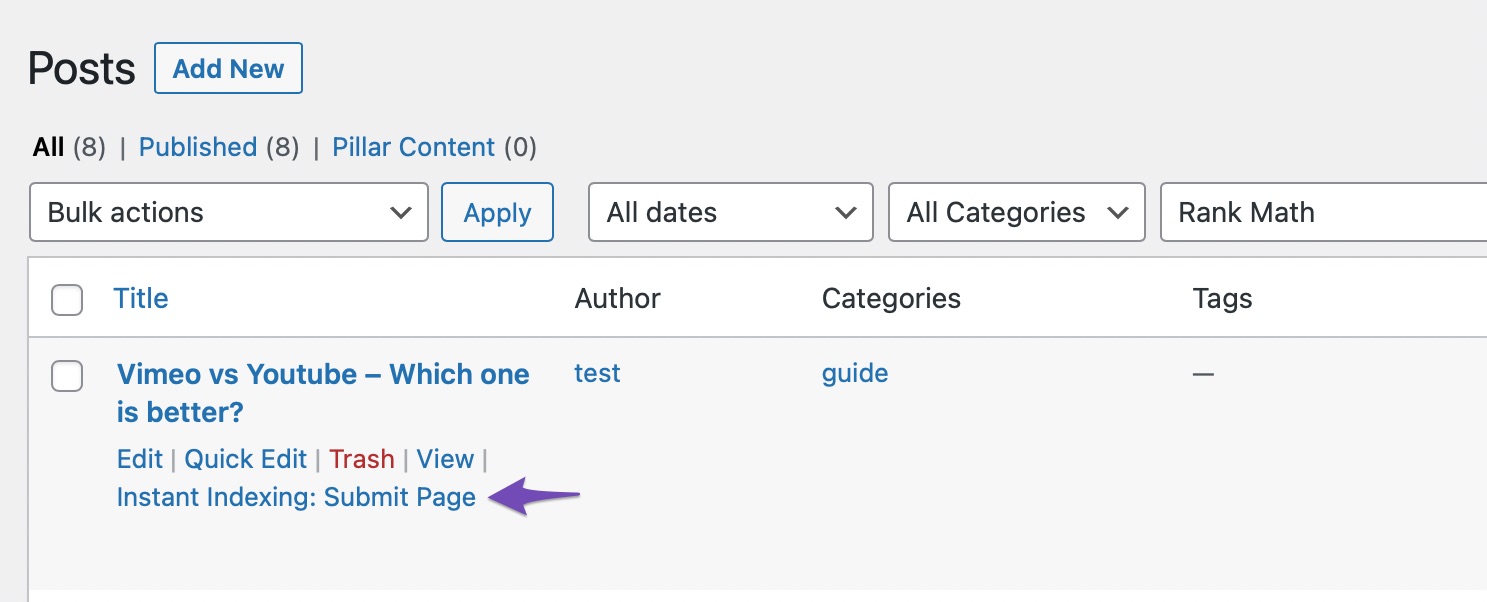
    5. Submit Pages for Indexing: After ensuring everything is set up correctly, go to the Posts page, hover over the post you wish to index, and select the Instant Indexing: Submit Page option.
      instant indexing option

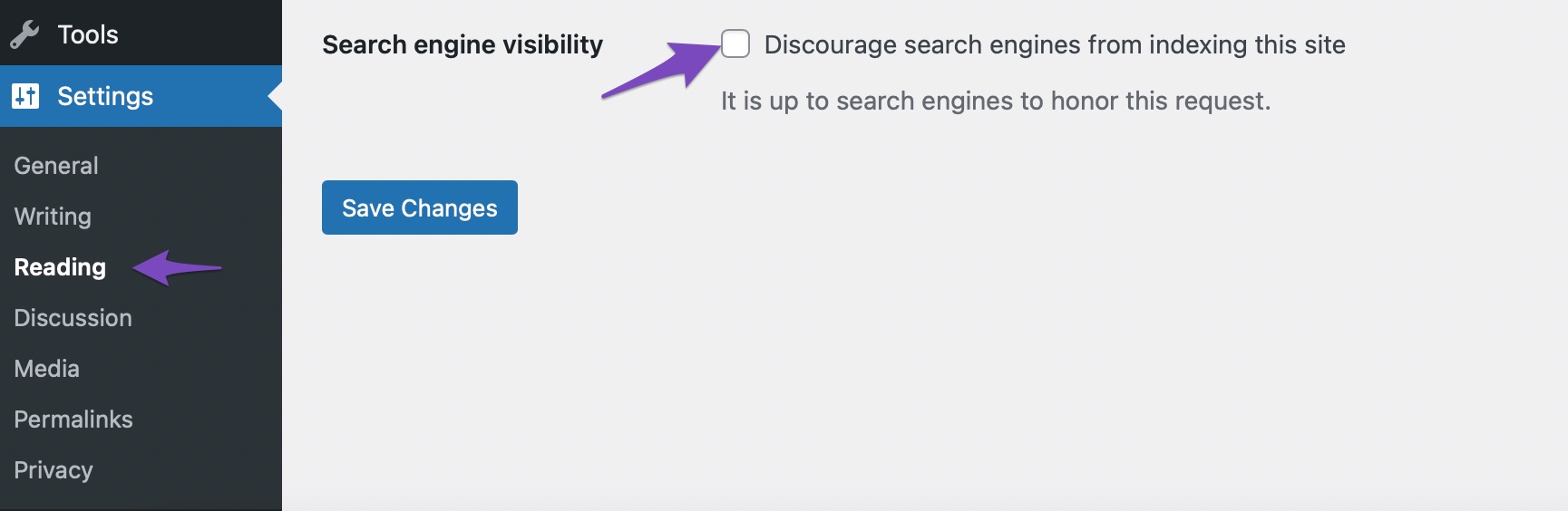
    6. Check Search Engine Visibility: Ensure that the Search engine visibility option is unchecked in WordPress. You can find this under Settings → Reading.
      Search engine visibility test from settings

    After following these steps, monitor your Google Search Console for any changes in indexing status. If the issue persists, please reply to this ticket, and a human agent from our support team will assist you further.

    We hope this helps resolve your issue!

    Sources:
    How to Fix "Crawled – Currently Not Indexed" Error in Google Search Console » Rank Math
    Troubleshooting the “Couldn’t Fetch” Error in Google Search Console » Rank Math
    How to Fix Submitted URL Marked ‘NoIndex’ Error » Rank Math

    Hello,

    Thank you for contacting us and sorry for any inconvenience that might have been caused due to that.

    Please note that updating the plugin shouldn’t create any indexing issues on your website.

    Can you please share any affected page URLs with us so that we can check the issue further for you?

    Meanwhile, please check your Google Search Console Page Indexing report to determine any issues reported on your site: https://support.google.com/webmasters/answer/7440203?hl=en

    You can share the error message or take a screenshot using this tool and add the link here so we can check as well.

    Looking forward to helping you.

    Thank you.

    Hello,

    Since we did not hear back from you for 15 days, we are assuming that you found the solution. We are closing this support ticket.

    If you still need assistance or any other help, please feel free to open a new support ticket, and we will be more than happy to assist.

    Thank you.

Viewing 2 replies - 1 through 2 (of 2 total)

The ticket ‘Issue with Sitemap and Latest Post Indexing’ is closed to new replies.