Hello,
We apologize for the issue you are facing with the tables not showing up in your phpMyAdmin database. It seems like you have already followed some instructions to recreate the missing database tables, which is a good step.
To resolve this issue, we recommend the following steps:
-
Update Rank Math: Ensure that both the free and PRO versions of Rank Math are updated to their latest versions.
-
Check Advanced Mode: Make sure you are in Advanced Mode by navigating to Rank Math SEO → Dashboard.
-
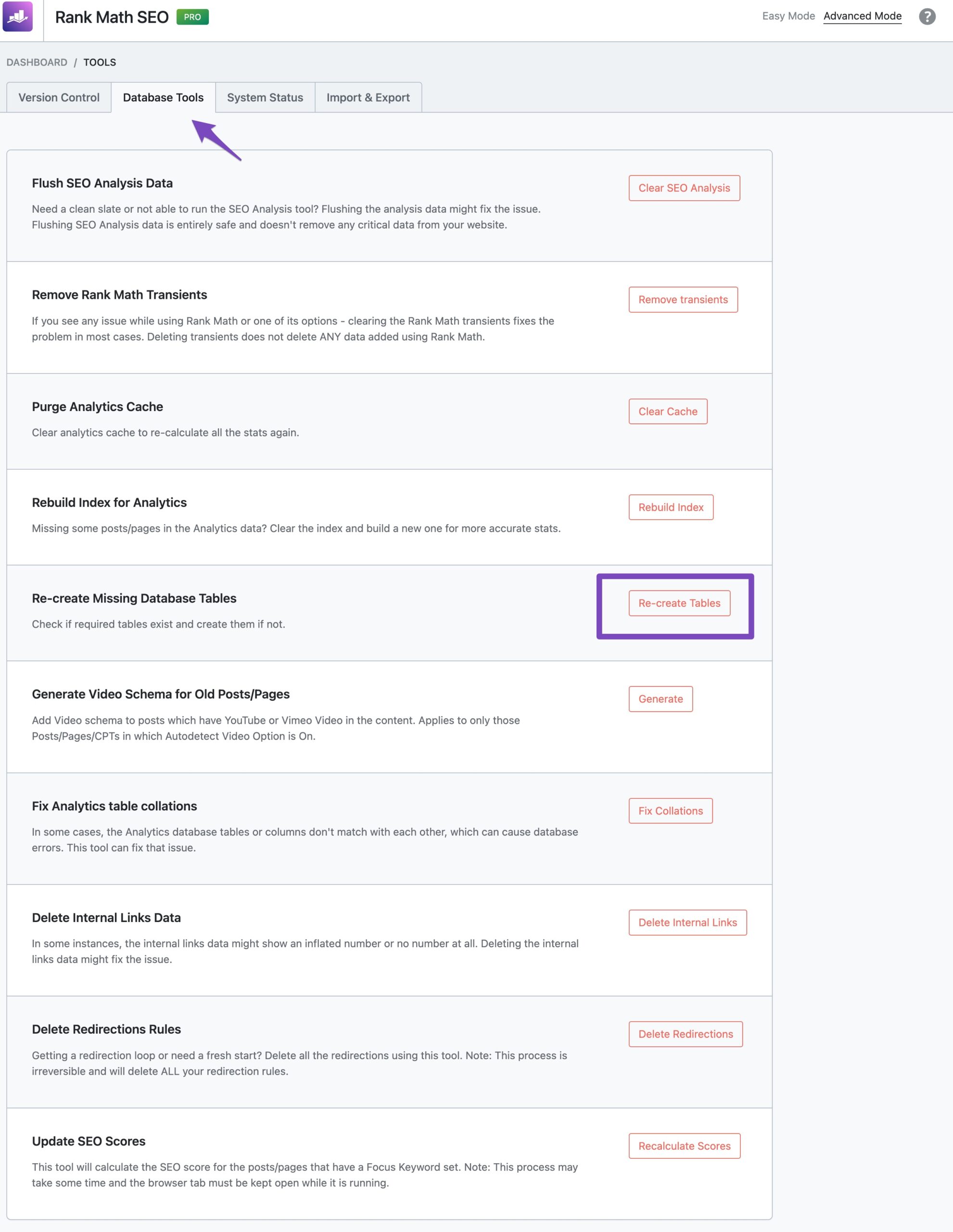
Recreate Database Tables: Go to WordPress Dashboard → Rank Math SEO → Status & Tools → Database Tools and click on the ‘Re-create Tables’ option. This should help in recreating any missing tables.
-
Check for Errors: After attempting to recreate the tables, check for any error messages in the Error log under Rank Math SEO → Status & Tools → System Status. If you see any errors related to missing tables, it may indicate a database collation issue.
-
Database Collation: If there are collation issues, you may need to adjust the collation settings in your database to ensure compatibility with Rank Math.
If the tables still do not appear after following these steps, please reply to this ticket, and a human agent from the Rank Math Support team will assist you further.
Thank you for raising this concern, and we hope to resolve it quickly for you!
Sources:
How to Recreate Database Tables in Rank Math » Rank Math
Resolving Rank Math Analytics Related Issues » Rank Math
What to Do When Rank Math Analytics Shows Zero Search Traffic » Rank Math
Hello,
I have updated the sensitive data as requested. Can you please check further?
Thank you.
Hi, I’ve done steps 1-4. The database is not showing up in phpMyAdmin. No errors were found in Status & Tools → System Status. Therefore, I did not perform step 5. In the plugin
Advanced DB Cleaner the database is displayed, in phpMyAdmin it is not.
Regards Dita
Hello,
Is the PHPMyAdmin tool/program you’re looking is from your web host control panel?
If that’s the case, we recommend getting in touch with them instead as the DB Cleaner is detecting the tables, as well as in your Site info from Rank Math.
Looking forward to helping you.
Hi, thanks for the advice. Everything is already working. Solved with webhosting.
Best Regards George
Hello,
We are super happy that this resolved your issue.
If you do have another question in the future, please feel free to create a new forum topic, and it will be our pleasure to assist you again.
Thank you.





