Hello,
We apologize for the issue you are facing with the product link preview not showing the main picture. This can happen for a few reasons:
-
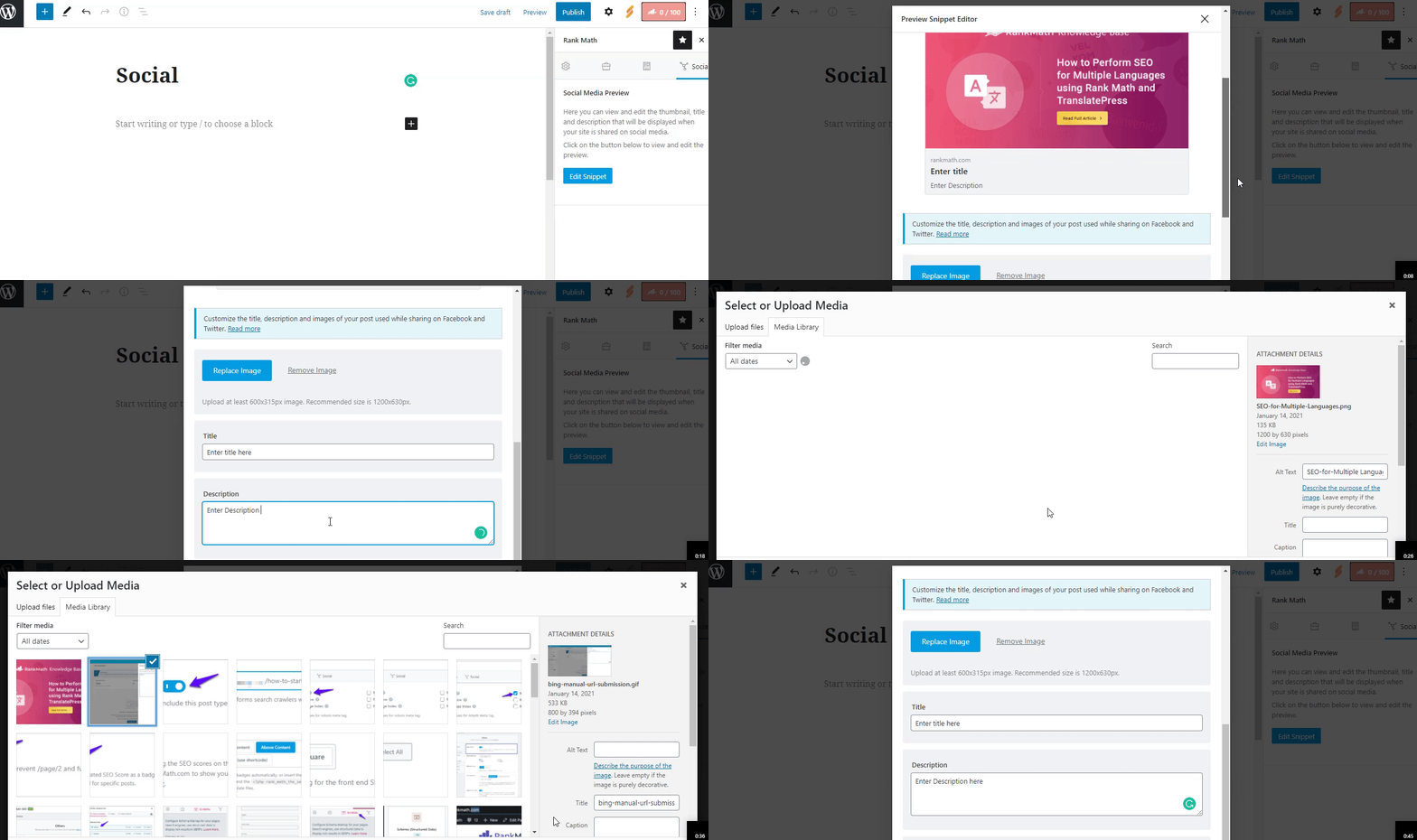
Open Graph/Social Preview Image: Ensure that you have added the correct Facebook/Twitter sharing images through the Rank Math Meta Box. You can check this by following the steps outlined in our documentation on adding social meta.
-
Image Dimensions & Format: Double-check the dimensions and format of the uploaded image. Facebook supports only jpeg, png, and gif formats for Open Graph images, but Rank Math also supports WebP and AVIF formats. The recommended image size is 1200px X 630px. If your image does not meet these criteria, it may not display correctly.
-
Image SEO Settings: If you have enabled the Image SEO module in Rank Math, make sure to check the settings under General Settings → Images to ensure everything is configured correctly.
If none of these steps resolve the issue, please reply to this ticket, and a human agent from the Rank Math Support team will assist you further. Thank you for raising this concern!
Sources:
Open Graph/Social Preview Image Is Not Displayed » Rank Math
Hello,
We are glad to know that this issue has been resolved. Thank you for letting us know.
This ticket will be closed now, but you can always open a new one if you have any other questions or concerns. We are here to help you with anything related to Rank Math.
We appreciate your patience and cooperation throughout this process.
Thank you for choosing Rank Math.



