Hello,
We apologize for the issue you are facing with the video schema. To resolve the errors related to "thumbnail URL" and "Upload date" without manually generating and copying them, you can enable the Autogenerate Image option in Rank Math, which will automatically generate a thumbnail for your videos. Here’s how to do it step by step:
Step 1: Enable Autogenerate Image
- Go to Rank Math SEO in your WordPress admin area.
- Navigate to Titles & Meta settings.
-
Look for the Autogenerate Image option and enable it. This will allow Rank Math to automatically generate a thumbnail whenever it detects a new video.
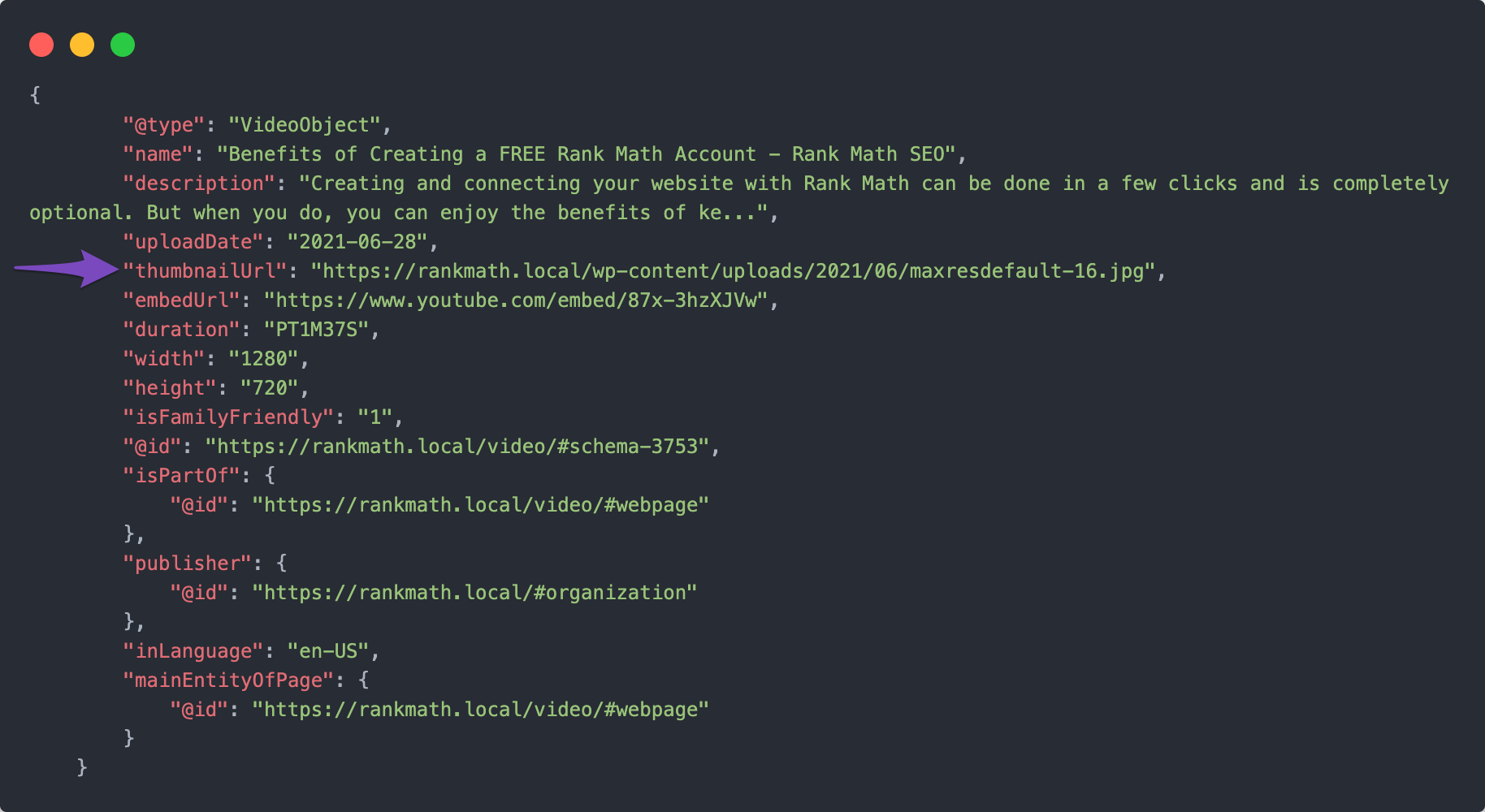
Step 2: Save Your Settings
After enabling the Autogenerate Image option, scroll down to the bottom of the page and click the Save Changes button.

Step 3: Check Video Schema Fields
Once you have enabled the option, whenever you embed a video and update the post, Rank Math should automatically pull all necessary details for your video from platforms like YouTube and generate the Video Schema. Ensure that you have filled in the required fields such as Embed URL and Description in the Video Schema settings.
Step 4: Validate Your Schema Markup
To confirm that the issues are resolved:
- Navigate to the Schema tab in your post editor.
- Click the View icon to see the JSON-LD code of your page schema.
-
Click Test with Google to validate your schema markup.
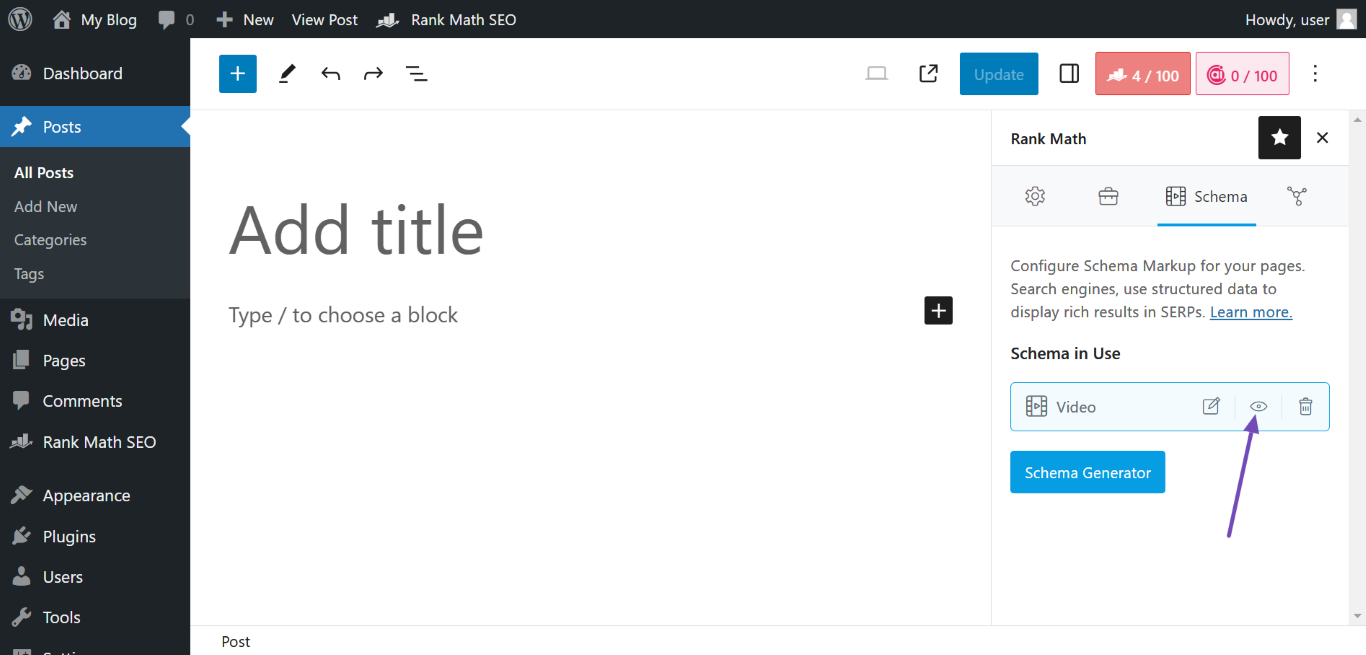
If everything is set up correctly, you should see that your video item is detected as valid, and the errors should be resolved.
For more detailed information, you can refer to our Video Schema documentation.
If you continue to experience issues, please reply to this ticket, and a human agent from our support team will assist you further.
Thank you for raising this concern!
Sources:
Automatically Add Video Schema To Your Existing Posts » Rank Math
How to Fix Missing ThumbnailUrl Error in Schema Markup » Rank Math
Video Schema Type » Rank Math
Is there any option that the Embed URL and Description in the Video be added automatically because the main issue is coming from these two fields and it is not possible for us to add the info to these fields automatically because we have a lot of pages.
Hello,
Thank you for contacting Rank Math support.
You can use the following filter to add the post’s last modified date as the uploadDate and the image your want to use as the thumbnailURL in the Video Schema:
add_filter( "rank_math/snippet/rich_snippet_videoobject_entity", function( $entity ) {
      $entity['uploadDate'] = get_the_modified_date($format='c');
      $entity['thumbnailURL'] = 'image URL'; //replace with the actual image URL
      return $entity;
});
Here is how to add a filter to your site: https://rankmath.com/kb/wordpress-hooks-actions-filters/
Hope that helps, and please do not hesitate to let us know if you need our assistance with anything else.
Hi Jaideep
Let me try once. Please don’t close the ticket.
Hello,
Sure, let us know how this goes.
Our system automatically closes a ticket after 15 days without a reply. However, you can create a new ticket anytime if that happens and copy this ticket URL for reference.
Meanwhile, if you have any other concerns, please don’t hesitate to contact us anytime to assist you further.
Looking forward to helping you.
Hello,
Since we did not hear back from you for 15 days, we are assuming that you found the solution. We are closing this support ticket.
If you still need assistance or any other help, please feel free to open a new support ticket, and we will be more than happy to assist.
Thank you.




