Hello,
We apologize for the issue you are facing with the AI alt text generation. Since you mentioned that previous suggestions did not resolve the problem, we recommend checking a few things:
-
Ensure Content AI is Enabled: Make sure that the Content AI module is enabled in your Rank Math settings. You can do this by navigating to Rank Math SEO → Dashboard in your WordPress admin area.
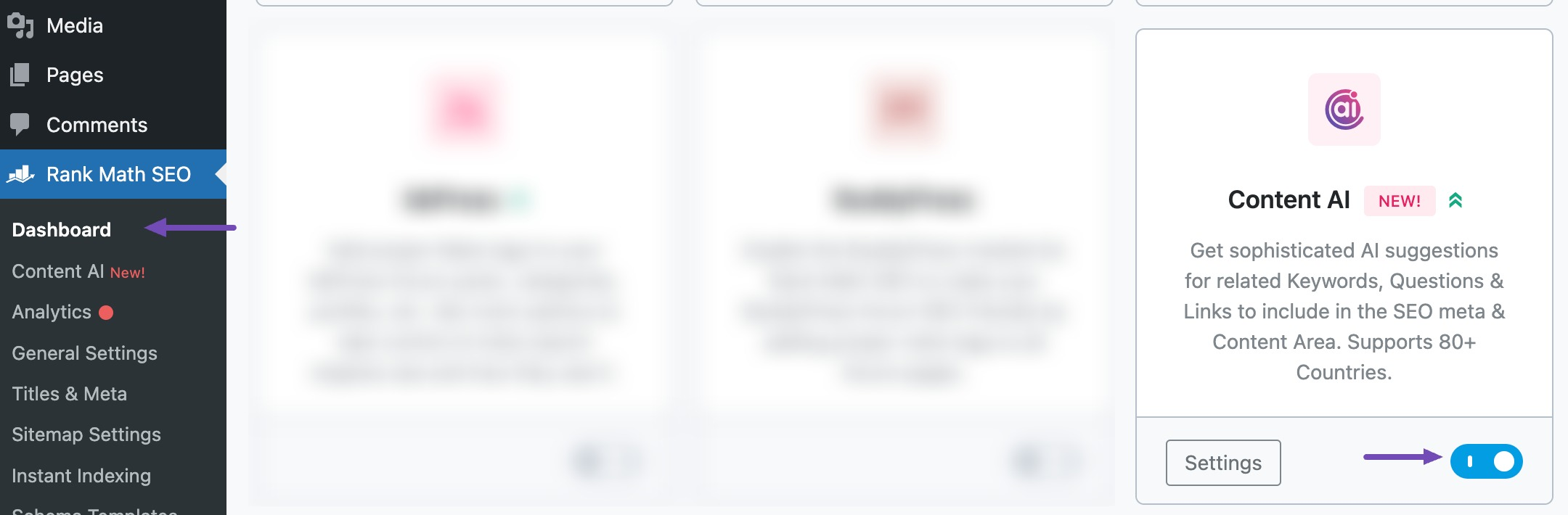
-
Refresh Credits: If you have recently updated or made changes, you might need to refresh your Content AI credits. Go to WordPress Dashboard → Rank Math → General Settings → Content AI and refresh the credits. Here’s a screenshot for reference:

-
Check for Updates: Ensure that your Rank Math plugin is up to date, as updates may include fixes for known issues.
-
Review Image Settings: When generating alt text, ensure you are selecting the correct images and using the Generate Alt button next to the ‘Alt Text’ field in the Media Library or post editor.
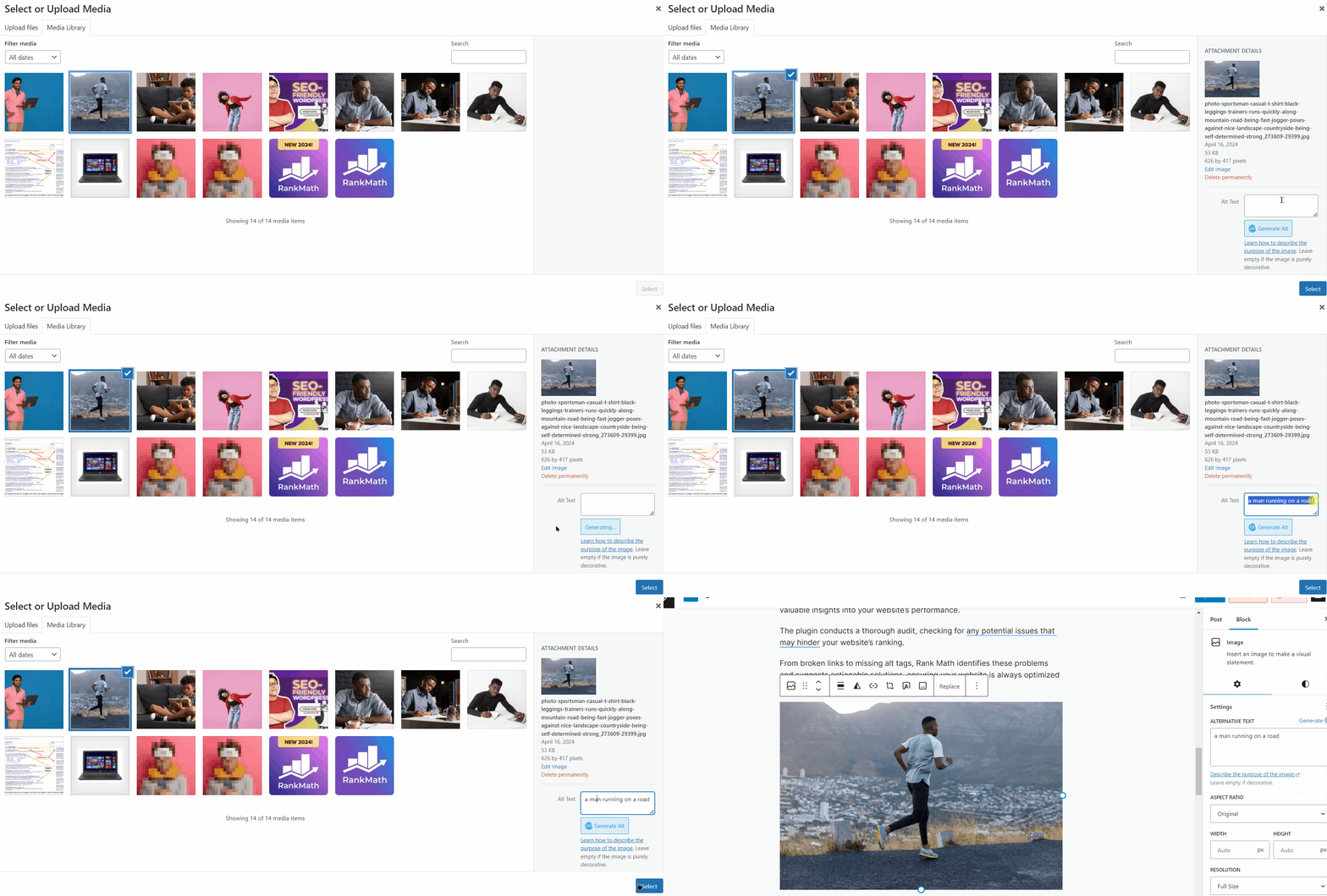
If you have checked all these and it still does not work, please reply to this ticket, and a human agent from the Rank Math Support team will assist you further.
Thank you for your patience, and we hope this helps!
Sources:
How to Automatically Generate Image Alt Text with Content AI » Rank Math
I have checked above but its still not working
Hello,
Thank you for reaching out to Rank Math support.
Please provide the specific text generation tool you used and the error message you received. You can share the screenshot by uploading it to an image hosting site such as Imgur and then sending us the generated URL.
Additionally, the user account provided does not have sufficient permissions to investigate this issue. Please upgrade the user to an admin account.
We appreciate your patience and cooperation and look forward to hearing back from you.
Here we go:
https://imgur.com/a/G8drKH0
Permissions have been adjusted.
Dirk
Hello,
We have fixed the issue by connecting the website to your account and you can now use the ALT image generation using our AI model.
Don’t hesitate to get in touch if you have any other questions.
Hello,
Since we did not hear back from you for 15 days, we are assuming that you found the solution. We are closing this support ticket.
If you still need assistance or any other help, please feel free to open a new support ticket, and we will be more than happy to assist.
Thank you.




