Hello,
We apologize for the issue you are facing with image display when sharing links on Facebook and WhatsApp. Here are a few things you can check to resolve the problem:
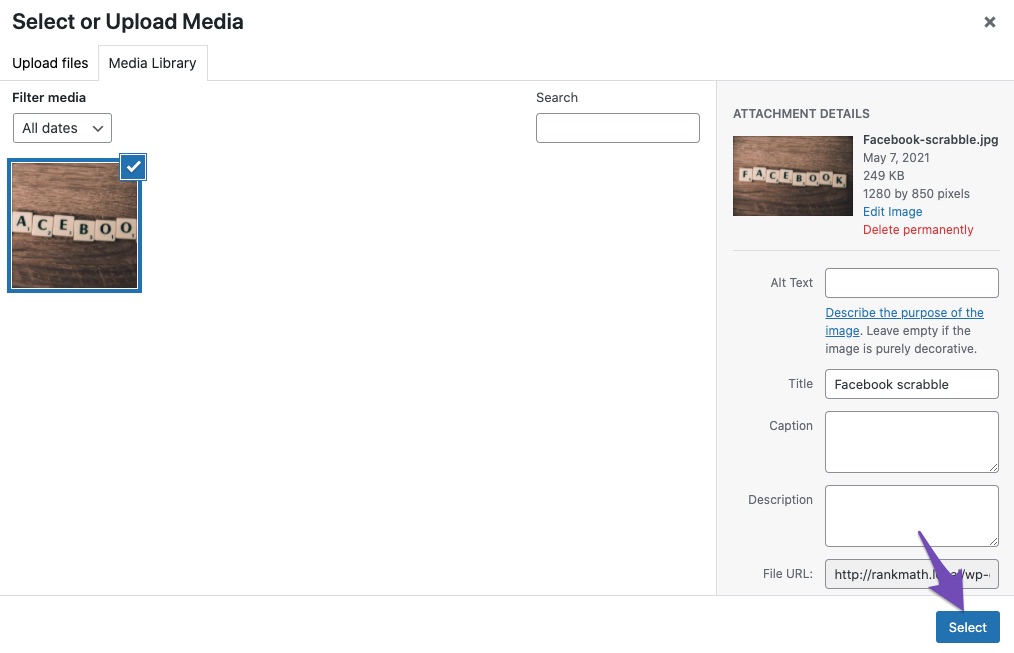
1. Check Added Facebook/Twitter Sharing Images
Make sure you have added Facebook/Twitter sharing images through the Rank Math Meta Box. You can do this by going to the post or page in your WordPress dashboard and checking the social settings in Rank Math.
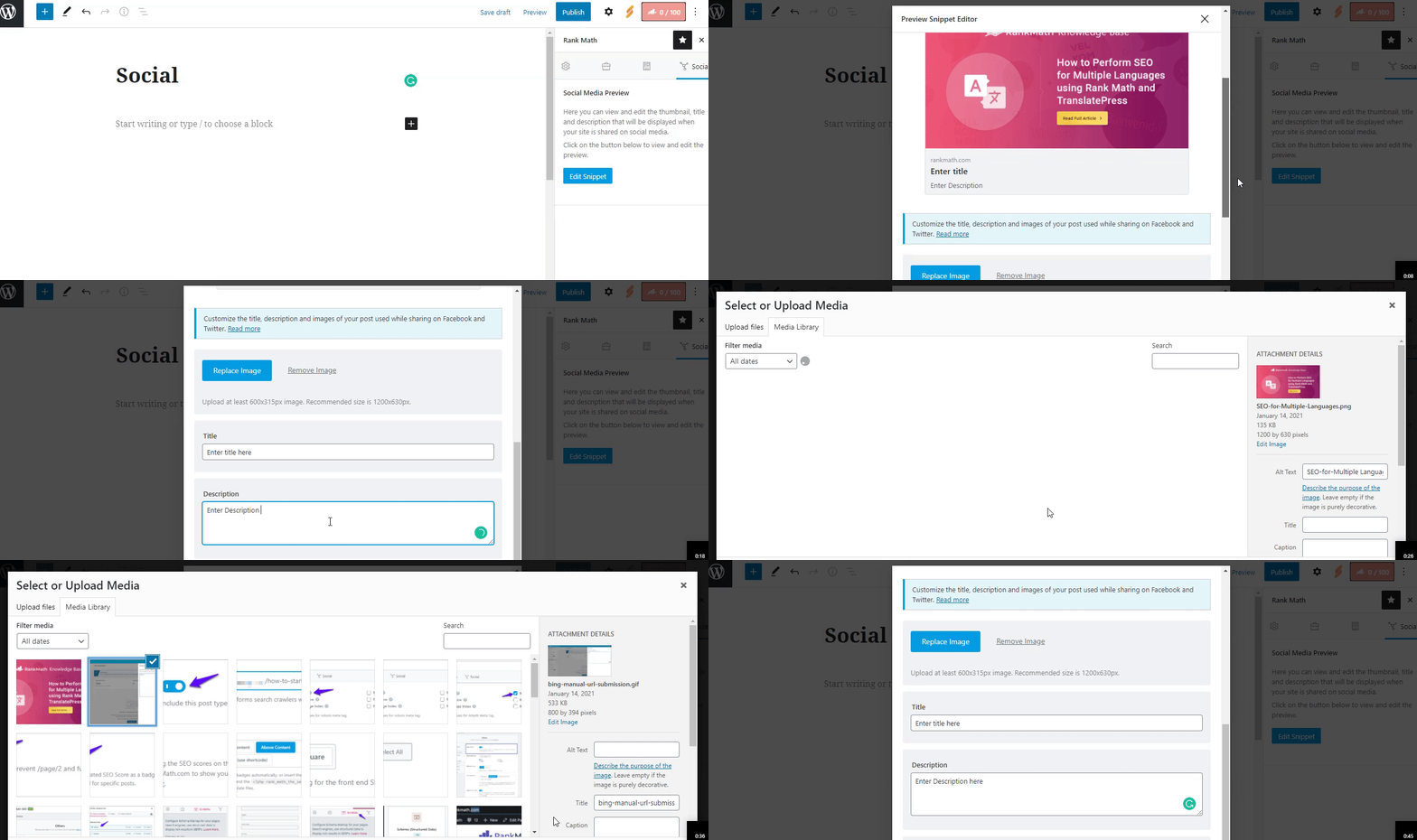
2. Image Dimensions & Format
Ensure that the image you are using meets the recommended dimensions of 1200px X 630px and is in a supported format (JPEG, PNG, GIF, WebP, or AVIF). If the image dimensions are too small or too large, social networks may not read your image correctly.
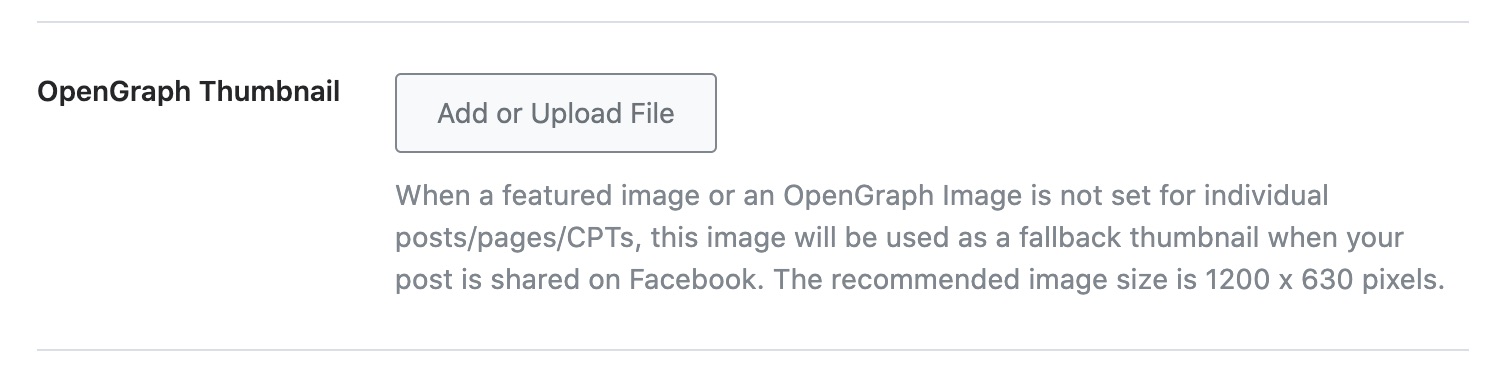
3. Set Default Open Graph Image
You can set a default Open Graph image for your site by navigating to WordPress Dashboard → Rank Math → Titles & Meta → Global → OpenGraph Thumbnail. Click on Add or Upload File to set your image and then save changes.
4. Configure Facebook App ID
If you haven’t already, consider configuring your Facebook App ID in Rank Math, as this can help with how your content is shared on Facebook.
5. Debugging with Facebook Sharing Debugger
You can use the Facebook Sharing Debugger to scrape your URL again. This tool can help identify any issues with how Facebook is reading your Open Graph tags.
Video Tutorial
While we currently do not have a specific video tutorial available, you can find detailed instructions on how to set up your Open Graph images in our documentation here: Open Graph/Social Preview Image Is Not Displayed.
If you continue to experience issues after checking these points, please reply to this ticket, and a human agent from the Rank Math Support team will assist you further.
Thank you for raising this concern, and we hope to help you resolve it soon!
Sources:
Open Graph/Social Preview Image Is Not Displayed » Rank Math
Hello,
Thank you for contacting us and sorry for any inconvenience that might have been caused due to that.
We checked your homepage with the Facebook Sharing debugger tool and we can see the open graph image is showing there properly.

However, the image you’re currently using is 800 x 534 pixels in size.
Please note that the recommended image size is 1200 x 630 pixels. If the image’s dimension is too small or too large compared to the recommended image size, then the individual social networks may not read your image correctly.
You can change the image to the appropriate size and after that, please clear your website cache including any server-level cache and WhatsApp application cache, and then check again.
Let us know how it goes. Looking forward to helping you.
Thank you.
Hello,
Since we did not hear back from you for 15 days, we are assuming that you found the solution. We are closing this support ticket.
If you still need assistance or any other help, please feel free to open a new support ticket, and we will be more than happy to assist.
Thank you.