Hello,
We apologize for the issue you are facing with the preview image not showing on LinkedIn. Here are a few steps you can take to troubleshoot this problem:
1. Check if the Open Graph Image is Set
Make sure that you have added an Open Graph image for the article using the Rank Math Meta Box. You can do this by navigating to the post in your WordPress dashboard and checking the social settings.
2. Verify Image Dimensions and Format
Ensure that the image you are using meets the recommended dimensions of 1200px X 630px and is in a supported format (JPEG, PNG, GIF, WebP). If the image dimensions are too small or too large, LinkedIn may not display it correctly.
3. Check URL Accessibility
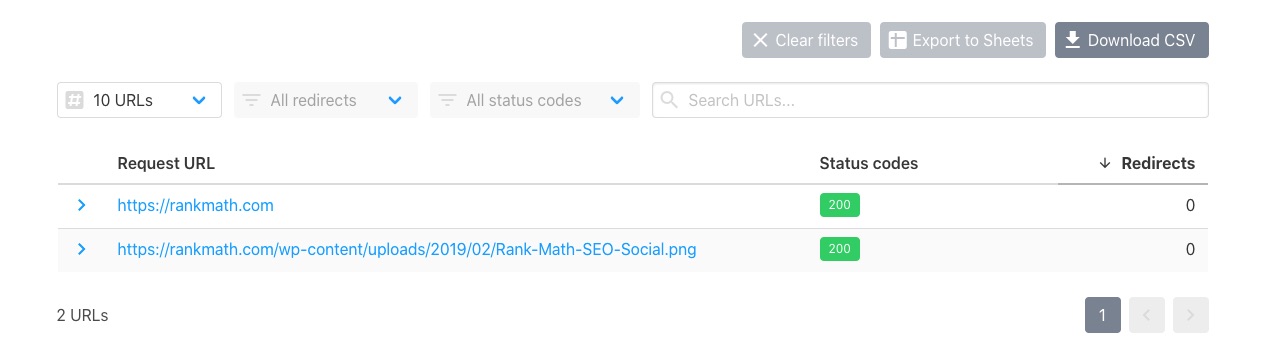
Make sure that the URL of your page and the Open Graph image are accessible. You can use a URL checker to verify that both URLs return a status code of HTTP 200.
4. Inspect Page Source
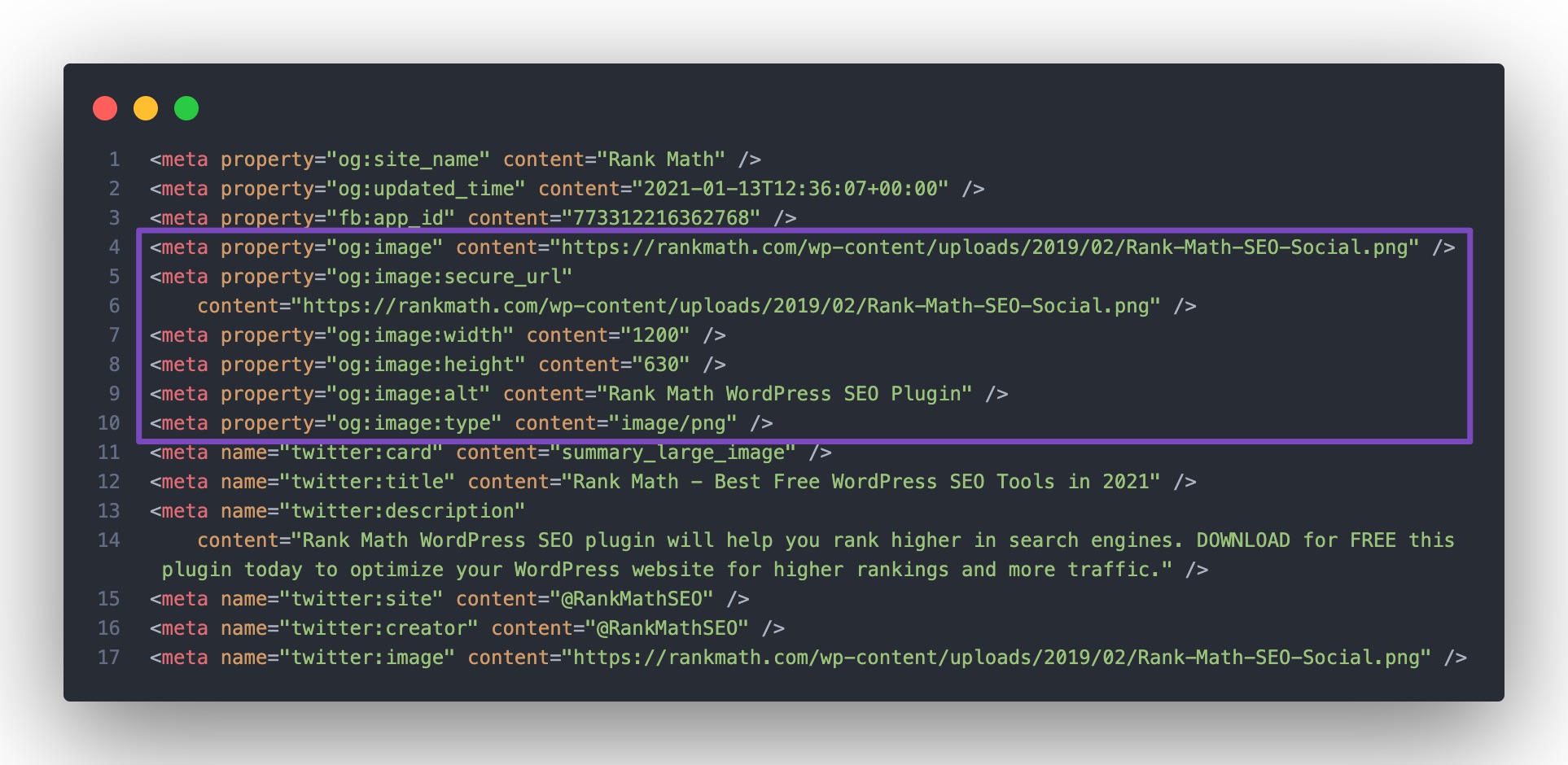
Right-click on your page and select "View Page Source". Look for the og:image tag in the source code to confirm that it is present. If it’s missing, Rank Math may not be configured correctly.
5. Troubleshoot Plugin Conflicts
If you find that the og:image tag is not being generated, there may be a conflict with another plugin or your theme. You can follow our troubleshooting guide to identify any potential issues.
If you continue to experience difficulties after checking these points, please reply to this ticket, and a human agent from the Rank Math Support team will assist you further.
Thank you for raising this concern!
Sources:
Open Graph/Social Preview Image Is Not Displayed » Rank Math
I followed the steps above but still not able to find the issue of why the preview image is not showing for me. Please help. Thanks!
Hello,
We’ve checked the og:image tag on your site (featured image), and the image is returning a 403 Forbidden error

Please ensure that the image is publicly accessible so LinkedIn and other social media apps can display it as well.
Looking forward to helping you.
Hello,
Since we did not hear back from you for 15 days, we are assuming that you found the solution. We are closing this support ticket.
If you still need assistance or any other help, please feel free to open a new support ticket, and we will be more than happy to assist.
Thank you.



