Hello,
We apologize for the issue you are facing with the Rank Math plugin not showing any traffic in your WordPress dashboard. Here are a few steps you can take to troubleshoot this issue:
-
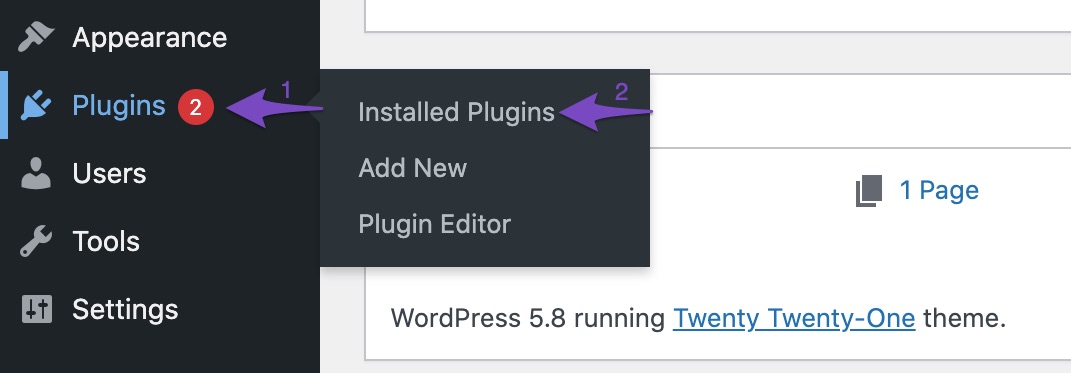
Update to the Latest Version of Rank Math: Ensure that you are using the latest version of Rank Math. You can check for updates by navigating to Plugins → Installed Plugins in your WordPress dashboard. If an update is available, click the update now link below the plugin.
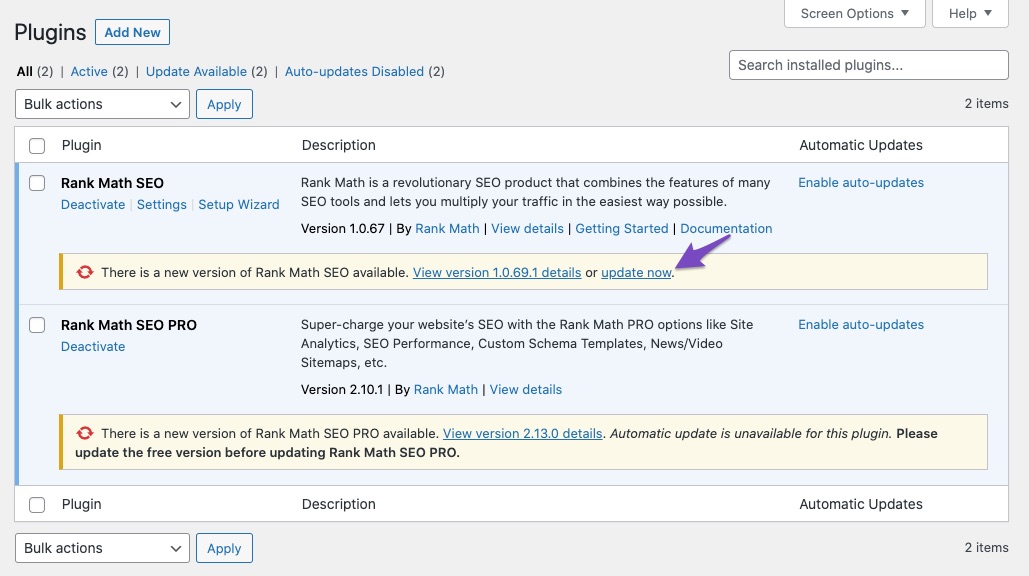
You can also keep track of the latest updates through our official changelog.
-
Check if Your Website is Connected to Rank Math Account: Make sure your website is connected to your Rank Math account. You can verify this from the Client Management dashboard.
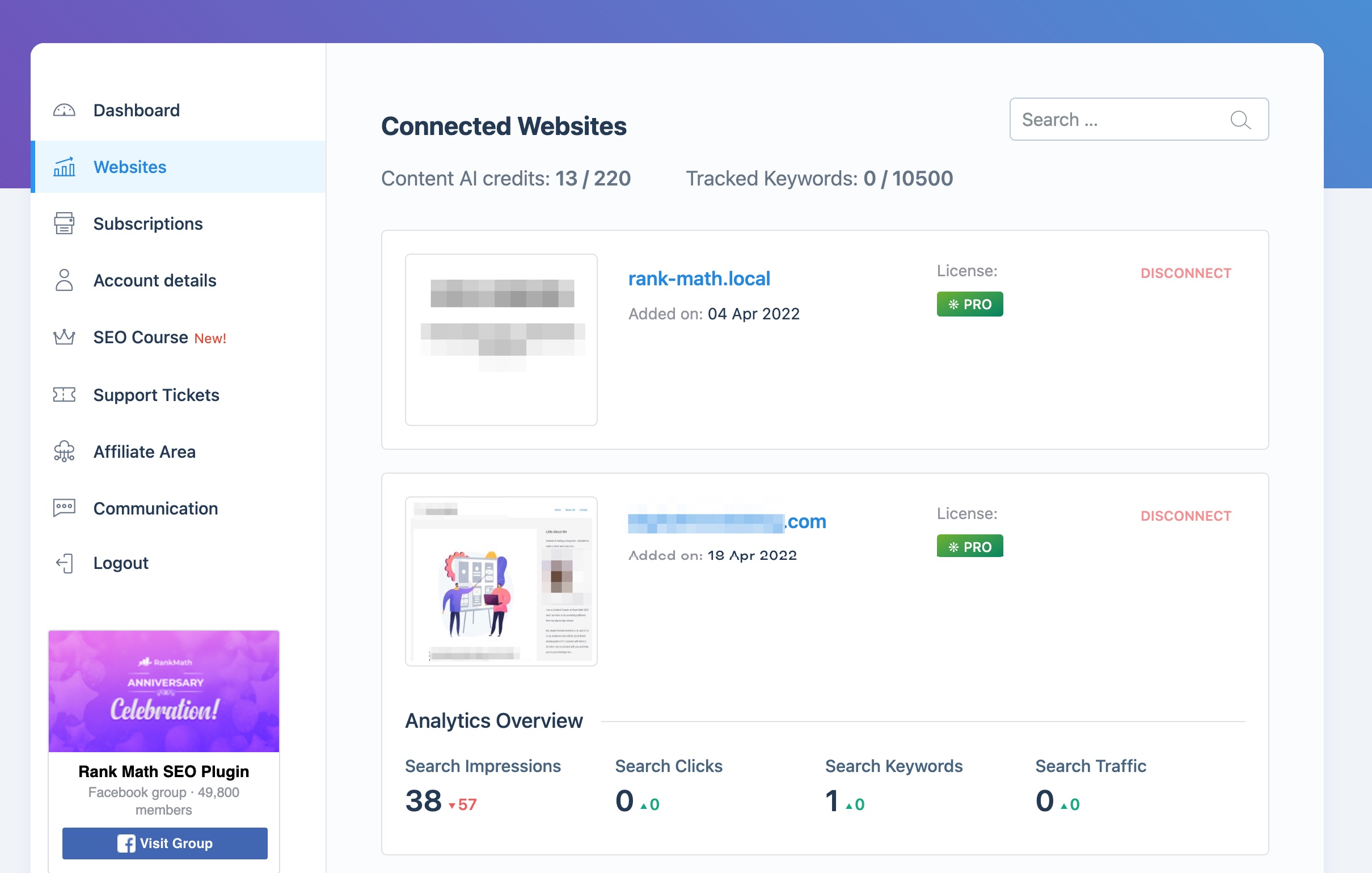
If your site is not listed, you may need to reconnect it.
-
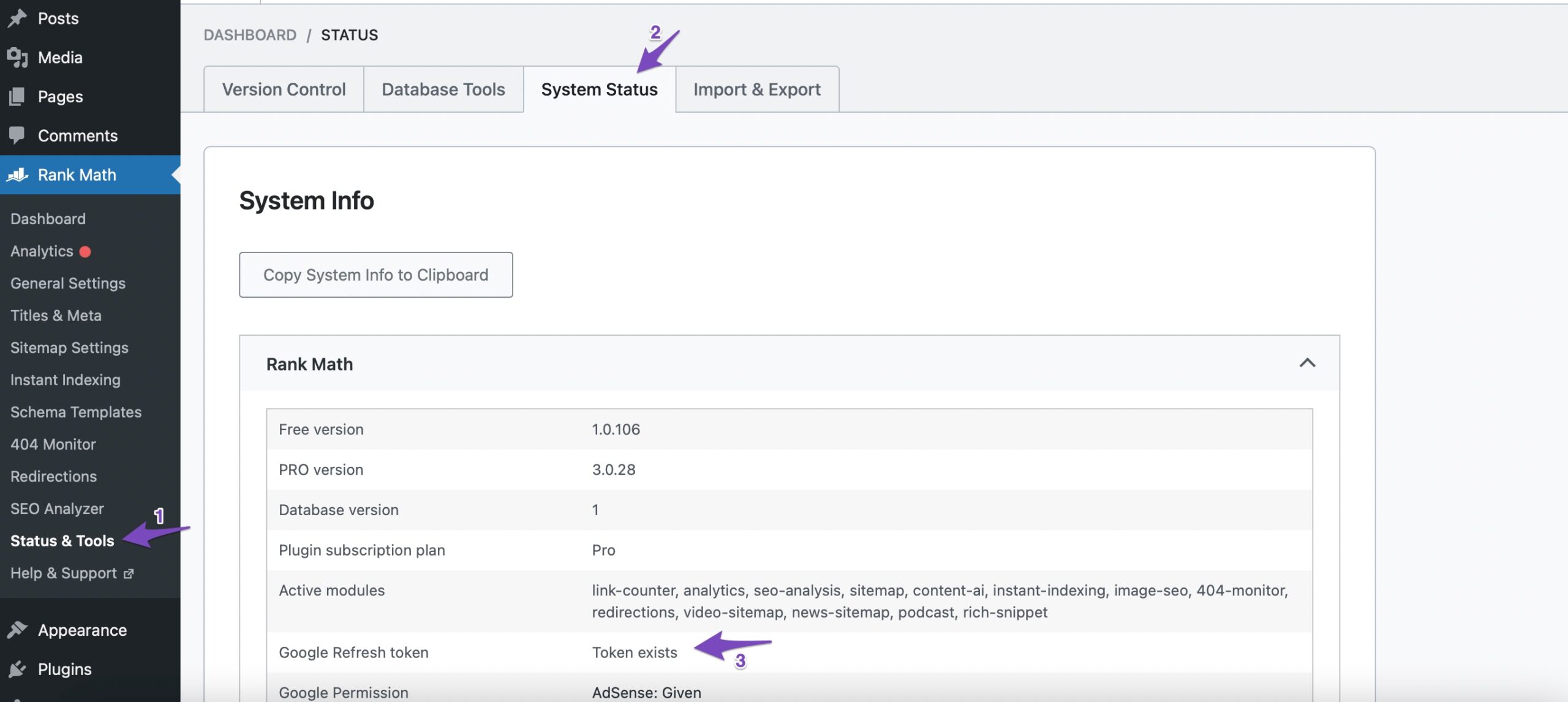
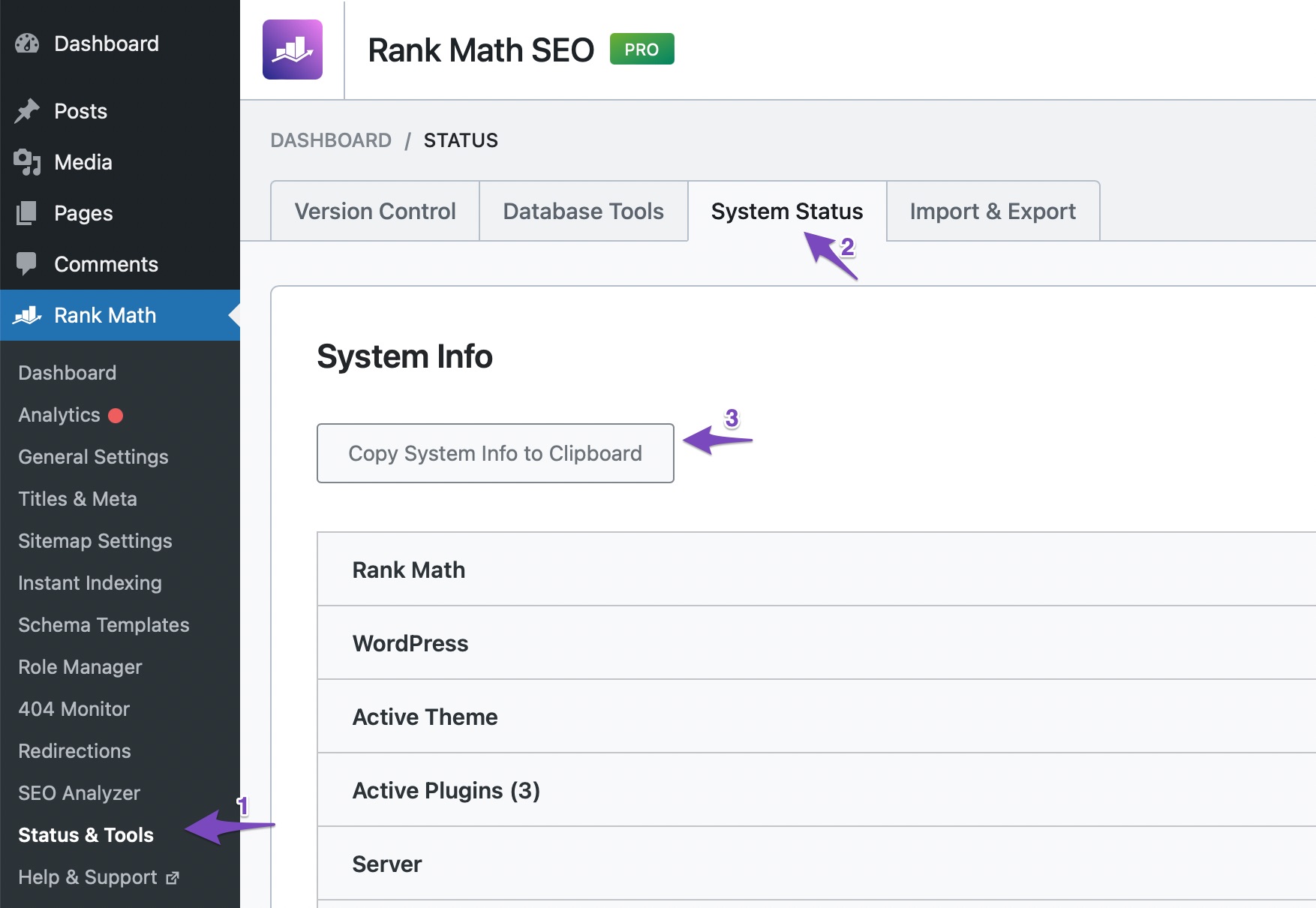
Check Refresh Tokens: Go to Rank Math SEO → Status and Tools → System Status and check the status of the Google Refresh Token. If it shows ‘No Token’, follow the necessary steps to fix it.
-
Copy System Info: If the data is still not appearing, you can copy your system info by going to Rank Math SEO → Status & Tools → System Status and clicking on Copy System Info to Clipboard. This information can be helpful for our support team if you need further assistance.
If you continue to experience issues, please reply to this ticket, and a human agent from the Rank Math Support team will assist you further. Thank you for raising this concern, and we’re here to help!
Sources:
What to Do When Rank Math Analytics Shows Zero Search Traffic » Rank Math
Resolving Rank Math Analytics Related Issues » Rank Math
Hello,
Thank you for contacting Rank Math and sorry for any inconvenience that might have been caused due to that.
Let’s try deleting old imported data and start the fresh data fetch. Please follow these steps.
1. Head over to WP Dashboard > Rank Math > Tools & Status > Database Tools and click the Rebuild Index button

2. Head over to WP Dashboard > Rank Math > General Settings > Analytics tab, and click the Delete Data button and then click the Update Data Manually

3. It will start the new data fetch from Google. You can reload the page to see the notice related to the import process.
4. Once the process is complete. Please re-check the Analytics page and all the data should be showing up correctly.
If not, do let us know and we will check.
We really look forward to helping you.
Thank you.
Hi there,
thanks for your prompt response. I have all the steps above but it is still not fetching any data from GSC.
Hello,
Please share screenshots of the Performance section of your GSC account so we can check this further. You can use a tool like https://imgur.com/ to share screenshots.
Looking forward to helping you.
How do I attach the image file to this message? I don’t want to sign up to another tool.
Hello,
Unfortunately, our forum does not support attachments.
However, that tool does not require you to sign up to use it. You can use any alternatives like https://prnt.sc/ or https://snipboard.io/ to upload screenshots and share the generated link here so we can check.
Looking forward to helping you
Is anyone going to respond as to why I am having this issue???????
Hello,
This website has the PRO plugin installed but it’s connected to this Free account.
We cannot provide support for websites using the PRO plugin unless we can verify that the license is valid so please share with us the email address that you used to make the purchase so we can advise on the next steps to get to the bottom of this.
Thank you.
Hello,
Since we did not hear back from you for 15 days, we are assuming that you found the solution. We are closing this support ticket.
If you still need assistance or any other help, please feel free to open a new support ticket, and we will be more than happy to assist.
Thank you.





