Tags Sitemap Not Appearing

#850247
  • Resolved Its Nedx
    Rank Math free

    Dear Rank Math Support Team,

    I am having trouble with the Tags Sitemap on my WordPress website. Although I have enabled the Tags Sitemap in Rank Math settings, it is not appearing in the sitemap index.

    Here’s what I’ve done so far:

    Enabled Tags Sitemap in Rank Math > SEO > Sitemap Settings.
    Flushed permalinks by saving changes in Settings > Permalinks.
    Cleared site and browser cache.
    Verified the sitemap index at my sitemap, but Tags Sitemap is missing.
    I would appreciate your help in resolving this issue.

    Thank you.

    Best regards,
    Pushpendra
    todayesports.com

Viewing 3 replies - 1 through 3 (of 3 total)

  • Hello,

    We apologize for the issue you are facing with the Tags Sitemap not appearing. Thank you for providing detailed information about the steps you’ve already taken.

    To ensure that your Tags Sitemap is included, please follow these additional steps:

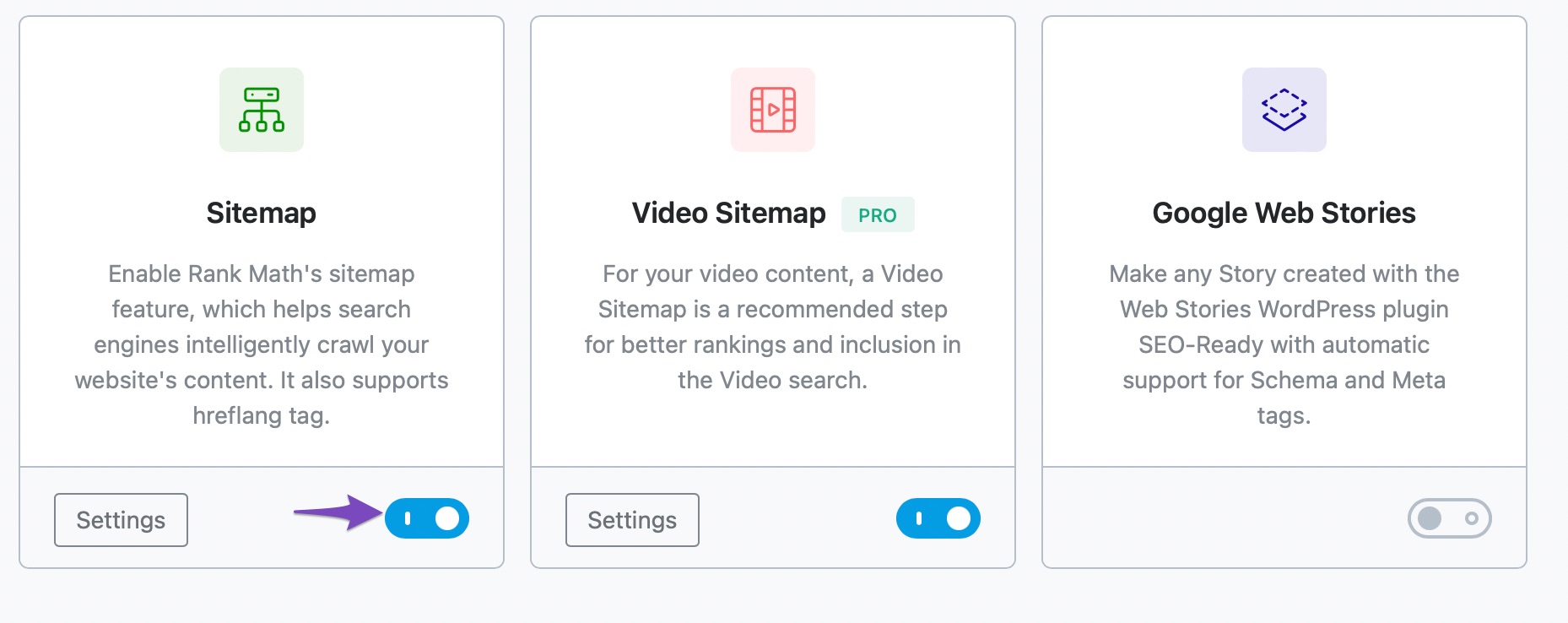
    1. Enable the Sitemap Module: Make sure that the Sitemap module is enabled in Rank Math. You can do this by navigating to WordPress Dashboard → Rank Math SEO and checking the list of available modules.
      Enable Sitemap module

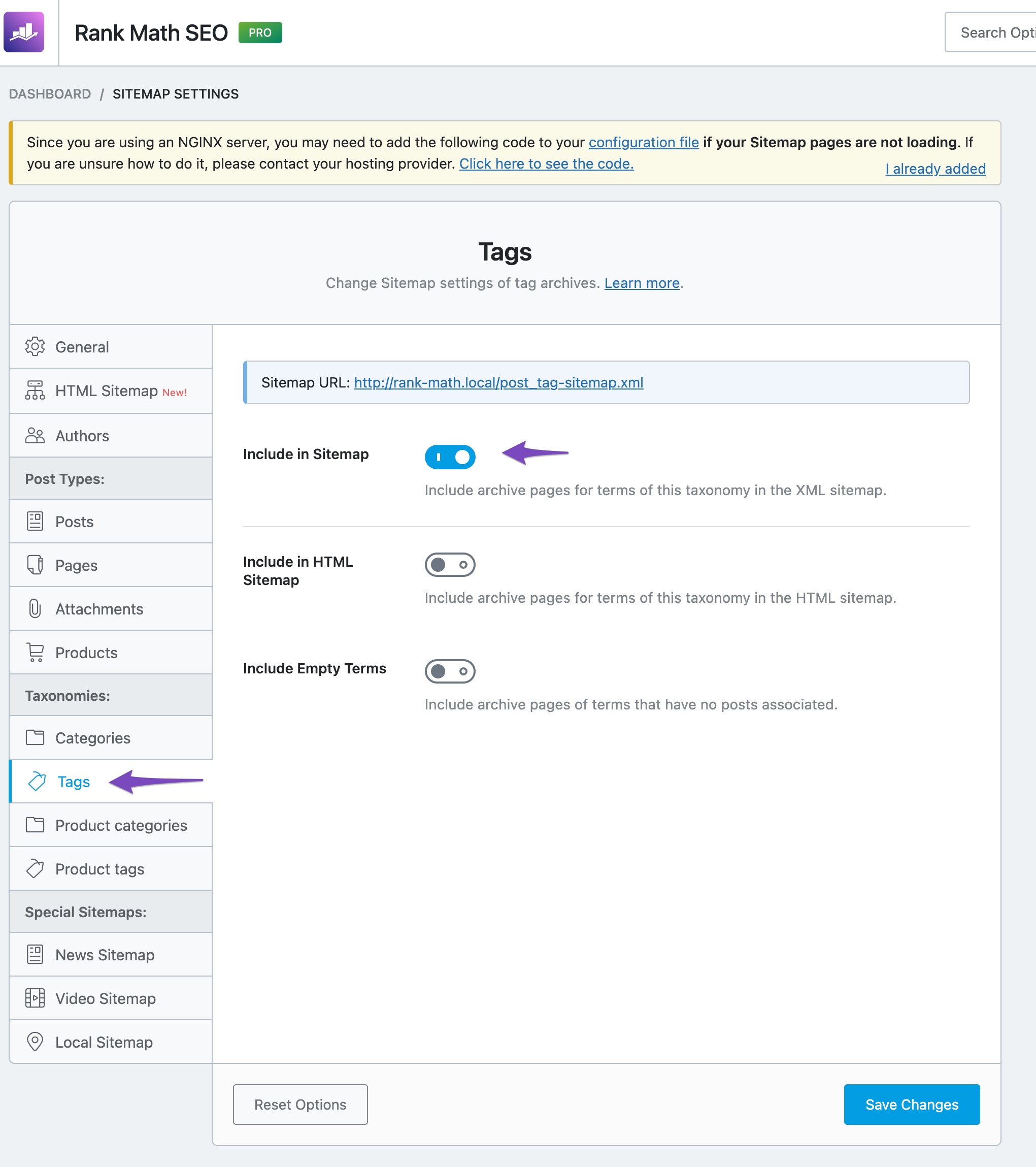
    2. Check Tags Settings: Go to Rank Math SEO → Sitemap Settings → Tags and ensure that the Include in Sitemap option is enabled. Don’t forget to click the Save Changes button afterward.
      Enabling sitemap for tag archives

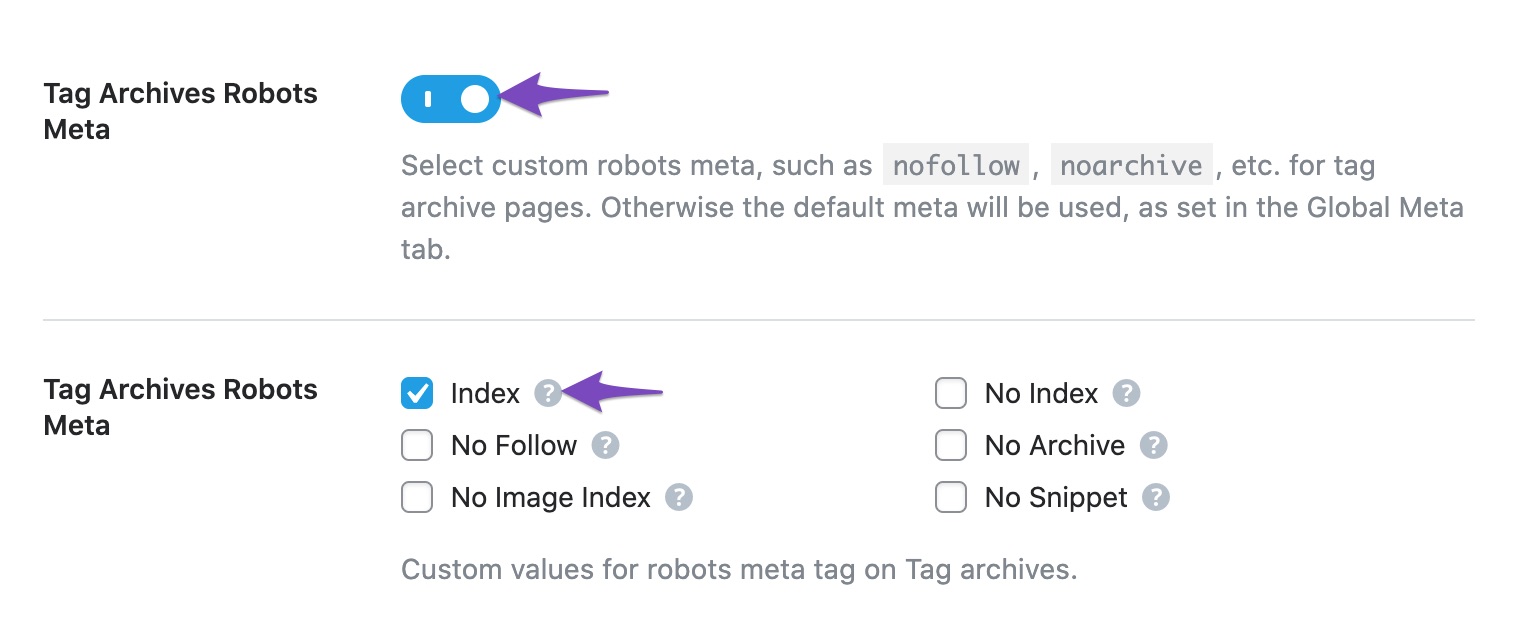
    3. Set Index for Tag Archives Robots Meta: Navigate to Rank Math SEO → Titles & Meta → Tags and ensure that the Tag Archives Robots Meta option is set to Index. If you don’t see this option, switch to the Advanced Mode in Rank Math.
      Set Index for Tag Archives Robots Meta

    4. Check for Plugin Conflicts: If the above settings are correct, consider checking for any plugin conflicts that might be affecting the sitemap functionality. You can use the Health Check plugin for this purpose.

    5. Disable Cache: Ensure that your caching plugin is not interfering with the sitemap generation. You may need to exclude your sitemap from caching as mentioned in our dedicated article.

    If you have followed all these steps and the Tags Sitemap is still not appearing, please reply to this ticket, and a human agent from our support team will assist you further.

    We hope this helps resolve your issue!

    Sources:
    How to Enable Sitemaps for Tag Archives » Rank Math
    How to Configure Sitemaps in Rank Math – Best Settings and Tips
    Rank Math XML Sitemaps on NGINX Servers » Rank Math

    Hii team thank you so much for the support, my problem has resolved now

    Hello,

    We are glad to hear that this issue has been resolved. Thank you for letting us know. This ticket will be closed now, but you can always open a new one if you have any other questions or concerns. We are here to help you with anything related to Rank Math.

    We appreciate your patience and cooperation throughout this process.

    Thank you for choosing Rank Math.

Viewing 3 replies - 1 through 3 (of 3 total)
The ticket ‘Tags Sitemap Not Appearing’ is closed to new replies.