Hello,
We apologize for the issue you are facing with activating the AI content features and the confusion regarding your credits. Thank you for raising this concern.
To resolve the issue with your Content AI credits, please ensure that you are logged into the correct Rank Math account that corresponds to the domain oxystudio.cz. Here are some steps you can follow:
-
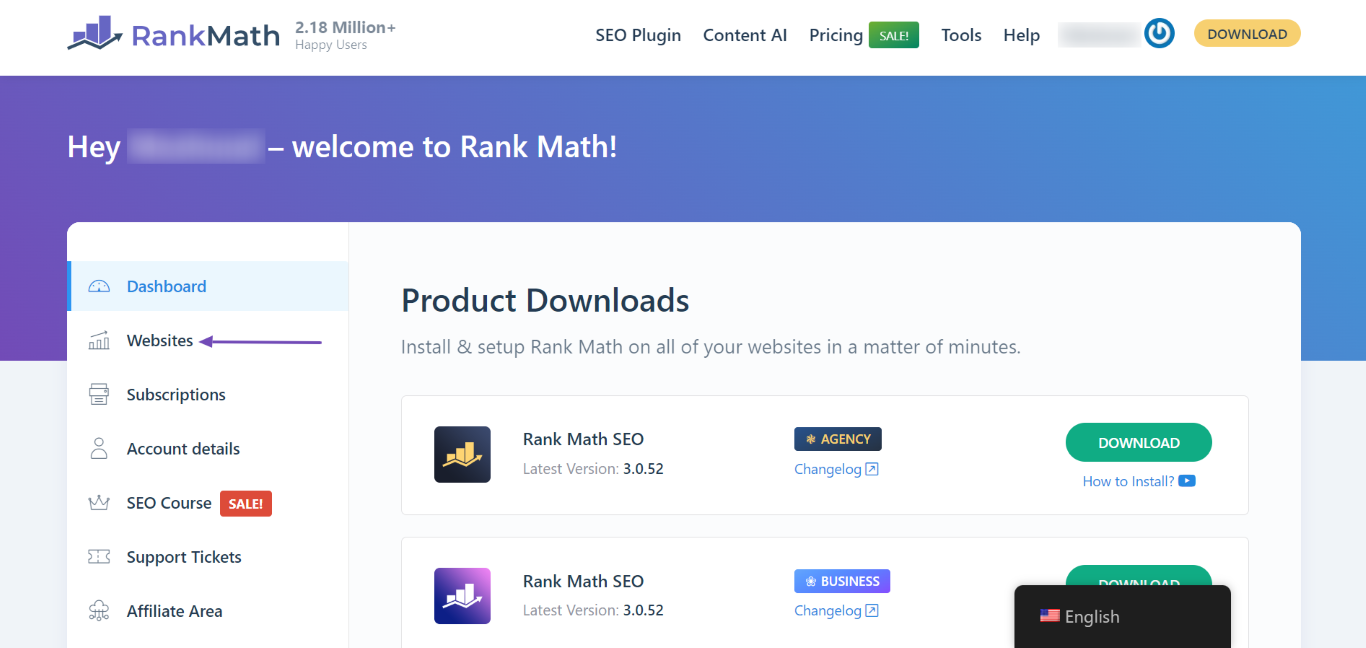
Check Your Credits: Log in to your Rank Math account and navigate to the Connected Websites section to verify the credits available for each account.
-
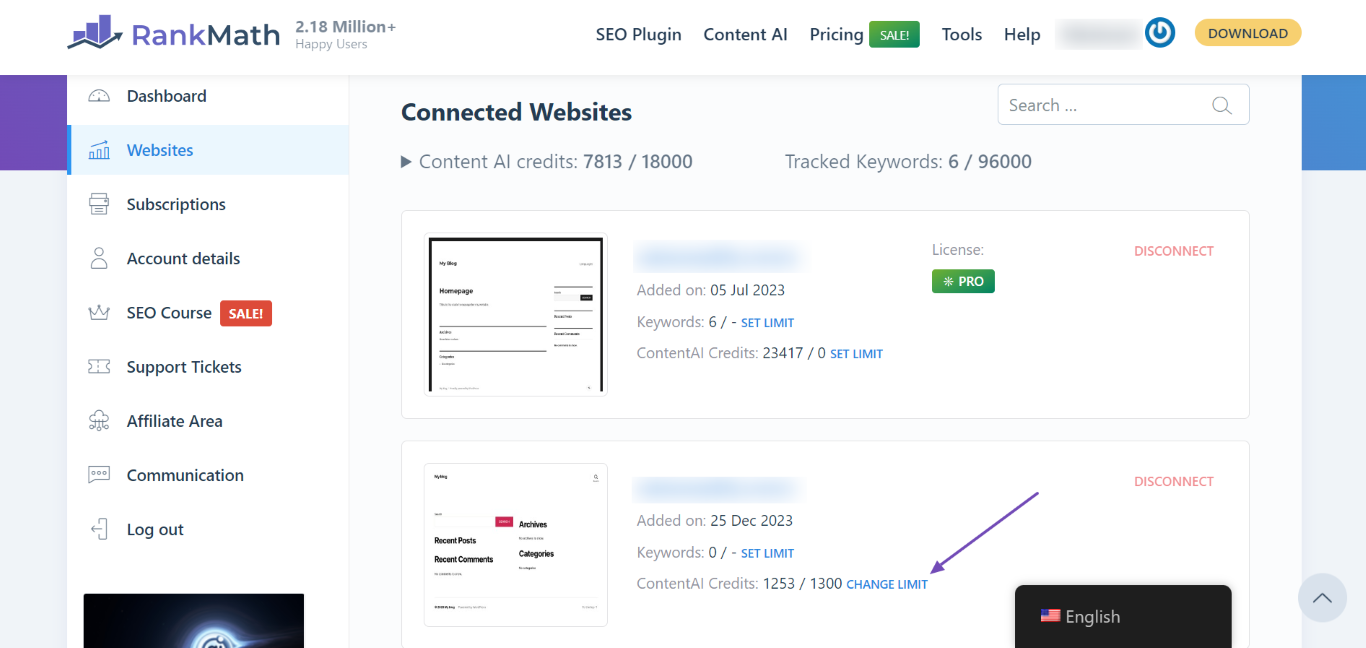
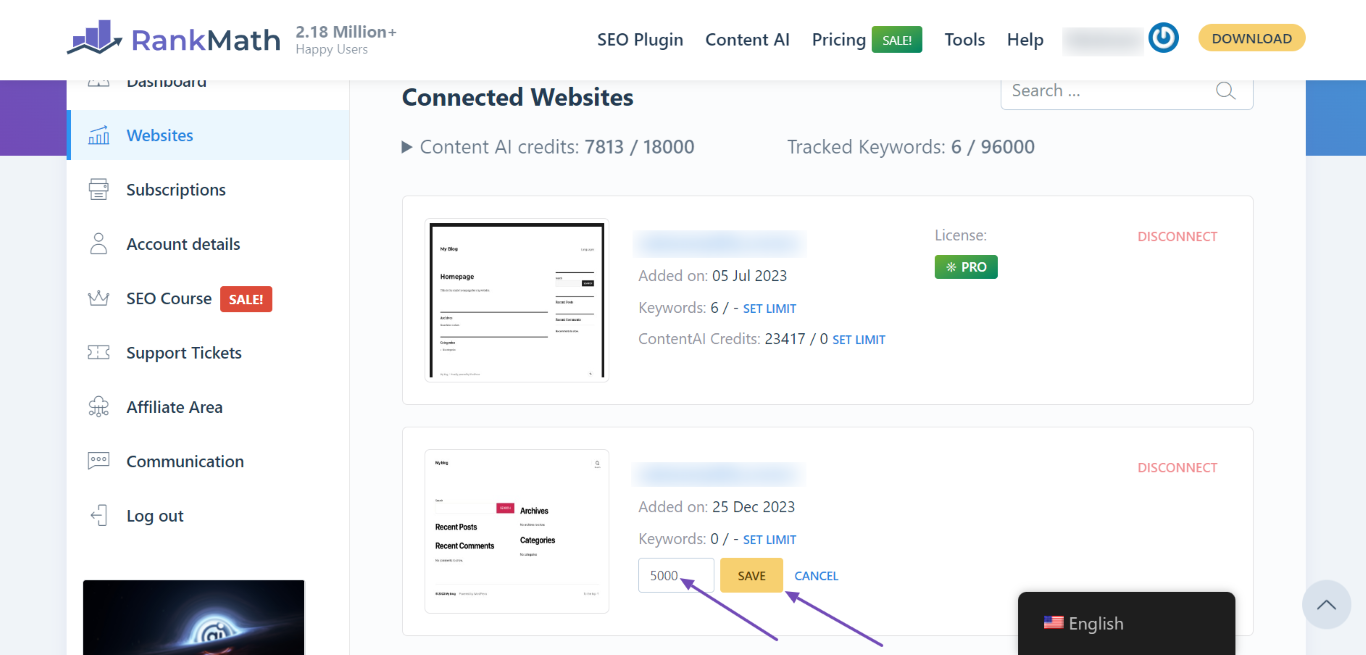
Assign Credits: If you see that the credits are available but not assigned to your website, you can increase the Content AI credits limit for your domain. Go to the affected site in the Connected Websites section, and click on CHANGE LIMIT to allocate more credits.
-
Reconnect Your Account: If the credit count is correct but not reflecting on your website, go to your WordPress admin area, navigate to Rank Math > Dashboard > Help, and disconnect and reconnect your Rank Math account.


-
Refresh Credits: After reconnecting, head over to your Content AI and refresh the credits count again so that the plugin requests updated credits from our server.

If you continue to experience issues after following these steps, please reply to this ticket, and a human agent from the Rank Math Support team will assist you further.
We appreciate your patience and understanding as we work to resolve this issue for you. Please let us know if you need any more assistance!
Sources:
Resolving Content AI Related Issues » Rank Math
How to Use Rank Math’s Content AI for SEO » Rank Math
Content AI Credits and Plans: Everything You Need to Know » Rank Math
I did all this several times before I opened a ticket, but without success.
Hello,
Thank you for your query and we are so sorry about the trouble this must have caused.
We have manually disconnected the website from our end. Now, please try to reconnect your website with your Rank Math account by navigating to WordPress Dashboard → Rank Math SEO → Dashboard → Help and then click on Connect Now.

Once you click on Connect Now, please ensure that you’ve selected the correct account and then click on OK, Activate Now, as shown below. In case you’ve multiple Rank Math licenses associated with your Rank Math account, then you can click the License drop-down to choose your preferred license to activate on this website.

Also, please make sure that you are running the latest version of Rank Math plugin.
The feature of free Content AI credit is limited to AI generation using AI tools and AI generation inside the editor.
Content AI Research, Editing Bulk SEO Meta, and Multiple Sessions in RankBot will not work for users without a separate plan.
You can read more about this from here: https://rankmath.com/kb/content-ai-free/
Let us know if this fixes the issue.
Please do not hesitate to let us know if this doesn’t help or you have any follow-up queries.
Hello,
Since we did not hear back from you for 15 days, we are assuming that you found the solution. We are closing this support ticket.
If you still need assistance or any other help, please feel free to open a new support ticket, and we will be more than happy to assist.
Thank you.



