Hello,
We apologize for the issue you are facing with displaying Google Analytics data in the Rank Math SEO plugin. Thank you for raising this concern.
Since you mentioned that everything in the general settings is green, it indicates that the connections are valid. However, if you are still not seeing any data in Rank Math, here are a few steps you can take to troubleshoot the issue:
-
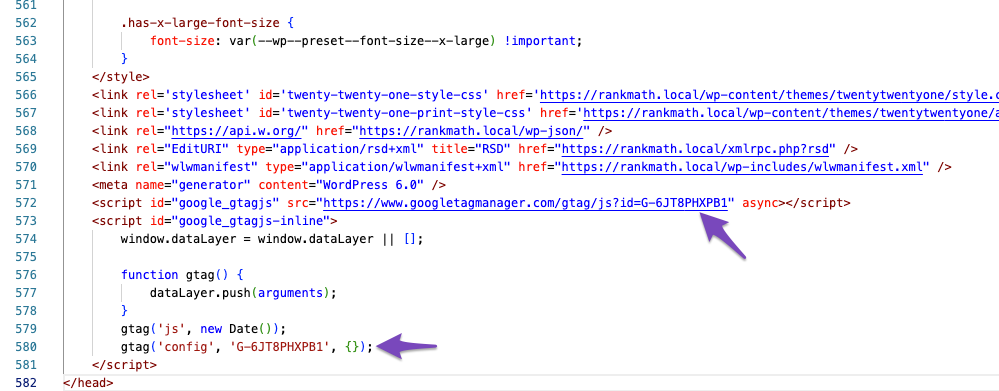
Check Google Analytics Tracking Code: Ensure that the Google Analytics tracking code is correctly implemented on your website. You can verify this by looking for the measurement ID (G-XXXXXX) in the source code of your site. You can also search for google_gtagjs to find the measurement ID easily.
-
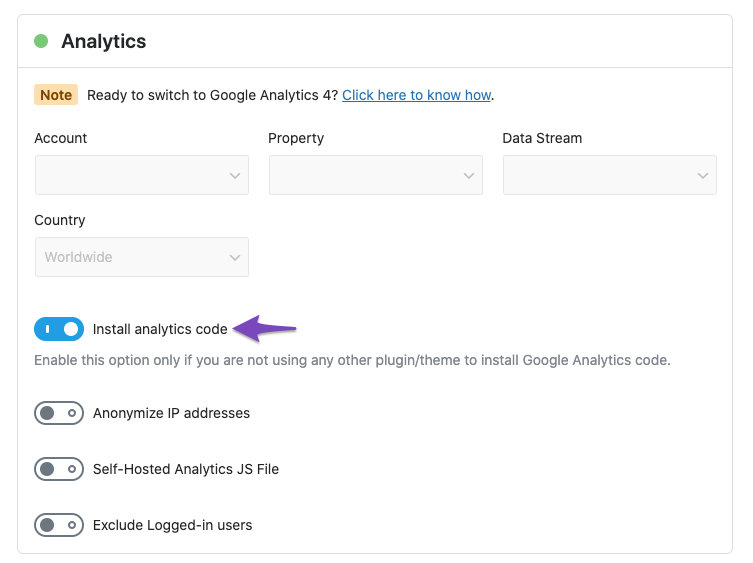
Enable Install Analytics Code: If you are not using any external plugin or theme to add the tracking code, make sure to enable the Install Analytics code option in Rank Math’s Analytics settings.
-
Clear Cache: After making changes, clear your site’s cache and check again to see if the tracking code is added to the front end.
-
Use Google Tag Assistant: We recommend using Google Tag Assistant to verify if the correct Analytics code has been added to your site’s frontend.
-
Recheck Permissions: Ensure that Rank Math has the necessary permissions to access your Google Analytics data.
If you have followed these steps and are still experiencing issues, please reply to this ticket with any specific error messages or logs you may have encountered, and a human agent from the Rank Math Support team will assist you further.
Thank you for your patience, and we hope to resolve this issue for you soon!
Sources:
Resolving Rank Math Analytics Related Issues » Rank Math
Hello,
In this case, please follow these steps to regenerate the token on your site:
1. Please delete RankMath’s app from here:
https://myaccount.google.com/permissions

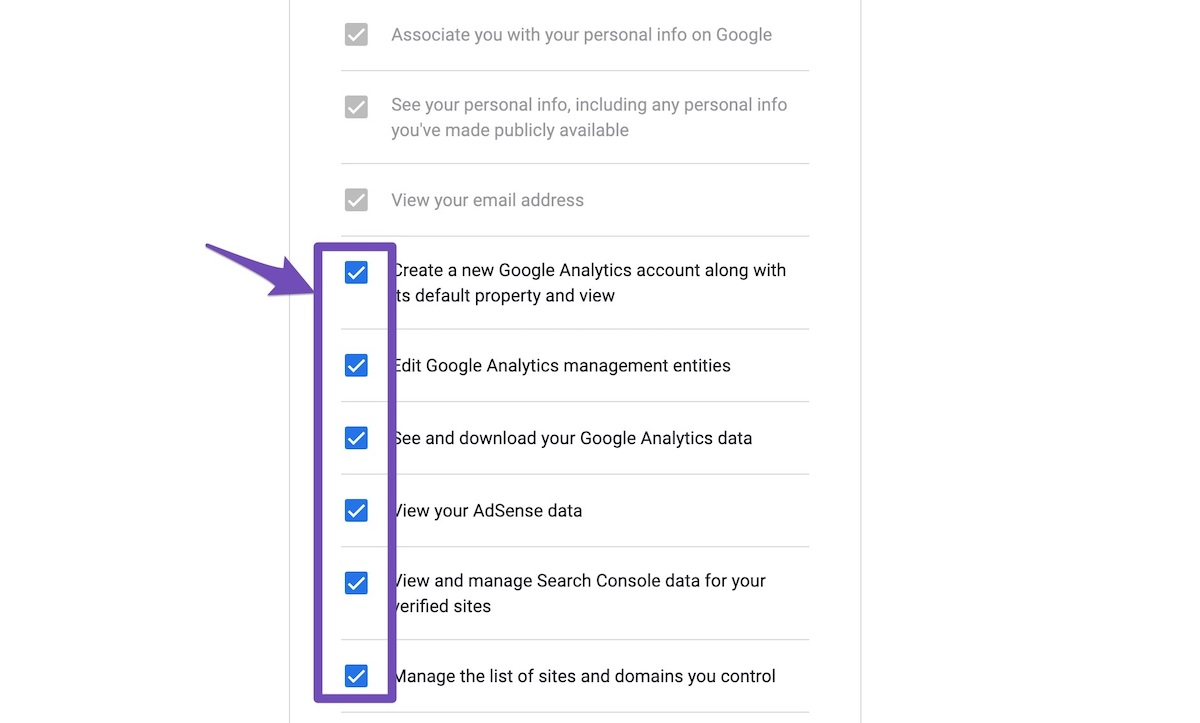
2. Reconnect the account inside Rank Math by clicking here and ensure that you approve all the permission notices that show up:
WP Dashboard >> Rank Math >> General Settings >> Analytics tab, and click the Reconnect link

Allow all the necessary permissions on the next screen
3. Let the process complete, which might take around 30 minutes to fetch the data.
Let us know how this goes.
Hello,
Since we did not hear back from you for 15 days, we are assuming that you found the solution. We are closing this support ticket.
If you still need assistance or any other help, please feel free to open a new support ticket, and we will be more than happy to assist.
Thank you.



