Hello,
We apologize for the issue you are facing with your meta descriptions not updating correctly in Rank Math. It sounds like there may be a few factors at play here.
-
Check What You Have Set Using Rank Math: First, ensure that you have correctly set the SEO Meta Title and Description in Rank Math for each blog post. You can do this by editing the post in either the Classic Editor or Gutenberg. Here’s how it looks in the Classic Editor:
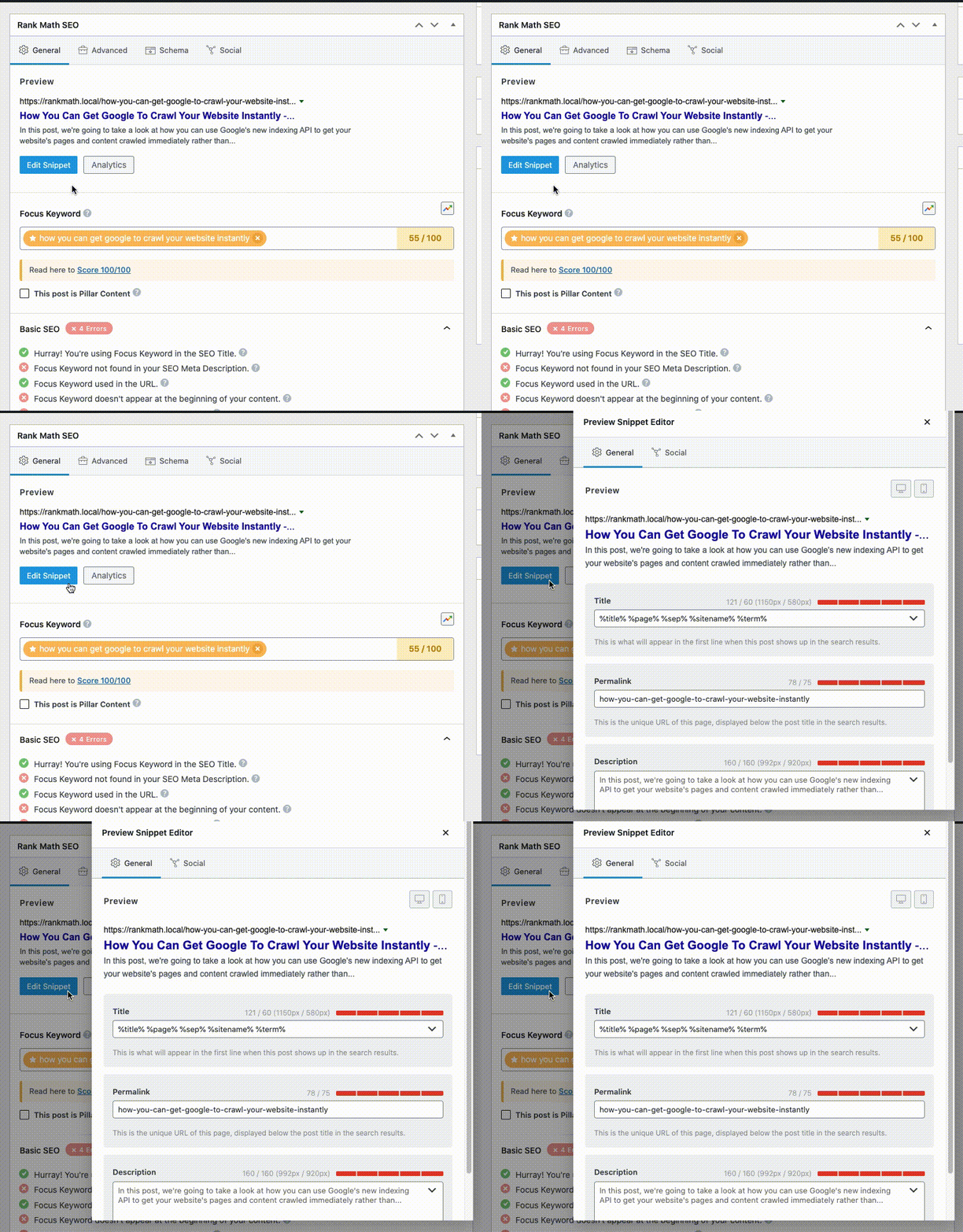
And in Gutenberg:
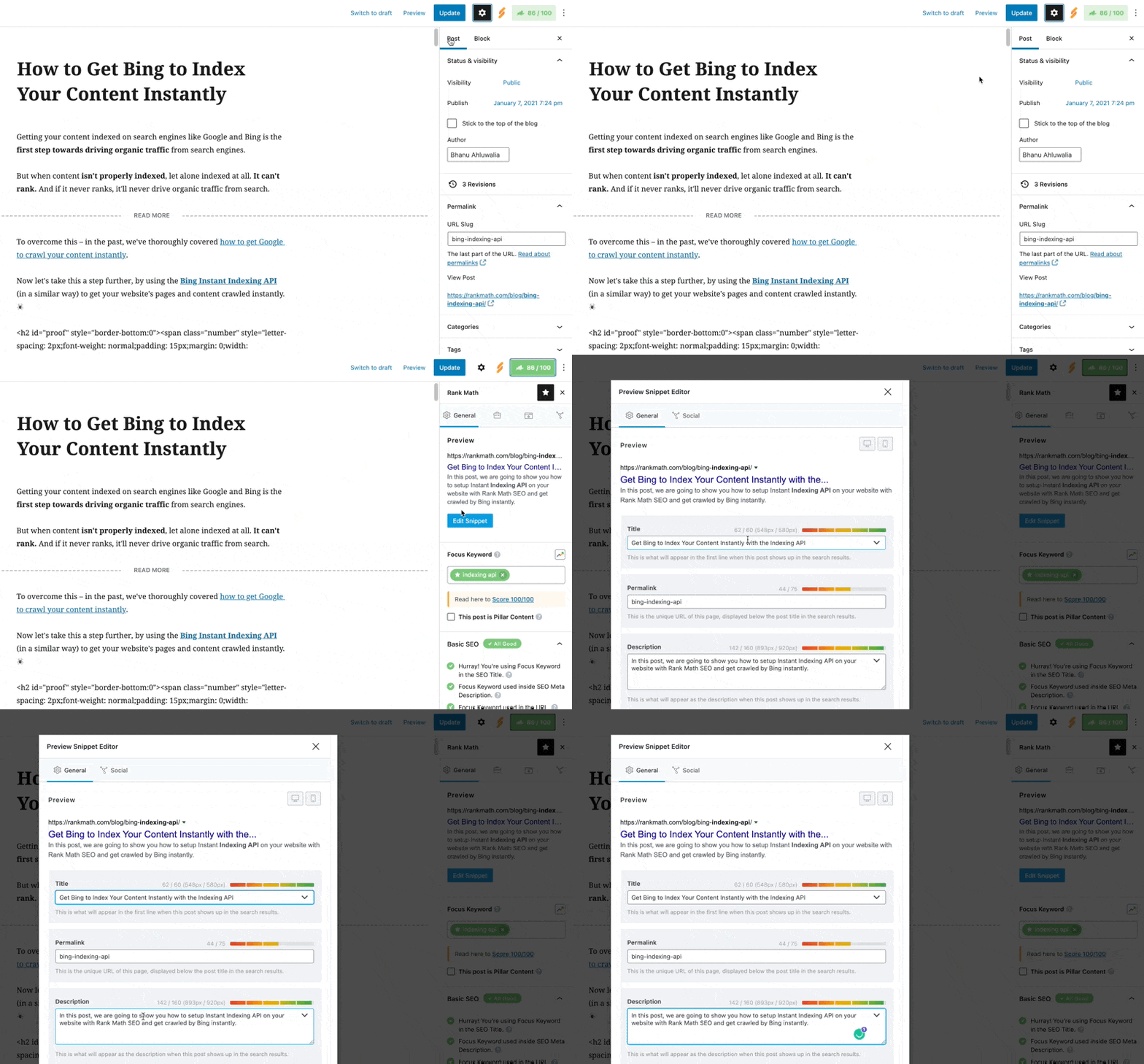
-
Schema Settings: Make sure that your Schema settings are valid. In Rank Math’s Schema tab, the Headline should show %seo_title% and the Description should show %seo_description%. This ensures that your SEO title and description are used for structured data as well.

-
Check for Duplicates: If you are seeing duplicates in Rank Math, it could be due to the same meta description being used across multiple posts. Google may also choose not to use your provided meta description if it finds it irrelevant or if it matches other pages too closely.
-
Page Source Code: Since you mentioned that the source code shows the correct meta descriptions, you can verify this by right-clicking on your page and selecting View page source. Ensure that the meta tags are correctly set there as well.
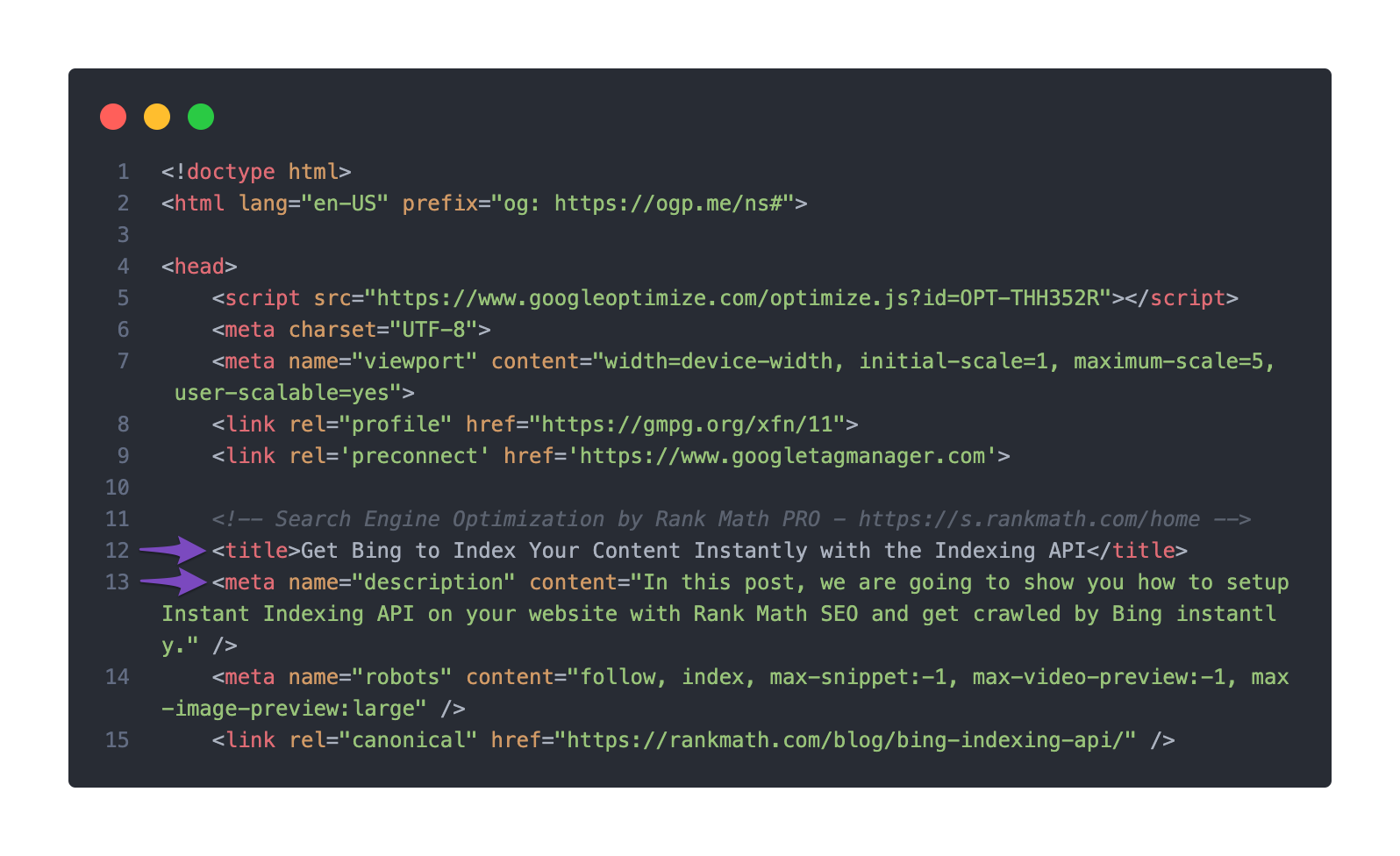
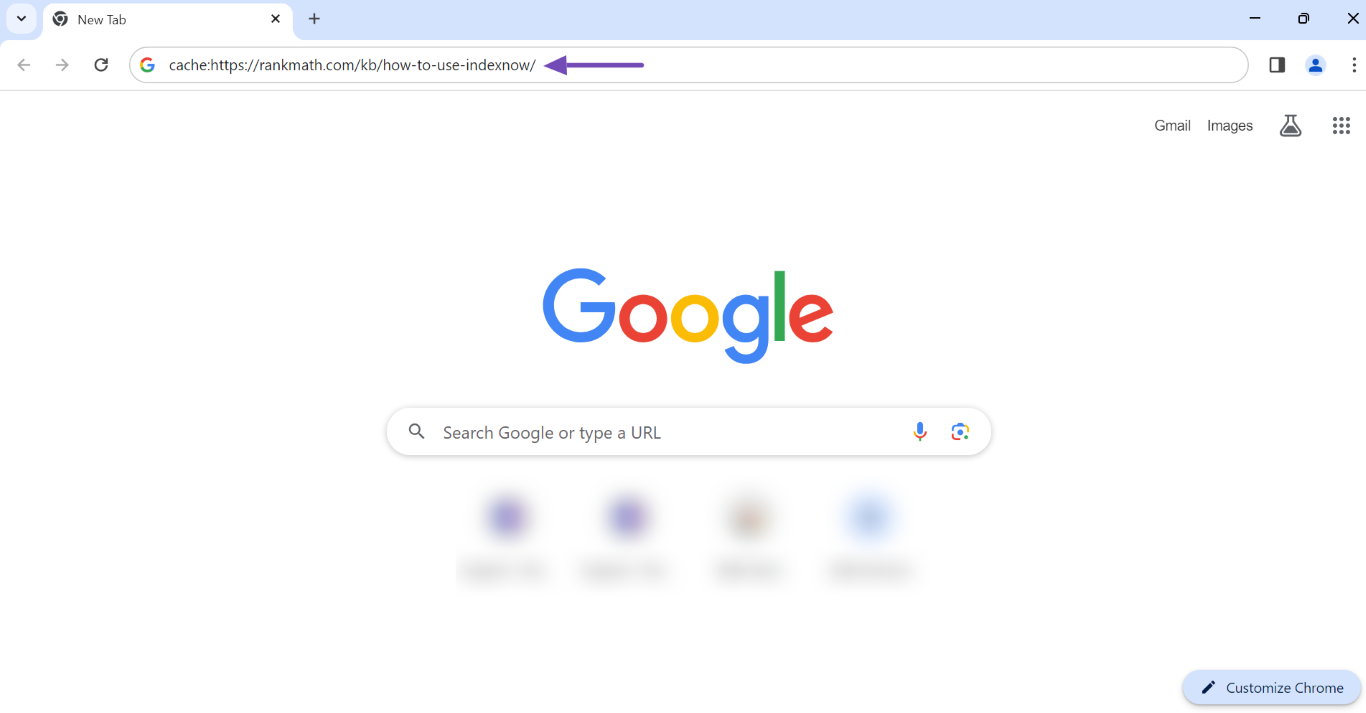
If everything seems correct but the issue persists, it might be worth checking if the latest version of your pages has been indexed by Google. You can do this by entering cache: followed by your page URL in the search bar to see when Google last cached it.
If you still have questions or need further assistance, please reply to this ticket, and a human agent from our support team will take over and assist you further. Thank you for raising this concern!
Sources:
Google Shows A Different Meta Title/Description For My Site » Rank Math
Hello,
Thank you for contacting us and sorry for any inconvenience that might have been caused due to that.
Could you please share a screenshot to meta description you’ve set on the Rank Math SEO Meta box? You can use any image-sharing tool like https://imgur.com/upload to share the screenshot with us.
Also, please share the affected page URL so that we can check the issue further for you.
Looking forward to helping you.
Thank you.
Hello,
Since we did not hear back from you for 15 days, we are assuming that you found the solution. We are closing this support ticket.
If you still need assistance or any other help, please feel free to open a new support ticket, and we will be more than happy to assist.
Thank you.



