Olá, lamentamos que você esteja enfrentando problemas com o redirecionamento no seu WordPress. Para configurar um redirecionamento, você pode seguir estas etapas:
- Acesse o painel do WordPress e navegue até Rank Math SEO → Redirections.
- Clique no botão Adicionar Novo para criar um novo redirecionamento.
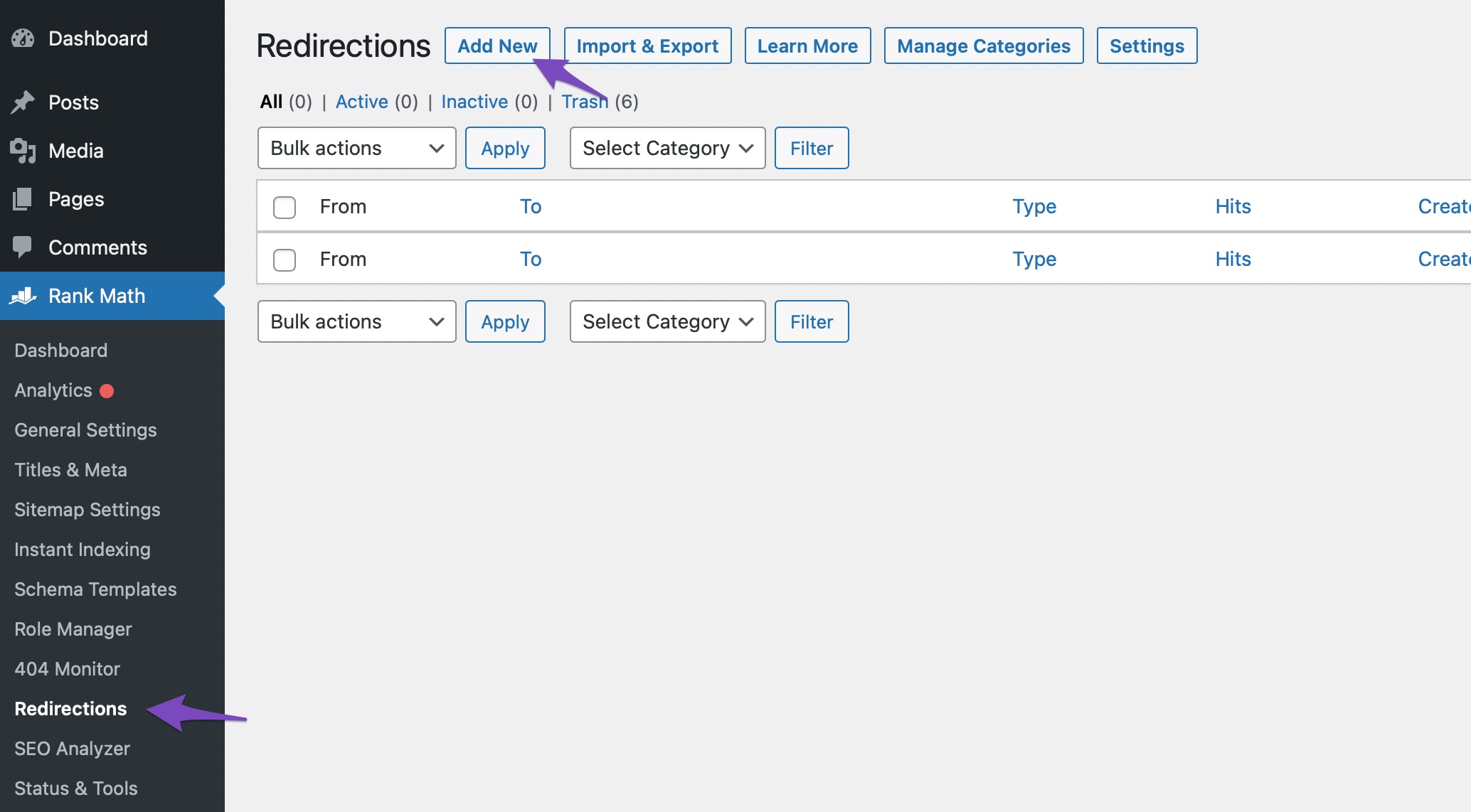
- Insira a URL de origem (a URL que você deseja redirecionar) e a URL de destino (a página do Google Search Console).
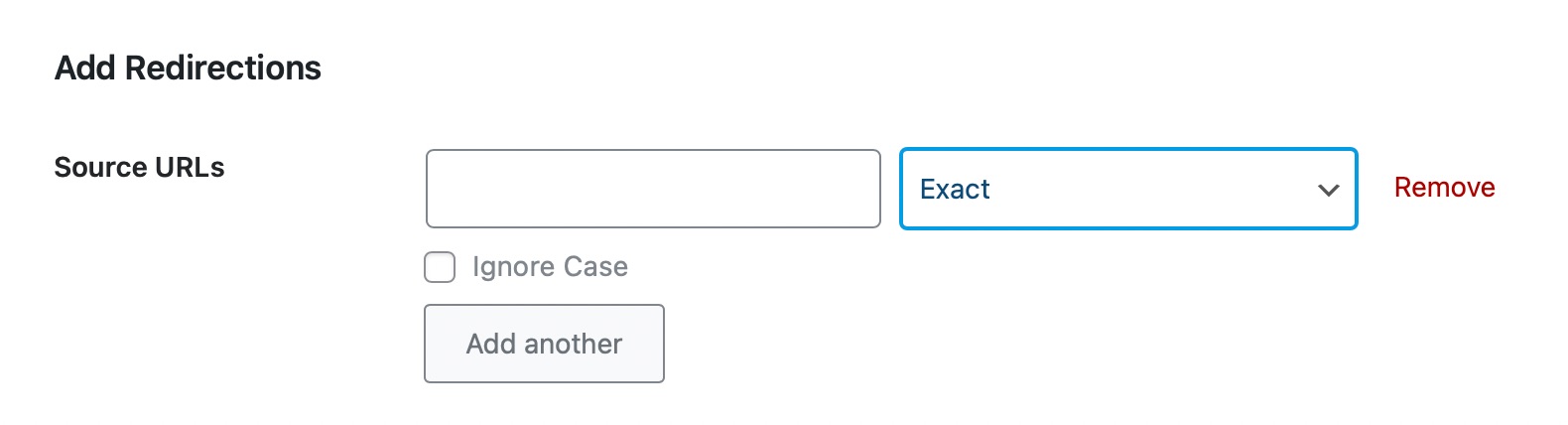
- Salve as alterações.
Se você já tentou isso e ainda está tendo dificuldades, pode ser útil usar a funcionalidade de depuração do Gerenciador de Redirecionamentos para identificar qual regra pode estar causando problemas. Você pode habilitar essa opção em Rank Math SEO → Configurações Gerais → Redirecionamentos.
Se precisar de mais assistência, sinta-se à vontade para responder a este ticket, e um agente humano da equipe de suporte do Rank Math irá ajudá-lo.
Sources:
How to Set Up Redirections » Rank Math
How to Create a Redirection » Rank Math
Hello,
Thank you for contacting us and sorry for any inconvenience that might have been caused due to that.
Please share some more details about the issue you’re facing on your website so that we can check this further for you. You can also use a tool like https://loom.com to share a screencast with us. A visual representation of the issue will help us to understand it better.
Looking forward to helping you.
Thank you.
Hello,
Since we did not hear back from you for 15 days, we are assuming that you found the solution. We are closing this support ticket.
If you still need assistance or any other help, please feel free to open a new support ticket, and we will be more than happy to assist.
Thank you.



