Hello,
We apologize for the issue you are facing with connecting Rank Math to your Google Search Console and obtaining the verification code. Thank you for raising this concern.
To connect Rank Math with Google Search Console and get your verification code, please follow these steps:
1. Open Google Search Console
2. Add Your Property
- Click on the property dropdown menu at the top-left corner of the dashboard and select Add property.
3. Select Property Type
- Enter your website URL in the URL Prefix property type and click Continue.
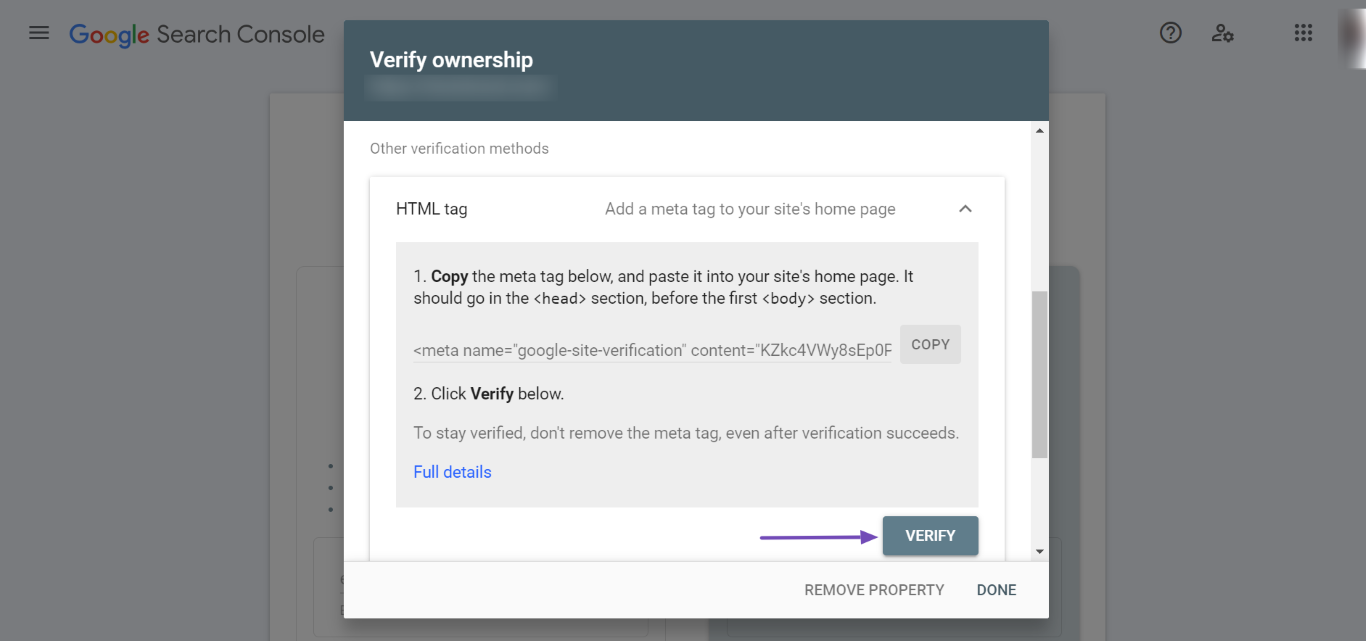
4. Select the HTML Tag Verification Method
- Choose the HTML tag verification method.
- Click Copy to copy the HTML tag provided.
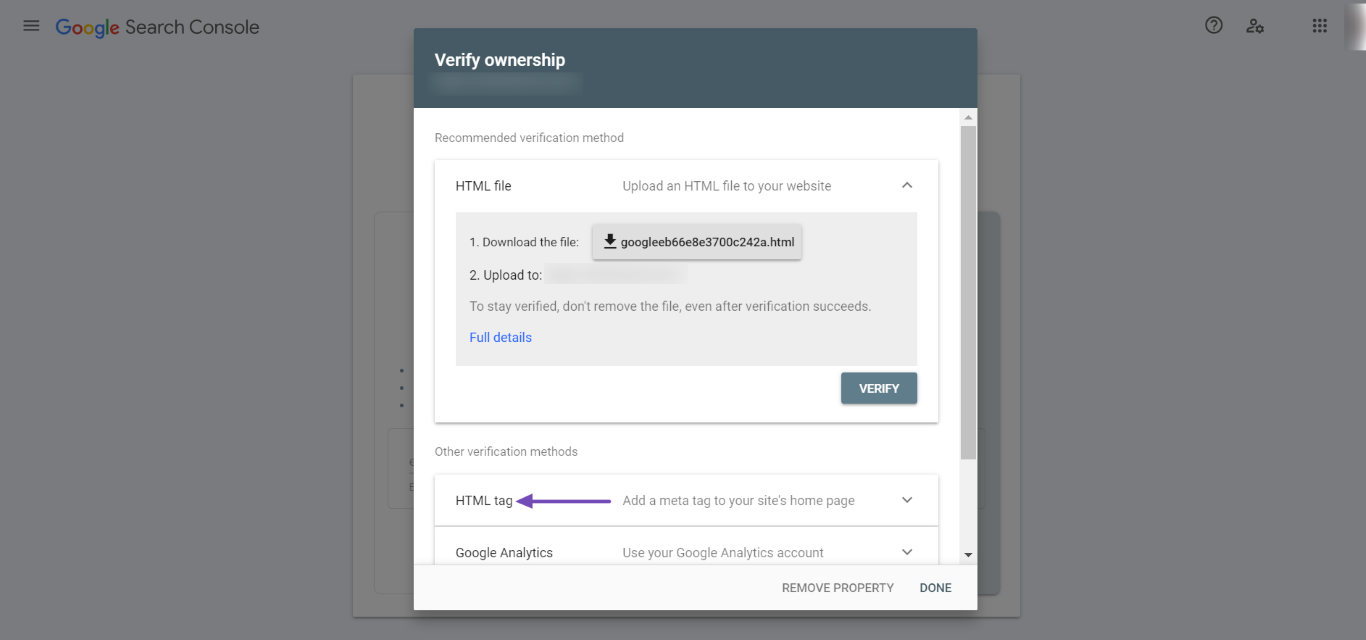
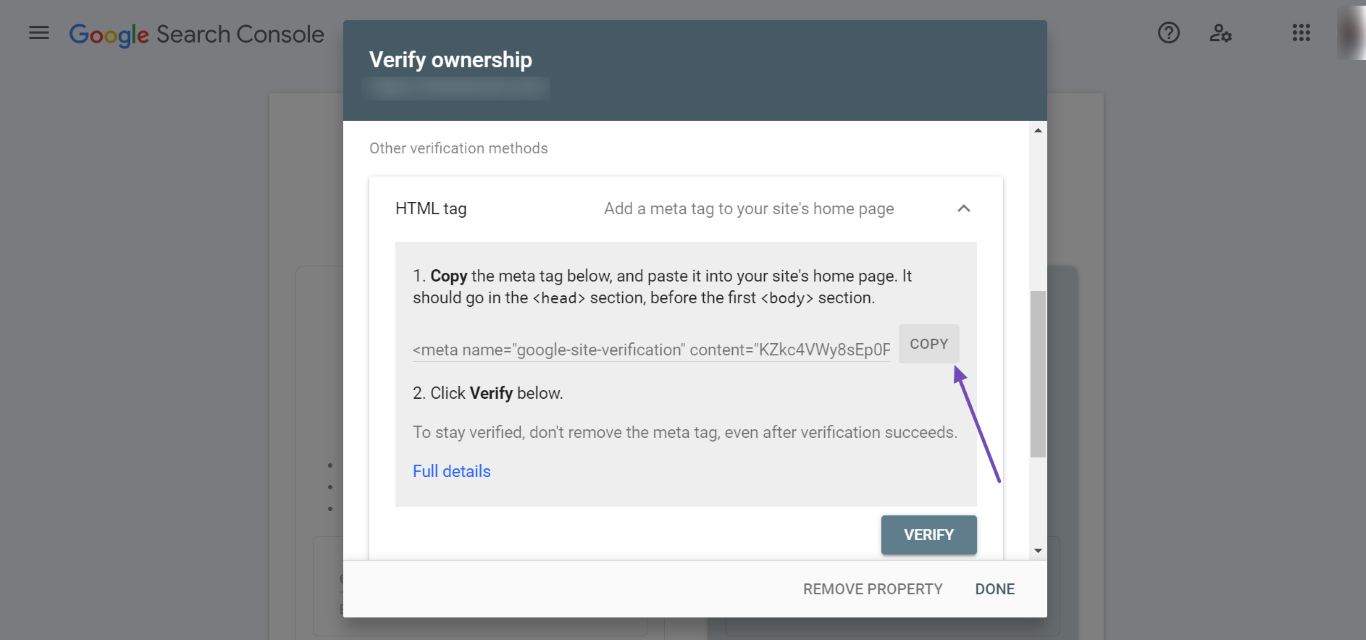
5. Open Webmaster Tools Settings in Rank Math
- Go to WordPress Dashboard → Rank Math SEO → General Settings → Webmaster Tools.
- Paste the copied HTML tag into the Google Search Console field.
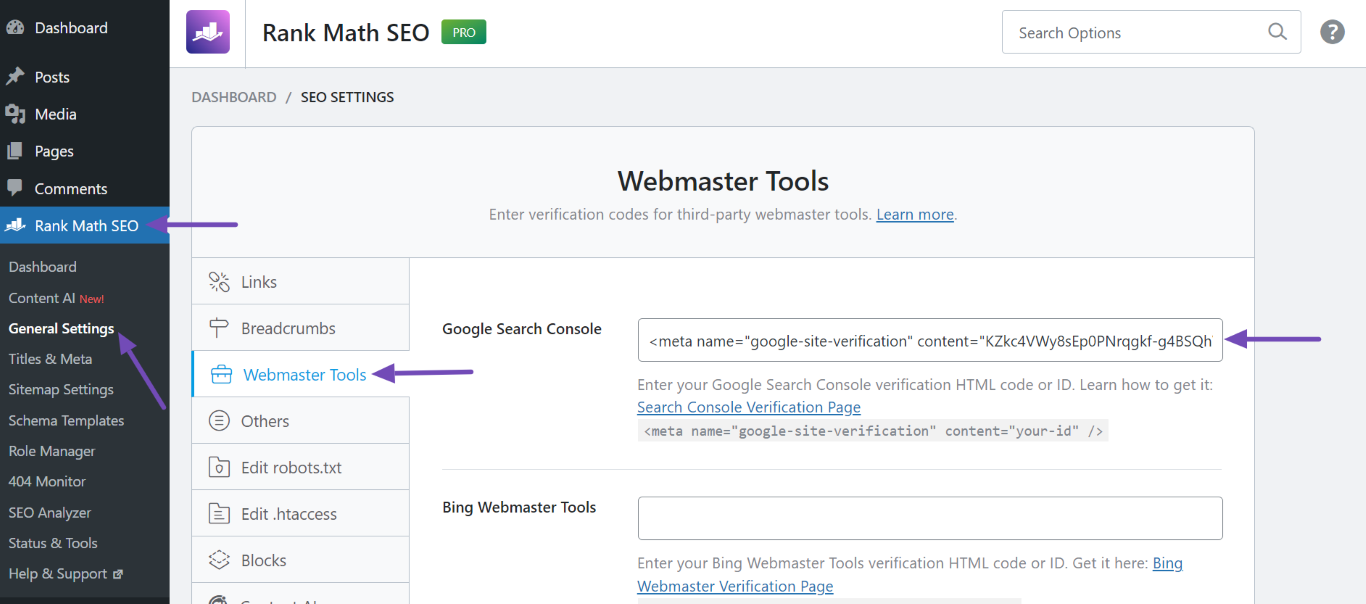
6. Save Changes
- Scroll down and click Save Changes.
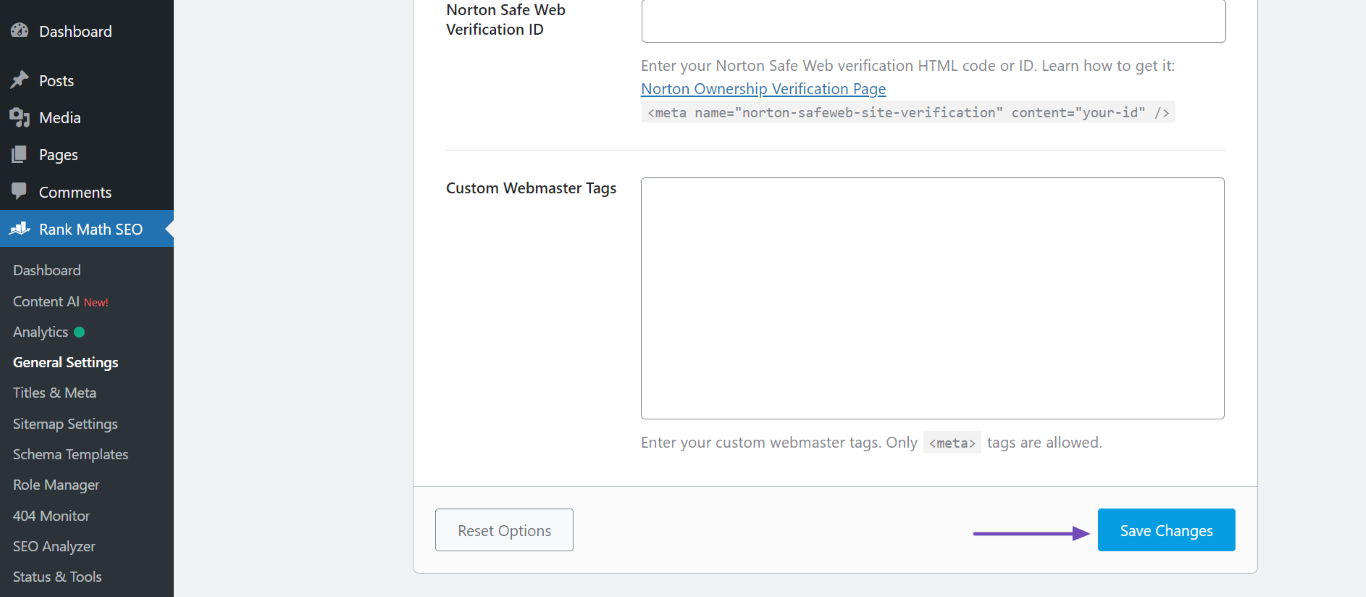
7. Verify Site Ownership
- Return to Google Search Console and click Verify. Google will verify your site and redirect you to your dashboard.
If you encounter any issues during this process, such as Google not verifying your site, please try clearing your website’s cache and then attempt to verify again.
Regarding the 1004 non-indexed pages, it may be beneficial to review your website’s content and ensure that it meets Google’s indexing criteria. You can also check for any crawl errors or issues in the Google Search Console that might be affecting indexing.
If you have further questions or need additional assistance, please reply to this ticket, and a human agent from the Rank Math Support team will assist you further.
Thank you for using our service!
Sources:
How to Verify Your Website on Google » Rank Math
I would like to speak with a human agent please.
The method you’re giving me is for non verified sites Mine is verified already
So I don’t have access t the HTML part
Hello,
Thank you for contacting Rank Math support.
Since your website property is already verified on Google Search Console, you do not need to get or use any ‘Google search verification code’.
Regarding the non-indexed pages, please share an example URL that isn’t indexed, so we can help investigate it. Also, please share a screenshot of where you saw the 1004 page as non-indexed. You can share images with us by uploading them to an image hosting site like Imgur, and then sharing the generated URL with us here.
We are looking forward to hearing back from you.
Hello,
Since we did not hear back from you for 15 days, we are assuming that you found the solution. We are closing this support ticket.
If you still need assistance or any other help, please feel free to open a new support ticket, and we will be more than happy to assist.
Thank you.



