
-
I can not connect the website http://www.thegreenwasher.com to my RankMath account, the installation wizard leads to a 404 page… (page not found) What hoes wrong, please help. Love to hear a solution! Regards, Hans

-
Hello,
We apologize for the issue you are facing while trying to connect your website to your Rank Math account. It sounds like you might be encountering a problem with the installation process.
Here are a few steps you can take to troubleshoot this issue:
-
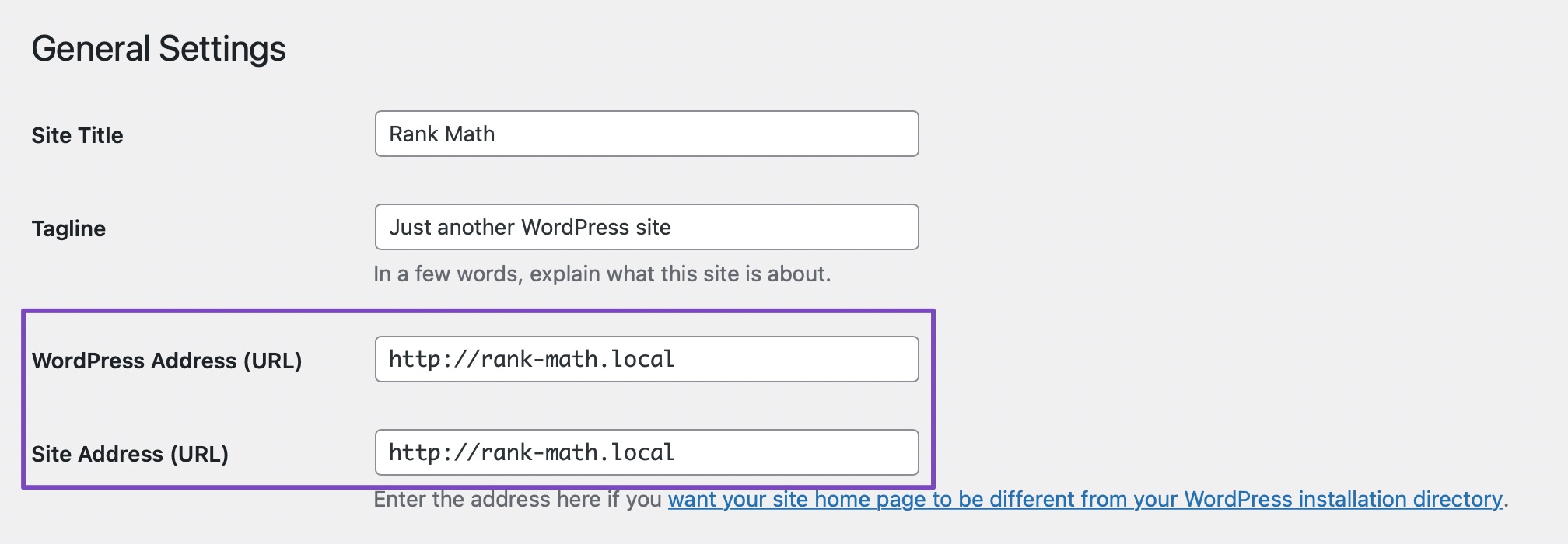
Check Your WordPress Settings: Ensure that there are no mismatches in your WordPress settings. Go to WordPress Dashboard → Settings → General and verify that the WordPress Address (URL) and Site Address (URL) fields are the same.
-
Ensure Proper Installation: Make sure that Rank Math is properly installed on your website. If you are using a multisite setup, ensure that Rank Math is network activated if you want it available across all sites.
You can refer to our guide on installing Rank Math in a multisite environment for detailed instructions. -
Check User Permissions: Ensure that you are logged in with an admin account, as certain settings require admin capabilities to access.
-
Reconnect Your Account: If you have previously connected your account, try disconnecting it and then reconnecting it. You can do this by navigating to WordPress Dashboard → Rank Math SEO → Dashboard → Help and clicking on Disconnect Account.

-
Clear Cache: Sometimes, caching plugins can cause issues. Clear your site cache and browser cache, then try again.
If you continue to experience difficulties after trying these steps, please reply to this ticket, and a human agent from the Rank Math Support team will assist you further.
Thank you for bringing this concern to our attention! We hope to resolve this for you soon.
Sources:
Website Not Shown In Rank Math Account Area » Rank Math
How to Get Rid of "No Connected Websites Found" Message » Rank Math
How to Fix Problems While Connecting Account Using Rank Math » Rank Math
Sorry, You Are Not Allowed to Access This Page » Rank MathHello,
Thank you for contacting the support and sorry for any inconvenience that might have been caused due to that.
Site reconnect is working on our end, can you please follow the steps below?
Step 1: Update to the latest version of Rank Math PRO manually: https://rankmath.com/kb/update-rank-math-manually/
Step 2: Disconnect your account from WordPress Dashboard > Rank Math > Dashboard > Help
Step 3: Reconnect from the same page using the same account you used to make a purchase.
Here is a KB to help you along the way as well: https://rankmath.com/kb/how-to-upgrade-to-rank-math-pro/
That should fix the issue.
Hope that helps and please do not hesitate to let us know if you need our assistance with anything else.
Hello,
Since we did not hear back from you for 15 days, we are assuming that you found the solution. We are closing this support ticket.
If you still need assistance or any other help, please feel free to open a new support ticket, and we will be more than happy to assist.
Thank you.
-


The ticket ‘Connecting website not possible’ is closed to new replies.