Hello,
We apologize for the issue you are facing with connecting your WordPress site to your Rank Math account. This problem often arises due to not using the correct account or due to a mismatch in the site URL settings.
Here are some steps you can follow to troubleshoot and resolve this issue:
-
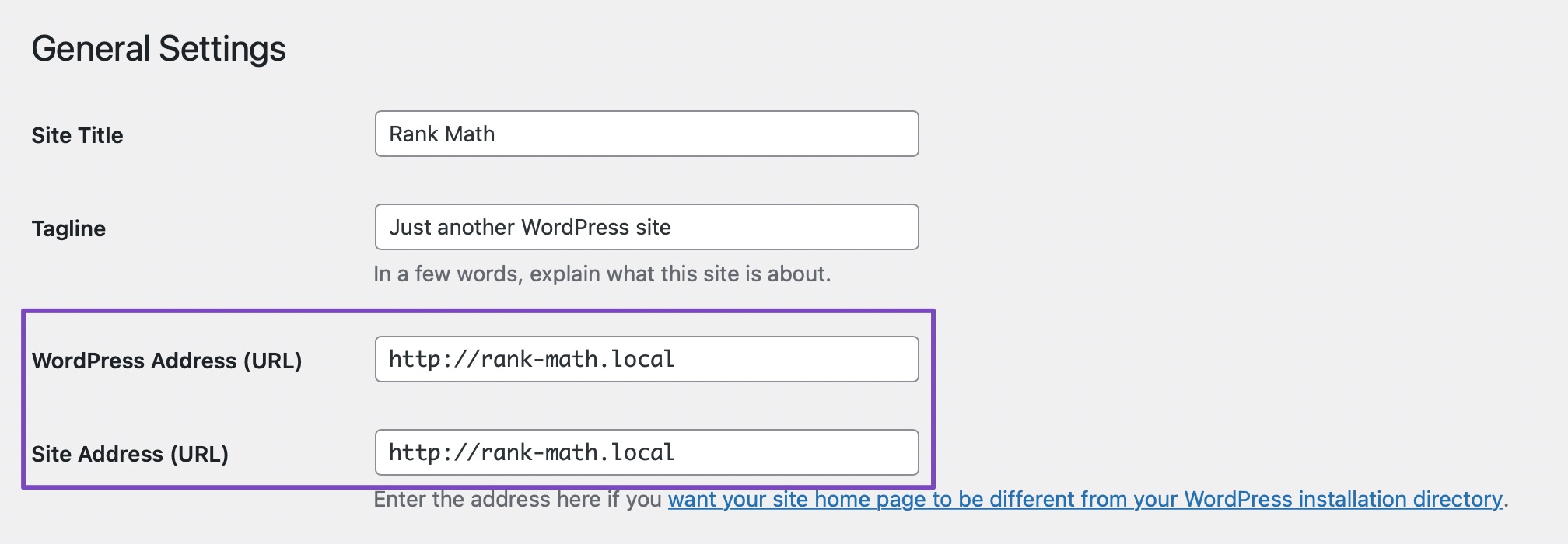
Check Site URL Settings: Ensure that the WordPress URL and Site URL are the same. You can check this by navigating to WordPress Dashboard → Settings → General. Both URLs should match for a proper connection.
-
Disconnect and Reconnect: If the URLs are correct, try disconnecting your Rank Math account and then reconnecting it. You can do this by going to WordPress Dashboard → Rank Math SEO → Dashboard → Help and clicking on Disconnect Account.

-
Clear Cache: After disconnecting, clear your browser, website, and site-level cache before attempting to reconnect.
-
Use the Correct Account: When reconnecting, make sure you select the correct Rank Math account. Click on Connect Now, select your account, and then click on OK, Activate Now.


If you continue to experience issues after following these steps, please reply to this ticket, and a human agent from the Rank Math Support team will assist you further.
Thank you for raising this concern! We hope this helps you connect your WordPress site to Rank Math successfully.
Sources:
How to Fix Problems While Connecting Account Using Rank Math » Rank Math
Hello,
Thank you for contacting Rank Math support.
To help you investigate this issue, we might need to take a closer look at your website and settings. Please follow these steps:
- Edit the first post on this ticket and include your WordPress logins in the Sensitive Data section. This is a secure section that only our support staff can access.

- Make sure you take a complete backup of your website before sharing the information with us.
- If you prefer, you can use this plugin to generate a temporary login URL to your website and share that with us instead: https://wordpress.org/plugins/temporary-login-without-password/
- You can also use this plugin to monitor what changes our staff might make on your website (if any): https://wordpress.org/plugins/wp-security-audit-log/
We appreciate your cooperation and patience. Thank you for choosing Rank Math.
Hello,
Since we did not hear back from you for 15 days, we are assuming that you found the solution. We are closing this support ticket.
If you still need assistance or any other help, please feel free to open a new support ticket, and we will be more than happy to assist.
Thank you.



