
-
Hi,
Serch Console does not want to index my site. I am sending a screenshot of the error and a screenshot of the Rank Math settings.
Site pd-media.de
Please help.

-
Hello,
I apologize for the issue you are facing with indexing your site on Search Console. To resolve this, please follow these steps:
-
Check Rank Math Metabox:
- Open the post/page in the WordPress Editor.
- Ensure the Robots Meta is set to Index in the Rank Math Metabox. If it’s set to No Index, select the Index checkbox and update the page/post.
-
Search Engine Visibility:
- Navigate to WordPress admin dashboard → Settings → Reading.
- Make sure the Search engine visibility option is unchecked.
-
Validate Fix in Google Search Console:
- Update your sitemap.
- Go to Google Search Console and choose the Validate Fix option to inform the search engine about the error being resolved.
If you still face issues after following these steps, please reply here, and a human agent from the Rank Math Support team will assist you further.
Thank you for reaching out!
Sources:
Fix Excluded by NoIndex Tag – Google Search Console Status » Rank Math
How to Fix Submitted URL Marked ‘NoIndex’ Error » Rank Math
Troubleshooting the “Couldn’t Fetch” Error in Google Search Console » Rank Math
How to Fix "Crawled – Currently Not Indexed" Error in Google Search Console » Rank MathI have already done the steps you wrote about. Unfortunately, the problem is still not solved. I am sending a screenshot of the site map information. Serch console cannot download it. When adding the sitemap I have a message in green that it added it correctly, but then there is something like this.
Hello,
Your homepage is set to noindex upon checking its source code.
You can follow the steps in this link to set the meta robots of your homepage to index:
https://rankmath.com/kb/homepage-meta-title-and-description/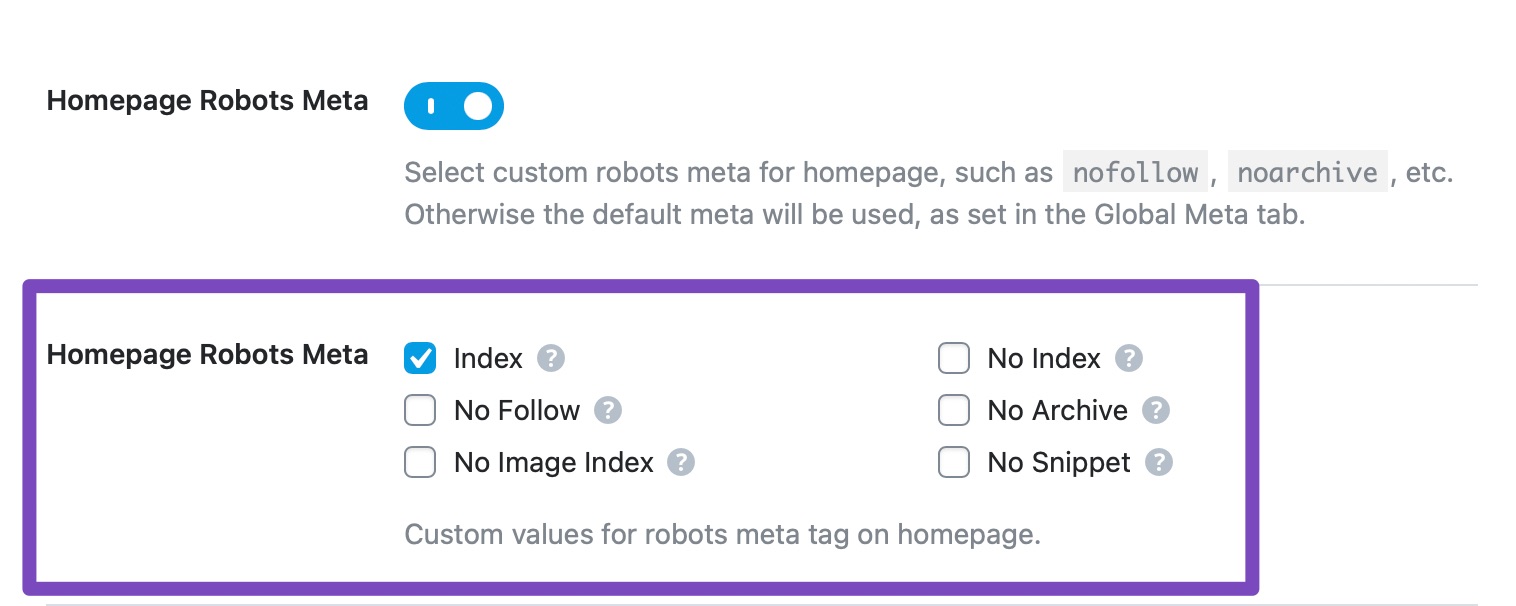
If it’s already set to index, then assuming you are using the latest version of all the plugins and the themes (please update if not yet), this can be caused by conflicting plugin/theme on your site.
To determine that, please follow this troubleshooting guide:
https://rankmath.com/kb/check-plugin-conflicts/Here is a video you can follow as well: https://www.youtube.com/watch?v=FcIWRhcUP2c
Only the site admin would know and your users won’t be affected by this troubleshooting.
Regarding the sitemap, you should remove /sitemap_index.xml as your site has /index.php/sitemap_index.xml. Once done, give Google some time to recrawl your sitemap.
Looking forward to helping you.
unfortunately, it looks different for me than it does for you in the screenshots. In my opinion, the Home page is indexed. Honestly, checking everything through the Health Check Plugin is too time-consuming and too difficult for me. Please help me solve the problem.
I am also sending a screenshot of the plugins I have installed.Hello,
When we checked, the homepage is still set with the
noindextag in Rank Math.
To change this, please edit the page you have set as the homepage by clicking on the link where the arrow is pointing to in the image below:

In the Advanced tab of the Rank Math meta box, please ensure that the page is to set index as shown below:
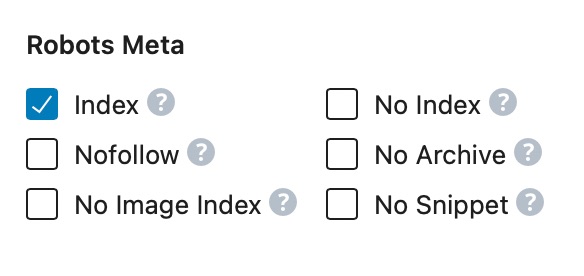
After this, clear your browser and server cache and recheck the status on Google Search Console.
We hope this helps and please don’t hesitate to let us know if you have any other questions.
Thank you.
The page you mentioned still has “index” set. I’m sending a screenshot.
Hello,
Please go to WordPress → Settings → Reading and ensure “Discourage search engines from indexing this site” is not selected.
If the issue persists, we might need to take a closer look at the settings. Please edit the first post on this ticket and include your WordPress login in the designated Sensitive Data section.
Please do take a complete backup of your website before sharing the information with us.
It is completely secure and only our support staff has access to that section. If you want, you can use the below plugin to generate a temporary login URL to your website and share that with us instead:
https://wordpress.org/plugins/temporary-login-without-password/
You can use the above plugin in conjunction with the WP Security Audit Log to monitor what changes our staff might make on your website (if any):
https://wordpress.org/plugins/wp-security-audit-log/
We really look forward to helping you.
Hello,
I have updated the sensitive data as requested. Can you please check further?
Thank you.
About. I added the data.
The “reading” section is also all good.I am sending a screenshot of the site map error.
Hello,
The issue was that your homepage was also your shopping cart page and Rank Math sets the cart page to noindex by default. We added the following code to your theme’s function.php file:
add_filter( 'rank_math/frontend/robots', function( $robots ) {
    if( is_cart() || is_checkout() ) {
        $robots['index'] = 'index';
    }
    return $robots;
});
The homepage is now set to index.
Kindly check and confirm that this issue is resolved.
Hope that helps, and please do not hesitate to let us know if you need our assistance with anything else.
all is well now. Thank you very much for your help.
Hello,
Glad that helped.
Please feel free to reach out to us again in case you need any other assistance.
We are here to help.
Thank you.
-



The ticket ‘Noindex in Serch Console’ is closed to new replies.