Hello,
I apologize for the inconvenience you are facing with setting up SEO for your pages using Rank Math on your Flatsome theme with UX Blocks. To edit the SEO Title and Description for your pages, you can follow these steps:
-
Using the Gutenberg Editor:
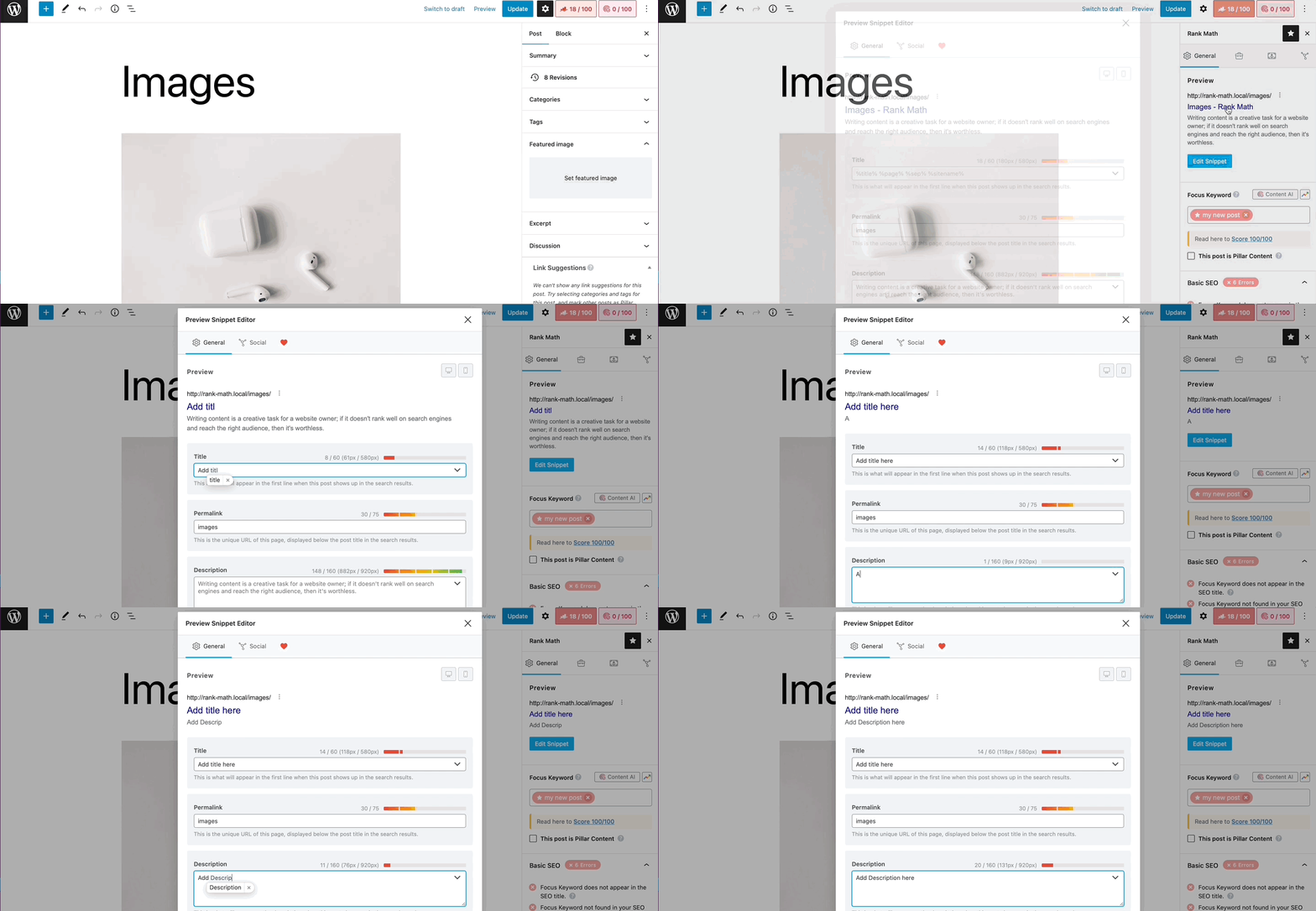
- Navigate to the post/page where you want to add the SEO metadata.
- Click on the Rank Math icon at the top right corner of the WordPress menu.
- In the General tab, you can add your title and description as shown in this image.
-
Using the Classic Editor:
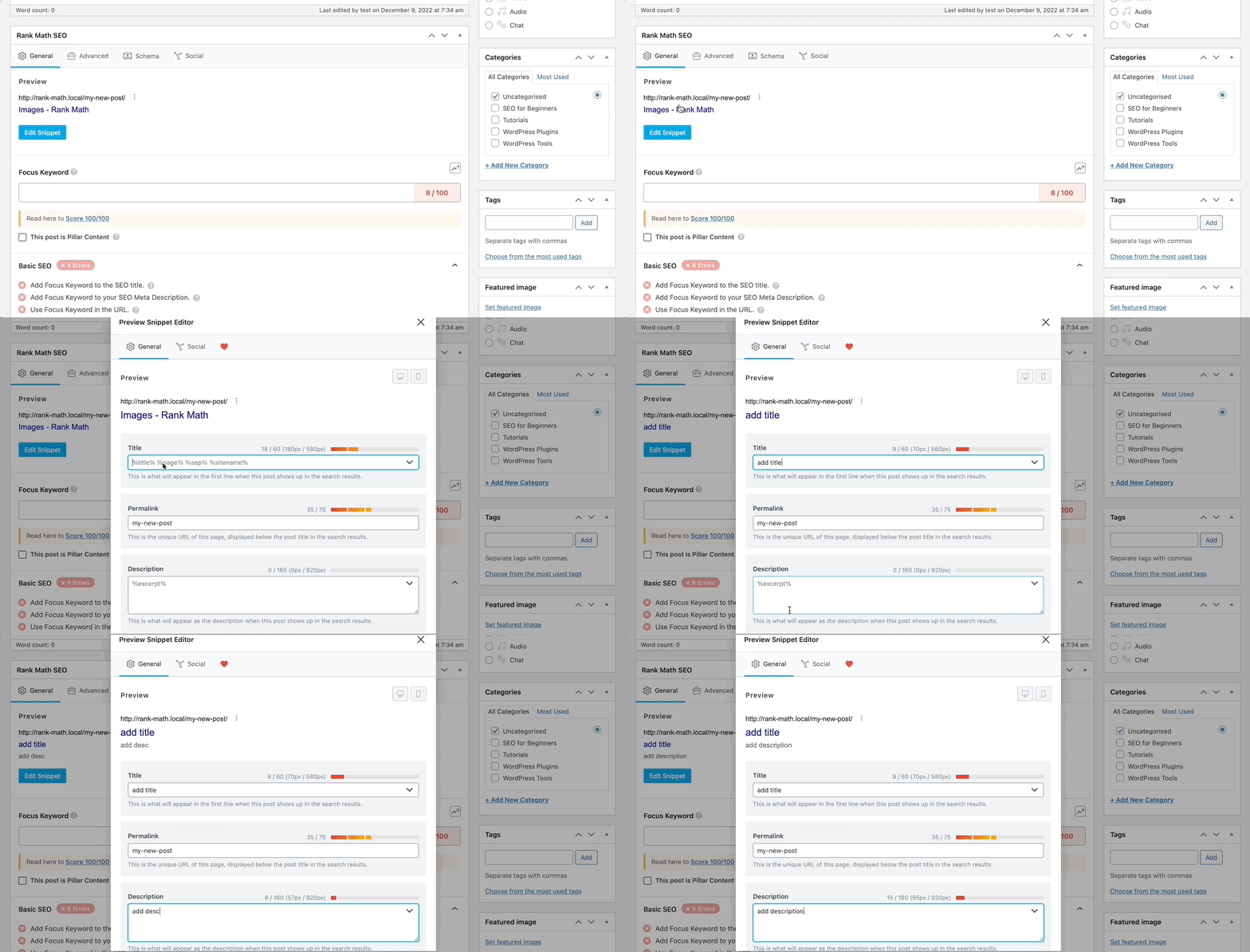
- Scroll down on your post/page editing screen to locate the Rank Math SEO Meta Box.
- In the Rank Math SEO General tab, you can add your SEO title in the Title section and SEO description in the Description section, respectively. Refer to this image.
-
Using Elementor:
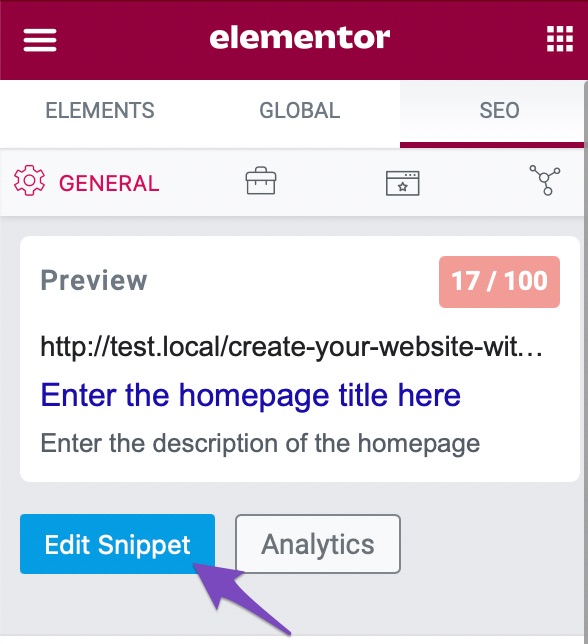
- If you are using Elementor, you can find Rank Math in the sidebar of Elementor.
- Click the Edit Snippet button located in the SEO tab to add a Meta Title and Description for your homepage. You can refer to this image.
By following these steps based on your editor, you should be able to set up the SEO Title and Description for your pages using Rank Math. If you encounter any further issues or need additional assistance, please feel free to ask.
Thank you for reaching out with your concern.
Sources:
How to Show Images in the Search Results » Rank Math
Homepage SEO Settings via Meta Title and Description
How to Enter SEO Meta Title, Description, and Focus Keyword » Rank Math
Understanding Rank Math’s Meta Box Appearing in Single Posts & Pages
https://imgur.com/a/hBp0eHg
I updated the image in link.I have used UX Blocks to edit the page, but I can also open Gutenberg Editor. After I set the Meta title and description, I can’t find it in Google.
Hello,
Thank you for contacting Rank Math support, and we apologise for the inconvenience caused.
Please share your website URL with us so that we can check.
In the meantime, to understand why the website is yet to be crawled or indexed, please check your Google Search Console coverage section to determine any issues reported on your site: https://rankmath.com/kb/url-inspection-api-integration/#presence-on-google and share the screenshot here using this tool.
Meanwhile, we have provided some guides you can follow to ensure your website keeps showing up on Google search results: https://rankmath.com/kb/google-index/
https://www.youtube.com/watch?v=_YYecHEIwMs
Please note that, according to Google, crawling and indexing can take anywhere from a few hours to a few days/weeks. Be patient and monitor progress using the URL Inspection tool.
Hope this helps and please don’t hesitate to let us know if you have any other questions.
Thank you.
Hello,
Since we did not hear back from you for 15 days, we are assuming that you found the solution. We are closing this support ticket.
If you still need assistance or any other help, please feel free to open a new support ticket, and we will be more than happy to assist.
Thank you.