Hello,
I’m sorry to hear about the issue you’re facing with updating page URLs when changing slugs. When you change the slug of a page after it’s published, visitors and crawlers landing on the old URL will encounter a 404 error because the requested page is not found. To ensure your traffic is not lost, you should redirect the old URLs to the new ones.
If WordPress doesn’t automatically redirect your old URLs to the new ones, you can use Rank Math to help you with this. Rank Math offers an Auto Post Redirect feature that allows you to automatically redirect posts, pages, taxonomies, and CPTs when their slugs are changed.
To enable this feature in Rank Math:
- Make sure you have activated the Redirections module by going to WordPress Dashboard → Rank Math SEO → Dashboard.
- Then, navigate to WordPress Dashboard → Rank Math SEO → General Settings → Redirections → Auto Post Redirect and enable the option.
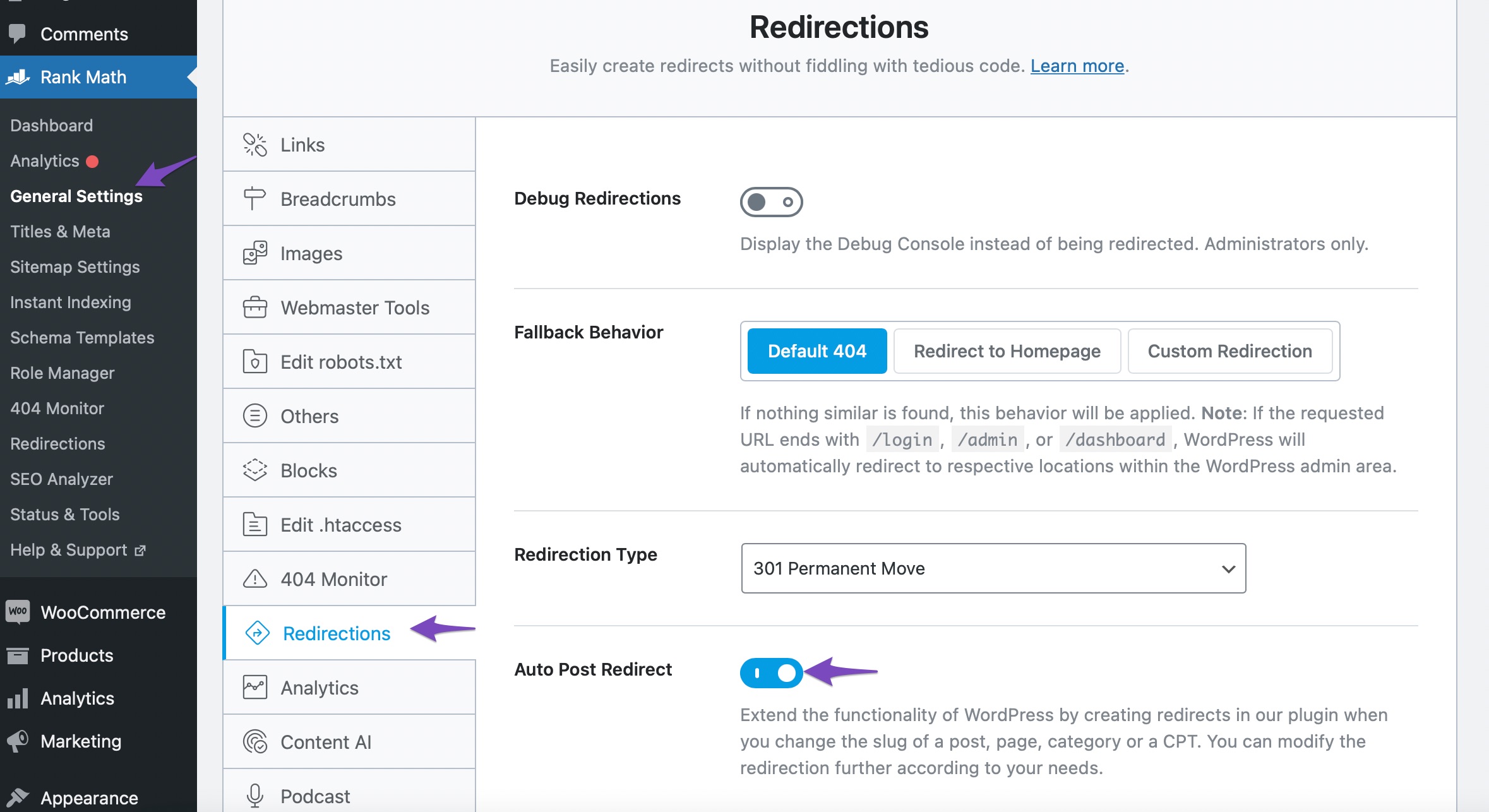
After enabling this option, remember to click the Save Changes button for the configurations to take effect. Rank Math’s Auto Post Redirect feature ensures that your old URLs are automatically redirected to the new ones using a 301 Permanent Redirection.
If you need further assistance or have any other questions, feel free to ask. We’re here to help!
Sources:
What Is a Slug in WordPress? » Rank Math
WordPress Permalink Structure & Changing Individual URLs » Rank Math
How to Redirect Posts After Changing URLs » Rank Math
This is an automated reply from Rank Math Support Bot. If you need further assistance, please reply to this topic and a human support agent will reply to you shortly.
Hello,
Since we did not hear back from you for 15 days, we are assuming that you found the solution. We are closing this support ticket.
If you still need assistance or any other help, please feel free to open a new support ticket, and we will be more than happy to assist.
Thank you.


