Hello,
I’m sorry to hear that you are facing issues with images not showing on social media shares. This problem can occur due to various reasons. To troubleshoot this, please ensure the following:
-
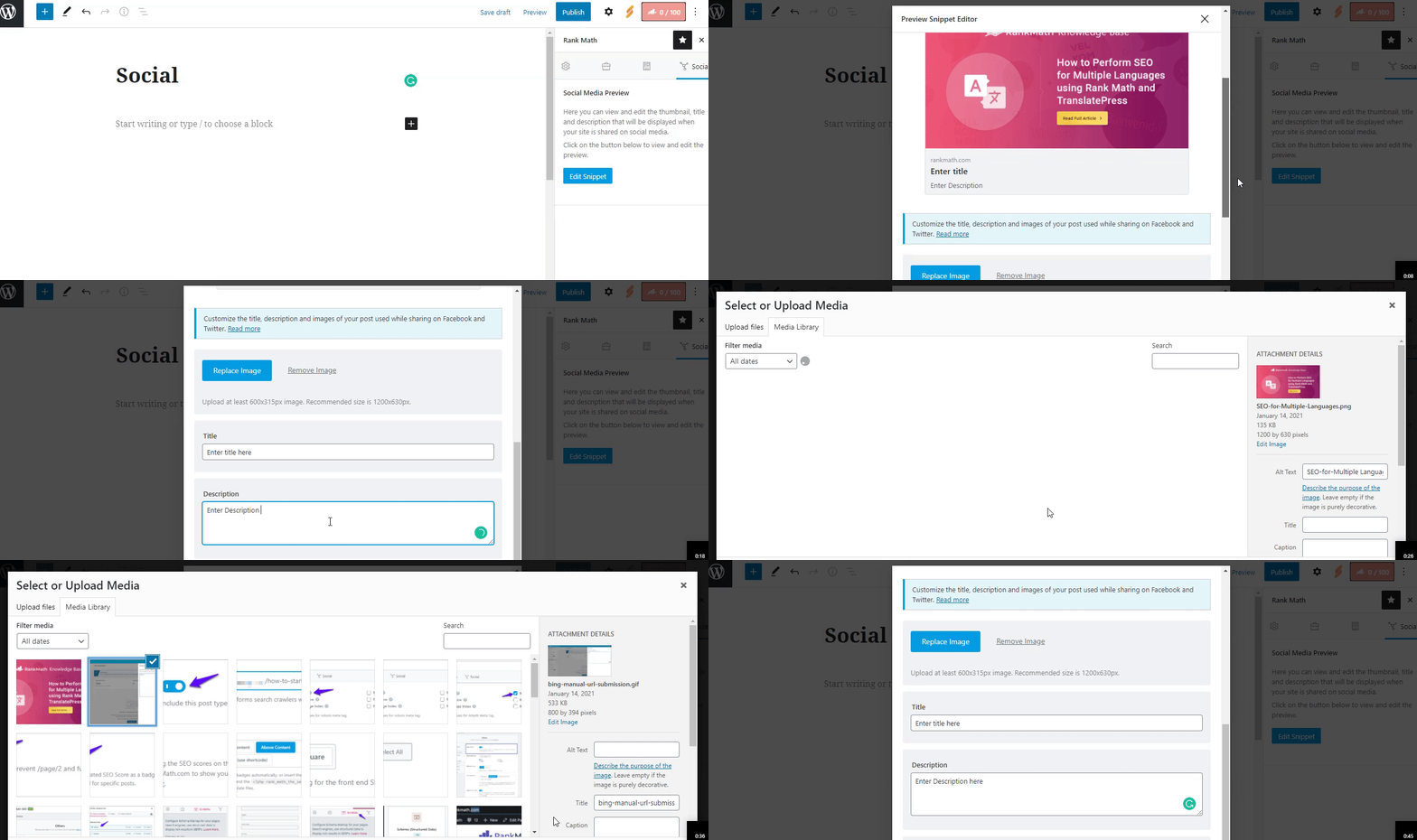
Added Facebook/Twitter Sharing Images: Check if you have added Facebook/Twitter sharing images through Rank Math Meta Box. You can refer to this guide on how to add social meta using Rank Math.
-
Image Dimensions & Format: Verify the dimension and format of the uploaded image. Facebook supports jpeg, png, and gif formats. Rank Math also supports WebP format for Facebook Open Graph. Ensure the image size is 1200px X 630px for optimal display.
If you have followed these steps and the issue persists, please let us know so we can assist you further. Thank you for bringing this to our attention.
If you need more detailed assistance, feel free to reply here, and a human agent will take over the ticket to help you.
Sources:
Open Graph/Social Preview Image Is Not Displayed » Rank Math
Social Media Options in Rank Math
Hello,
Thank you for contacting Rank Math support.
Please share the affected URL with us so we help investigate the issue.
We are looking forward to hearing back from you.
Hello,
We checked that page and we can confirm OG and Twitter image tags aren’t generated.
Please make sure to provide a featured image for your homepage. If you aren’t able to, you can set a default image in Rank Math > Titles & Meta > Global Meta.
You may refer to this KB link for further guidance in resolving this issue: https://rankmath.com/kb/open-graph-image-not-displaying/
Let us know how that goes. Looking forward to helping you.
Hello,
Since we did not hear back from you for 15 days, we are assuming that you found the solution. We are closing this support ticket.
If you still need assistance or any other help, please feel free to open a new support ticket, and we will be more than happy to assist.
Thank you.