Hello,
I’m sorry to hear that you are facing issues with your sitemap in Google Search Console. The HTTP 404 error indicates that the product-sitemap.xml file cannot be found, which is causing the problem.
To resolve this issue, you can follow these steps:
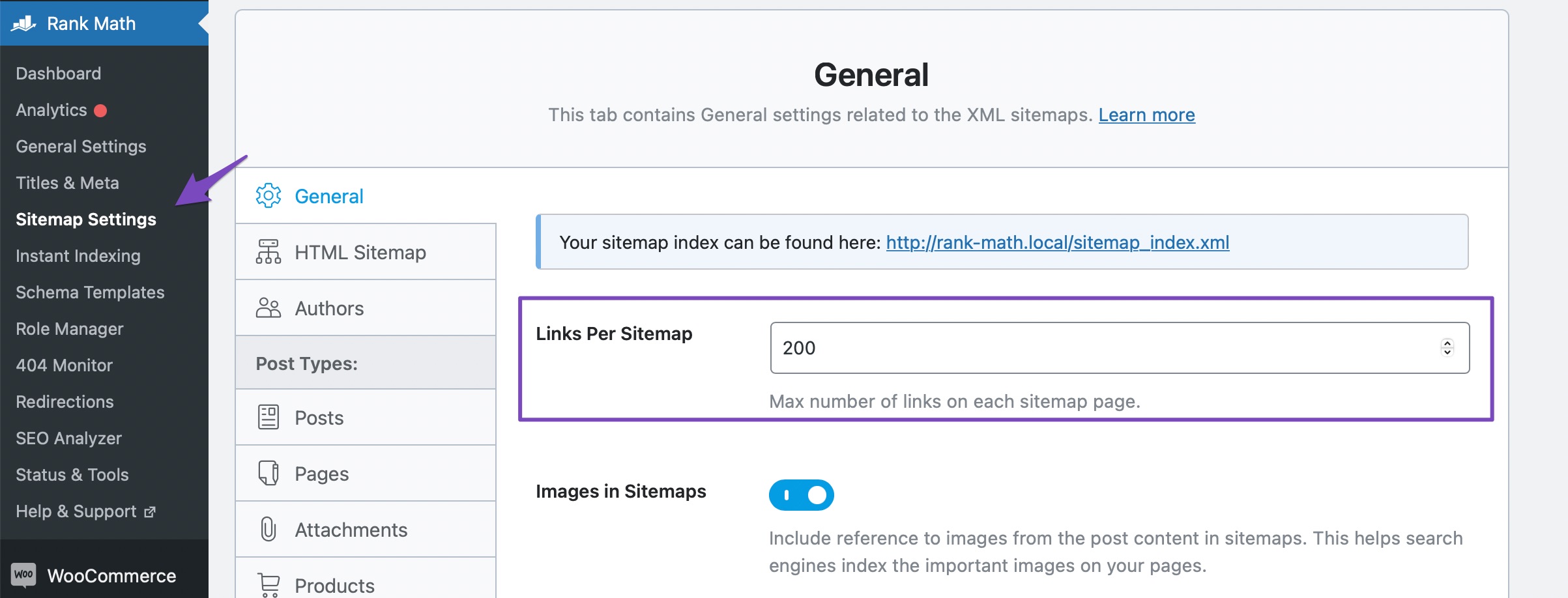
- Flush the Sitemap Cache: After adding the rewrite rules, navigate to Rank Math SEO → Sitemap Settings and change the Links Per Sitemap. Then click on Save Changes. Next, go to Settings → Permalinks and hit the Save Changes button to flush the permalinks setting.
-
Fix Sitemap Issues on Nginx or Apache Server: If you are using an Nginx server, you need to add specific rewrite rules. For Apache servers, you may need to edit your .htaccess file with the provided rules.
-
Exclude Sitemap Files in the Caching Plugin: If you are using a caching plugin, make sure to exclude the sitemap files from being cached. Caching the sitemap can lead to errors.
-
Add Filter to Enable/Disable Sitemap Caching: You can add a filter to your theme’s rank-math.php file to ensure your sitemap is excluded from caching.
-
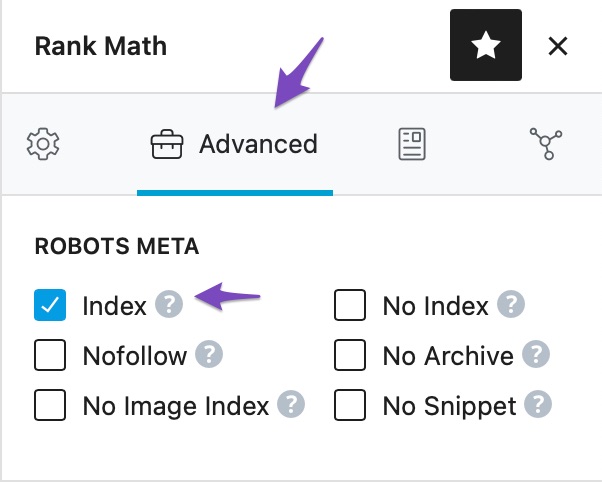
Ensure Pages Are Set to Index: Check that your posts and pages are set to index in the robots meta tag. Pages set to noindex will be excluded from the sitemap.
After following these steps, please recheck your sitemap in Google Search Console to see if the issue is resolved. If you continue to experience problems, feel free to reach out to our support team for further assistance.
We hope this information helps you resolve the sitemap error. If you have any more questions or need additional help, please let us know.
Sources:
Why the Sitemap_Index.xml is Throwing a 404 Error » Rank Math
Thank you. I have done the steps mentioned,
clear the sitemap cache and
save the permalinks and
excluded the sitemap from ezoic caching and
checked that all the products are set to index,
but still issue is there.
Hello,
Thank you for contacting Rank Math support, and sorry for any inconvenience that might have been caused due to that.
We are able to access your product sitemap as shown in the image below:

Please clear your website cache and browser cache and check again.
Let us know how it goes. Looking forward to helping you.
Thank you.
Hello,
Since we did not hear back from you for 15 days, we are assuming that you found the solution. We are closing this support ticket.
If you still need assistance or any other help, please feel free to open a new support ticket, and we will be more than happy to assist.
Thank you.



