Hello,
I’m sorry to hear that you are facing issues with sharing your posts on Twitter using Rank Math. To ensure that your posts display correctly when shared on Twitter, you need to make sure that the Open Graph/Social Preview Image is set up correctly.
Here are a few steps you can take to troubleshoot this issue:
-
Check Open Graph/Social Preview Image: Make sure you have added Facebook/Twitter sharing images through Rank Math Meta Box. You can refer to this guide on how to add social meta: 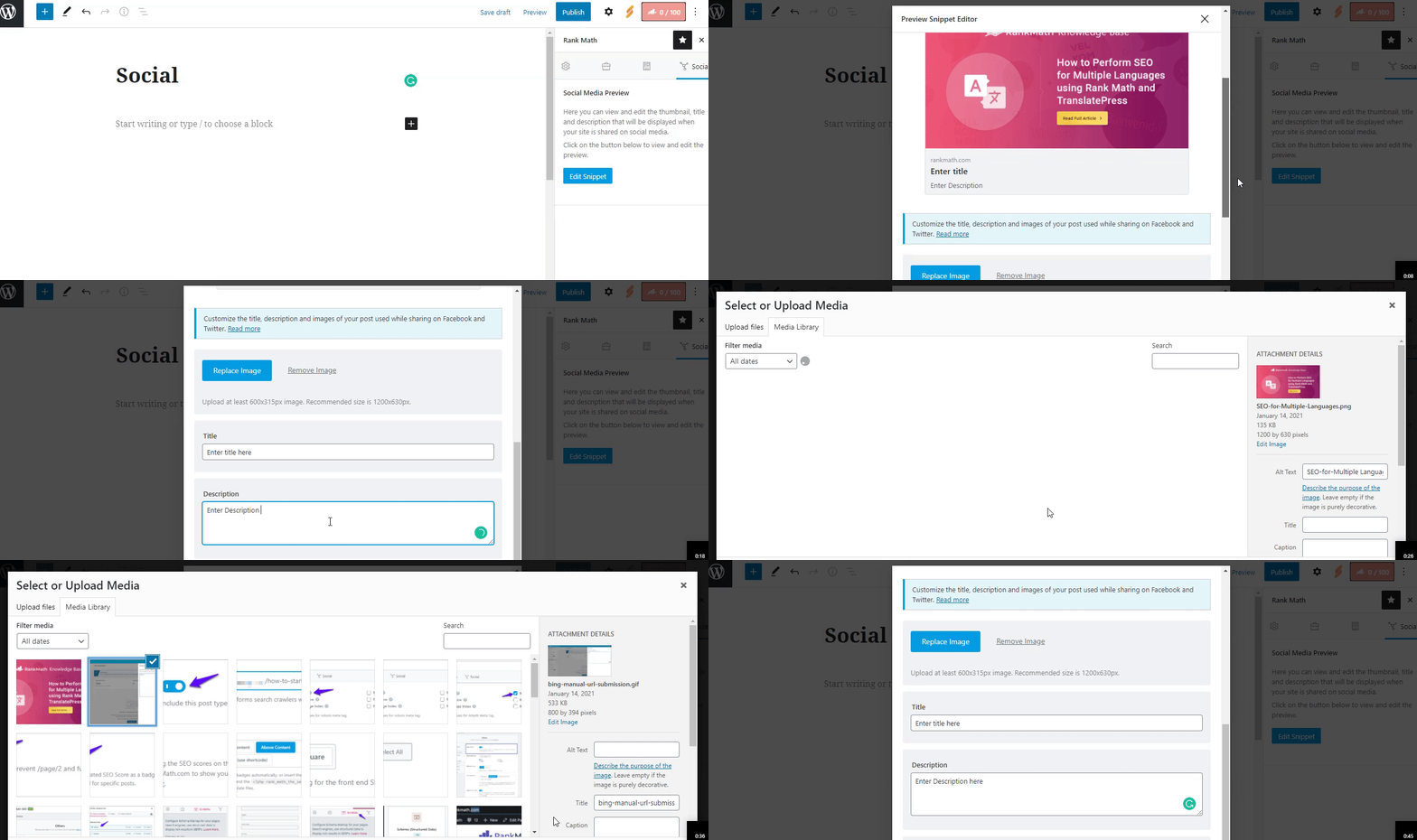 .
.
-
Image Dimensions & Format: Verify that the image you added meets the required dimensions and format. Twitter supports jpeg, png, and gif image formats. The recommended image size is 1200px X 630px. Ensure your image meets these requirements.
If you have followed these steps and are still experiencing issues, please feel free to reach out to Rank Math’s support team by opening a support ticket here. They will provide you with more specific guidance based on your website’s configuration.
Thank you for reaching out, and I hope this helps resolve the issue with sharing your posts on Twitter.
Sources:
How to Enhance Sharing in Slack » Rank Math
Open Graph/Social Preview Image Is Not Displayed » Rank Math
I tried this solution in a new web. As a result, I could successfully posted a link in Twitter displaying the picture. Okay, telling the true it was a blog about opinion articules.
On the contrary, I have a webtube from WP-script developers which is focused on posting videos from XXX containt platforms like XVideos. As a result, the links cannot be displayed in Twitter. I must say that Wp-script convert a WordPress web, focused on text entries, into a video entries blog. I don’t know if there is a conflict between WP-Script and Rank Math.
I tried sharing a post with an adult stuff in a simple WordPress blog for writings and I could share the post in Twitter successfully. So, there is not something like a censorship rule from Rank Math.
Hello,
Thank you for contacting Rank Math support.
We can check that the Twitter Card is showing the correct image for the site you have shared in the sensitive data section. Here is a screenshot for your reference: https://i.rankmath.com/i/YNUQq0
Hope that helps and please do not hesitate to let us know if you need our assistance with anything else.
Thanks for your help. I didn’t know the admitted size for Twitter image posting. By the way, I could successfully solve the issue. The issue was Twitter. Now, I can post and view my post images. Thanks!
Hello,
Glad that everything has been sorted out.
Please feel free to reach out to us again in case you need any other assistance.
We are here to help.
Thank you.




