Hello,
Thank you for reaching out to us regarding the issue with the Author sitemap on your website. Based on the information provided and the screenshots shared, it seems that the Author sitemap for Sonu is not showing up at the specified URL: https://rankmath.com/kb/switch-from-easy-to-advanced-mode/.
To troubleshoot this issue, please follow these steps:
-
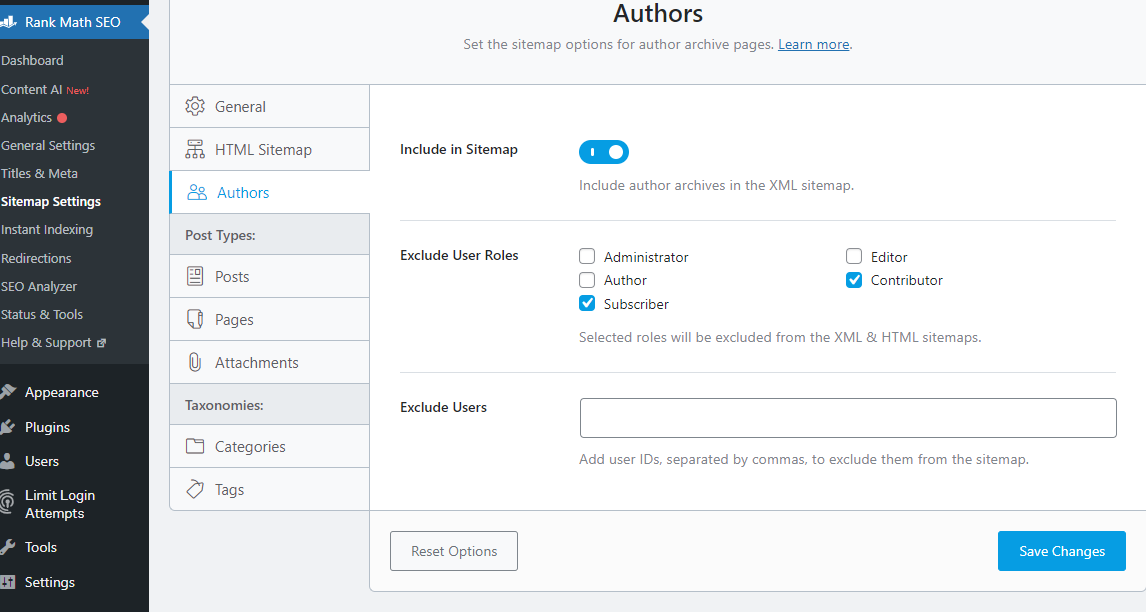
Check Author Sitemap Settings: Ensure that the Author sitemap settings in Rank Math are correctly configured to include the author Sonu. You can access these settings under Rank Math SEO → Sitemap Settings → Authors and make sure that Sonu is included in the sitemap.
-
Exclude Users: If there are any settings to exclude users based on user roles or IDs, make sure that Sonu is not inadvertently excluded from the sitemap.
-
Clear Cache: Clear any caching plugins or server-side caches that might be affecting the visibility of the Author sitemap.
If after following these steps, the issue persists, please reply to this ticket, and a human agent from our support team will assist you further.
Thank you for your patience and cooperation in resolving this matter.
Sources:
Why Isn’t My URL Included in the Sitemap? » Rank Math
Rank Math Sitemap Issues and Their Fixes » Rank Math
Hello,
Please follow these steps to flush your sitemap cache:
1. Flush the Sitemap cache by following this video screencast:
https://i.rankmath.com/pipRDp
2. Exclude the Sitemap files of the Rank Math plugin in your caching plugin. The cache could be via a plugin or from the server. For plugins or Cloudflare, please follow this article:
https://rankmath.com/kb/exclude-sitemaps-from-caching/
3. Disable the transient cache for the sitemap by applying this filter. This will make sure that your XML sitemap always reflects the latest changes on your site:
/**
 * Filter if XML sitemap transient cache is enabled.
 *
 * @param boolean $unsigned Enable cache or not, defaults to true
 */
add_filter( 'rank_math/sitemap/enable_caching', '__return_false');
If you’re not sure how to add this code, you can follow this guide:
https://rankmath.com/kb/wordpress-hooks-actions-filters/
Once done, check again the author sitemap.
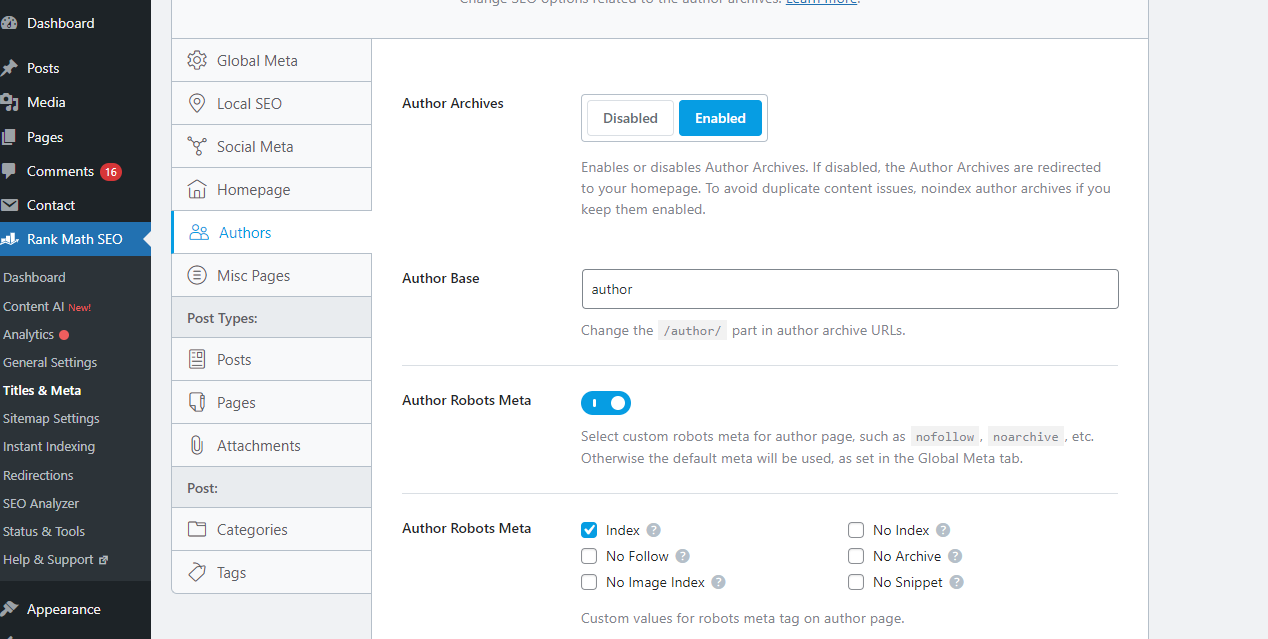
If it’s still not showing, head over to Rank Math > Titles & Meta > Author and ensure that the Author Robots Meta is set to index

Let us know how this goes.
Flushed Sitemap.
Not using Any cache plugin.
Already, Author Robots Meta is set to index.
Still not working.
Hello,
We can access the author sitemap directly here: https://autopodcastai.com/author-sitemap.xml
Please make sure that you use the transient option from this tutorial on your website: https://rankmath.com/kb/exclude-sitemaps-from-caching/#transient-cache
However, if the issue persists, we might need to take a closer look at your website and settings. Please follow these steps:
- Edit the first post on this ticket and include your WordPress and FTP logins in the Sensitive Data section. This is a secure section that only our support staff can access.

- Make sure you take a complete backup of your website before sharing the information with us.
- If you prefer, you can use this plugin to generate a temporary login URL to your website and share that with us instead: https://wordpress.org/plugins/temporary-login-without-password/
- You can also use this plugin to monitor what changes our staff might make on your website (if any): https://wordpress.org/plugins/wp-security-audit-log/
We appreciate your cooperation and patience.
Thank you for choosing Rank Math.
Hello,
WordPress doesn’t allow us to change the author slug and that’s why the changes made to the slug in our plugin’s meta box will not update it.
In this case, you will have to use the following plugin to change the author slug: https://wordpress.org/plugins/edit-author-slug/
Looking forward to helping you.
Hello,
We are super happy that this resolved your issue. If you have any other questions in the future, know that we are here to help you.
If you don’t mind me asking, could you please leave us a review (if you haven’t already) on https://wordpress.org/support/plugin/seo-by-rank-math/reviews/#new-post about your overall experience with Rank Math? We appreciate your time and patience.
If you do have another question in the future, please feel free to create a new forum topic, and it will be our pleasure to assist you again.
Thank you.