Hello,
I see you want to set the 410 status code for your website pages. To set a 410 status code for your pages using Rank Math SEO plugin, you can follow these steps:
-
Enable the Redirection Module:
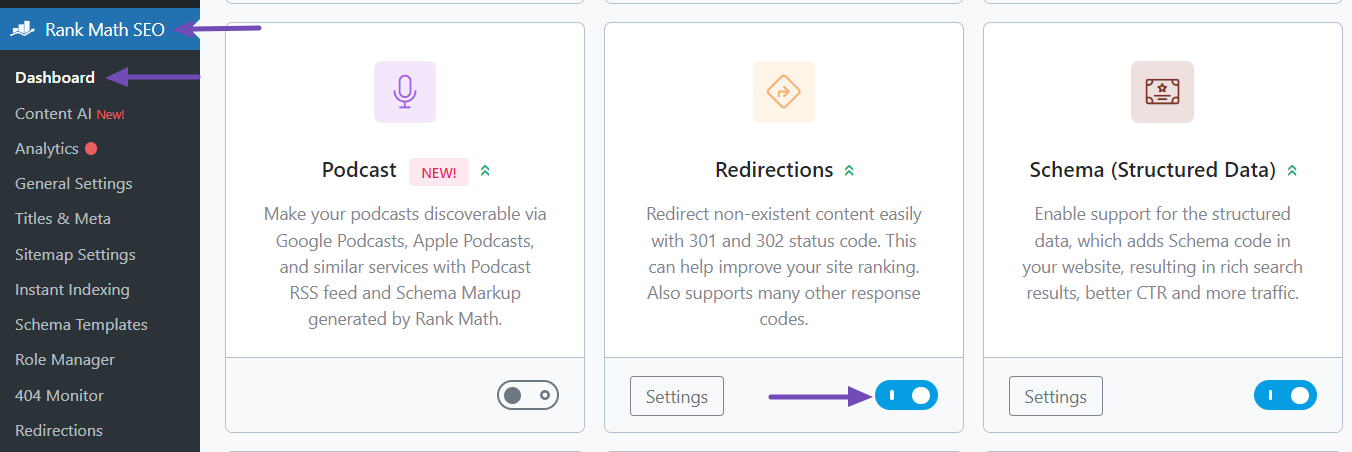
- Navigate to Rank Math SEO → Dashboard.
- Scroll down and enable the Redirection module. You can refer to this screenshot for guidance:
-
Access Redirections:
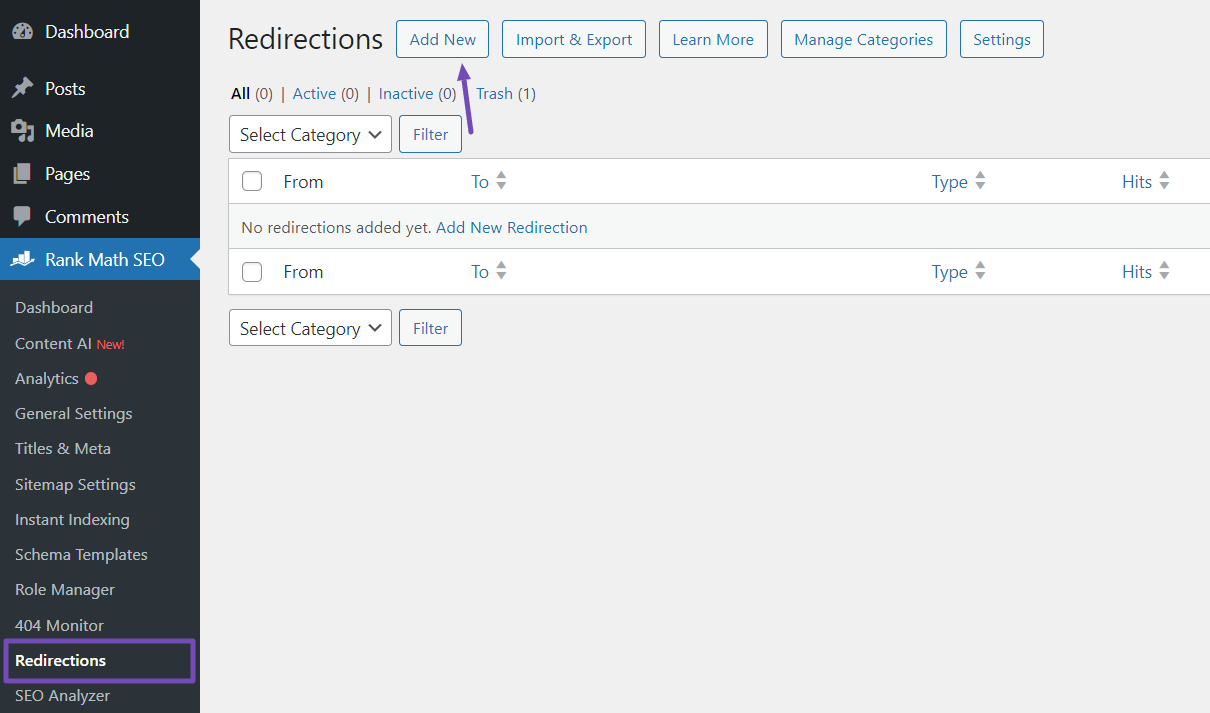
- After enabling the Redirections module, go to the Redirections section under the Rank Math SEO menu.
- Click the Add New button at the top. This will allow you to set up your bulk 410 status code changes. You can refer to this screenshot for reference:
-
Configure the Redirection:
- On the Redirections page, provide the URLs of the pages you want to set to the 410 status code in the Source URLs field.
- Skip the Destination URL and Redirection Type options.
- Click on the 410 Content Deleted button under Maintenance Code.
- Set other configurations as needed and click Add Redirection to save your changes.
By following these steps, you can efficiently set a 410 status code for your website pages using Rank Math SEO plugin. If you have any further questions or need assistance, feel free to ask.
Sources:
How to Set 410 Status Code in Bulk for WordPress » Rank Math
Does this require an upgraded version of the plugin to work?
I want to know if my problem can be solved by purchasing the upgraded plugin
The situation is that recently, a lot of strange URLs have appeared on my website and have been crawled by Google. I need to set these search URLs that do not exist to a 410 status.
I need to set all URLs with ? and /search/ to 410 status. Can the upgraded plug-in do this?
Hello,
Thank you for contacting support.
Adding redirections in our plugin with a status code of 410 is available in the Free version of the plugin so you don’t need an upgraded version to do that.
Just follow the steps shown previously to be able to add the redirections and you can also learn more about that module in our documentation here: https://rankmath.com/kb/setting-up-redirections/
Don’t hesitate to get in touch if you have any other questions.
Hello,
Since we did not hear back from you for 15 days, we are assuming that you found the solution. We are closing this support ticket.
If you still need assistance or any other help, please feel free to open a new support ticket, and we will be more than happy to assist.
Thank you.



