
-
I want to delete Rankmath Default Schema and add my own Schema templates to my website
When I turn off the Rankmath default Schema I loss access to schema templates
So how can I apply schema templates without adding rankmath default schemas
Actually, the rank math default schema is very repetitive and adds a huge piece of code to the web pages

-
Hello,
To delete Rank Math default Schema templates, you can follow these steps:
- Navigate to Rank Math SEO → Schema Templates page.
- Hover over the template you wish to remove.
- Click on the Trash link to delete the Schema template.
Here is an image showing how to remove a Schema template:
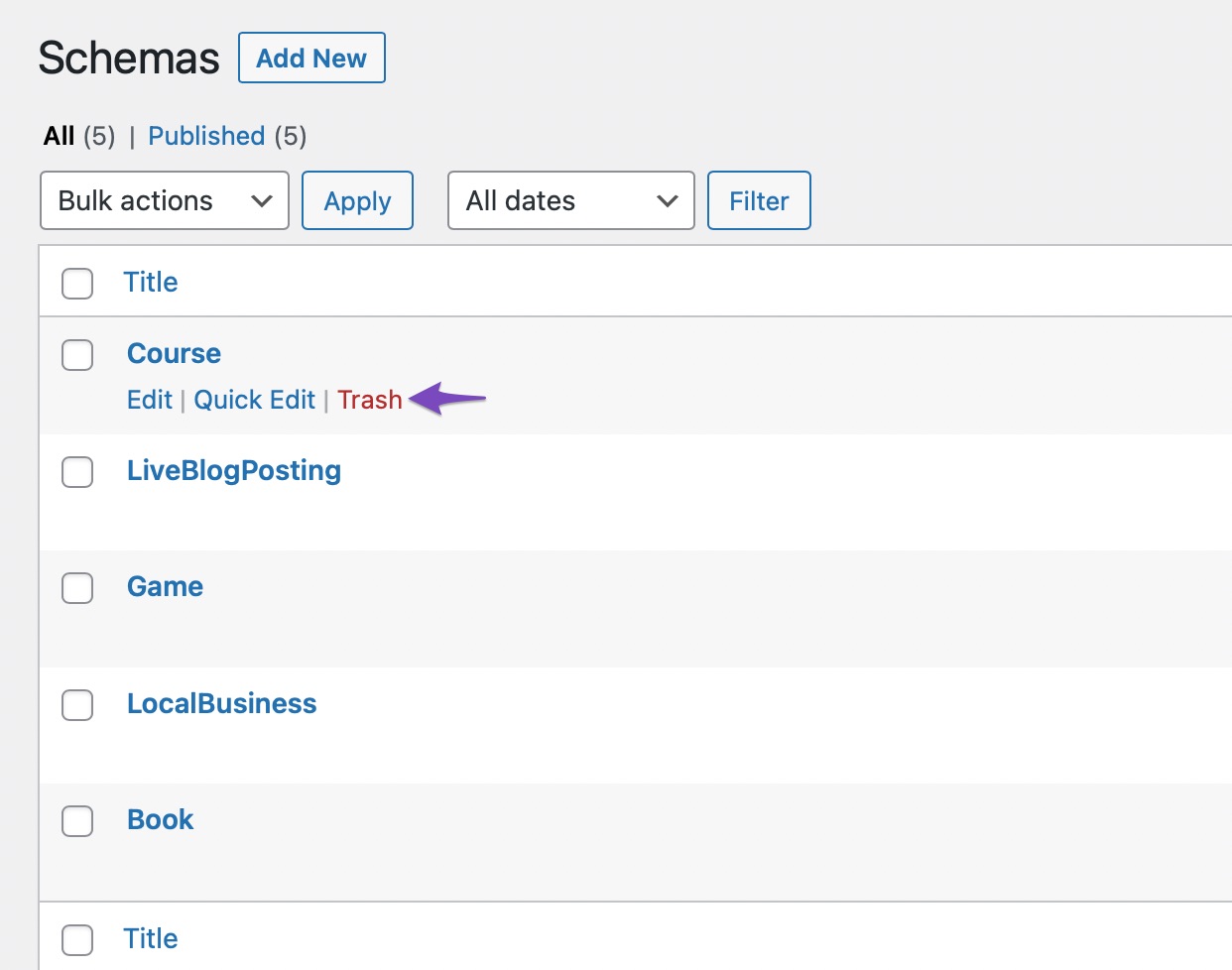
By removing the default Schema templates, you can add your own custom Schema templates to your website without interference from Rank Math’s default schemas.
If you encounter any issues or need further assistance with applying custom Schema templates, please feel free to reach out to our support team directly here. We are here to help you with any questions or concerns you may have.
Thank you for reaching out and raising this concern. Let us know if there is anything else we can assist you with.
Sources:
How to Use Schema Templates in Rank Math PRO » Rank Math
Resolving Rank Math Schema Markup Related IssuesI can’t find schemas added automatically by rankmath in schema template folder
Hello,
Thank you for contacting Rank Math support.
Schema Templates is a PRO feature, but your account doesn’t have a PRO subscription. Please share the email address of your PRO account so we can verify your purchase and assist you further.
Looking forward to helping you.
Hello,
I have updated the sensitive data as requested. Can you please check further?
Thank you.
Hello,
Thank you for providing the information, we are able to verify your account.
Back to your issue with the schema template. The schema template should still work even with the default schema set to none.
Please note that when the schema template is applied, you won’t be able to see it in the post list page like so:
Instead, you will see the schema templated applied when you visit the editor of the post:
If you still don’t see the schema, please share what specific template you have created and the affected URL so we can take a closer look.
Looking forward to helping you.
I have turned the schema off on page level but still it is adding the schema code on all pages.
The issue is it adds a very large schema with a lot of repetitive information
I want a clean schema that’s why I want to use my own schema templates and remove the default onesHello,
We want to look at the issue you are currently facing with the schema on your website.
Please share the URL to the page where this issue occurred so we can check for you.
And since you have disabled the schema from our plugin, it is possible that the schema is being added by a plugin or theme you are using.
Assuming you are using the latest version of all the plugins and the themes (please update if not yet), it would seem like a conflict with one of the plugins or the theme you are using.
To determine that, please follow this troubleshooting guide:
https://rankmath.com/kb/check-plugin-conflicts/Here is a video you can follow as well:
Only the site admin would know and your users won’t be affected by this troubleshooting.
Let us know how it goes.
Thank you.
The schema is being added by Rankmath plugin for sure
As I can verify it from the class in the source code and when I turn off the schema(structured data) from Rankmath Dashboard it goes away
But I want to turn it off on page level and add my custom templates
Please advise me how can I do thatHello,
We checked your homepage and no schema was detected on the page: https://search.google.com/test/rich-results/result?id=bjjsAU_34z_Su41Jbx7eCw

Can you confirm if the schema module is still active on your site?
You can use the code below to disable Rank Math schema on pages:
add_filter( 'rank_math/json_ld', function( $data, $jsonld ) {
    if ( is_page() ) {
        return [];
    }
    return $data;
}, 99, 2 );
Please refer to this guide on how to add the filter to your website: https://rankmath.com/kb/wordpress-hooks-actions-filters/
We hope that helps and we are here should you have any follow-up questions.
Thank you.
There are schemas active on the page
Can you please recheck it?
Will this code disable only the default schemas or also the custom rank math schema templates?Hello,
We checked and can see that schema is active on the page.
The code snippet will disable all Rank Math schemas on pages, including both the default schemas and any custom Rank Math schema templates you may have created.
The code can however be modified to selectively disable any specific schemas you want to target while keeping others.
Please let us know the default Rank Math schema you want to disable.
We look forward to hearing from you.
Thank you.
I want to disable all the default schemas
As you can see there are 3 schemas on the homepage with the same repetitive and cluttered information and the same is true for other pages of the website too
That’s why I want to add custom schema templates, that way it would be clean and simple
Is there a way to do it?Hello,
If you only want to use the Schemas that you have created, and remove the default Schemas, please use the following filter on your site:
add_filter( 'rank_math/json_ld', function( $data, $jsonld ) {
    if (isset( $data['publisher'] ) ) {
        unset( $data['publisher'] );
    }
    unset( $data['place'] );
    unset($data['WebSite']);
    unset($data['ImageObject']);
    unset($data['ProfilePage']);
    unset($data['primaryImage']);
    return $data;
}, 99, 2);
Here is how to add a filter to your site: https://rankmath.com/kb/wordpress-hooks-actions-filters/
Hope that helps and please do not hesitate to let us know if you need our assistance with anything else.
I will try it Thanks
Hello,
Sure, do let us know how that goes.
In the meantime, don’t hesitate to get in touch with us if you have any other questions.



You must be logged in to reply to this ticket.