Hello, I’m sorry to hear that you’re experiencing issues with the schema on your blog. I understand that this can have an impact on your SEO. It seems like you’re encountering some problems with the schema types after installing the Rank Math plugin.
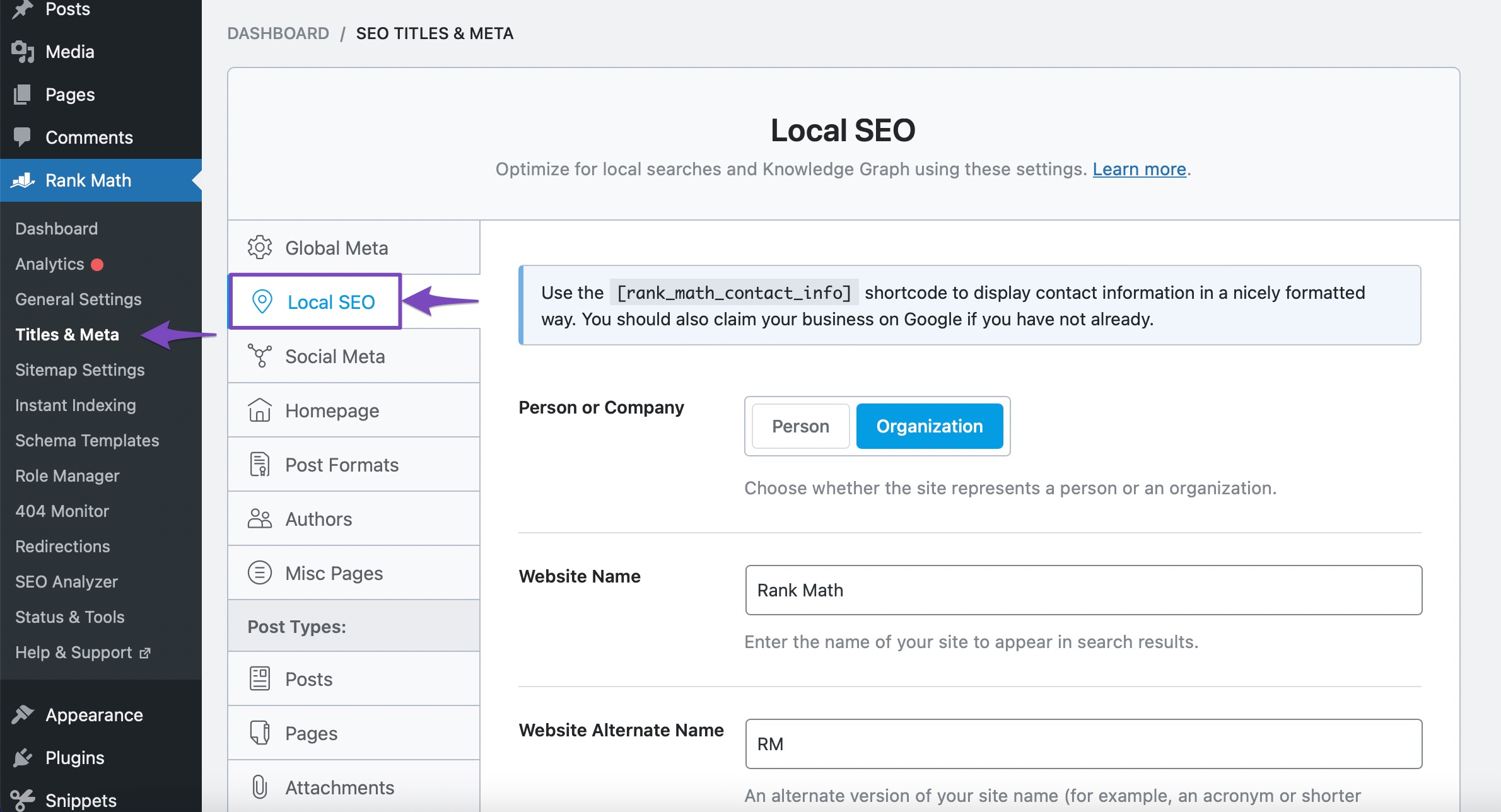
To address the issue with the incorrect ‘person’ and ‘organization’ appearing as authors, and the duplicated and unnecessary elements, you can customize the Author Schema Entity settings within Rank Math. You can control the data displayed inside the Author Schema entity by navigating to WordPress Dashboard → Rank Math SEO → Titles & Meta → Local SEO. From there, you can make changes to the organization info and customize it according to your requirements.
Here’s a screenshot of where you can find the Local SEO settings in Rank Math:
I hope this helps! If you have any further questions or need additional assistance with fixing the schema issues, please feel free to reach out to our support team directly from here, and we’re always here to help.
Sources:
How to Fix “Invalid object type for field ‘item'” » Rank Math
Person Schema Type » Rank Math
How Does the Author Schema Entity Work? » Rank Math
The #1 WordPress SEO Plugin in 2023 – Rank Math
Article Schema Type » Rank Math
This is an automated reply from Rank Math Support Bot. If you need further assistance, please reply to this topic and a human support agent will reply to you shortly.
Hello,
Since we did not hear back from you for 15 days, we are assuming that you found the solution. We are closing this support ticket.
If you still need assistance or any other help, please feel free to open a new support ticket, and we will be more than happy to assist.
Thank you.


